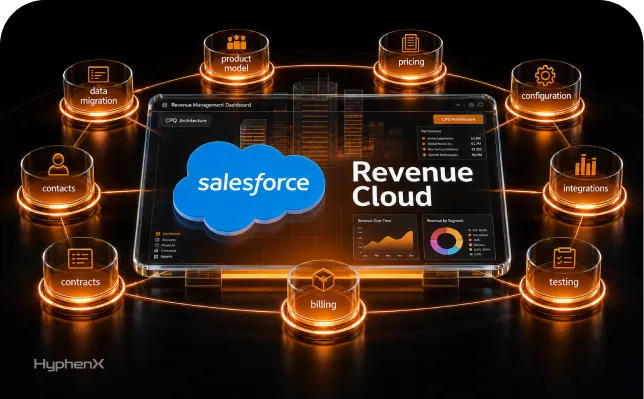
As quoting gets more complex, many teams still rely on spreadsheets, manual approvals, and disconnected pricing logic that slow sales down and create avoidable errors. At the same time, Salesforce has shifted its CPQ direction toward Revenue Cloud and Agentforce-led revenue management, while the legacy Salesforce CPQ managed package has entered end-of-sale status for new customers. That change makes this more than a process-improvement discussion. It is now a planning issue for companies that still depend on spreadsheet-based quoting or older CPQ structures.
At HyphenX, we see this as the right moment to replace fragile quoting habits with a clearer Salesforce implementation roadmap. A strong approach starts with auditing pricing data, product structure, approvals, and handoffs before moving into design and phased rollout. That matters because CPQ projects often struggle when teams rush requirements, carry poor catalog data into the build, or overcomplicate the solution too early. In this blog, we walk through practical Salesforce CPQ implementation best practices that help businesses move beyond spreadsheets and prepare for a more AI-native quoting model.
The Hidden Costs of Spreadsheet-Based Quoting in Salesforce
Many teams continue to build quotes in spreadsheets even after adopting Salesforce. At first, it feels manageable. Over time, the gaps become visible. Data sits across files, formulas change without review, and pricing logic lives in individual versions rather than a shared system. Most organizations do not track the full impact until errors begin affecting revenue, delivery timelines, and customer trust. Spreadsheet-based quoting rarely fails in one place. It breaks gradually across pricing, approvals, and execution. We usually see the same pattern. What starts as a quick workaround becomes a dependency. Teams rely on Excel to handle configurations, pricing rules, and approvals that should sit inside Salesforce. As volume grows, that setup becomes harder to control, audit, or scale.
Manual errors and pricing inconsistencies
Manual entry introduces risk at every step. A small change in discount, quantity, or product selection can alter the entire quote. Without controlled logic, pricing varies between reps, even for similar deals. When updates are made, older spreadsheets continue circulating, and teams unknowingly send outdated quotes. These errors do not stay limited to sales. They move into downstream processes. Order teams spend time correcting bill of materials issues. Delivery teams arrive with missing or incorrect components. Timelines slip, and internal teams start working in reactive mode. Instead of a smooth flow from quote to order, each stage requires validation and rework.
Revenue leakage from discount mismanagement
Pricing control becomes difficult when approvals and thresholds are not centralized. In spreadsheet-driven processes, discounts often depend on individual judgment rather than defined rules. Over time, this creates inconsistency across deals. Some quotes are priced below approved margins, while others do not reflect updated contract terms. Revenue leakage typically appears in small gaps rather than large losses. Discounts exceed limits, billing does not match contracts, and obligations are missed because no single system governs the process. Finance teams often rely on exported data or manual updates, increasing the chance of a mismatch between what was sold and what gets billed. Each manual touchpoint introduces another place where revenue can slip.
Lost deals due to slow quote turnaround
Speed plays a direct role in closing deals. When quoting depends on manual calculations, approvals through email, and repeated revisions, turnaround time increases. Sales teams spend more time preparing quotes than engaging with buyers. From the buyer’s perspective, delays create doubt. If pricing takes days to finalize, it signals inefficiency. Meanwhile, competitors with structured CPQ systems respond faster with accurate proposals. Deals that could have progressed stall or move elsewhere. The issue is not only speed but also consistency. Faster, well-structured quoting builds confidence, while delays weaken it.
Inability to scale with business growth
Spreadsheets can handle early-stage complexity, but they do not hold up as operations expand. As product lines grow, pricing models evolve, and deal structures become more detailed, spreadsheets become harder to manage. Files increase, dependencies multiply, and knowledge remains tied to individuals rather than systems. Scaling under this model often means adding more people instead of improving the process. That increases cost without fixing the root issue. We approach this differently. We focus on moving pricing logic, approvals, and product structures into Salesforce so teams can operate from a shared system. That shift allows businesses to grow without carrying forward the same limitations.
CPQ Implementation Best Practices: Preparing Your Salesforce Environment

Before starting any CPQ implementation, the focus should be on preparing the Salesforce environment properly. Many projects struggle because teams move directly into configuration without fixing data, workflows, or ownership gaps. This early phase shapes how well the system performs later. We treat preparation as a structured step where data, process, and alignment are reviewed before any build begins.
Audit your current product catalog and pricing data
A clean and structured product catalog is essential for accurate quoting. Review all products, bundles, and pricing rules to ensure they reflect current offerings. Remove duplicates, standardize naming, and check whether discount structures and pricing tiers match internal policies. When catalog data is inconsistent, it leads to confusion during quote creation and delays during approvals.
- Remove outdated or duplicate product entries
- Standardize product names, categories, and attributes
- Validate pricing logic against current business rules
Map existing quoting workflows and pain points
Understanding how quotes move today helps define what needs to change. Document each step from opportunity creation to final approval. This makes it easier to identify delays, repeated tasks, and areas where manual work slows the process. We use this mapping to decide where automation adds value and where process simplification is required first.
- Identify approval delays and bottlenecks
- Track manual steps that repeat across teams
- Highlight gaps between sales, finance, and operations
Clean up Salesforce data before CPQ setup
Data quality directly affects CPQ performance. Before implementation, clean existing Salesforce records to remove duplicates and outdated information. Validate account data, product associations, and historical transactions so the system works with reliable inputs. Skipping this step often leads to errors that continue even after deployment.
- Remove duplicate and inactive records
- Validate account and product relationships
- Test data quality before migration or setup
Define success metrics and use cases upfront
Clear goals help measure whether the CPQ implementation is working as expected. Define key metrics such as quote turnaround time, pricing accuracy, and deal progression speed. Use these benchmarks to compare performance before and after implementation. This also helps prioritize which use cases to address first.
- Set baseline metrics for current performance
- Define expected improvements post-implementation
- Focus on high-impact quoting scenarios first
Align stakeholders across sales, finance, and ops
CPQ touches multiple teams, so alignment is necessary from the start. Sales focuses on speed, finance on control, and operations on accuracy. Bringing these groups together early helps avoid conflicts during implementation. We involve stakeholders throughout the process to keep decisions aligned with business goals.
- Include all key teams in early discussions
- Clarify roles and ownership for decisions
- Address concerns before configuration begins
Why AI-Native CPQ Is Replacing Legacy Quoting Methods

Quoting has moved beyond static rules and manual approvals. As deal structures become more complex, traditional tools struggle to keep up with changing pricing models, subscription logic, and customer expectations. Many organizations now look for systems that can respond to real conditions instead of relying only on predefined configurations. This is where AI-native CPQ starts to replace older quoting approaches. The shift is not just about automation. It is about building a system that can interpret data, support decisions, and reduce dependency on manual oversight.
We approach this transition by helping teams move away from rigid setups toward models that can adapt over time. Instead of maintaining layers of rules and exceptions, the focus shifts to cleaner data, structured pricing logic, and systems that can learn from past transactions.
What makes CPQ ‘AI-native’ vs traditional tools
The difference begins at the architecture level. Traditional CPQ systems depend heavily on rule engines that require continuous updates as products, pricing, and approvals evolve. Over time, this leads to complex configurations that are difficult to manage.
AI-native CPQ takes a different approach. It uses historical deal data, buying patterns, and pricing behavior to support decision-making during quote creation. Instead of relying only on fixed logic, the system can suggest configurations, flag unusual pricing, and guide sales teams based on past outcomes. This reduces the need to maintain large volumes of rules while improving consistency across quotes.
Automated pricing and configuration intelligence
Pricing accuracy improves when calculations are handled within a structured system rather than manual sheets. AI-enabled CPQ platforms can analyze previous deals, identify pricing patterns, and support more consistent discounting decisions.
For sales teams, this means less time spent validating numbers and more time focusing on deal progression. Quotes can be generated faster because pricing rules, approvals, and product configurations are already defined within the system. Instead of recalculating every scenario manually, teams work with guided inputs that reduce errors and rework.
Real-time data accuracy across systems
Disconnected systems often lead to outdated or incorrect quotes. When pricing updates, product changes, or inventory shifts are not reflected in real time, the risk of quoting errors increases.
With a connected CPQ setup, data flows directly between Salesforce, ERP, and related systems. Updates in one system reflect across others without manual intervention. This ensures that quotes are based on current information, reducing the chances of mismatch between what is sold and what is delivered or billed.
Built-in compliance and approval workflows
Approval processes tend to slow down deals when they rely on emails or informal checks. Without structured workflows, pricing decisions vary and audit visibility becomes limited.
AI-native CPQ systems include defined approval paths based on pricing thresholds, deal size, or specific conditions. Quotes move through the right checkpoints automatically, reducing delays while maintaining control. We implement these workflows to balance speed with governance, so sales teams can move faster without bypassing financial and compliance requirements.
5-Step Salesforce CPQ Implementation Roadmap
A strong CPQ rollout works best when the implementation follows a clear sequence instead of trying to solve everything at once. The goal is to move from disconnected quoting practices to a structured system that sales teams can use consistently inside Salesforce. We usually break this into five practical stages so the build stays manageable, testing stays focused, and adoption improves after launch.
- Follow a phased rollout instead of a full replacement at once
- Keep process design, system setup, and adoption closely connected
- Use each stage to reduce risk before wider deployment
Step 1: Configure your product library and pricing rules
Start by organizing the product catalog in a way that reflects how the business actually sells. Product families, bundles, options, and dependencies should be clearly structured before pricing rules are applied. Then define how pricing should behave across regions, customer types, quantities, and negotiated terms. This gives the CPQ model a reliable base for quote generation.
- Structure products, bundles, and options clearly
- Define pricing logic for discounts, tiers, and contracts
- Set rules that prevent invalid product combinations
Step 2: Build quote templates and approval chains
Quote documents should be consistent, easy to review, and aligned with how the business presents offers to customers. Templates need to pull the right pricing and product details automatically. At the same time, approval chains should reflect internal controls so discount exceptions, low-margin deals, and unusual terms move through the right reviewers without manual chasing.
- Create templates for different sales scenarios
- Auto-fill quote details from approved system data
- Route approvals based on margin and discount thresholds
Step 3: Integrate CPQ with Salesforce CRM workflows
CPQ works better when it fits directly into existing Salesforce activity instead of sitting beside it. Connecting it with opportunity workflows, account data, and related systems helps sales teams create quotes without switching tools or re-entering information. At HyphenX, we treat this step as essential because data consistency depends on how well CPQ connects with the broader Salesforce process.
- Link quotes directly to opportunity workflows
- Reduce manual data entry between systems
- Keep customer and pricing data synchronized
Step 4: Test with pilot users and gather feedback
Before full launch, the system should be tested by a small group that represents different business roles. Pilot users help uncover usability issues, workflow gaps, and edge cases that may not appear during setup. Their feedback makes the final release more stable and closer to real sales needs.
- Use cross-functional pilot groups for testing
- Capture workflow issues before wider rollout
- Refine setup based on real user feedback
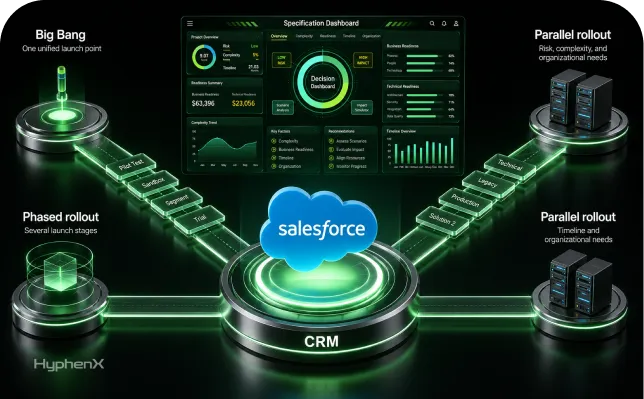
Step 5: Train your team and launch gradually
Training should match how each group uses CPQ in practice. Sales teams need confidence in quoting, managers need visibility into approvals, and admins need control over maintenance. A phased launch gives teams time to adjust while support remains available. This approach usually leads to better adoption than a sudden full rollout.
- Deliver role-based training with real scenarios
- Expand access in phases instead of all at once
- Monitor adoption closely after go-live.
Conclusion
Spreadsheet-based quoting creates problems that compound over time. Manual pricing errors, inconsistent discounts, delayed approvals, and slow quote turnaround all affect revenue, margins, and customer confidence. As quoting grows more complex, these issues become harder to manage inside disconnected files and informal processes. AI-native CPQ offers a more reliable path by bringing pricing logic, approvals, data flow, and governance into a structured Salesforce environment.
At HyphenX, we see the transition as more than a system upgrade. It is a process shift that requires clean data, aligned stakeholders, and a practical rollout plan. That is why the roadmap matters. Start with your product catalog, pricing data, and current workflow gaps. Then move through configuration, integration, testing, and phased adoption in the right order. When the foundation is strong, CPQ becomes easier to scale, easier to manage, and far more dependable than spreadsheet-based quoting.