Salesforce is one of the strongest CRM platforms businesses use today, but setup alone doesn’t keep it working well. After implementation, the real work begins. New users come in, processes change, integrations fail, automations get heavier, and leadership expects cleaner dashboards with fewer manual checks. Without steady Salesforce support services, even a well-planned org can slowly become harder to manage.
Salesforce support services help keep your CRM stable, useful, and close to the way your business actually runs. The work covers fixes, admin support, technical support, data cleanup, user adoption, and ongoing Salesforce maintenance. For HyphenX, that means helping teams use Salesforce with more confidence, giving leaders reports they can trust, and keeping customer-facing workflows running cleanly. Done well, Salesforce support turns a post-implementation CRM into a system that keeps improving with the business.
Why Salesforce Support Services Matter After Implementation
Most businesses spend serious time getting Salesforce implemented correctly. The harder part is keeping that setup useful as the business changes, teams grow, and daily CRM needs become more demanding.
Salesforce Keeps Changing as the Business Grows
The moment Salesforce goes live, the system starts moving. New sales territories are added. Service teams ask for extra case categories. Finance needs new reports. A new product line changes opportunity stages. Marketing wants campaign attribution tracked with more detail. Every change adds weight when no one is managing the bigger picture. Fields pile up, older automations clash with newer flows, page layouts get crowded, and users begin handling work outside Salesforce. Salesforce support and maintenance services give the org steady care, so growth doesn’t turn the CRM into something messy, slow, or hard to trust.
Small CRM Issues Can Turn Into Larger Business Problems
A flow fails, and leads stop reaching the right sales rep. A permission issue blocks a service agent from updating case records. A report pulls duplicate data and makes the pipeline look stronger than it really is. These look like small Salesforce technical support issues at first, but the business impact can spread quickly. Sales leaders make calls from weak forecasts. Customer cases sit longer than they should. Marketing spend follows attribution data that doesn’t tell the full story. So, when a small CRM issue stays open for too long, the damage moves across every team that depends on Salesforce for daily work.
Support Turns Salesforce From a Static System Into a Living Business Platform
Businesses that leave Salesforce untouched after go-live usually see performance slip over time. Salesforce maintenance services help teams review configurations, clean outdated fields, fix broken processes, respond to user feedback, and prepare the CRM for the next stage of growth. For HyphenX, strong Salesforce support services protect the value already built into the platform. They keep the org cleaner, easier to use, and closer to how the business actually runs.
Common post-implementation issues that support addresses:
- Lead assignment rules breaking after territory or role changes
- Automations clashing when new Salesforce Flows are added without review
- Duplicate records building up and weakening report accuracy
- Permission sets becoming uneven as teams expand
- Dashboards going stale because source reports were never updated
- Integration sync errors staying hidden until data gaps appear
- Users falling back on spreadsheets because Salesforce feels too complicated
How Salesforce Support Services Improve Daily Business Operations

When support works the way it should, teams stop seeing Salesforce as another system they have to manage. They start using it as the place where daily work actually moves. That shift shows up in cleaner handoffs, faster decisions, stronger reporting, and fewer workarounds across the business.
Helping Sales Teams Work With Cleaner Pipelines
Sales teams need Salesforce to match the real sales process. Opportunity stages should reflect how deals move. Lead routing should send the right prospect to the right rep. Quote workflows should run without extra chasing. Follow-up reminders should fire at the right time.
When these pieces break, sales reps lose trust in the CRM and start keeping side notes in spreadsheets or personal trackers. Salesforce support services close those configuration gaps, clean up pipeline data, and help sales teams spend more time selling instead of fixing records.
Helping Service Teams Resolve Customer Issues Faster
Service teams depend on accurate case routing, SLA tracking, escalation rules, and customer history. If a queue sends cases to the wrong team, resolution slows down. If an escalation rule fails, urgent cases sit too long. If SLA timers are set up poorly, service leaders can’t measure performance properly.
Salesforce CRM support services keep these workflows working as expected. They help agents see the right customer context, reduce avoidable delays, and fix configuration issues before they start affecting the customer experience.
Helping Marketing and Leadership Trust CRM Data
Marketing teams need clean lead source tracking, campaign attribution, and conversion reporting to know which efforts are working. Leadership needs dashboards that can be trusted without manual checking before every meeting.
Both depend on steady Salesforce maintenance services. Support teams clean campaign data, standardize lead source values, fix report filters, and rebuild dashboards so decision-makers aren’t second-guessing the numbers. HyphenX helps businesses make this kind of CRM reporting more reliable, especially when sales, marketing, and service data all need to tell the same story.
| Business Area | Common Salesforce Problem | How Support Services Help |
|---|---|---|
| Sales | Pipeline data is incomplete or inconsistent. | Support improves fields, workflows, reporting, and user adoption. |
| Service | Cases are delayed or routed to the wrong team. | Support improves routing, SLAs, queues, and case visibility. |
| Marketing | Lead source and campaign data are unreliable. | Support improves tracking, data hygiene, and campaign reporting. |
| Leadership | Dashboards need manual checking before use. | Support improves data quality, report logic, and KPI accuracy. |
| Operations | Automations or integrations break without warning. | Support monitors Flows, APIs, sync issues, and process stability. |
Every row in that table connects to a business result. Salesforce support is the day-to-day work that keeps teams moving, data cleaner, and customer-facing processes easier to manage.
How Salesforce Support Protects CRM Stability, Data Quality, and User Adoption
The issues quietly weaken Salesforce in many businesses: unstable workflows, unreliable data, and poor user adoption. Salesforce technical support services help control all 3, and each one affects the next.
Reducing Downtime, Bugs, and Workflow Breaks
Salesforce issues don’t always show up as obvious errors. A Flow may fail in the background. An integration may stop syncing records without warning. A validation rule may block users after a small field update. By the time someone notices, the issue may have already affected reports, tasks, cases, or sales follow-ups. Strong Salesforce support services keep these problems from spreading. HyphenX helps review automation health, check integration logs, test changes after updates, and fix issues before they slow down the teams using Salesforce every day.
Keeping CRM Data Clean and Report-Ready
Salesforce data quality affects almost every decision a business makes. Duplicate accounts can inflate pipeline numbers. Missing fields can weaken segmentation. Inconsistent picklist values can damage reports. Old records with no activity can distort engagement data.
Salesforce admin support services help keep data cleaner through duplicate checks, validation rules, field standardization, record cleanup, and simple governance habits. When CRM data is cleaner, reports become easier to trust, and teams can use Salesforce without checking everything twice.
Improving User Adoption Through Practical Support
Low user adoption usually starts when Salesforce feels harder than the actual job. Crowded page layouts, irrelevant fields, weak dashboards, permission errors, and poorly planned required fields all push users toward side spreadsheets. Salesforce CRM support services fix these daily pain points. Support can simplify layouts, adjust dashboards by role, remove permission blockers, and guide users with training that fits how they really work.
Signs your business needs stronger Salesforce support:
- Reports need manual checking before leadership meetings
- Users don’t update Salesforce consistently
- Duplicate or incomplete records keep coming back
- Automations break after small configuration changes
- Admin requests sit unresolved for too long
- Leadership doesn’t fully trust CRM dashboards
- Teams use spreadsheets to track real work outside Salesforce
Spotting these signs early helps businesses fix Salesforce before bad habits become normal across teams.
How Salesforce Support Services Help Businesses Scale With Automation, Integrations, and Releases
Scaling Salesforce means more than adding users or licenses. As the business grows, automations become heavier, integrations touch more systems, and every Salesforce release needs proper review before it affects live work. This is where Salesforce managed services become a real growth support function, especially for teams that can’t afford broken workflows or unreliable data movement.
Supporting Salesforce Flow, Automation, and Process Changes
Most Salesforce orgs collect automation debt over time. New flows get added without checking older ones. Triggers overlap. Process Builder rules still sit in the background. A setup that worked for 10 users can start creating strange errors when 50 people depend on it every day. Salesforce Flow support helps bring order back into that setup. It reviews existing automation, finds conflicts, removes outdated rules, and builds new processes with future growth in mind. HyphenX approaches automation as a proper design exercise, so businesses don’t keep patching the same problems again and again.
Keeping Integrations Stable Across Business Systems
Salesforce usually connects with ERP systems, marketing platforms, finance tools, support software, payment systems, and data warehouses. So, when one connected system changes, Salesforce can feel the impact quickly. Salesforce integration support checks sync errors, field mapping, API behavior, and data flow between platforms. Quiet integration failures are especially risky because teams often notice them only after reports stop matching or records go missing. Ongoing support catches these issues earlier and keeps connected systems working with fewer surprises.
Preparing for Salesforce Releases and Platform Updates
Salesforce releases 3 major updates every year, and each one can affect automation, APIs, page behavior, permissions, and available features. Businesses that skip release planning often find problems after changes reach production. Salesforce release management helps teams review release notes, test in sandboxes, validate flows and integrations, and prepare users before updates go live.
The process looks something like this:
Audit current setup → Review backlog and risks → Fix urgent issues → Test automation and integrations → Prepare for releases → Improve workflows → Report progress
Repeated consistently, this cycle keeps Salesforce stable, easier to manage, and ready for the next stage of business growth.
How Salesforce Support Prepares Businesses for AI, Agentforce, and Smarter CRM Use
AI inside Salesforce is already part of everyday CRM planning. Einstein, Flow automation, scoring models, and Agentforce-style workflows are pushing businesses to think beyond basic CRM use. But AI only works well when the data, permissions, workflows, and customer records underneath it are clean enough to trust.
AI Works Better When Salesforce Data Is Clean
Every Salesforce AI feature depends on the quality of the information it reads. Opportunity scoring, case classification, next-best-action prompts, and agent workflows all need accurate records to produce useful results. Duplicate contacts, missing opportunity fields, uneven picklist values, and messy account structures weaken AI output fast. So, Salesforce AI readiness starts with better CRM hygiene. That work needs regular Salesforce support services, because data quality can slip every time users, fields, processes, or integrations change.
Support Helps Remove the Barriers to Salesforce AI Readiness
The work behind AI readiness looks familiar to any strong Salesforce support partner. It includes duplicate cleanup, field standardization, validation rules, permission reviews, automation checks, and process documentation. Agentforce support also depends on the same foundation. If cases are routed poorly, customer data is scattered, or permissions are unclear, AI agents will struggle to give the right answers or take the right actions. Salesforce support and maintenance services help clean these blockers before a business invests more heavily in AI use cases.
Moving From Basic Support to Continuous CRM Improvement
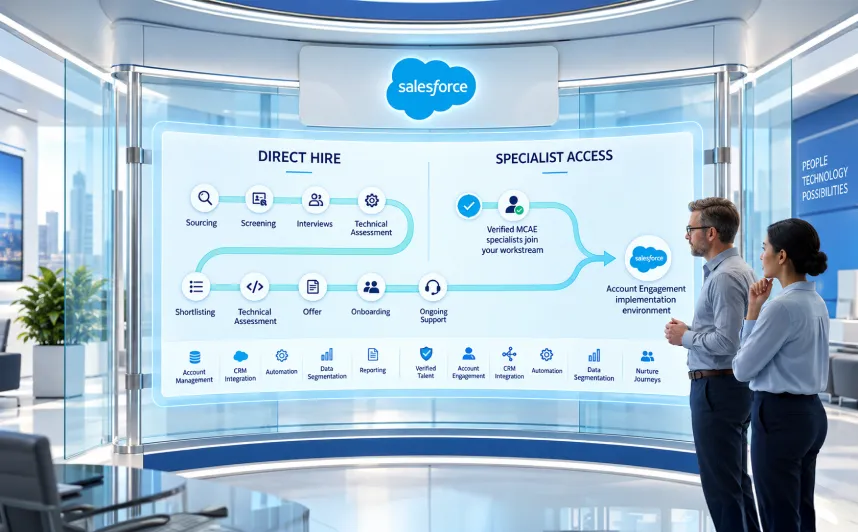
Many businesses begin with break-fix support. Something breaks, someone fixes it, and work continues. That model can handle small issues, but it leaves bigger CRM gains untouched. A stronger support model includes regular automation reviews, data quality checks, adoption feedback, release planning, and guidance on which Salesforce capabilities deserve attention next. For teams without enough internal Salesforce expertise, HyphenX’s hire Salesforce consultant service gives access to experienced consultants who can handle Salesforce managed services while also helping shape long-term CRM direction.
Choosing the Right Salesforce Support Partner for Long-Term Business Value

The quality of a Salesforce support partner shows up in daily work. After 6 months, your teams should feel clearer about Salesforce, reports should need fewer manual checks, and recurring CRM issues should start reducing instead of coming back in new forms.
What a Good Salesforce Support Partner Should Handle
A capable Salesforce support and maintenance partner should cover more than ticket resolution. A strong partner usually handles:
- Day-to-day Salesforce admin support for user requests, permission changes, and configuration updates
- Technical troubleshooting for Flow errors, integration issues, and broken automations
- Data quality checks and regular hygiene work
- Report and dashboard maintenance
- User adoption support through training and layout improvements
- Salesforce release management and sandbox testing
- Integration health checks across connected systems
- Guidance on automation, AI readiness, and platform improvement
If a partner waits for every problem to be reported first, the business misses a large part of what Salesforce managed support services can deliver.
In-House Support vs Salesforce Managed Support Services
| Support Model | Best For | Main Limitation |
|---|---|---|
| In-house admin | Small orgs with simple Salesforce needs | Limited bandwidth and specialist knowledge |
| Break-fix vendor | Occasional issue resolution | Reactive and often disconnected from business goals |
| Salesforce managed support partner | Growing businesses with ongoing CRM needs | Needs clear SLA, scope, and communication |
| Full managed services model | Complex orgs with automation, data, integrations, and AI plans | Higher investment, but stronger long-term value |
What Businesses Should Look for Before Choosing a Partner
When evaluating a Salesforce support outsourcing partner, hourly rates and response times matter, but they shouldn’t be the only deciding factors. Ask better questions:
- Does the partner understand Flow, data architecture, integrations, releases, and reporting?
- Can they handle admin requests and deeper Salesforce technical support services?
- Do they know how to manage Salesforce data quality, not just configuration tasks?
- Do they check issues early or only respond after something breaks?
- Can they prepare the org for Salesforce releases without disrupting production?
- Can they guide AI readiness, Agentforce support, and automation improvement?
- How clearly do they report progress and connect support work to business goals?
HyphenX treats Salesforce support as a long-term working relationship. Our consultants cover admin, technical, integration, reporting, automation, and planning needs, so businesses can reduce CRM noise and get more dependable value from Salesforce.
Conclusion
Salesforce support services help businesses keep their CRM stable, data cleaner, users engaged, integrations reliable, and the platform ready for growth. Support shouldn’t sit in the background until something breaks. It should keep Salesforce useful as teams change, workflows expand, reports become more demanding, and customer processes get more complex.
The strongest CRM programs are the ones where teams trust the data, processes run cleanly, and leadership can make decisions without checking every number twice. That kind of reliability comes from steady Salesforce support and maintenance services, not implementation alone. For businesses that want fewer CRM problems and better Salesforce performance, HyphenX brings the admin, technical, reporting, integration, and consulting experience needed to keep the platform working the way the business needs it to work.