When businesses compare CRM platforms, the debate usually comes down to Zoho vs Salesforce CRM. Price and features matter, of course, but they rarely tell the full story. The better question is, which platform fits how your business sells, serves customers, uses data, and plans to grow?
Zoho CRM is a strong fit for small and growing teams that need a practical, affordable system they can set up without heavy technical support. It works well when sales pipelines are simple, teams want faster adoption, and the business needs basic automation, reporting, and customer tracking without adding too much complexity. Salesforce CRM, on the other hand, is built for businesses that need more depth. If your teams manage complex sales cycles, multiple departments, advanced reporting, AI-driven workflows, deeper integrations, or long-term CRM architecture, Salesforce usually gives you more room to grow.
So, the right answer depends on your team size, sales process, data maturity, automation needs, integration plans, and future growth goals. For businesses leaning toward Salesforce, HyphenX helps assess that fit before implementation begins, so the decision is based on business value, not pricing alone.
Zoho vs Salesforce CRM: quick verdict for busy decision-makers
Need the fast answer? Here’s the clean version of Zoho vs Salesforce CRM.
Business Need | Better Fit | Why |
Lowest starting cost | Zoho CRM | More affordable for smaller teams |
Fast CRM setup | Zoho CRM | Easier to configure and adopt |
Simple sales pipeline | Zoho CRM | Works well for basic workflows |
Deep customization | Salesforce CRM | Better for complex processes |
Advanced automation | Salesforce CRM | Stronger workflow and approval control |
AI-powered CRM strategy | Salesforce CRM | Einstein and Agentforce support deeper AI use cases |
Native business suite | Zoho CRM | Useful for teams already using Zoho apps |
Enterprise scalability | Salesforce CRM | Better for multi-team and multi-region growth |
Complex integrations | Salesforce CRM | Stronger ecosystem with MuleSoft support |
Zoho wins on cost, speed, and ease of use. Salesforce wins on customization, automation, AI readiness, reporting depth, and long-term CRM architecture. The smarter choice depends on what your business needs now and what it’ll need as growth adds more pressure.
What is the real difference between Zoho CRM and Salesforce CRM?
Zoho and Salesforce are both cloud CRM platforms. Both help teams manage contacts, leads, deals, follow-ups, sales activity, and customer records. Still, the real Zoho vs Salesforce CRM difference comes from the type of business each platform is best built to support.
What is Zoho CRM?
Zoho CRM is a practical and affordable CRM for small and growing businesses that need lead management, contact tracking, pipeline visibility, email communication, workflow rules, basic reporting, and customer support connections through Zoho Desk.
Its biggest strength is the Zoho ecosystem. If a business already uses Zoho Books, Zoho Campaigns, Zoho Desk, or Zoho Analytics, the CRM can connect with those tools without heavy integration work. That makes it useful for teams that want one connected business suite without hiring a large technical team. Zoho Zia also adds AI support for sales predictions, anomaly detection, workflow suggestions, best-time-to-contact signals, and useful data insights. For teams that need everyday sales intelligence without deep AI architecture, Zia does the job well. Zoho CRM has solid customization, automation, and reporting options. But it fits best when the sales process is still manageable, the team is smaller, and the business wants control without too much admin effort.
What is Salesforce CRM?
Salesforce CRM is built for businesses that need more depth across sales, service, marketing, analytics, integrations, customer data, and AI. Salesforce Sales Cloud manages core sales workflows, while Service Cloud, Marketing Cloud, Data Cloud, Tableau, MuleSoft, Einstein, and Agentforce help larger teams connect customer journeys across multiple departments and systems.
Einstein supports AI-led insights across sales, service, and marketing. Agentforce takes that further with AI agents that can support users, answer questions, take actions, and assist customer-facing workflows when the right data and governance are already in place. Because Salesforce has more depth, it also needs better planning. A rushed Salesforce setup can become hard to manage later. HyphenX helps businesses assess Salesforce fit, plan the right CRM architecture, and manage Salesforce implementation so the platform supports growth instead of creating extra complexity.
Zoho CRM vs Salesforce CRM at a glance
Category | Zoho CRM | Salesforce CRM | |
Best for | Small and growing businesses | Mid-market and larger businesses | |
Setup complexity | Lower | Moderate to high | |
Pricing | More affordable | Higher and more layered | |
Customization | Good for SMB and mid-market needs | Much deeper | |
Automation | Strong for common workflows | Stronger for complex workflows | |
AI | Zoho Zia | Einstein and Agentforce | |
Integrations | Zoho suite and marketplace apps | AppExchange, MuleSoft, enterprise systems | |
Reporting | Good dashboards and reports | Advanced analytics and forecasting | |
Learning curve | Easier | Steeper | |
Scalability | Good | Excellent |
The real difference comes down to growth stage, process depth, data governance, and long-term CRM needs. Zoho works well when simplicity and affordability matter most. Salesforce fits better when the business needs stronger control across teams, systems, reporting, AI, and future growth.
Zoho vs Salesforce CRM pricing, features, and total cost of ownership
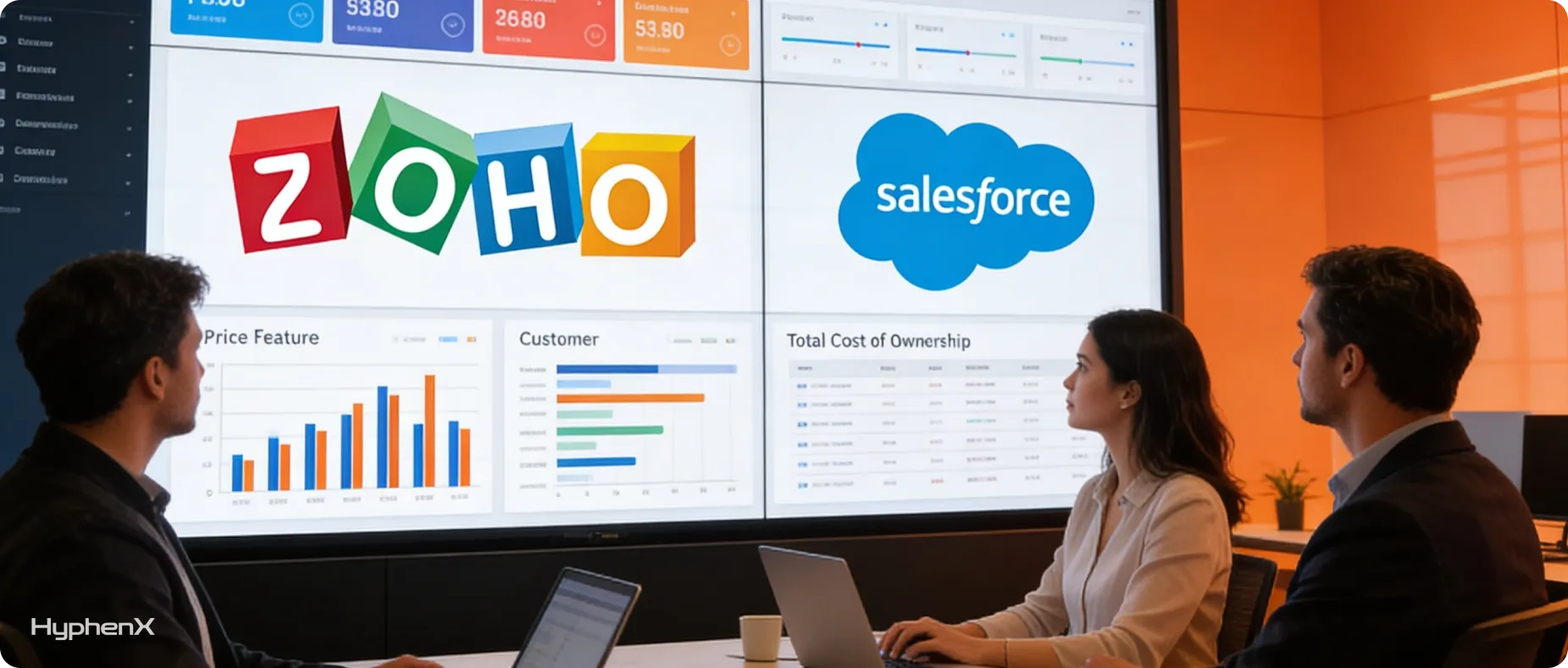
Pricing is usually the first thing businesses check during a Zoho vs Salesforce CRM comparison. Fair enough. CRM cost matters.
But license price alone can mislead you. A cheaper CRM can become costly if your team outgrows it too soon. A higher-priced CRM can deliver stronger Salesforce CRM ROI if it supports complex workflows, automation, reporting, AI, integrations, and long-term growth properly.
Zoho vs Salesforce pricing: Which CRM costs less?
Zoho CRM is usually the more affordable option for small teams that need predictable CRM costs. It works well when the business needs contact management, sales tracking, basic automation, and reporting without heavy setup.
Salesforce CRM usually costs more, especially when you add advanced products, implementation work, integrations, and admin support. However, for businesses that need deeper customization, Salesforce automation, AI, enterprise reporting, and multi-system integration, the higher cost can make sense.
Cost Area | Zoho CRM | Salesforce CRM |
Starting license cost | Usually lower | Usually higher |
Free/small team option | Stronger fit for very small teams | Available options vary by product and region |
Implementation cost | Usually lower | Often higher because of complexity |
Admin requirement | Lower | Higher |
Training need | Moderate | Higher for complex setups |
Integration cost | Lower for simple stacks | Higher for enterprise systems |
Add-on cost | Usually more predictable | Can increase with advanced products |
Long-term value | Strong for simple to moderate needs | Stronger when CRM complexity grows |
Zoho vs Salesforce features: sales, marketing, service, and reporting
Feature Area | Zoho CRM | Salesforce CRM |
Lead management | Strong for SMB workflows | Advanced lead routing and scoring |
Opportunity tracking | Good pipeline visibility | Deeper sales process control |
Forecasting | Useful for growing teams | More advanced forecasting options |
Marketing support | Works well with Zoho apps | Stronger with Marketing Cloud and integrations |
Customer service | Good with Zoho Desk ecosystem | Stronger with Service Cloud |
Reporting | Good standard dashboards | Advanced analytics with Tableau and CRM reporting |
Custom objects | Available, but more limited | Very strong |
Workflow automation | Strong for common needs | Better for complex logic and governance |
Mobile CRM | Available | Available and enterprise-ready |
The hidden cost difference between Zoho and Salesforce
The visible cost is the subscription. The hidden cost sits in setup, data migration, training, CRM admin work, customization, integrations, reporting, AI readiness, and adoption.
Zoho can become expensive when growing teams start forcing workarounds into reporting, automation, or integration gaps. Eventually, those fixes slow the team down, and migration may become unavoidable.
Salesforce can also become expensive when it’s implemented without proper planning. Poor data structure, weak adoption, messy automation, and unclear reporting can turn a powerful CRM into a costly system people don’t trust.
So, the smarter Zoho vs Salesforce CRM pricing question is not “Which one is cheaper today?” It is “Which one will cost less to own, run, and scale over the next 3 to 5 years?” For Salesforce-leaning teams, HyphenX helps map that answer before implementation so the investment connects with real business growth.
Zoho vs Salesforce CRM for AI, automation, integrations, and scalability
The 2026 Zoho vs Salesforce CRM decision gets sharper when AI, automation, integrations, and scale enter the discussion. A CRM now has to do more than store contacts. It has to support cleaner workflows, faster decisions, connected data, and smarter customer handling across teams.
Zoho Zia vs Salesforce Einstein and Agentforce
Zoho Zia works well for small and mid-market teams that need practical AI inside daily sales activity. It supports lead scoring, sales predictions, anomaly detection, workflow suggestions, best-time-to-contact signals, and useful productivity insights. For teams that want AI support without a heavy data setup, Zia covers a lot of ground.
Salesforce Einstein and Agentforce go deeper for businesses with larger CRM needs. Einstein supports AI across sales, service, and marketing, while Agentforce brings AI agents that can answer questions, assist users, take actions, and support customer workflows across connected systems. As a result, Salesforce fits better when AI must work with larger datasets, deeper integrations, and more complex business rules.
AI Capability | Zoho Zia | Salesforce Einstein / Agentforce |
Lead scoring | Yes | Yes, with deeper CRM context |
Sales forecasting | Good | More advanced |
Recommendations | Useful for daily sales productivity | Stronger across sales, service, and marketing |
Generative AI | Available in the Zoho ecosystem | Stronger through Salesforce AI tools |
AI agents | Developing across Zoho | Strong enterprise AI agent platform |
Cross-system AI | More limited | Stronger with Data Cloud and integrations |
Best fit | SMB and mid-market productivity | Enterprise AI and complex workflows |
Still, AI depends heavily on CRM data quality. Incomplete fields, duplicate records, weak governance, and disconnected tools can weaken results in both platforms. So, before a business expects serious AI value, it needs clean data, clear ownership, connected systems, and a practical implementation roadmap.
Zoho vs Salesforce automation
Zoho handles common automation needs well. Lead assignment, reminders, task creation, simple approvals, and email workflows are manageable for most growing teams.
Salesforce becomes stronger when automation has more layers. Multi-step approvals, conditional routing, regional business rules, sales-to-service handoffs, compliance workflows, and governance-heavy processes work better inside Salesforce Flow and its broader automation setup.
Zoho vs Salesforce integrations
Integration Need | Better Fit |
Zoho Books, Zoho Desk, Zoho Campaigns | Zoho CRM |
Simple business app stack | Zoho CRM |
ERP integrations | Salesforce CRM |
SAP, Oracle, NetSuite, Microsoft Dynamics | Salesforce CRM |
Enterprise middleware | Salesforce with MuleSoft |
Large marketplace ecosystem | Salesforce CRM |
Multi-system customer data architecture | Salesforce CRM |
Zoho scales well for many growing businesses. But once sales teams, service teams, partner operations, regional processes, and customer data needs become harder to manage, Salesforce usually gives the business more control. HyphenX helps teams assess that shift early, especially when Salesforce AI CRM, Data Cloud, automation, and integrations need to support long-term growth.
When should you choose Zoho CRM and when should you choose Salesforce CRM?

This is where the Zoho vs Salesforce CRM decision becomes practical. The right platform depends on how your team works today and how much complexity your CRM needs to handle later.
Choose Zoho CRM if…
- You need an affordable CRM with faster setup.
- Your sales process is simple or moderately complex.
- Your team doesn’t have a dedicated CRM admin.
- You already use Zoho Books, Zoho Desk, Zoho Campaigns, or other Zoho apps.
- You want predictable CRM costs.
- You’re moving from spreadsheets or a basic CRM.
- Your reporting and automation needs are useful, but not highly complex.
- Your team needs a lower learning curve.
Choose Salesforce CRM if…
- Your sales, service, or marketing workflows have become harder to manage.
- You need advanced customization, custom objects, and deeper process control.
- Your business works across multiple teams, regions, or business units.
- Your leadership needs stronger reporting, forecasting, and analytics.
- You want Salesforce AI CRM capabilities through Einstein and Agentforce.
- You need reliable integrations with ERP, finance, data, support, or marketing systems.
- You want a CRM that can support growth over the next 5 to 10 years.
- You want the right Salesforce architecture from the beginning instead of fixing it later.
For businesses leaning toward Salesforce, HyphenX helps evaluate architecture, migration, implementation, integrations, and CRM roadmap planning before configuration begins. That early clarity can prevent expensive rework later.
Final decision table: Zoho vs Salesforce CRM
Situation | Recommended CRM |
Small team with simple sales process | Zoho CRM |
Growing team that needs affordability | Zoho CRM |
Business already using Zoho apps | Zoho CRM |
Company needing complex workflows | Salesforce CRM |
Business planning enterprise growth | Salesforce CRM |
Team needing advanced AI and automation | Salesforce CRM |
Company with complex integrations | Salesforce CRM |
Business unsure about future CRM needs | Compare based on CRM maturity, not price alone |
Zoho to Salesforce migration: when moving makes sense
Many businesses start with Zoho because it fits their early stage well. The setup is faster, the cost is easier to manage, and the team can run basic sales workflows without much technical support. As the business grows, though, CRM needs can become heavier. Reporting gets harder. Automation needs more control. Teams need shared visibility. Integrations start piling up. That is when Zoho to Salesforce migration can make sense, especially when Salesforce CRM can support the next stage of growth better.
Migration Trigger | Why It Matters |
Reporting no longer supports leadership decisions | CRM structure may be too limited |
Sales workflows are becoming more complex | Advanced automation may be needed |
Multiple departments need shared CRM visibility | Salesforce supports cross-functional scale better |
Integrations are increasing across the tech stack | Stronger architecture may be required |
Forecasting is unreliable or manually adjusted | Better data structure may be needed |
Manual workarounds keep increasing | CRM is no longer supporting operations properly |
AI strategy is blocked by poor data and scattered systems | Salesforce Data Cloud, Einstein, and Agentforce may support deeper AI readiness |
A strong migration needs proper planning before anything moves. A basic checklist should include:
- Audit existing Zoho CRM data for quality, completeness, and duplicates.
- Identify all fields, modules, workflows, reports, and active users.
- Remove outdated records before migration.
- Map Zoho fields and objects to Salesforce carefully.
- Rebuild automation inside Salesforce instead of copying old logic blindly.
- Test reports, dashboards, permissions, and integrations before the launch.
- Train users before going live.
- Monitor adoption closely after migration.
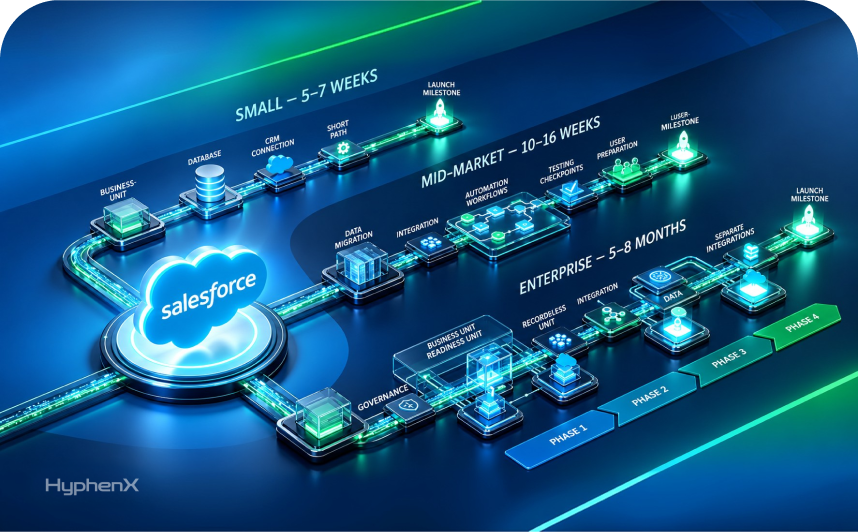
Poorly planned migrations often create messy Salesforce orgs from day 1. HyphenX supports Salesforce implementation and Zoho-to-Salesforce migration planning when the business case is clear and the groundwork needs experienced direction.
Conclusion: Zoho vs Salesforce CRM depends on business maturity, features, and future fit
After comparing pricing, features, AI, automation, integrations, and scalability, one thing becomes clear: both platforms are strong, but they fit different business stages.
Zoho CRM works well for businesses that need affordability, faster setup, easier adoption, and a connected Zoho ecosystem. It gives small and growing teams enough CRM structure to manage leads, track pipelines, automate basic work, and build cleaner customer records without heavy admin effort.
Salesforce CRM is the better fit when the business needs deeper customization, advanced Salesforce automation, stronger reporting, enterprise integrations, and AI capabilities through Einstein and Agentforce. It also makes more sense when teams need a CRM architecture that can support growth across departments, regions, products, and customer data systems.
So, the Zoho vs Salesforce CRM decision should come down to sales process complexity, team size, data quality, budget, adoption readiness, integration needs, and growth plans. Price matters, but long-term fit matters more. HyphenX helps businesses evaluate Salesforce CRM fit, plan implementation, improve existing Salesforce setups, and manage Zoho-to-Salesforce migration when there is a clear business case. The goal is to choose the CRM that supports growth properly, not the one that only looks better on paper.