
Your Salesforce org is live. Users are logging in, although the real pipeline is moving through real stages, and the project plan that governed the last several months has almost nothing left on it. Somewhere in the next few weeks the statement of work with your implementation partner expires, and someone has to answer a question that rarely appeared in the original scope: who owns Salesforce now?
The answer depends far less on the calendar than on what the work looks like once the platform is in daily use. During implementation, work arrives as requirements: scoped, estimated, built, tested, and signed off. After go-live, work arrives as requests. A sales manager wants a new stage on the opportunity path. Finance needs the ERP sync to stop creating duplicates. Salesforce ships a release, and a Flow behaves differently. Little of that fits a project plan, and most is too small to justify a fresh scoping exercise.
We work with organizations at exactly this point, and the pattern repeats. The teams that struggle after launch are rarely the ones with a bad build. They are the ones who never made an explicit decision about the operating model once the build was finished. What follows is a way to make that decision on evidence: where hypercare fits, the signals that the current arrangement has run out of road, an assessment you can score internally, an honest comparison of the models available, and what a clean handoff requires.
TL;DR
Go-live changes the type of work, not just the volume
Implementation delivers against a fixed scope. Once Salesforce is in daily use, work arrives as unscheduled requests: access changes, reporting demands, integration errors, seasonal release testing. That shift in the type of work, not the calendar, is what makes an implementation engagement stop fitting.
The ownership question nobody put in the scope
Hypercare ends, the build team rolls off, and requests keep coming. Should the implementation partner stay on, should you hire an admin, or is Salesforce managed services the better fit? Most teams decide by contract expiry rather than evidence, then pay for it months later.
A scored way to pick your post-go-live support model
Score your environment across 11 readiness dimensions, compare six post-go-live operating models on who owns priorities and execution, and work through a complete implementation handoff checklist. The framework also makes clear when a standing managed services arrangement is unnecessary and internal ownership works better.
What actually changes the day Salesforce goes live
Implementation is a closed system. Scope is agreed in advance, success is measured against that scope, and the engagement is designed to end. Fixed scope is what makes budgets approvable and dates meaningful, and it is why our Salesforce implementation services run through discovery, architecture, configuration, migration, testing, training, and a structured launch.
Operations is an open system. Nobody agrees the scope in advance because the scope is whatever the business does next quarter. A new product line needs a price book. A support team reorganises and case routing has to follow. Someone leaves, and their permission sets need reassigning before a compliance review notices. Individual items are smaller than during implementation, but the arrival rate is unpredictable and the work never ends. That difference drives how the team is staffed, how priorities get set, how quality is judged, and what a sensible commercial arrangement looks like.
Project work and operational work are not the same job
Dimension | Implementation engagement | Managed services operating model |
Primary objective | Deliver an agreed solution to production | Keep the platform useful as the business changes |
Scope | Fixed, defined in a statement of work | Rolling, defined by a prioritised backlog |
Work cadence | Phases, sprints, milestones, a launch date | Continuous intake with periodic release windows |
Accountability | Delivery against agreed scope | Platform health, responsiveness, and improvement |
Team structure | Assembled for the build, then disbanded | Persistent named team with retained context |
Governance | Steering committee, change requests against baseline | Standing intake, triage, and change control |
Prioritisation | Set at scoping, revisited via change control | Reset continuously against business demand |
Optimisation | Largely out of scope once requirements are met | A core part of the remit |
Reporting | Progress against plan, defects, go-live readiness | Service performance, backlog health, adoption |
Knowledge retention | Documented at handover, then leaves with the team | Maintained as a living asset |
Business alignment | Fixed at requirements sign-off | Reviewed on a regular cycle |
Go-live, stabilization, and hypercare: what each phase is for
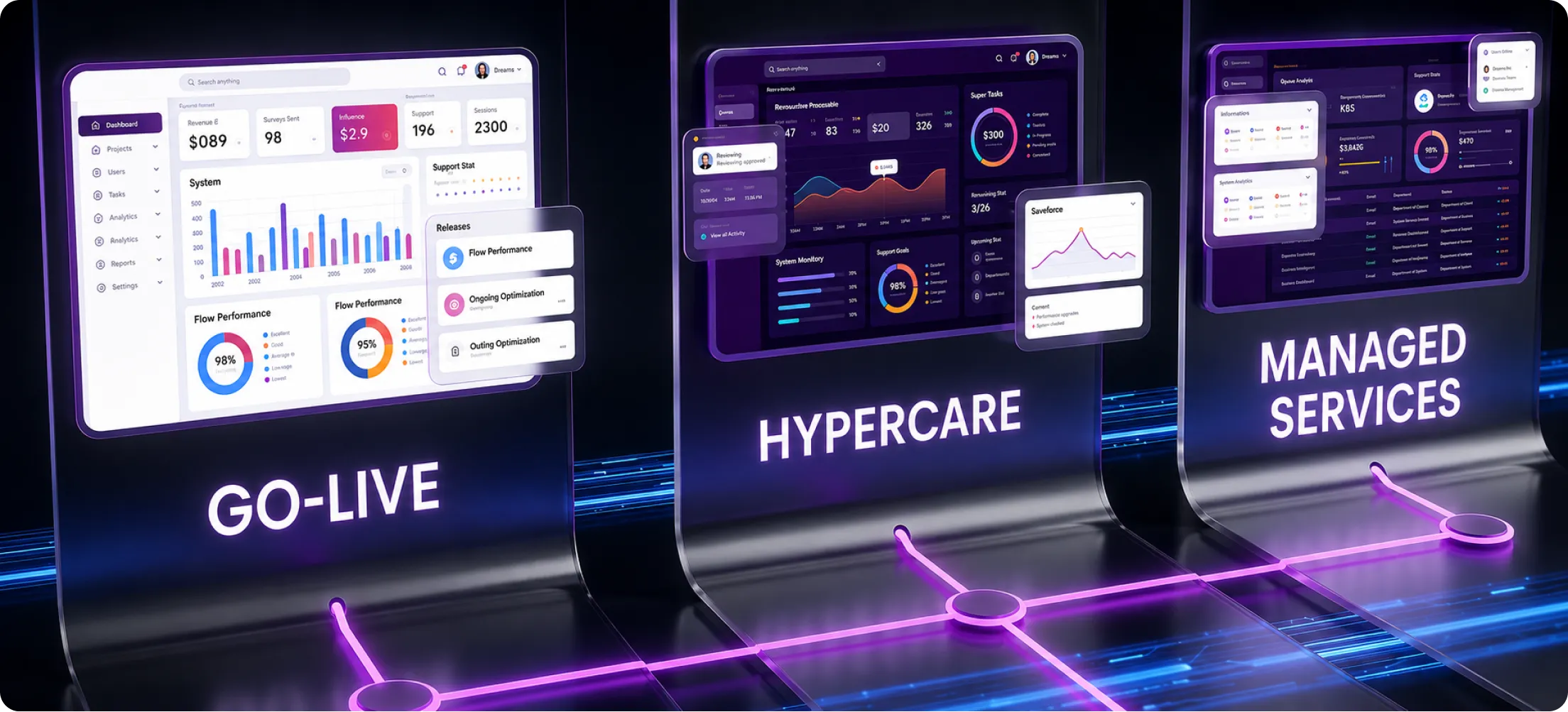
Three things get compressed into the phrase “post go-live”, and separating them makes the decision easier. Production deployment is the technical event: metadata in, data migrated and reconciled, integrations pointed at production, users licensed, cutover checklist closed. Stabilization is what follows, when defects surface that testing missed, usually at the edges. An approval loops when the approver is inactive. A validation rule blocks a legitimate exception. An integration fails on a record type nobody tested. Hypercare is the deliberate support structure wrapped around stabilization.
What is Salesforce hypercare?
Salesforce hypercare is a short, time-boxed period of elevated support immediately after go-live, during which response times tighten, staffing increases, and monitoring is closer than normal, so issues get resolved before they become entrenched. Salesforce’s own guidance on hypercare frames it as a brief, high-touch window after a significant operational change, where teams temporarily raise staffing and coordination while people adjust. In practice it means a named response team, a dedicated intake channel, daily triage, and exit criteria agreed before launch rather than negotiated after it.
Hypercare is a bridge from “deployed” to “stable”, not a support model, and it is deliberately temporary because that intensity is unsustainable on both sides.
What happens when hypercare ends
This is where organizations lose momentum. Hypercare ends, the implementation team rolls off, and the work does not stop. Requests keep arriving, but the people who understood why the automation was built that way are gone, and the internal admin trained three weeks before launch is now the single point of contact for a platform running revenue operations. The gap is rarely dramatic on day one. It shows up two or three months later as a backlog that never shrinks, a report queue measured in weeks, an integration nobody is watching, and a growing reluctance to change anything because nobody is confident what will break.
Why a fixed number of days is the wrong trigger
We deliberately do not tell clients that managed services should begin a set number of days after launch. A single-cloud org with 40 users, clean data, two integrations, and a certified admin may run comfortably in-house for a long time. A multi-cloud environment with 600 users, an ERP integration, a portal, and a compliance obligation is a different proposition, and its handover needs planning before hypercare ends.
What matters is whether the exit criteria have been met: critical defects resolved, key processes running without workarounds, integrations stable through a full business cycle, users transacting rather than escalating, and documentation reflecting what was built. If those conditions are unmet, extending hypercare beats starting a new arrangement on unstable ground.
Signals that your implementation model has run its course
Rather than watching the calendar, watch the work.
Demand signals
- The implementation backlog quietly became an enhancement backlog. Items deferred to “phase two” now sit alongside new requests, and nobody has re-prioritised the combined list against current business value.
- Small changes cost disproportionate effort to authorise. A picklist value or a layout change needs a scoping conversation, an estimate, and a purchase order. The overhead exceeds the work.
- Reporting requests keep expanding. Every new dashboard produces two more questions, which is a healthy sign of adoption and a reliable indicator that ongoing capacity is needed.
- Salesforce is extending into new teams or clouds. Adding a support function on Service Cloud case routing and knowledge, or opening a partner portal, changes the operating profile significantly.
- Automation requests outpace delivery. When Salesforce workflow automation work queues behind daily admin tasks, users drift back to spreadsheets.
Capacity and capability signals
- Administration is consuming your internal capacity. Your admin was hired to improve the platform and spends most of the week on access requests and list views.
- The skills ceiling is visible. Configuration is fine, but anything involving Apex, Lightning Web Components, or API error handling stalls. This is the most common reason organizations add Salesforce development services alongside internal administration.
- Ownership of tickets is unclear. Users email individuals directly, some requests go to the old project channel, and nobody can say how many open items exist.
- You have a single point of failure. One person holds the platform knowledge, and their holiday is a business risk.
Risk and platform signals
- Data quality problems keep returning. Duplicates and stale ownership reappear because cleanup was treated as a migration task rather than an ongoing discipline, which is why our Salesforce data migration and cleanup work includes governance rather than a one-time load.
- Integrations need recurring attention. Failed jobs and silent sync errors land on someone’s desk without being anyone’s formal responsibility. Ongoing Salesforce integration services exist because these dependencies do not maintain themselves.
- Releases require structured testing. Salesforce ships three seasonal releases a year, around February, June, and October, with some products updating monthly. Each needs release note review and sandbox regression testing.
- Documentation is drifting. The architecture diagram no longer matches the org, and the quick fix made in production three months ago is written down nowhere.
- Technical debt is accumulating. Overlapping automations on one object, unused fields, redundant record types, and permission sprawl all signal an environment getting harder to change safely.
- Security and access reviews have become recurring work. Joiners, movers, leavers, and periodic audits now form a standing workload.
One or two of these is normal. Five or more, sustained over a quarter, generally means the arrangement needs to change.
The post-go-live readiness assessment
Signals tell you something is wrong. A score tells you what to do about it. This assessment runs in an internal planning meeting in about 45 minutes, with your admin, an IT representative, and a business stakeholder in the room. Score each dimension from 0 to 3, where 0 means not true at all and 3 means fully true and evidenced.
Dimension | Score 3 if | Score 0 if |
Platform stability | No critical defects for a full business cycle | Recurring incidents affecting core processes |
Backlog health | Prioritised and sized, with an owner and a cadence | An unranked list nobody reviewed this month |
Internal capacity | Named owner with protected time for platform work | Salesforce is an addition to someone’s day job |
Technical complexity | Mostly declarative, custom code documented and tested | Significant undocumented Apex or package customisation |
Integration dependency | Every interface has an owner and error alerting | Integrations run unmonitored until data looks wrong |
Data governance | Ownership rules, dedupe controls, quality checks | Data quality addressed reactively after complaints |
Release readiness | Sandbox strategy, regression tests, release calendar | Releases arrive and you find out from users |
Security and access | Documented role and permission model, periodic reviews | Access granted ad hoc, no review cycle |
Adoption | Measured, with owners accountable for usage | Nobody knows which features are actually used |
Documentation maturity | Reflects the current org, updated when changes ship | Last updated at go-live |
Roadmap clarity | A 6 to 12 month plan tied to business objectives | Work decided by whoever asks loudest |
Reading your result
The maximum is 33. Treat the bands as a planning aid, and read the pattern of low scores rather than the total.
- 26 to 33: Stable and well owned. Ongoing external support is optional. Buy specialist help for defined pieces of work rather than a standing arrangement.
- 17 to 25: A co-managed model usually fits. Your team holds the operational front line while external specialists cover architecture, development, integrations, and release testing.
- 9 to 16: Full managed services is likely strongest. Demand and risk have outgrown the current ownership structure.
- Below 9: Do not sign a long-term support arrangement yet. Stabilise first. A focused org assessment and remediation project makes everything that follows cheaper.
If low scores cluster in complexity, integration, and release readiness, the gap is technical. If they cluster in backlog, roadmap, and adoption, the gap is governance. Those need different remedies, and a provider who does not distinguish between them will sell you the wrong thing.
Six operating models, compared honestly
Model | Who owns priorities | Who owns execution | Internal staffing needed | Fits best when |
Extended hypercare | Implementation partner with your sponsor | Implementation team | Light | The org is still stabilising and exit criteria are unmet |
Internal ownership | You | Your admin or CRM team | Certified admin, protected time | Low complexity, modest change rate, stable integrations |
Staff augmentation | You | External individuals you direct | A capable lead to direct the work | You know what to build and lack hands or a skill |
Project-based support | You, per engagement | External team, per scope | Someone to run intake between projects | Change is lumpy and predictable, not continuous |
Co-managed services | Shared, via joint governance | Split by work type | Admin or CRM owner in place | Internal team is solid but lacks specific depth |
Full managed services | Shared, provider-facilitated | External team | A business owner and a decision-maker | Demand is continuous, internal capacity limited |
When you probably do not need managed services
A standing arrangement is the wrong answer if your org is genuinely simple, you have a certified administrator with real time allocated to the platform, your integration surface is one or two well-behaved connections, and your process change rate is low. You are better served by internal ownership plus occasional expert input: a release-cycle review three times a year, an annual health check, and specialists when a defined piece of work appears.
It is also wrong while the org is still unstable. Handing an unfinished implementation to a new support team turns build work into ticket work. Finish the build, then transition.
Managed services or an internal Salesforce admin?
Hiring is often the first instinct, and for many organizations it is correct. A good administrator who understands your business gives you responsiveness, context, and someone who can say no to a bad request.
The limits are structural rather than personal. One administrator covers configuration, user support, reporting, data hygiene, release testing, security review, documentation, and stakeholder management. That is realistically four roles. Depth is the second constraint: most administrators are not also Apex developers, integration engineers, and solution architects, and someone who is all four commands a high market rate. Coverage is the third, since holidays and resignations leave the platform unattended.
A larger internal team or a Center of Excellence solves those problems properly, and for enterprises running Salesforce as a core system it is usually the right long-term destination. It is also a standing commitment that takes time to build. Many organizations get there faster by combining internal ownership with external specialists, where your admin owns the business relationship and the day-to-day, and our Salesforce consulting and advisory support covers architecture decisions, roadmap, and work above the admin skill ceiling.
Managed services or staff augmentation? The accountability difference
These get compared as though they were pricing variants of the same thing. The difference is who is accountable for the outcome.
With Salesforce staff augmentation, you get skilled people working under your direction, inside your process, on your priorities. You decide what gets built, you manage the work, and you own the result. It fits when you have a capable lead, a clear plan, and a capacity or skills gap.
With managed services, the provider takes responsibility for defined outcomes: response and resolution against agreed service levels, release readiness, platform health, and an agreed enhancement throughput. You still set business priorities, but you are not managing delivery mechanics. The test is simple. If your problem is “we know what to do and need more hands,” augmentation fits. If it is “we need this reliably handled and lack the bandwidth,” managed services fits. Choosing augmentation when nobody internal can direct the work is expensive, because you end up paying skilled people to wait for instructions.
Should the same partner handle implementation and managed services?
Often yes, and continuity is a real advantage rather than a sales argument. The team that designed your data model knows why the opportunity object looks the way it does, which automations interact, and which decisions were deliberate compromises. Rebuilding that context takes months.
Continuity is worth keeping when build quality was good; documentation was maintained rather than produced retrospectively; the partner was responsive when things went wrong; they have genuine operational capability rather than a repackaged project team; and they challenged bad requirements instead of building whatever was asked.
Changing makes sense when delivery quality is poor, documentation is thin and the partner will not close the gap, their support offering is an afterthought to project work, the people you trusted are no longer on your account, or you need capability they lack. One caution the other way: do not change purely to reset a difficult relationship. If the underlying issue is unclear priorities on your side, a new provider inherits the same problem.
Designing the overlap period
Where the two teams differ, an overlap is worth funding. The purpose is knowledge transfer under real conditions rather than a documentation drop.
A well-run overlap has the incoming team shadowing live tickets while the outgoing team keeps resolution accountability, then reverses so the incoming team resolves while the outgoing team reviews. It includes joint walkthroughs of architecture, integrations, automations, and known defects, with questions answered on the record. It ends on agreed criteria: the incoming team has independently resolved a representative set of issues, deployed at least one change through your release process, and produced its own documentation. Duration should follow complexity and risk rather than a number picked in advance.
The handoff: what a receiving team must actually be given

Incomplete handoffs are the most common cause of a poor first six months. Use this list during contract negotiation, not after the implementation team has rolled off.
Essential handoff assets
- Architecture overview and current data model documentation, including custom objects and relationships
- Integration inventory: each interface, its direction, frequency, authentication, middleware, error handling, and business owner
- Automation inventory: Flows, Apex triggers, validation rules, approval processes, and known interactions between them
- Custom code documentation, repository access, test classes, and current API versions
- Environment and deployment strategy: sandbox topology, refresh schedule, tooling, release process
- Security model: profiles, permission sets, role hierarchy, sharing rules, and the rationale behind them
- Known defect register and the open backlog, with priority and business context attached
- Process documentation mapping real business processes to Salesforce objects and stages
- Business owner contacts by process area, plus the current roadmap and agreed success metrics
Supplementary assets worth transferring
- Test scripts and user acceptance testing assets, plus release history and change log since go-live
- Training materials, user guides, and third-party package inventory with licence renewal dates
- Technical debt register recording known shortcuts and their reasons
- Support history from hypercare, plus a decision log covering significant design choices and rejected alternatives
A practical transition sequence
- Assess before you commit. An independent review of the org, backlog, and documentation tells you what you are handing over. Skipping it means pricing an unknown.
- Agree the operating model and service levels. Settle scope, intake, prioritization, and response commitments before the first ticket.
- Run the knowledge transfer. Structured walkthroughs against the checklist above, with gaps recorded rather than glossed over.
- Shadow, then reverse-shadow. Live work with accountability transferring in stages.
- Prove the release path. Ship one real change end to end before the outgoing team leaves.
- Establish the governance rhythm. Intake, triage, prioritization, and a regular review including business stakeholders, not just technical status.
Governance once Salesforce is an operational platform
Governance sounds bureaucratic, and usually is when designed for its own sake. After go-live, it has one job: making sure the right things get built, in the right order, without breaking what works.
Intake means every request enters through one channel with enough context to be assessed. The common failure is not complexity; it is that people email the admin directly and the queue becomes invisible. Triage and prioritisation separate incidents from enhancements and rank enhancements by business value rather than volume of complaint. A simple visible ranking a stakeholder has agreed to beats an elaborate scoring model nobody maintains.
Change control and release planning decide what ships together and when. Batching changes into a predictable cadence, with regression testing against critical processes, keeps a growing org safe to modify. Because Salesforce upgrades every org automatically during each seasonal window, your job is readiness rather than deployment. Architecture and security review catch decisions that are cheap now and expensive later: a fourth trigger on one object, a permission granted directly instead of through a permission set, an integration built point to point because it was faster. Salesforce publishes guidance for these judgements in the Well-Architected Framework, a neutral reference for both sides. Documentation and debt management close the loop, so shipped changes update the record and known shortcuts go on a register with an owner rather than into folklore.
How to measure ongoing Salesforce management
Measure two categories separately. Operational metrics tell you whether the service is functioning; business metrics tell you whether it is worth paying for. Providers who report only the first are managing a queue rather than a platform.
Category | What to track | What it tells you |
Responsiveness | Response and resolution time by priority | Whether the service works as contracted |
Backlog health | Backlog age, throughput, new versus closed | Whether you are keeping pace |
Quality | Recurring incidents, reopened tickets, change-induced defects | Whether fixes address causes |
Release performance | Successful deployments, rollbacks, release incidents | Whether change is safe |
Platform health | Integration failures, automation errors, limit trends | Whether the environment is degrading |
Data quality | Duplicate rates, completeness, ownership accuracy | Whether reporting can be trusted |
Adoption | Usage of business-critical processes, by team | Whether the investment reaches users |
Delivery value | Enhancements shipped against roadmap commitments | Whether the platform is improving |
Set targets from your own baseline. Any provider quoting industry benchmark response times without saying where the figure comes from is guessing, and you should treat the rest of their numbers the same way.
What are managed services SLA should include
A workable agreement covers priority definitions using real business examples rather than abstract severity labels; response and resolution commitments per priority, with the difference between the two made explicit; coverage hours and time zones, plus what happens outside them; escalation paths with names and thresholds; scope boundaries separating support from chargeable project work; a monthly capacity or throughput commitment for enhancements, since response times alone say nothing about progress; release process expectations on both sides; documentation obligations; reporting cadence; and exit provisions covering what you receive if the relationship ends. That last clause is the one most often skipped and most valuable when you need it.
Thinking clearly about cost
Comparing options on headline rate produces bad decisions because the models do not carry the same costs. Internal hiring carries salary, benefits, recruitment, tooling, certification maintenance, and management time. It buys dedicated attention and business context, and its risks are coverage gaps and a skills ceiling. Project-based consulting is predictable per engagement but carries scoping overhead on every piece of work and no continuity between projects, so it suits lumpy change and struggles with constant change. Staff augmentation scales easily but is only fully utilized if you have the capacity to direct it.
Managed services converts variable demand into a predictable monthly commitment and gives access to a skill mix you could not justify hiring individually, provided scope is defined carefully. Co-managed models spread cost across both sides and return most when you already have a capable internal owner. The useful comparison is total capability against total cost, including the opportunity cost of requests you are not getting to. If a reporting change takes six weeks because nobody has capacity, that delay has a value and belongs in the analysis.
Handoff mistakes we see repeatedly
- Ending the implementation engagement before documentation is complete. Documentation written after the team has moved on is documentation that does not exist.
- Transferring ownership without agreed service levels. Expectations then get set by the first disappointment.
- Treating managed services as a ticket desk. If all you ask for is issue resolution, that is all you get, and the platform stops improving.
- Leaving the backlog unranked. Without agreed priorities, the loudest stakeholder sets the roadmap.
- Losing architectural context. Knowing what was built is not knowing why. Capture the reasoning while the decision-makers are available.
- Leaving integrations without a named owner. Interfaces fail silently, and silent failures surface as data problems weeks later.
- Ignoring release management. Three releases a year with no testing plan is a standing risk to automations and integrations.
- Dropping adoption work at launch. Training delivered once, before people had real work in the system, does not survive the first process change.
- Measuring only ticket volume. Fast closure can mean efficiency, or that the same problems keep returning, and undocumented production fixes are how the second one happens.
Which model fits your situation
Situation | Our recommendation | Reasoning |
Small org, one cloud, capable certified admin | Internal ownership with periodic expert review | Demand is manageable internally; buy specialist input for release cycles and health checks |
Fast-growing company, limited Salesforce expertise | Full managed services | Demand rises faster than you can hire, and change is continuous |
Complex multi-cloud environment | Full managed services or strong co-managed | Required breadth exceeds what a small internal team can hold |
Many integrations with ERP or finance systems | Managed services with explicit integration coverage | Interfaces need monitoring and named ownership |
Enterprise with an established Salesforce team | Co-managed support or staff augmentation | Keep ownership internal, buy depth in architecture and development |
Growing enhancement backlog, stable platform | Co-managed or a defined enhancement programme | The problem is throughput and prioritisation, not stability |
Preparing to add another cloud | Project engagement for the build, managed services for the existing org | Different work, different model, running in parallel |
Need for specialist architecture or development skills | Augmentation if you can direct it, managed services if you cannot | The deciding factor is whether you have a lead to manage the work |
Questions worth asking any managed services provider
Ask who is on your account by name and certification, how much of their time is committed to you, and what happens when that person leaves. Ask how requests get prioritised when everything is urgent, and who breaks the tie. Ask for their release management process, and what they document and how you get it if the relationship ends. Then ask what they will refuse to build and why, how they measure success beyond ticket closure, and to see a sample monthly report. Those last three tell you most about whether you are buying a partner or a queue.
Where our Salesforce Managed Services fit
We built our Salesforce Managed Services around the problems described above rather than around support tiers. Engagements begin with discovery and an org audit, then service level definition and a dedicated team assigned to your environment so the people working on your org stay the same month to month and the context does not reset.
Day to day, that covers ongoing administration and user support, proactive monitoring, enhancement delivery, integration oversight, data governance, and security management. Release management runs as a structured cycle: release note review ahead of the upgrade window, sandbox testing against your customizations and integrations, impact assessment, user communication, final validation, and post-release health checks. Documentation and knowledge transfer are part of the service rather than an add-on.
Full outsourcing is not right for everyone, which is why the same team supports co-managed engagements where your admin holds the front line while we handle architecture, development, and complex automation; scoped project work; staff augmentation under your direction; and hybrid arrangements. Where the requirement is narrower, our Salesforce support and maintenance services run across tiered levels from user enablement and triage through to development, security, and optimization.
Making the decision
The question is not whether managed services beats an implementation engagement. They solve different problems, and comparing them directly is what leads teams to keep a project structure running long after the project ended. Work through the decision in this order. Confirm the org is stable and hypercare exit criteria are met. Score the readiness assessment honestly with the people who see the work. Look at where the low scores cluster, because a technical gap and a governance gap need different answers. Decide how much ownership you want to keep internally, and be realistic about the capacity you have rather than the capacity on the org chart. Then choose the model that matches, and negotiate the handoff before the implementation contract ends rather than after.
If your environment now needs continuous administration, specialist depth, structured release management, and someone accountable for platform health, that is where our managed services model earns its place. If you want to talk it through, share your post-go-live Salesforce requirements with us, and we will walk the assessment with you and give a straight view of which model fits, including the cases where you do not need us.
FAQs
1. Can Salesforce managed services support multiple Salesforce orgs?
A managed services arrangement can cover multiple Salesforce orgs when ownership, access, priorities, and release processes are defined for each environment. This is useful for organisations operating separate regional, business-unit, acquired-company, or production and legacy orgs.
2. Can managed services take over a heavily customised Salesforce org?
Yes, but the provider should first understand the custom code, automation dependencies, integrations, packages, and deployment history. A highly customised org usually needs deeper technical discovery before routine support begins so changes can be made without creating avoidable regressions.
3. Do Salesforce managed services cover AppExchange packages and third-party apps?
They can, provided third-party applications are included in scope. Support may involve package configuration, upgrade testing, permission changes, integration troubleshooting, and coordination with the software vendor when the underlying issue sits outside the Salesforce managed services team’s control.
4. Can managed services help optimise Salesforce licences and user access?
A managed services team can review active users, permission assignments, feature usage, and access patterns to identify obvious inefficiencies. Salesforce subscription purchases and contractual changes remain separate commercial matters, but usage analysis can support better licence and renewal decisions.
5. Are sandbox refreshes and test-environment maintenance part of managed services?
They can be included as recurring operational work. Typical activities may cover refresh planning, post-refresh configuration, integration reconnection, test-data preparation, access checks, and environment housekeeping so development and regression testing are performed in usable, controlled sandboxes.
6. Can managed services work with our existing Salesforce DevOps process?
Yes. A provider can operate within your existing deployment controls, repositories, approval steps, CI/CD tooling, and release calendar rather than replacing them. The important requirement is clear responsibility for code review, testing, deployment approval, rollback planning, and documentation.
7. Do Salesforce managed services include user onboarding and refresher training?
They can include ongoing user enablement when it is defined in scope. That may cover new-starter onboarding, role-specific walkthroughs, updated process guidance, office hours, and refresher sessions after significant changes so users understand how current Salesforce processes should be followed.
8. Can managed services help with Salesforce data storage and archiving?
Yes, where data management is part of the engagement. The team can assess storage growth, identify records or files suitable for archiving, review retention requirements, and design an approach that preserves reporting and compliance needs without unnecessary production clutter.
9. Can managed services support Salesforce backup and recovery planning?
Managed services can help define backup responsibilities, recovery procedures, testing routines, and ownership for critical Salesforce data and configuration. The exact tooling may sit outside the service itself, so backup products, retention periods, and recovery objectives should be agreed explicitly.
10. Can managed services help during mergers, acquisitions, or Salesforce org consolidation?
They can support work around a merger or acquisition, including discovery, data mapping, access changes, integration review, and transition planning. A full org consolidation or major migration may still be handled as a separate project alongside ongoing managed support.
11. Can a managed services arrangement scale during seasonal peaks or major business changes?
Often, yes, if the commercial model allows capacity to change. Organisations should agree how additional work is requested, priced, prioritised, and staffed before peak periods, launches, acquisitions, or large internal changes create demand beyond the normal monthly service level.
12. What happens to unused managed services hours or capacity?
That depends on the commercial model. Some agreements use fixed capacity, some allow limited rollover, and others sell outcomes rather than hours. Before signing, confirm whether unused capacity expires, carries forward, can be redirected, or affects future monthly commitments.
13. Can managed services support custom Apex, Lightning Web Components, and APIs?
Yes, when development capability is included in the agreed scope. A suitable team can troubleshoot and enhance Apex, Lightning Web Components, APIs, and integration logic while following your testing, code-review, deployment, documentation, and security requirements.
14. Can a managed services provider work with our internal IT team and other vendors?
Yes. Salesforce rarely operates in isolation, so the service model should define how the provider works with internal IT, security teams, middleware owners, ERP teams, and third-party vendors. Clear escalation ownership prevents cross-system issues from becoming unresolved handoffs.
15. How should a managed services provider access our Salesforce environment securely?
Access should follow your organisation’s security policies and use named accounts, least-privilege permissions, approved authentication controls, and traceable activity. Production access should be limited to necessary work, reviewed periodically, and removed promptly when team members change or leave.