
Salesforce automation has evolved from simple workflow triggers into deeply interconnected business logic powering revenue operations, customer service, compliance processes, and data synchronization across systems. As organizations scale, however, one uncomfortable reality emerges: automation failures are often invisible until business impact occurs. Missed updates, silent Flow errors, and inconsistent data states can ripple across systems without immediate detection. Persistent Flow Logging connected to Salesforce Data 360 (Data Cloud) offers a powerful way to move from reactive troubleshooting to proactive observability. Instead of chasing issues after damage occurs, businesses gain continuous visibility into automation behavior, performance patterns, and anomalies. This guide explores how persistent logging works, how to implement it correctly, and the architectural considerations leaders must understand before deployment.
Persistent Flow Logging Fundamentals
Salesforce Flow logging refers to capturing execution data from automated processes — including inputs, outputs, errors, decision paths, and runtime metrics. Standard Salesforce debugging tools are designed primarily for short term troubleshooting rather than long term operational intelligence. Logs expire, are fragmented, or require manual retrieval, making them insufficient for organizations operating at scale.
Persistent logging changes the paradigm by storing automation telemetry continuously in a structured repository. When integrated with Data 360, this telemetry becomes part of a broader enterprise data ecosystem, enabling:
- Cross system observability
- Historical performance analysis
- Automated anomaly detection
- Compliance audit trails
- Predictive automation optimization
The shift is similar to how IT infrastructure evolved from basic server logs to full observability platforms like Splunk or Datadog. Automation is infrastructure — and it requires the same discipline.
A useful mental model is to treat each Flow execution as a “transaction event” within a distributed business system.
Architecture: Connecting Flow Logs with Data 360
Most organizations underestimate the architectural nuance involved in persistent Flow logging. The system is not just about capturing errors — it involves coordinated telemetry pipelines across multiple Salesforce layers.
At a conceptual level, the architecture contains four components:
- Flow Execution Layer
Where automation runs and events originate. - Logging Capture Mechanism
Custom objects, platform events, or middleware interceptors that collect execution data. - Integration Pipeline
APIs, Event Monitoring streams, or connectors moving data into Data Cloud. - Analytics & Observability Layer
Dashboards, alerts, and AI driven insights operating on centralized telemetry.
An architecture described in text form might look like this:
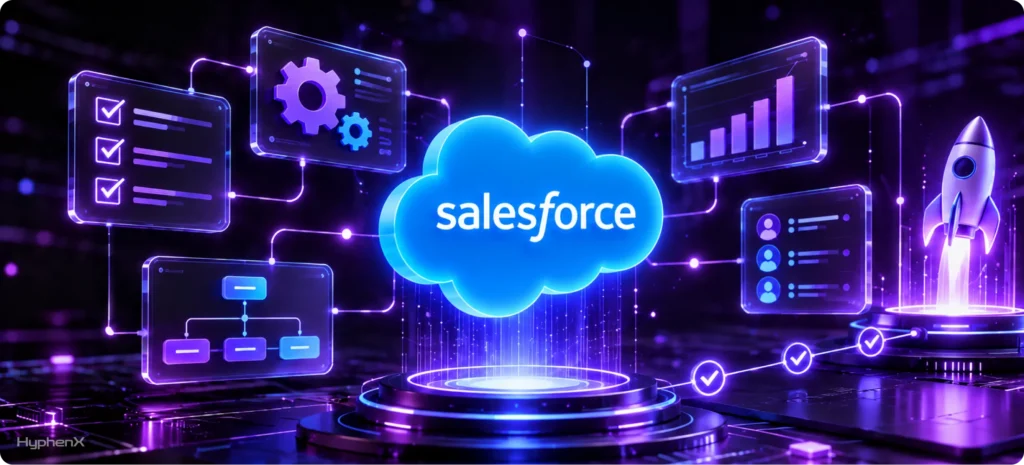
Flow Execution → Logging Framework → Platform Events / API → Data Cloud Ingestion → Observability Dashboards
Relationship Between Flow Logs, Event Monitoring, and Data Cloud
This is where many implementations become fragile.
- Flow Logs capture business logic outcomes.
- Event Monitoring captures platform behavior (API calls, logins, performance).
- Data Cloud unifies both into a contextualized data model.
Combining these streams enables deeper insights, such as correlating automation failures with API latency spikes or user behavior patterns.
Without architectural alignment, organizations risk fragmented visibility rather than true observability.
Step by Step Implementation Guide
Implementing persistent Flow logging requires both configuration and design decisions. The following structured approach balances speed with scalability.
Step 1: Define Logging Objectives
Before building anything, identify what you need to observe.
Common categories include:
- Execution success vs failure
- Performance metrics (runtime duration)
- Data mutation tracking
- Integration outcomes
- Compliance relevant actions
Clarity here prevents unnecessary data volume later.
Step 2: Choose a Logging Storage Model
There are three primary approaches:
Approach | Advantages | Limitations | Best For |
Native Custom Objects | Simple to implement | Storage growth, performance overhead | Small to mid orgs |
Platform Events | Scalable, near real time | Requires integration design | Enterprise environments |
External Logging via Middleware | Highly scalable | More complex architecture | High volume or regulated industries |
Platform Events often provide the best balance between scalability and architectural cleanliness.
Step 3: Instrument Your Flows
Add logging actions at strategic points:
- Flow start
- Decision branches
- External system calls
- Error handlers
- Completion events
Avoid logging every variable change — that creates noise and storage costs.
Step 4: Configure Data Cloud Ingestion
Once logs are captured, connect them to Data Cloud through:
- Data Streams
- API ingestion
- Middleware connectors
- Event relay mechanisms
Normalization is critical. Logs should align with a consistent schema to support analytics.
Step 5: Build Observability Dashboards
Dashboards transform raw logs into business intelligence.
High value metrics include:
- Failure rate by Flow
- Execution time trends
- Automation throughpu
- Error clustering patterns
- Integration latency correlation
Organizations that stop at data collection without visualization rarely achieve meaningful ROI.
Common Pitfalls and Early Warning Signs

Persistent logging initiatives often fail due to architectural shortcuts rather than technology limitations.
Watch for these warning signs:
- Logging volume growing faster than expected
- Dashboards showing inconsistent data
- Flow performance degradation after instrumentation
- Missing correlation between automation and business outcomes
- Compliance concerns about sensitive data in logs
Performance impact deserves particular attention. Logging inside synchronous flows increases execution time. Poor design can push transactions toward Salesforce governor limits, especially in high volume environments.
A strategic partner experienced in Salesforce architecture can anticipate these constraints early, reducing redesign costs later. Firms like Hyphenx Solutions emphasize observability as part of automation strategy rather than an afterthought, which significantly improves long term stability outcomes.
Governance and Scaling Strategies
Persistent Flow logging becomes exponentially more complex as organizations grow. What works for a mid sized Salesforce org can quickly collapse under enterprise transaction volumes. Governance is not just about control — it is about sustainability.
A useful lens is the automation observability maturity model, which typically evolves through four stages:
- Reactive Debugging — manual troubleshooting after failures
- Centralized Logging — persistent storage of execution data
- Operational Monitoring — dashboards and alerts for anomalies
- Predictive Observability — AI driven insights and proactive optimization
Most organizations operate between stages one and two. The leap to stages three and four requires intentional governance decisions.
Data Volume and Storage Management
Flow executions can generate enormous telemetry datasets. Without controls, storage costs and query performance degrade rapidly.
Effective strategies include:
- Log retention policies (for example, 30–90 days for detailed logs, longer for aggregated metrics)
- Archiving historical data externally
- Sampling strategies for high frequency automation
- Structured schemas to prevent duplication
Platform Events combined with Data Cloud often reduce long term storage pressure because data moves out of core CRM storage quickly.
Performance Considerations in High Volume Orgs
Instrumentation introduces overhead. Each logging step consumes CPU time, database operations, or API calls.
Scaling techniques include:
- Asynchronous logging patterns
- Event based architectures instead of synchronous writes
- Bulk safe logging design
- Middleware buffering for peak loads
In large enterprises, logging architecture often resembles distributed system telemetry rather than traditional CRM customization.
Security and Compliance Implications
Automation logs frequently contain sensitive information — customer data, financial transactions, or internal decision logic.
Governance frameworks should address:
- Field level encryption or masking
- Role based access to logs
- Audit trail requirements
- Regulatory retention mandates (GDPR, HIPAA, industry standards)
Security teams should be involved early. Retrofitting compliance controls later is costly and risky.
Organizations working with experienced Salesforce partners often reduce compliance risk because architectural guardrails are designed upfront rather than patched after deployment.
Strategic Value for Enterprise Organizations

Persistent Flow logging is not merely a technical enhancement; it is a business capability. When automation becomes mission critical, visibility becomes a competitive advantage.
Leaders gain measurable outcomes such as:
- Reduced operational risk from automation failures
- Faster incident resolution times
- Higher data trust across departments
- Improved integration reliability
- Evidence based automation optimization
Consider a real world scenario.
A global services company runs quote generation, contract approvals, and billing automation through Salesforce Flows integrated with ERP systems. Intermittent failures cause revenue delays, but root causes are unclear. After implementing persistent logging with Data 360 integration, the organization identifies a pattern: failures correlate with external API latency during peak hours. With this insight, they redesign retry logic and middleware buffering, reducing automation errors by over 60%.
The technology itself did not create value — visibility did.
Native vs Custom vs Partner Assisted Approaches
Decision makers often evaluate multiple implementation paths.
Approach | Strengths | Risks | When Appropriate |
Pure Native Salesforce | Fast deployment | Limited scalability insight | Small environments |
Custom In House Architecture | High flexibility | Design complexity, resource strain | Strong internal teams |
Partner Assisted Implementation | Strategic alignment, scalability expertise | Higher upfront investment | Enterprise or growth stage orgs |
The third option frequently produces better long term ROI because architecture decisions made early influence years of operational stability.
This is where specialized Salesforce partners such as Hyphenx Solutions contribute strategic value. Their approach focuses on aligning automation architecture, data strategy, and governance rather than treating logging as a standalone technical task. Businesses benefit from reduced rework, stronger adoption, and more predictable scaling.
Decision Framework for Leaders
Executives evaluating persistent logging initiatives should consider:
- How critical is automation to revenue or compliance?
- What is the cost of undetected failures today?
- Will automation volume increase significantly in the next 2–3 years?
- Do internal teams have observability architecture experience?
- How will logs integrate into broader data strategy?
Persistent logging delivers the highest ROI when aligned with enterprise data architecture — not implemented in isolation.
Catch Flow failures early with certified automation expertise
Flow logs only help if they land somewhere useful. Behind every automation project we deliver are 250+ Salesforce certifications held across our delivery and consulting roles, including the Advanced Administrator, Platform App Builder and Data Cloud Consultant credentials. Want them working alongside your people? Hire certified Salesforce experts from that same bench and skip the months-long hiring cycle. Persistent logging to Data 360 surfaces failures before users notice. Curious about the people behind the badges? Meet the HyphenX team.
Conclusion
Persistent Flow Logging connected to Data 360 represents a shift from reactive troubleshooting to intelligent automation management. Organizations gain transparency into how business processes actually behave, enabling faster decisions, stronger governance, and reduced operational risk. However, the architectural nuances — performance impact, scaling strategy, security, and data integration — make thoughtful implementation essential. Businesses that treat observability as a strategic capability rather than a technical add on consistently achieve better outcomes. With the right design approach and experienced guidance, persistent logging becomes more than monitoring — it becomes a foundation for reliable, scalable digital operations.