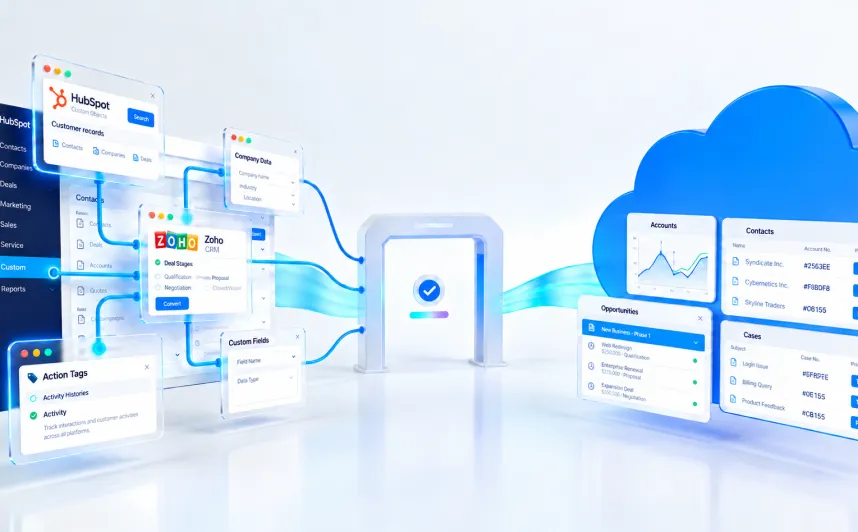


As more businesses connect Salesforce with external platforms, internal systems, and third-party applications, API security becomes a critical part of protecting data across the organization. Every integration can improve automation, visibility, and operational efficiency, but it can also create risk when authentication, permissions, monitoring, and governance are not handled carefully. At HyphenX, we provide Salesforce API Security services that help businesses secure cross-system integrations without compromising performance or usability.
The business impact of weak security controls is significant. IBM reported that the global average cost of a data breach reached $4.88 million in 2024, highlighting how costly security gaps can become when sensitive systems and data are exposed. For organizations relying on Salesforce integrations, that makes API security more than a technical concern. It becomes an operational and business priority.
In this guide, we walk through the key Salesforce security best practices businesses should follow to protect data across integrated systems. We cover important security configuration steps, API access controls, monitoring strategies, and the ongoing review practices needed to keep your Salesforce environment secure over time. Through our Salesforce API Security services, HyphenX helps businesses strengthen integration security, reduce avoidable exposure, and support safer, more reliable data exchange across the Salesforce ecosystem.
What Makes Cross-System API Integrations Vulnerable
Cross-system integrations rarely fail because of advanced attack techniques. Most issues come from gaps in visibility, weak configuration, and decisions made for speed instead of control. When multiple systems connect to Salesforce, each integration adds another layer of access, another identity, and another data path. If these connections are not tracked and governed properly, teams lose clarity on who is accessing what and how data is moving across systems. That lack of visibility becomes the starting point for most security problems.
Shadow integrations and unchecked connections
Shadow APIs and undocumented integrations create risk because they operate outside standard controls. These endpoints often appear during fast development cycles, quick fixes, or third-party integrations that are never fully documented. Since they are not part of the monitored environment, they may bypass authentication checks, input validation, rate limits, and encryption standards applied elsewhere.
Incidents involving exposed APIs often trace back to a single endpoint without proper access control. These endpoints remain active longer than expected and are rarely reviewed. Over time, they become outdated and run without current security updates. Attackers look for these weak points because they are easier to exploit than well-managed systems.
- Hidden endpoints operate outside security review
- Lack of monitoring makes detection difficult
- Outdated logic increases exposure over time
Overly permissive API settings
API configurations offer flexibility, but that flexibility can introduce risk when controls are left too open. In many cases, settings created during testing remain unchanged in production. For example, allowing all origins through CORS during development can expose APIs to requests from any external source if not restricted later.
When permissions are broader than required, APIs may return more data than intended or allow access beyond what a user should have. This becomes more serious when combined with missing validation or weak rate limiting. In such cases, APIs do not just expose endpoints, they expose underlying data structures and business logic.
- Open configurations increase unnecessary exposure
- Weak validation allows unsafe inputs and requests
- Excess permissions expand access beyond intended scope
Weak authentication methods
Authentication issues are one of the most common causes of API breaches. Problems usually arise when tokens are not validated properly, keys are not rotated, or credentials are handled insecurely. When APIs accept weak passwords, expose credentials in URLs, or fail to check token integrity, attackers can gain access without needing complex techniques.
Attack patterns such as credential stuffing, password spraying, and token interception rely on these weaknesses. If session tokens are not protected or expire too slowly, attackers can reuse them to maintain access. Similarly, poorly managed API keys stored in plain text create long-term vulnerabilities.
- Weak token validation allows unauthorized access
- Poor credential handling increases exposure risk
- Long-lived keys create persistent security gaps
Excessive data exposure risks
Excessive data exposure happens when APIs return full data objects instead of limiting responses to required fields. This often occurs when developers rely on frontend applications to filter data rather than enforcing controls at the API level.
The issue is not always visible in normal usage. A user interface may show only selected fields, but the API response may include additional sensitive data. Attackers interacting directly with APIs can access this hidden information. This includes internal identifiers, roles, flags, and other fields that reveal system behavior.
- APIs return more data than required
- Client-side filtering hides real exposure
- Sensitive fields become accessible through direct calls
Essential Salesforce API Access Controls
Access control defines how systems connect to Salesforce, what data they can reach, and what actions they are allowed to perform. In cross-system integrations, this layer becomes the first line of defense against unauthorized access and unintended data exposure. When API access is not governed properly, even a valid integration can retrieve more data than required or operate outside expected limits. The focus should be on restricting access based on real business needs, not convenience.
Configure user permissions and profiles
Profiles determine the baseline level of API access available to users and integration identities. They control whether API access is enabled and what objects and actions a user can interact with. Restricting API access at the profile level ensures that only users with a clear requirement can interact with Salesforce through APIs. Permission Sets provide additional flexibility by allowing teams to grant or limit access without modifying the base profile. This is useful for temporary access or for cases where only a small group requires API capabilities. Instead of broad profile changes, access can be controlled at a more granular level using these assignments.
Salesforce also allows programmatic verification of access through permission objects. By reviewing object-level permissions, teams can confirm which users or integrations can read, create, or modify specific records. This helps maintain consistency between intended access and actual configuration.
Set up OAuth 2.0 authentication
OAuth 2.0 is the standard method for securing API access in Salesforce. Instead of sharing credentials directly, systems authenticate using tokens that grant controlled access to specific resources. This reduces the risk of exposing usernames and passwords during integration. Connected apps act as the entry point for external systems. When configured, they define how applications authenticate, which resources they can access, and how long tokens remain valid. Choosing the right OAuth scopes is important because it determines the level of access granted to the integration.
The authentication process involves requesting access, receiving a token, and using that token to access protected resources. Tokens can be revoked or expired, which adds an additional layer of control compared to static credentials. Proper token management ensures that access remains secure over time.
Enable two-factor authentication
Two-factor authentication adds an additional layer of identity verification beyond standard login credentials. Even if credentials are compromised, attackers cannot access systems without completing the second verification step. This becomes especially important for users or systems that manage integrations or sensitive data access.
Use IP whitelisting for trusted sources
IP whitelisting limits API access to known and trusted network locations. By allowing only specific IP ranges, organizations reduce the risk of unauthorized systems attempting to connect. This is particularly useful for integrations that operate from fixed environments such as corporate networks or secure cloud infrastructure. However, IP restrictions alone are not sufficient. They should be combined with secure communication protocols such as HTTPS to protect data in transit. Regular updates to allowed IP ranges are also necessary as infrastructure changes over time.
Implement Named Credentials
Named Credentials simplify how Salesforce connects to external systems by centralizing endpoint definitions and authentication settings. Instead of embedding credentials in code, authentication is managed within Salesforce, reducing exposure and simplifying maintenance. External Credentials define how authentication works and can be reused across multiple integrations. This approach ensures consistency and reduces the need to manage credentials separately for each connection. By using Named Credentials, teams can standardize how outbound integrations are secured and maintained across the environment.
Salesforce Security Best Practices for API Data Protection

Protecting Salesforce data goes beyond authentication and access control. Even after a system is authorized, data can still be exposed if field visibility, encryption, validation, and response handling are not managed properly. In cross-system integrations, these controls act as additional layers that limit how data is accessed, processed, and returned. The goal is to ensure that only the required data is available, in the right format, and under controlled conditions.
Apply field-level security settings
Field-level security defines which fields a user or integration can view or update. Unlike page layouts, which only affect the user interface, these controls apply across APIs, reports, search, and related records. This ensures that sensitive data is not exposed simply because an integration has access to an object. Configurations can be managed through profiles and permission sets, allowing teams to control access at a detailed level. This is especially important when integrations require access to only a subset of fields within an object. By restricting access at the field level, organizations can prevent overexposure of sensitive information.
- Restrict visibility to only required fields
- Apply consistent controls across UI and APIs
- Use permission sets for granular access control
Encrypt sensitive data at rest and in transit
Encryption protects data both when stored and when transmitted between systems. Salesforce provides encryption capabilities that secure data at the database level and at the field level, depending on sensitivity. Different key management approaches can be used based on compliance and control requirements.
For data in transit, secure communication protocols ensure that data exchanged between systems cannot be intercepted easily. Encryption should be combined with proper certificate validation to confirm that both systems are trusted before data exchange begins.
- Protect stored data using platform encryption
- Secure data transfer using HTTPS and TLS
- Use appropriate key management strategies
Validate and sanitize API request data
Input validation ensures that only expected and safe data enters the system. APIs that accept unvalidated input become vulnerable to injection attacks and unexpected behavior. Each request should be checked for correct data types, formats, and allowed values before processing. Proper handling of query parameters and user input is essential. Structured validation helps prevent unauthorized data access and protects system logic from manipulation. Sanitizing inputs before use reduces the risk of introducing vulnerabilities through external requests.
- Validate input data types and formats
- Prevent unsafe queries and injections
- Sanitize external inputs before processing
Limit API response data exposure
APIs should return only the data required for a specific operation. Returning full objects or large datasets increases the risk of exposing sensitive information. Response filtering ensures that only relevant fields and records are included in API responses. Controlling response size also improves performance and reduces unnecessary data transfer. By limiting batch sizes and filtering results, teams can maintain better control over what information leaves the system during API calls.
- Return only necessary fields and records
- Control response size using batch limits
- Avoid exposing complete data objects unnecessarily
Real-Time API Security Monitoring Checklist
Monitoring API activity is essential for identifying risks early and maintaining control over how data moves across systems. In Salesforce, integrations operate continuously, which means unusual activity can go unnoticed without proper tracking. Real-time visibility helps teams detect misuse, validate expected behavior, and respond before issues affect operations. Instead of reacting after a breach, monitoring allows teams to observe patterns, set baselines, and identify deviations as they happen.
Track API calls and usage metrics
API usage should be reviewed regularly to understand how integrations behave over time. Salesforce provides limits such as Daily API Request Limits and Monthly API Entitlements, which act as useful indicators when activity increases unexpectedly. Setting threshold-based alerts helps teams respond when usage patterns shift beyond normal levels.
Event Log Files capture detailed API activity across SOAP, REST, and Bulk APIs. These logs include key identifiers such as the connected app, calling application, user ID, and client IP address. Reviewing this data helps identify which systems are making requests and whether those requests align with expected usage patterns.
Monitor for unauthorized access attempts
Unauthorized access attempts often appear as repeated authentication failures or attempts to reach restricted endpoints. High error rates or unexpected response codes can indicate automated attempts to gain access. Monitoring these patterns allows teams to respond by tightening controls, restricting access, or applying additional verification measures. Tracking authentication activity across integrations also helps identify unusual login behavior, such as access from unexpected locations or abnormal request frequency. These signals are often early indicators of compromised credentials or misuse of integration accounts.
Detect abnormal data transfer volumes
Changes in data transfer patterns can indicate potential security issues. When data volumes increase suddenly without a clear business reason, it may point to unauthorized extraction or misconfigured integrations. Establishing a baseline for normal activity allows teams to compare current behavior against expected patterns. Automated detection tools can flag unusual activity based on predefined thresholds. This helps identify risks such as large data exports, unexpected query behavior, or spikes in API usage that do not match standard operations.
Set up automated security alerts
Automated alerts help ensure that critical events do not go unnoticed. Salesforce provides mechanisms such as Transaction Security Policies and Event Monitoring to trigger alerts when defined conditions are met. These alerts can prompt actions such as blocking access, requiring additional authentication, or notifying administrators. Security monitoring should also include configuration changes, permission updates, and data access patterns. By tracking these events in real time, teams can respond quickly and maintain control over API activity across the environment.
Ongoing API Security Maintenance and Compliance

API security maintenance is an ongoing process, not a one-time setup. Salesforce Health Check helps teams measure how closely an org aligns with Salesforce-recommended security settings by assigning a score and highlighting specific risks that need attention. That makes it useful as a recurring review tool rather than a one-time benchmark. In practice, security posture improves when teams combine periodic review with a routine for fixing configuration gaps, validating integrations, and checking whether existing controls still match current business use.
Run regular Security Health Checks
Health Check should be reviewed on a regular schedule so changes in risk posture do not go unnoticed. It helps teams identify which settings fall below baseline standards and where remediation should start. Reviewing those findings consistently supports better prioritization across active environments.
Rotate API credentials and tokens
Credential rotation reduces the exposure window when keys or tokens are leaked or overused. A safer process is to issue replacement credentials first, confirm integrations are working with the new values, and then retire older credentials. This helps maintain continuity while reducing long-term credential risk.
Review connected apps and integrations
Connected apps and integration points should be reviewed regularly to confirm that OAuth scopes, user access, and app policies still reflect current needs. Old or unused connections increase risk because they often remain trusted longer than necessary.
Update security configurations
Security settings should also be reviewed as part of ongoing maintenance. Session protection, clickjack protection, CSRF-related controls, and related hardening settings should remain aligned with the org’s current risk profile and integration design.
Test API endpoints for vulnerabilities
Security testing should be part of the release cycle. Static analysis, code review, and endpoint testing help identify issues before deployment and reduce the chance that insecure changes reach production.
Document security policies and procedures
Security documentation should define review cycles, credential rotation timing, approved testing methods, and remediation expectations. Clear documentation makes API security easier to maintain across teams and over time.
Conclusion
At HyphenX, we view Salesforce API Security as an ongoing control model, not a one-time configuration task. Securing cross-system integrations becomes far more manageable when businesses take a structured approach to connected apps, integration users, token policies, access rules, and data flows. In many environments, risk starts growing where integrations are poorly documented or loosely governed. That is why we help businesses build stronger visibility first, using the available Salesforce controls around connected apps, Event Monitoring, and Health Check to create a more systematic security foundation.
From there, the focus becomes more practical and operational. HyphenX helps businesses strengthen authentication, restrict unnecessary access, reduce avoidable data exposure, monitor API behavior more closely, and review security configurations on a regular basis. These are the steps that turn API security from a reactive concern into a more controlled and repeatable part of Salesforce integration management.
When maintained consistently, these practices make cross-system integrations much easier to secure, govern, and support over time. With HyphenX providing Salesforce API Security services, businesses can protect sensitive data more effectively while keeping integrations reliable, scalable, and aligned with long-term security needs.