


Salesforce’s 2026 State of Sales found that 87% of sales organizations already use some form of AI. The technology has moved quickly from an interesting CRM feature into everyday sales work, covering prospecting, forecasting, lead scoring, email drafting, and increasingly, agent-led tasks.
The harder number sits underneath that adoption. Among sales leaders already using AI, 51% say disconnected systems are slowing their AI initiatives, and 74% of sales professionals are putting effort into data cleansing, removing duplicate records, correcting errors, and standardizing information across systems. That gap says more about Salesforce implementation than another AI demo ever could.
Picture a company rolling out Agentforce for account and renewal questions. Salesforce holds the opportunity history, contract terms live in the ERP, support activity sits in another system, and account names have been entered differently across years of CRM use. The agent can answer quickly, but every useful answer depends on whether those systems, records, permissions, and business rules give it the right context.
This is where the Salesforce implementation decision starts in 2026. Salesforce, Microsoft Dynamics 365, HubSpot, and Zoho all build AI into their CRMs, so the harder question is what your environment needs to run well before AI acts on top of it. For most organizations that means the business process Salesforce has to support, the data it can trust, the systems it depends on, the access rules around customer information, how employees will use it, and who will own it after go-live. Those decisions shape what Salesforce can do long after the implementation team leaves.
TL;DR
What changed. AI is becoming standard across major CRM platforms. Salesforce has Agentforce, Microsoft Dynamics 365 uses Copilot and AI agents, HubSpot has Breeze, and Zoho CRM uses Zia. AI availability therefore gives buyers less help when deciding how their Salesforce implementation should be designed.
What matters? Salesforce AI depends on the environment underneath it. Disconnected systems, unreliable CRM records, unclear workflows, broad permissions, weak adoption, and unclear ownership can limit what an AI-enabled Salesforce org can safely accomplish.
What this guide will help you decide. This guide looks at the implementation choices that deserve attention first: business process, data quality, integration architecture, security and governance, user adoption, long-term ownership, and the specific situations where AI deserves a larger role in the project.
What AI Actually Changes in a Salesforce Implementation
AI changes the amount of responsibility your Salesforce setup can carry. A traditional workflow shows a rep the latest opportunity, surfaces a reminder, or routes a record. An AI agent goes further: Salesforce describes Agentforce as using connected business data to reason about a request and execute actions through existing workflows, automation, and APIs. That gives implementation decisions a larger consequence.
Consider a renewal workflow. A customer asks about upcoming renewal terms. The account lives in Salesforce, contract information in an ERP, support history in Service Cloud, and pricing follows commercial-team rules. An agent handling that needs the right record, the current contract, and clear rules on what it can do. Can it retrieve the renewal value, update the opportunity, create a task, or message the customer, and which of those needs human approval? Those questions belong in the implementation plan.
Salesforce’s Agentforce guidance shows why. Agents use Salesforce and external data, then act through workflows and APIs, and each capability they use, flows, Apex, Knowledge, connected data, carries its own permission. That makes access design and business rules part of agent behavior, not a separate technical detail.
AI Raises the Cost of a Bad Process
Suppose two regions define a qualified opportunity differently. One requires budget confirmation and a close date; the other advances after a discovery call. A normal CRM stores both for years, and while reporting gets messy, employees know the unwritten difference. Tell an agent to prioritize “qualified opportunities” and that inconsistency becomes operational, because the agent has to act on a status the business never defined. The same happens with ownership, discounts, escalation, renewal rules, and approvals. AI makes those hidden decisions harder to leave unresolved.
AI Also Changes the Permission Conversation
Agent permissions deserve more attention than a standard user-access discussion. Salesforce states that administrators remain responsible for configuring Agentforce access, permissions, and agent-specific guardrails, and its security guidance recommends limiting agents to the data and actions required for their assigned work.
That creates practical implementation questions. A service agent may need access to customer orders and support history, but giving it pricing approvals or unrelated financial records could expand its access far beyond the job it was designed to perform. A sales agent may need to summarize an account and create follow-up tasks, while updating contract terms carries a very different level of authority. Those boundaries should be decided during design.
The Implementation Starts to Look Different
Once AI can retrieve information and act, planning has to look past screens, objects, and fields to how work actually moves: which system owns each piece of information, where Salesforce depends on another app, who approves a change, what runs automatically, and where a person stays responsible. Those answers shape the environment AI works inside, and they lead to the first decision worth examining, the business process Salesforce has to run.
Decision 1: The Business Process Salesforce Has to Support
Salesforce can automate a process only once the business has defined it clearly enough to translate into stages, ownership rules, approvals, and handoffs. When those decisions stay unresolved, the ambiguity moves straight into the CRM.
The work is to make implicit rules explicit before building automation around them: what counts as a qualified lead, who owns an account after a handoff, when a discount needs approval, what triggers onboarding. Get this wrong and the process fights how people work, so they return to spreadsheets. Get it right and process design sets a clean direction for the data, automation, permissions, and AI that follow.
Decision 2: The Data Salesforce Can Trust
An AI agent, a forecast, and a report all depend on the records underneath them, and a new org inherits the quality of whatever gets moved into it. Salesforce’s 2026 State of Sales found 74% of sales professionals are cleansing data, removing duplicates and standardizing information across systems.
Three decisions matter early: what to migrate, since moving everything just imports the mess; how to standardize, because “Acme Corp” and “ACME CORPORATION” look like one company to a person and three to Salesforce; and who owns quality after go-live, so the environment stays usable as records change.
Decision 3: The Integration Architecture
Salesforce rarely holds every piece of customer information. Contract terms live in an ERP, billing with finance, service history elsewhere. Salesforce’s 2026 State of Sales found 51% of sales leaders using AI say disconnected systems are slowing their initiatives, which puts integration architecture in the decision from the start.
Three questions frame it: which system owns each field, so two apps do not quietly disagree; how fresh the data must be, since a renewal agent quoting last night’s terms is a design choice, not a bug; and what happens when a sync fails. This matters most for AI, because an agent answering from a partial record has less context than one working from the full picture.
Decision 4: Security, Permissions, and Governance
Access design determines what people, systems, and agents can reach and do. Agentforce makes it sharper, since an agent acts on its permissions at machine speed, and each capability it uses, flows, Apex, Knowledge, connected data, carries its own permission.
User access stays the baseline. Agent access is the newer conversation: an agent that summarizes accounts needs a narrow set of permissions, and the moment it can update contracts or approve discounts, its authority has expanded past its purpose. Document what each agent can read and do, decide which actions need approval, and give governance an owner for permission and production changes.
Decision 5: User Adoption
The most consistent finding across CRM research is that projects fail on adoption, not technology. A phased rollout exposes workflow and automation problems before they reach the whole company, and training has to reflect the real workflow, not a feature tour. AI adds a trust dimension: users need to know what an agent does, which data it uses, and where a human stays in the loop, or they ignore its output. Strong process work makes all of this easier, because the platform matches how people already work.
Decision 6: Long-Term Ownership
Go-live starts the operating life of the org, and someone has to own it. Administration, data quality, security reviews, release management, and AI governance each need a clear owner, internal or external. Changes need a repeatable route through review, test, and approval, so a new flow does not quietly break something months later, and technical debt has to stay visible as unused automation and over-wide permissions accumulate.
Ownership also protects AI readiness. Agentforce depends on the same data, processes, and permissions the rest of Salesforce does, so keeping those healthy keeps the org ready. With these six decisions defined, the next question becomes easier: when should AI move higher on the priority list?
The Six Decisions at a Glance
| Implementation decision | Question to ask | What it shapes in Salesforce |
| Business process | How does work actually move through the business? | Stages, handoffs, approvals, workflows, and automation |
| Data trustworthiness | Can Salesforce rely on the records it receives? | Migration, reporting, forecasting, customer context, and AI output |
| Integration architecture | Which systems need to exchange information with Salesforce? | Sources of truth, APIs, sync timing, data availability, and error handling |
| Security and governance | Who and what should be allowed to see, change, or approve information? | Permissions, agent authority, approval controls, and auditability |
| User adoption | Will employees use Salesforce as part of their actual workflow? | Training, rollout, usability, feedback, and day-to-day CRM usage |
| Long-term ownership | Who keeps the Salesforce org healthy after go-live? | Releases, data quality, integrations, technical debt, permissions, and AI readiness |
When AI Should Move Higher on the Salesforce Implementation Priority List

AI deserves more attention when the business can give it a specific job inside a process that already has reliable data, defined permissions, and a clear path for exceptions. That usually shows up at the use-case level.
Consider a service team handling thousands of repeat questions about order status and standard support issues. The data already exists, the answers follow set policies, escalation rules are documented, and Salesforce knows which customer is asking. That is a far stronger Agentforce candidate than a process where employees still disagree about the source of truth. Salesforce’s guidance recommends beginning with a controlled pilot and defining the process, the data, the agent scope, the evaluation plan, and the checkpoints where people stay responsible.
The Use Case Has a Defined Job
Start with a task you can describe precisely: answering standard service questions from approved knowledge, summarizing an account before a call, creating follow-up tasks, routing requests by set rules, or gathering information before a case reaches an employee. The tighter the job, the easier it is to decide what the agent needs, what it can do, and how success is measured.
“Help the sales team” gives an implementation team very little to design around. “Summarize the account, surface open opportunities, and prepare the rep for the next meeting” gives the project a defined piece of work.
The Required Data Is Available When the Agent Needs It
An AI use case becomes practical when Salesforce can reach the information the task needs. A renewal agent might need account data from Salesforce, contract terms from the ERP, open issues from the support system, and renewal policy from company knowledge. The team can trace each input to its source and decide how current it must be. Salesforce’s Agentforce architecture puts connected enterprise data and governed access at the center of agent design.
The Agent Has a Defined Action Boundary
Reading information carries a different level of responsibility from changing it. An account-summary agent might only need permission to retrieve information, a service agent may need to create or update a case, and a sales agent might create a task or prepare a draft response. Higher-impact actions can introduce approval requirements and additional controls. A useful implementation plan identifies those boundaries before the agent reaches production.
| Agent activity | Possible control |
| Read approved account information | Allow within assigned access |
| Summarize records | Allow using approved data sources |
| Create follow-up tasks | Allow under defined conditions |
| Update customer-facing records | Review permissions and business rules |
| Apply discounts or change contract terms | Route through the required approval process |
| Access sensitive information | Restrict according to role and business need |
Salesforce’s security guidance makes authorization relevant to Agentforce users as well as human users, with permissions determining the features, data, and actions available to them.
The Business Can Measure What Changes
AI deserves a larger role when the company can say what better performance looks like. A service case might track resolution time, escalation rate, and handling time; a sales case might track lead response, meeting prep time, and follow-up completion. The metric should connect directly to the agent’s job. That gives the pilot a real test: compare before and after, see where it struggled, and decide whether to expand.
Five Signs AI Is Ready for a Bigger Role
| Readiness signal | What you should be able to answer |
| Defined use case | What exact job will the agent perform? |
| Trusted data | Which information will it use, and where does that information come from? |
| Connected systems | Can Salesforce access the required information when the task happens? |
| Controlled authority | Which actions can the agent take, and where does approval enter? |
| Measurable outcome | Which business metric will tell you whether the use case worked? |
When those answers are already available, AI becomes a concrete part of Salesforce implementation planning. The team can scope the agent around a real process, test it with a controlled group, measure the result, and decide where it deserves to go next.
When AI Should Move Down the Priority List
Some implementations have a more immediate job to finish before AI takes a larger role. The clearest signal is uncertainty in the systems AI would depend on. If teams disagree about opportunity stages, records live in several systems with no source of truth, permissions have grown without review, or key integrations are still being designed, those issues belong in scope first. Salesforce’s Well-Architected guidance takes the same view: technology choices should follow business needs.
The Business Process Is Still Being Defined
Imagine a company wants an AI agent to qualify inbound leads, but sales and marketing haven’t agreed on what qualifies one. One unit requires company size, buying authority, and a confirmed project; another advances leads after a discovery call; a third relies on rep judgment. Until qualification rules are clear, giving an agent that job only adds another participant to an inconsistent workflow. The same holds for renewal approvals, service escalation, discounting, account ownership, and onboarding, all of which need rules the team can translate into Salesforce.
The Data Has No Clear Source of Truth
Consider an account where Salesforce shows a $180,000 contract and the ERP shows $225,000 after a recent expansion. Which value should an agent use when a rep asks for the current amount? The implementation needs an answer before that task goes to AI, and it matters more as agents work across systems. Salesforce’s agent architecture guidance treats data quality, governance, and shared context as core to enterprise agent design.
Critical Integrations Are Still Unsettled
An AI use case can depend on information spread across CRM, ERP, billing, support, and product systems. If those connections are still being built, the team may not know how current the data will be, which app controls each field, or what happens when a sync fails, and that changes what an agent can safely do. A service agent answering order questions needs dependable access to current order status, so building the conversational layer before settling that connection leaves a basic dependency unresolved.
Permissions and Agent Authority Are Unclear
AI should also move down the list when nobody can state what the agent is allowed to access and change. Salesforce applies authorization controls to agent users as well as human ones, with permissions tailored to the agent’s job. For a proposed use case, the team should be able to say which records the agent can read, which fields it can update, which actions it can run, what is restricted, what needs approval, and how its activity is monitored. If those boundaries are still open, they belong in design before deployment.
Nobody Can Define What Success Looks Like
“We want Agentforce” is a product requirement. “We want to cut the time reps spend gathering account context before answering a case” is a business outcome. The second can be designed and measured: set the current handling time, define what the agent should gather, test with a controlled group, and compare. An AI use case is hard to judge when it has no baseline, owner, or outcome attached.
AI Can Enter the Roadmap Without Owning the First Release
Waiting does not mean abandoning the use case. An implementation can prepare for it while doing the work that makes it practical: clean data with the future agent in mind, expose the information it will need, reserve an access model, and document processes so future actions have clear rules. That keeps AI on the roadmap while the current release focuses on the dependencies that decide whether it works. Once those are in place, the question shifts from “are we ready for AI?” to “which use case goes first?”
Three Salesforce Implementation Scenarios
The same Salesforce platform can require very different implementation priorities depending on the condition of the business underneath it. The examples below show how those priorities change.
Scenario 1: AI Demand, Weak Data Foundation
A B2B software company wants Agentforce to help reps prepare for renewals. Salesforce holds account and opportunity history, subscription values live in billing, and support sits in Service Cloud, while acquisitions have left duplicate accounts and inconsistent names across the CRM. The business case is clear, but the priority is data and integration work. Before the agent runs renewal prep, the company must settle which system owns contract value, how duplicates are resolved, how billing and support data reach Salesforce, and which records the agent can access. The first release can prepare for Agentforce by designing those connections around the future use case, and AI gets easier to add once the context is dependable.
Scenario 2: Good Data, Inconsistent Sales Process
A professional-services company has kept a clean org for years: reliable records, current opportunities, working integrations. The problem surfaces when it wants AI to qualify and prioritize opportunities, because regional teams define qualified differently. One qualifies after a discovery meeting, another requires budget and a named decision-maker, a third leaves it to judgment. The priority becomes process design. The company must decide which differences are intentional and which to standardize, and that shapes stages, required fields, forecasting, automation, and any AI instructions. Agentforce can join qualification later, but only once there is a definition Salesforce can apply consistently.
Scenario 3: Mature Salesforce Environment, Defined AI Use Case
A national service company already has case-routing rules, clean records, connected order data, controlled permissions, and a team running ongoing administration. Its reps spend real time gathering the same information before answering routine order-status questions. That gives the team a narrow problem: an agent can identify the customer, retrieve the order, read approved support info, provide the status, and escalate exceptions to a rep. The information is known, access boundaries can be set, escalation already exists, and the company can measure response time and escalation before and after the pilot. Here AI deserves a larger place, because the supporting conditions are established.
How the Priorities Change
| Scenario | Current condition | First implementation priority | AI role |
| AI demand, weak data foundation | Customer information is fragmented and inconsistent | Data quality and integration architecture | Prepare the foundation for a later agent rollout |
| Good data, inconsistent sales process | Records are reliable, but teams work differently | Process definition and Salesforce workflow design | Scope AI after qualification rules are settled |
| Mature Salesforce environment | Process, data, integrations, and ownership are established | Defined use case, permissions, pilot, and measurement | AI can become part of the current release |
These scenarios show why the same AI request can lead to different Salesforce implementation plans. The right priority depends on the condition of the process, data, architecture, governance, and operating model surrounding the use case.
How to Measure Whether the Salesforce Implementation Worked
A Salesforce implementation needs success measures tied to the business problem it was meant to solve, chosen before go-live rather than picked afterward to make the project look good. A sales rollout built to improve lead handling is measured differently from a Service Cloud rollout built to cut case delays, and an Agentforce pilot needs another set again.
Measure the Business Process First
Start with the workflow the implementation changed. For sales, that could be lead response time, conversion, time in each stage, forecast accuracy, and sales-cycle length. For service, it could be first-response and resolution time, escalation rate, reopened cases, and time spent gathering context. Each metric should trace back to the reason Salesforce was implemented or changed.
Measure Whether People Use the New Process
System activity shows whether the intended workflow is being followed: required-field completion, records updated on time, adoption by team or region, and use of approved workflows instead of spreadsheets. Login counts alone say little; the useful question is whether the important work is happening inside the process the implementation was designed to support.
Measure the Health of the Salesforce Environment
Operational metrics matter because a system can look fine to users while problems build underneath. Useful measures include duplicate-record rate, integration failures, failed automation, permission exceptions, Salesforce support tickets, and time to resolve production issues. They help the owner catch problems before they spread across workflows and reporting.
Add AI-Specific Measures When AI Is in Scope
An AI use case needs its own success criteria. For an Agentforce implementation, the team may track several measures.
| Measure | What it helps answer |
| Task completion rate | Can the agent finish the job it was assigned? |
| Escalation rate | How often does a person need to take over? |
| Response accuracy | Are answers grounded in the approved information? |
| Action success rate | Do agent-triggered actions complete correctly? |
| Average handling time | Does the workflow reduce employee effort? |
| User acceptance | Are employees using the agent inside the intended process? |
| Business outcome | Did the underlying sales or service metric improve? |
An AI metric becomes more useful when it connects back to an operating result. A high task-completion rate matters less if case resolution still takes the same amount of time, and faster responses matter less if inaccurate answers create more escalations.
Establish the Baseline Before Go-Live
Every important metric needs a starting value. If lead response averages 9 hours, record it. If 18% of cases escalate, record that. If 12% of accounts are duplicate or incomplete, capture it before cleanup begins. Then the team can compare the new environment against what it was meant to improve, because the real measure of an implementation is the change it makes in the work the business cares about.
Questions to Ask Before Choosing a Salesforce Implementation Partner
A Salesforce implementation partner will influence decisions that remain in the org long after the initial project ends. The selection process should therefore test how the partner thinks about the business, architecture, users, and ownership of the system. Product knowledge matters, but implementation work also requires the ability to translate business operations into Salesforce decisions, so a useful partner conversation should get specific quickly.
How will you learn how our business actually works? A partner should be able to explain how they will map workflows, identify handoffs, document business rules, and decide which requirements belong in Salesforce. Give them a real example, such as how a lead moves from marketing to sales, and ask what they would investigate before configuring. The answer reveals whether discovery examines your operation in detail or moves quickly toward a standard configuration.
How will you decide what should be configured, automated, or custom-built? Salesforce offers several ways to solve the same problem: configuration, Flow, integration, or custom code. Ask how the partner chooses. The answer should cover maintainability, testing, security, and who supports the solution later, because a choice that works at launch still has to make sense when another team changes it 18 months on.
How will you handle our existing data? Ask about the data before the migration date. Which records should move, how will duplicates be found, which fields still matter, and which source owns a field when several systems hold it? What happens to history the business wants to keep out of the active CRM? The partner should also explain how quality is maintained after migration.
How will Salesforce connect with the rest of our technology? Name the actual systems, from ERP and billing to marketing, support, and product. For each connection, ask which system owns the data, which way it moves, how current it must be, what happens when a sync fails, and who monitors it after launch. This shows how the partner treats Salesforce inside the wider environment.
How will permissions be designed? Ask the partner to explain access through a real role, such as an account executive or service rep. What can they see, what can they change, what needs approval, and how is access reviewed when they move roles or leave? If Agentforce is in scope, repeat it for the agent: what it can read, which actions it can run, where approval enters, and how its activity is reviewed.
How will users be involved before go-live? The people doing the work expose problems a requirements document misses. Ask when real users see the system, who joins testing, how feedback is collected, how training is structured by role, and who supports users after launch. A partner should have a clear plan for moving that feedback into decisions.
What happens after go-live? Ownership needs an answer before the project closes. Ask who handles production issues, user requests, data quality, integration failures, release testing, permission changes, technical debt, and future AI use cases. Some may sit with your team and some with an external partner, but the responsibilities should be clear before launch.
How will you prove the implementation worked? Give the partner the business problem and ask what they would measure, whether that is lead response and forecast quality for sales, or resolution and escalation for service. For an AI use case, add task completion, action success, and response quality. The important part is the link between the work and the reason the project exists.
Salesforce Implementation Partner Checklist
| Area | Question to ask | What the answer should clarify |
| Business process | How will you map how our teams work? | Discovery, handoffs, business rules, and workflow requirements |
| Solution design | How do you choose between configuration, automation, integration, and code? | Technical reasoning and future maintenance |
| Data | How will you prepare and migrate our existing records? | Cleanup, ownership, migration scope, and post-launch hygiene |
| Integrations | How will Salesforce work with our other systems? | Sources of truth, data movement, timing, and failure handling |
| Security | How will you design access? | User permissions, approvals, agent authority, and review |
| Adoption | When will actual users participate? | Testing, training, feedback, and rollout |
| Ownership | Who handles Salesforce after go-live? | Administration, releases, support, and technical debt |
| Measurement | How will we judge success? | Baseline metrics, business outcomes, and review cadence |
| AI | Where does Agentforce belong in the project? | Use case, required data, permissions, controls, and measurement |
A partner does not need to produce every implementation answer during the first sales call. They should be able to explain how those answers will be reached.
A Pre-Implementation Checklist for Your Internal Team
The partner is only one side of the project. Your own team can answer several questions before discovery, which gives the project a clearer start and moves the conversations into specifics faster.
Business. Which business problem is driving the implementation? Which teams will use Salesforce? Which process should change? Which current steps create delays or duplicate work? Who owns each process? Which business result will be measured?
Data. Where does customer data live today? Which system owns each major data type? How much historical information needs to move? Where are duplicates common? Which fields are frequently incomplete? Who owns data quality after launch?
Technology. Which systems need to connect with Salesforce? Which integrations are required for the first release? How current does information need to be? Which APIs or middleware already exist? Which systems create recurring data conflicts? Who supports those connections?
Access and governance. Which user groups need Salesforce? Which records should each group see? Which changes require approval? Who can make production changes? How will access be reviewed? Who owns Salesforce governance?
Adoption. Which users should participate in discovery? Who will test the system? Who will lead adoption internally? How will role-based training work? Where do teams currently use spreadsheets or side systems? How will feedback be collected after launch?
- Which specific task is being considered for AI? What information does that task require? Can Salesforce access that information? Which actions would the agent need to perform? Where does a person need to review or approve an action? Which metric will determine whether the use case worked?
You do not need every answer settled before implementation starts. The checklist matters because it shows where discovery should spend its time. A company with clean data but unclear processes has a different problem from one with mature workflows and six disconnected systems, and the plan should reflect that.
How HyphenX Approaches Salesforce Implementation
A Salesforce implementation should begin with the operating problem the CRM has to handle. At HyphenX, we work through discovery and architecture planning before configuration and deployment, then into user enablement and post-launch support. That means looking at how teams work, what Salesforce connects with, which data moves, where automation belongs, how access is controlled, and what employees need to use the system daily.
When integration is in scope, the design accounts for how Salesforce exchanges data with enterprise systems and which app owns each record. When Agentforce enters, the same questions become AI planning: the process the agent supports, the data it accesses, the actions it takes, the permissions around them, and the result the business expects.
The practical starting point depends on the condition of the Salesforce environment. An organization replacing spreadsheets may begin with process design and core CRM implementation. A company moving from another CRM may spend more time on data migration and workflow reconstruction. An existing Salesforce customer may need integration work, adoption changes, technical cleanup, or ongoing support. A company with mature Salesforce operations and a defined agent use case may be ready to bring Agentforce into the implementation roadmap. The implementation scope should follow what the environment requires. You can explore our Salesforce implementation services and Salesforce Agentforce services for where each of those starts.
What Should Actually Decide Your Salesforce Implementation?
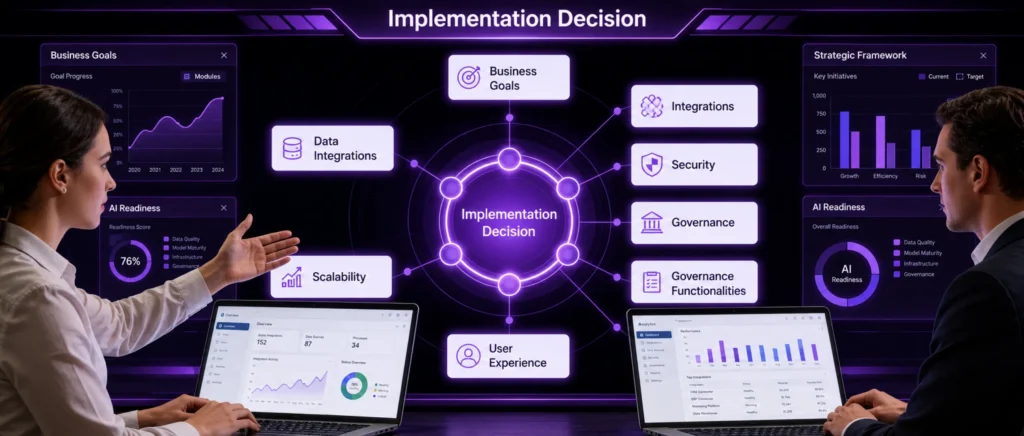
AI belongs in the Salesforce implementation conversation. Its place in that conversation depends on what the business is ready to give it. A company with a defined customer process, dependable data, connected systems, controlled access, consistent Salesforce usage, and clear ownership can move into agent use cases with far fewer unresolved dependencies. A company still working through those areas has a different implementation priority.
The decision can be reduced to seven questions. What business process does Salesforce need to run? Can the required data be trusted? Can Salesforce reach the systems that process depends on? Who and what can access or change the information? Will employees use the workflow in their daily work? Who owns the environment after launch? And which defined task would benefit from AI?
Answer them in that order during planning. The resulting Salesforce implementation has a reason behind each major design choice, and AI then has a specific place in the system, with a job, the information required to perform it, boundaries around its actions, and a way to measure the result. That is a much stronger basis for deciding what belongs in your Salesforce implementation.
Frequently Asked Questions
1. What is included in Salesforce implementation services?
Salesforce implementation services can cover discovery, solution design, configuration, customization, data migration, integrations, testing, deployment, documentation, training, and post-launch support. The final scope should be written around the business processes, Salesforce products, users, and systems included in the project.
2. How much does a Salesforce implementation cost?
Implementation cost depends on project scope, Salesforce products, data volume, integrations, custom development, testing, user count, and support requirements. A reliable estimate usually follows discovery because two companies buying the same Salesforce product can require very different implementation work.
3. How long does a Salesforce implementation take?
Implementation time depends on the number of processes, integrations, data sources, approval cycles, custom requirements, testing rounds, and stakeholder availability. A phased project can shorten the first go-live by moving lower-priority capabilities into later releases instead of delaying everything.
4. Should we implement Salesforce in-house or hire a Salesforce partner?
An internal team may be enough when it already has Salesforce architecture, administration, development, integration, testing, and project-management skills. A partner becomes more useful when expertise is missing, timelines are tight, or the project crosses several systems and business functions.
5. Can Salesforce implementation services improve an existing Salesforce org?
Yes. Implementation services can start with an existing Salesforce org rather than a blank environment. The partner should first review current configuration, automation, code, integrations, data, permissions, and dependencies so new work does not create conflicts or duplicate existing functionality.
6. Can we change Salesforce implementation partners during a project?
Yes. A new partner can take over a project that is already underway, but the transition should begin with a structured review of completed work, open requirements, environments, documentation, defects, dependencies, contracts, and decisions before additional development continues.
7. Can a Salesforce partner rescue a failed or stalled implementation?
Yes. Recovery work should begin by identifying why the project stalled, such as unclear scope, incomplete requirements, data problems, integration failures, testing gaps, or weak ownership. The recovery plan can then separate reusable work from components that need redesign.
8. What should happen during Salesforce implementation discovery?
Discovery should define the business processes in scope, requirements, users, integrations, data sources, risks, assumptions, dependencies, delivery phases, and acceptance criteria. It should give both sides enough information to estimate the project and identify unresolved decisions before build work starts.
9. Should Salesforce implementation use fixed-price or time-and-materials pricing?
A fixed-price model works best when scope, requirements, assumptions, and acceptance criteria are stable enough to estimate confidently. Time-and-materials can suit projects where requirements are expected to change, discovery continues during delivery, or priorities will be adjusted between releases.
10. How are change requests handled during Salesforce implementation?
Changes should follow an agreed process that records the request, business reason, impact on scope, cost, timeline, testing, and dependencies. The client should know who approves changes and whether each request enters the current release, later phase, or separate project.
11. What should be included in a Salesforce implementation statement of work?
A statement of work should define scope, deliverables, responsibilities, assumptions, exclusions, project phases, environments, integrations, migration activities, testing, acceptance criteria, training, documentation, support, pricing, and change control. Clear boundaries make later discussions about additional work much easier to resolve.
12. What post-go-live support should a Salesforce implementation partner provide?
Post-go-live support can cover production defects, user questions, integration issues, configuration adjustments, data problems, and early enhancement requests. The agreement should state the support period, response expectations, escalation path, ownership boundaries, and how unresolved issues move into ongoing support.
13. Can Salesforce implementation be delivered in phases?
Yes. Phased implementation can release the highest-priority capabilities first and move other functions into later stages. This approach can reduce the amount of change users absorb at once while giving the team production feedback before expanding the Salesforce environment further.
14. Are Salesforce licenses included in implementation costs?
Salesforce product licenses and partner implementation fees should be budgeted as separate items unless a proposal explicitly combines them. Ask the provider to distinguish licenses, third-party applications, implementation labor, data or integration tools, training, support, and any usage-based charges.
15. What information should we provide to get an accurate Salesforce implementation quote?
Ask for a quote after sharing the business processes in scope, Salesforce products, user groups, data sources, integrations, current systems, required custom work, target dates, security needs, and support expectations. Better input gives the provider fewer assumptions to price around.