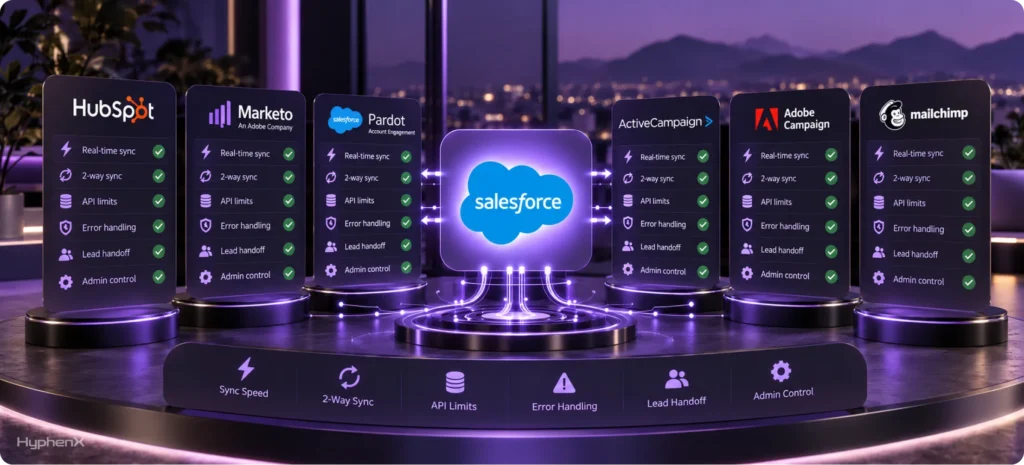

Most lists of marketing automation software for Salesforce compare features and campaign tools. They rarely explain the factor that often determines whether a team will still like the platform a year after implementation: the sync. A product can look impressive in a demo but become difficult to manage if records move slowly, fields update unpredictably, or API limits interrupt workflows. This guide focuses on questions that shape the experience: how frequently data moves, which records sync in both directions, what happens when Salesforce reaches API limits, and how errors are surfaced and resolved. Using each vendor’s documentation, we compare 12 platforms to show how their integrations behave in Salesforce. The goal is to help you choose marketing automation software that matches your sales process, data model, campaign volume, and administrative capacity instead of relying on a feature checklist alone.
We also examine the capabilities that affect revenue teams after launch. That includes whether lead scores update in real time, how quickly sales receives qualified leads, which platform suits a small business, and which sync restrictions can derail an implementation. Because vendor documentation does not always reflect day-to-day usability, we separate documented product facts from our assessment and label every judgment. If you want a Salesforce-specific comparison before reviewing the 12 tools, our post on Marketing Cloud vs other marketing automation platforms explains how Salesforce Marketing Cloud fits against competing platforms. HyphenX Solutions is a Salesforce consulting partner, so our analysis also considers implementation effort, governance, field ownership, troubleshooting, and long-term administration. By the end, you should have a clearer view of which platform can support your current workflows and continue working as your data, campaigns, and sales team grow.
TL;DR
- Choose Account Engagement for Salesforce-focused B2B marketing, Marketing Cloud Engagement for large cross-channel campaigns, and Marketing Cloud Next when you want marketing work built on the Salesforce platform.
- HubSpot is easier for many inbound teams, while Marketo and Eloqua suit larger B2B companies that need complex campaigns and have people dedicated to running the system.
- ActiveCampaign, Brevo, and Mailchimp are simpler choices for smaller teams. Klaviyo works well for ecommerce, while Dotdigital and Act-On sit between basic email tools and enterprise platforms.
- Do not choose by features alone. Check which records move, how often they update, which system controls shared fields, and how the connector handles errors, duplicates, deletions, and Salesforce API limits.
How Marketing Automation and Salesforce Work Together
Marketing tools track actions such as form submissions, email clicks, page visits, downloads, and event registrations. Salesforce then records what the sales team does with that interest, including assigning the lead, changing its status, creating tasks, and opening an opportunity. The connection between both systems is called a sync. In simple terms, a sync moves information from one platform to the other either at set times or after a specific action. When the connection works properly, marketing and sales see the same customer story. A form submission can create or update a Salesforce lead, a high score can notify the right sales representative, and a status change in Salesforce can stop an unsuitable email. It can also move the person into a more relevant follow-up campaign, helping both teams respond consistently without relying on manual updates or disconnected spreadsheet systems.
The connection supports four main jobs: capture, nurture, scoring, and reporting. Capture happens when forms, landing pages, and tracked activity create or update a prospect record. This gives the team a clear view of who showed interest and what they viewed, downloaded, or requested. Nurture uses automated emails and journeys to follow up based on the person’s actions, interests, stage, or earlier conversations with sales. Scoring gives points to useful actions, helping sales identify the people who show stronger buying interest and should receive attention first. Reporting brings campaign and opportunity information together so the business can connect marketing work with sales pipeline, completed deals, and revenue. It also helps managers understand which campaigns support growth, where leads stop moving, and how future budgets should be divided across channels, audiences, and activities that produce meaningful results for the entire company.
Quick Comparison: Which Tool Fits Which Team?
There is no single best platform for every Salesforce customer. Compare your audience, campaign complexity, data volume, available budget, required channels, and the time your team can spend managing the system.
Salesforce Marketing Platforms
- Account Engagement: Best for Salesforce-based B2B teams that need lead scoring and automated nurture programs. It offers strong Salesforce alignment with a medium level of setup effort.
- Marketing Cloud Engagement: Best for large consumer programs that use email, SMS, mobile push, and complex journeys. It supports high-volume campaigns but requires significant setup and specialist administration.
- Marketing Cloud Next: Best for companies building marketing directly on Salesforce. Its main strength is the shared Salesforce platform, although setup remains complex because of Data 360, permissions, and usage requirements.
Advanced B2B Automation Platforms
- Adobe Marketo Engage: Best for complex B2B programs requiring detailed automation, scoring, segmentation, and campaign control. It offers strong flexibility but requires high setup effort and dedicated marketing operations support.
- Oracle Eloqua: Best for large B2B organizations that need controlled campaigns across teams or regions. Its strengths are audience management and campaign governance, but implementation and maintenance effort are high.
- Act-On: Best for mid-sized B2B teams that need practical lifecycle automation without the weight of larger enterprise products. Setup effort is moderate, but teams should confirm connector timing and supported Salesforce records.
Inbound and Growing-Team Platforms
- HubSpot Marketing Hub: Best for inbound and growth teams that want easy campaign tools, forms, workflows, scoring, and reporting. Setup effort is moderate when Salesforce remains the main sales platform.
- ActiveCampaign: Best for small and mid-sized teams that prioritize visual email automation and flexible nurture paths. Setup ranges from low to medium, depending on field mapping and Salesforce update requirements.
- Brevo: Best for small and growing teams that need affordable email, SMS, WhatsApp, forms, and automation. Setup is relatively light, although duplicate rules, deletions, and field ownership still require testing.
Email, Ecommerce, and Cross-Channel Platforms
- Mailchimp: Best for teams running simple email campaigns, audience management, and basic customer journeys. It offers easy campaign management with low setup effort, but advanced scoring and sales handoffs are limited.
- Klaviyo: Best for ecommerce and consumer teams using behavior-based email and SMS flows. Setup effort is moderate, and businesses should confirm how Salesforce information moves back from Klaviyo before buying.
- Dotdigital: Best for cross-channel teams that need email, SMS, WhatsApp, and field-level update control. Setup effort is moderate because each Salesforce field and campaign data flow requires careful planning.
What to Check Before You Buy
- Data direction: Confirm whether leads, contacts, accounts, opportunities, campaign responses, and custom records move into Salesforce, out of Salesforce, or both ways.
- Update time: Ask how long a new form submission, score, status, or field change takes to appear in the other system.
- Field ownership: Decide which platform controls shared information such as lead status, lifecycle stage, source, score, consent, and record owner over time.
- Failure handling: Check how the connector reports errors, retries failed updates, handles duplicates, and responds when Salesforce reaches an API limit.
- Team effort: A powerful tool may still be a poor choice if your team does not have the time or skills to maintain it.
Salesforce Marketing Automation Platform Comparison

This Salesforce marketing automation platform comparison focuses on how each tool connects with Salesforce. “Not publicly stated” means we could not find a dependable update time in the vendor documentation reviewed for this guide. Ask the vendor to confirm it in writing.
Tool | Salesforce Connection | What Moves | Update Time | Main Watchout |
|---|---|---|---|---|
Account Engagement | Managed connector | Leads and contacts both ways | About every 2 minutes | One connector per account |
Marketing Cloud Engagement | Marketing Cloud Connect | Selected CRM data in; campaign tracking can return | Minutes or hours | Contact counts and data setup |
Marketing Cloud Next | Salesforce platform and Data 360 | Shared platform plus connected data | Depends on setup | Editions, permissions, and usage cost |
HubSpot Marketing Hub | Managed connector | Main sales and marketing records both ways | Not publicly stated | API use, deletions, and duplicate rules |
Adobe Marketo Engage | Managed connector | Leads, contacts, and campaigns both ways; other records mainly in | Five-minute pause after each cycle | First update and user permissions |
Oracle Eloqua | Salesforce Integration app | Salesforce imports plus actions back to Salesforce | Imports every 15 minutes | More setup and monitoring |
Act-On | CRM integration | Leads, contacts, and campaigns | Not publicly stated | Confirm records, direction, and limits |
ActiveCampaign | Installed Salesforce integration | Contacts and leads both ways; opportunities come in | 10 minutes out; 1–12 hours back | Salesforce wins field conflicts |
Mailchimp | App or partner connector | Depends on connector version | Confirm current connector | Old and new connectors differ |
Klaviyo | OAuth connector | Selected Salesforce records into Klaviyo | Not publicly stated | Mostly Salesforce to Klaviyo |
Dotdigital | Salesforce package | Field-level one-way or both ways | Scheduled or manual | Salesforce wins same-time conflicts |
Brevo | Salesforce app | Leads and contacts both ways; opportunity data comes in | Starts after activation | Deletions do not copy |
1. Salesforce Account Engagement
Salesforce Account Engagement is best for B2B teams with longer sales cycles, clear lead stages, and structured sales handoffs. Formerly known as Pardot, it provides forms, landing pages, email campaigns, lead scoring, audience segmentation, and automated follow-up programs. Marketing teams can use these tools to capture interest, guide prospects through relevant journeys, and identify people who may be ready for sales. Sales representatives can also view marketing activity inside Salesforce, giving them context before contacting a lead. This shared view helps both teams understand what a prospect did, how engaged they are, and why the lead was passed to sales.
Salesforce’s connector guidance says Account Engagement checks for changes about every two minutes. Leads, contacts, campaigns, and selected field values can move between the platforms. However, each Account Engagement account can use only one Salesforce connector, so field ownership, duplicate rules, user permissions, campaign settings, and error monitoring need attention. The platform is the clearest starting point for Salesforce-focused B2B teams that want marketing and sales working from connected records. HyphenX provides Marketing Cloud Account Engagement services covering implementation, scoring, campaign setup, reporting, testing, and ongoing support after launch and during future changes.
2. Salesforce Marketing Cloud Engagement
Salesforce Marketing Cloud Engagement is best for large businesses managing high-volume email, SMS, mobile push, and customer journeys across brands or regions. It supports audience segmentation, personalization, and cross-channel campaigns. Marketing Cloud Connect links it with Salesforce, while Salesforce’s synchronized data guidance explains that administrators choose which records and fields are copied. Updates can run every few minutes or hours. Because copied leads and contacts may affect cost, teams should only move the information their campaigns need. It suits organizations whose scale and journey complexity justify specialist administration.
3. Salesforce Marketing Cloud Next
Salesforce Marketing Cloud Next is best for companies that want marketing, customer data, artificial intelligence, and CRM capabilities on one connected Salesforce platform. It uses Data 360, Flow, Experience Cloud, and Agentforce to support audience building, campaigns, content, forms, messaging, and AI-assisted marketing work. Because these services operate within the wider Salesforce environment, teams can connect marketing activity with customer records more directly than they can through many external platforms. This approach may reduce some connector maintenance, give marketers broader customer context, and help sales, service, and marketing teams work from a more consistent view of each customer over time.
Salesforce documentation explains that Marketing Cloud Next can use Salesforce records and connect additional sources through Data 360. Teams must still manage identity matching, consent, permissions, data usage, and costs. Features also vary by edition and add-on, so buyers should confirm the included channels, limits, and AI capabilities. A small pilot using real customer records, campaign rules, messages, and reporting should be completed before replacing an established platform. HyphenX supports the required customer data foundation through Salesforce Data Cloud services, including planning, connection design, identity rules, testing, activation, and ongoing platform support for growing Salesforce marketing and customer data programs.
4. HubSpot Marketing Hub
HubSpot Marketing Hub is best for inbound and growth teams that want an accessible marketing workspace while sales remains in Salesforce. It provides forms, landing pages, email, workflows, website tracking, scoring, content tools, and reporting. HubSpot’s Salesforce integration settings cover contacts, leads, companies, accounts, deals, opportunities, cases, and activities, depending on the plan. Teams can limit which contacts enter Salesforce. Because the connector uses Salesforce API calls and does not copy every deletion, both teams must agree on lifecycle stages, record creation, field ownership, and duplicate rules before activation.
5. Adobe Marketo Engage
Our view: Adobe Marketo Engage is best suited to mid-sized and large B2B companies that run advanced campaigns, use detailed scoring models, and have dedicated marketing operations support. It provides audience segmentation, automated campaigns, forms, landing pages, personalization, and revenue reporting. Teams can build different journeys for prospects based on their industry, role, behavior, score, or stage in the buying process. This flexibility makes Marketo useful when a simple email platform cannot support the number of audiences, rules, and campaign paths the business needs. However, the same flexibility also requires careful planning, consistent naming, documented processes, and people who understand the platform well.
Adobe’s Salesforce sync documentation says Marketo pauses for five minutes after each update cycle. Leads, contacts, and Salesforce campaigns can move both ways, while accounts, users, opportunities, and several other records mainly move from Salesforce into Marketo. The first update may take hours or days when Salesforce contains a large amount of data, and Marketo can only access fields available to its integration user. Marketo is one of the Best CRM-integrated marketing platforms for advanced teams, but success depends on clear field ownership, strong permissions, naming standards, testing, monitoring, and ongoing administration across marketing and Salesforce after the initial launch.
6. Oracle Eloqua
Oracle Eloqua is best for large B2B companies that need advanced campaigns, detailed audience groups, and consistent control across teams or regions. It supports campaign building, scoring, forms, landing pages, personalization, and sales reporting. Oracle’s Salesforce Integration app guidance says scheduled imports run every 15 minutes, while separate actions can update Salesforce records and campaign responses. Connections, field mappings, opt-outs, reports, and error alerts all require setup. Eloqua suits complex programs with dedicated operations support, but smaller teams may find its setup and maintenance heavier than necessary.
7. Act-On
Act-On is best for mid-market B2B teams that need more than basic email automation but want less complexity than Marketo or Eloqua. It provides email marketing, forms, landing pages, lead scoring, automated programs, website tracking, and account-based marketing tools. These capabilities help teams capture prospects, organize audiences, follow up based on behavior, and pass stronger leads to sales. The platform can support different stages of the customer journey without requiring the same level of specialist administration as many enterprise products. This makes Act-On a practical option for growing organizations that need structured marketing automation while keeping day-to-day management reasonably accessible.
Act-On’s Salesforce integration overview explains how marketing activity connects with Salesforce leads, contacts, lists, and campaigns. However, its public material does not provide the same level of update-timing detail as several other vendors. Buyers should ask Act-On to confirm the update schedule, supported records, field direction, Salesforce API use, conflict rules, deletion handling, and package requirements. Teams should also test custom fields, campaign responses, scoring updates, and lead-routing steps in a controlled environment. Act-On is a useful middle option, but the final decision should depend on how well its current connector supports the company’s actual Salesforce process before final selection.
8. ActiveCampaign
ActiveCampaign is best for small and mid-sized teams that want flexible email automation without enterprise-level administration. It provides email, forms, segmentation, scoring, and a visual automation builder. ActiveCampaign’s Salesforce sync guidance says updates go to Salesforce every ten minutes or after 100 record changes, while return updates can run every one to twelve hours or daily. Salesforce wins when both systems change the same field. ActiveCampaign suits teams that value nurture flexibility, but it is less suitable when sales and marketing information must move between systems within seconds.
9. Mailchimp
Mailchimp is best for smaller teams with straightforward email, audience management, customer journey, and campaign reporting needs. It provides email campaigns, forms, audience segmentation, automated journeys, and performance reports through a familiar interface. Teams can create simple follow-up paths, organize subscribers, review engagement, and manage regular newsletters without the administration required by larger enterprise platforms. This makes Mailchimp accessible to businesses that want to begin marketing automation quickly or already use it for email campaigns. However, it is not designed to provide the same depth of lead scoring, opportunity management, and complex sales handoffs offered by more advanced B2B platforms.
Mailchimp’s Salesforce help content separates older integrations from newer installations. New customers may use Salesforce Integration by Beaufort 12, while older guidance describes the original Mailchimp for Salesforce application. Teams should confirm which connector they will receive, along with its field limits, update direction, deletion behavior, unsubscribe handling, timing, and supported Salesforce records. Mailchimp works well for simple email programs, but businesses needing advanced scoring, structured sales handoffs, opportunity-based campaigns, or detailed revenue reporting should compare other platforms. Testing should cover record matching, audience updates, opt-outs, campaign responses, and the information sales users can see inside Salesforce after every update.
10. Klaviyo
Klaviyo is best for ecommerce and consumer teams that use customer behavior to send timely email and SMS campaigns. It provides customer profiles, segmentation, automated flows, predictive tools, and ecommerce marketing features. Klaviyo’s Salesforce CRM integration guide allows teams to select up to three Salesforce objects and use that information to create or update Klaviyo profiles. The documented connection mainly moves data from Salesforce into Klaviyo, and shared email addresses may combine into one profile. Salesforce-focused B2B teams should confirm sales handoffs, opportunity reporting, and reverse data movement before buying.
11. Dotdigital
Dotdigital is best for mid-sized and large teams that want email, SMS, WhatsApp, and greater control over how individual Salesforce fields move. It provides cross-channel campaigns, forms, surveys, audience segmentation, scoring, automated programs, and campaign reporting. Teams can use these tools to communicate through several channels while keeping customer preferences and engagement information connected with Salesforce. Its field-level controls are especially useful when different pieces of information need different update rules. This gives administrators more flexibility than connectors that apply one direction to every mapped field, but it also requires careful planning, documentation, testing, and ongoing review by responsible team.
Dotdigital’s synchronization guidance allows Salesforce-to-Dotdigital, Dotdigital-to-Salesforce, or two-way updates for individual fields. Salesforce takes priority when both platforms change the same field during one update window. Different records and processes can also follow different update paths, while enabling every campaign or behavior option may send more information into Salesforce than sales users need. Dotdigital is useful when a basic email platform is not enough and field-level control matters. Before launch, teams should test update timing, record volume, consent, duplicate handling, campaign responses, data conflicts, and the effect of each enabled option on Salesforce storage and usability during regular daily use.
12. Brevo
Brevo is best for small and growing businesses that need accessible email, SMS, WhatsApp, forms, and automation. It combines marketing messages, audience management, transactional email, and sales tools. Brevo’s Salesforce app documentation describes two-way updates for leads and contacts, while opportunity information moves from Salesforce into Brevo. Administrators can map fields, filter records, monitor errors, and choose which platform wins a conflict. Deletions do not move between platforms, so teams should test duplicates, opt-outs, field ownership, opportunity links, and error recovery before importing a large audience.
Real-Time Lead Scoring Salesforce Integration

A Real-time lead scoring Salesforce integration is only as fast as its slowest step because the marketing platform must record an action, update the score, send it to Salesforce, create an alert or task, and return the sales response. Account Engagement checks for changes about every two minutes, Marketo pauses for five minutes after each update cycle, and ActiveCampaign sends updates every ten minutes or after 100 changes. However, ActiveCampaign may take one to twelve hours to bring updates back from Salesforce. For most B2B teams, an update time of a few minutes is fast enough. If a high-intent action must alert sales within seconds, use a separate Salesforce automation instead of relying only on the standard connector. Our guide to predictive lead scoring and next best action explains how to connect scoring with the appropriate sales response.
Common Challenges and Our Approach
Salesforce compatible marketing platforms can develop problems when data rules are unclear or the connection is not monitored. Below are four common challenges and the approach we use to prevent them from disrupting marketing and sales.
1. Salesforce API Limits
The challenge: Salesforce limits how many requests connected platforms can make. High record volumes, repeated updates, failed retries, and other connected applications can use the available capacity, causing important information to arrive late or stop moving.
Our approach: We review current API usage, estimate the expected update volume, and remove unnecessary records or fields from the connection. We also configure alerts, retry rules, and monitoring so the team can identify API problems before they affect lead handoffs.
2. Conflicting Field Updates
The challenge: Salesforce and the marketing platform may both update fields such as lead status, source, score, owner, or consent. Without clear rules, one system may overwrite correct information entered by the other.
Our approach: We create a field ownership map that names the system responsible for every shared value. We then test simultaneous updates and confirm which platform wins, ensuring marketing and sales teams work with consistent information.
3. Duplicate and Outdated Records
The challenge: Weak matching rules can create several records for one person or combine different people incorrectly. Some connectors also fail to copy deletions, leaving outdated records active and allowing removed contacts to continue receiving messages.
Our approach: We define matching rules using Salesforce IDs, email addresses, or other unique values. We test leads, contacts, conversions, and person accounts, then create suppression or archive rules for records that are not automatically deleted.
4. Permission Changes and Ignored Errors
The challenge: A connector can only access records and fields available to its Salesforce integration user. Permission changes, expired logins, rejected values, and unnoticed errors can quietly stop information from moving between platforms.
Our approach: We document the required permissions, configure error alerts, and assign an owner to monitor the connection. Regular reviews cover failed records, authentication, rejected fields, API usage, and unexpected changes in record counts.
Our Salesforce integration services cover field mapping, ownership rules, connector setup, testing, and monitoring. You can also review why Salesforce integrations fail before finalizing your integration design.
A Simple Six-Step Rollout Plan
- Clean Salesforce: Remove duplicates, fix invalid values, review consent, and agree on the meaning of each lead stage and status.
- List shared fields: Write down which system can change each field and what should happen when both systems change it.
- Start small: Connect a sandbox, one campaign, or a limited group of records instead of moving the full Salesforce audience.
- Test the full journey: Submit a form, change a score, create a Salesforce record, update its status, and return it to marketing.
- Test problems: Check duplicates, deletions, permission changes, failed logins, API limits, bad values, and recovery after an error.
- Monitor for 90 days: Assign an owner to review errors, record counts, field updates, lead routing, and campaign reporting every week.
250+ Certified Salesforce Experts
HyphenX is backed by 250+ certified Salesforce experts across architecture, development, administration, integration, data, sales, and marketing. Our team helps businesses compare the Top Salesforce integration marketing tools and choose a platform that fits their campaign goals, Salesforce setup, data requirements, and internal resources. We can create record maps, define field ownership, design lead handoffs, build scoring models, review consent processes, test the connector, and establish reporting and monitoring plans before launch. We also provide ongoing help after implementation to keep the connection reliable as business requirements change. Learn more about our Salesforce consulting services and Salesforce support services.
Marketing Automation Software FAQs
1. What Is Marketing Automation Software?
Marketing Automation Software collects prospect activity, sends follow-up messages, scores interest, and reports campaign results. When it connects with Salesforce, marketing and sales can use the same lead, campaign, and opportunity information.
2. Which Marketing Automation Tools Work With Salesforce?
Account Engagement, Marketing Cloud, HubSpot, Marketo, Eloqua, Act-On, ActiveCampaign, Mailchimp, Klaviyo, Dotdigital, and Brevo have documented Salesforce connections. Their supported records, update directions, schedules, and limits are different, so check each connection carefully.
3. What Is the Best Marketing Automation for Salesforce?
Account Engagement suits many Salesforce-focused B2B teams. Marketing Cloud suits larger consumer programs, HubSpot supports inbound marketing, and Marketo or Eloqua suit complex enterprises. The best choice depends on your workflow and team.
4. How Often Do Marketing Tools Update Salesforce?
Update times vary from minutes to hours. Account Engagement checks about every two minutes, while other tools use longer schedules. Ask vendors for the exact time for each record type and direction.
5. Can Data Move Both Ways?
Sometimes. Leads and contacts may move both ways, while accounts, opportunities, or activities may move in only one direction. Check every record and field your sales and marketing process needs before buying.
6. What Happens When Both Systems Change the Same Field?
The connector follows a conflict rule. Salesforce may win, the marketing platform may win, or the newest value may win. Document the rule for every important field so useful information is not overwritten.
7. Does Marketing Automation Use Salesforce API Calls?
Most external connectors use Salesforce API calls to read or update records. Heavy data volume, retries, and other connected apps can use the available limit, delay updates, or stop the connection temporarily.
8. Does Lead Scoring Update Salesforce in Real Time?
Not always. The tool must calculate the score, send it to Salesforce, and trigger an alert or task. The full process can take seconds, minutes, or hours depending on the connector and setup.
9. What Are the Best CRM-Integrated Marketing Platforms?
The Best CRM-integrated marketing platforms combine useful campaign tools with dependable data updates, simple field rules, visible errors, and opportunity reporting. The right option is the one your team can operate consistently.
10. Which Tool Is Best for a Small Business Using Salesforce?
ActiveCampaign, Brevo, and Mailchimp are common starting points for smaller teams. A smaller Salesforce marketing package may also fit. Compare total cost, update speed, campaign needs, reporting, and administration time.
11. Do I Need Marketing Cloud If I Already Have Sales Cloud?
Not automatically. Sales Cloud manages leads, accounts, opportunities, and sales work. A marketing platform adds forms, audience groups, automated messages, scoring, and journeys. Buy one only when those added features solve a clear need.
12. Can a Marketing Tool Create Duplicate Salesforce Leads?
Yes. Duplicates can appear when matching rules rely only on email, company names differ, or several systems create records. Test matching, lead conversion, contacts, person accounts, and merge behavior before launch.
13. What Happens If Salesforce Reaches an API Limit?
Updates may slow down, queue, retry later, or fail until capacity becomes available. Ask the vendor how it reports the problem, protects important updates, and recovers without creating missing or duplicate records.
14. How Long Does a Salesforce Marketing Automation Setup Take?
Simple connections may take a few weeks. Larger projects can take several months because teams must clean data, map fields, set permissions, build campaigns, test the full journey, train users, and monitor launch.
15. How Should We Test a Salesforce Marketing Connector?
Use a sandbox or small record group. Test new leads, updates, scoring, ownership, opt-outs, duplicates, deletions, converted leads, failed logins, API limits, error recovery, and reporting before moving the full audience.