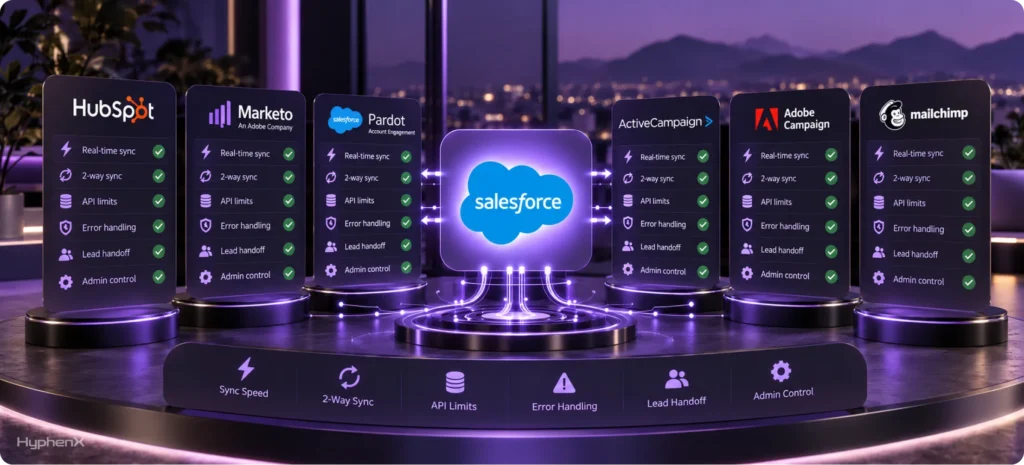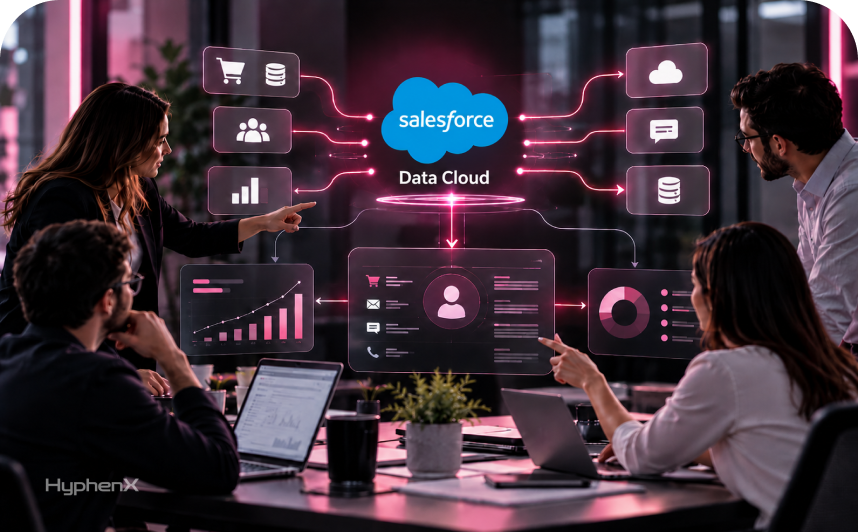

Your sales team sees one version of a customer. Marketing sees another. Service sees a third, and nobody can say which one is right. A sales rep might miss a recent support issue, while marketing sends an offer for something the customer already bought. These gaps make it harder to understand customer needs and coordinate the next step. So, what is Salesforce Data Cloud in plain words? It’s a platform that pulls customer data from many systems, matches records to one person or account, and makes that information usable across Salesforce. The goal is to give teams a more complete customer view so they can work from connected information.
This guide explains what Salesforce Data Cloud does, how it works, where Data 360 fits, and how it compares with a customer data platform, or CDP. You’ll explore common business uses, how its credits work, and the questions to answer before considering an implementation. We also include a readiness test to help you assess whether your company has a clear need for it and the foundations to support it. If you only have a minute, start with the TL;DR for the essentials and who needs it. We’re HyphenX Solutions, a Salesforce consulting partner. Product facts come from Salesforce’s own pages, and we clearly distinguish our judgments from those facts.
TL;DR
A Data Layer Under Your Customer Records
What is Salesforce Data Cloud? It’s a data layer that connects customer data from many systems, matches records to one profile and feeds that profile to sales, service, marketing and AI agents. Salesforce now calls the product Data 360, and the function is the same as before.
The Decision Is About Fit
Data Cloud fits companies whose customers appear in three or more systems. A company with one or two tools and clean data may never need it. Credits and add-ons mean you should plan use before switching anything on, and size the first use case small.
Prepare Before You Switch It On
Fix duplicate and incomplete records first, pick one use case, then connect only the sources that use case needs. Teams that start narrow see value sooner and keep credit use predictable. Knowing what is Salesforce Data Cloud for your team starts with that single use case.
What Is Salesforce Data Cloud in Plain Terms?
Salesforce Data Cloud, now called Data 360, is a platform that connects customer information from Salesforce and other business systems, organizes it, and makes it available for analysis and action. Salesforce describes its core functions as ingesting, harmonizing, unifying, and analyzing data. In everyday language, that means collecting information, giving it a consistent structure, linking related records, and helping teams use it.
Think of it as a shared data layer that works alongside your CRM. Your CRM manages accounts, contacts, and sales opportunities, while other systems hold purchases, website activity, billing details, and support interactions. Data Cloud helps connect that wider history to the customer information your teams already use in Salesforce. This gives sales, marketing, and service access to more context when deciding how to respond to a customer.
Connects Data From Different Systems
Customer information rarely lives in one place. Purchase records might sit in an ecommerce platform, payment details in a billing system, and browsing activity on your website. Data Cloud uses connectors and other integration methods to access information from Salesforce and external sources. It supports batch data, which arrives in scheduled groups, and streaming data, which arrives as events occur. For supported warehouses, zero-copy connections also let it access data without duplicating the underlying records.
Organizes Data Into a Common Structure
Connecting systems is only the first step because each system can describe information differently. One application might use “Customer ID,” while another uses “Client Number.” Data Cloud lets your team map incoming information to a shared data model that defines customers, orders, interactions, and their relationships. Transformations can also prepare and standardize values before use. This process, called harmonization, gives information from different sources a consistent meaning so it can work together in queries, audiences, and insights.
Links Records Into Unified Customer Profiles
Identity resolution uses configured matching rules to identify records that belong to the same person or account. For example, “Dana Lee” in your CRM and “D. Lee” in a billing tool could be linked when supporting details, such as an email address, meet your matching criteria. Anonymous browsing activity can also be connected when identifying information becomes available. The unified profile links these source identities while preserving their original records, giving teams a connected view of the customer’s history.
Makes Customer Data Useful Across Salesforce
Once information is connected and organized, teams can use it to build audiences, calculate customer metrics, enrich Salesforce records, and trigger workflows. For example, marketing could create an audience based on purchase history and recent engagement. Data Cloud also supports Agentforce by making relevant customer information and business content available to AI agents. This helps agents ground their responses in company data, with the available context shaped by the sources, retrieval settings, and access controls your team configures.
Data 360 (formerly Data Cloud): What Changed and What Didn’t
Salesforce’s help documentation states that Data Cloud was rebranded as Data 360 on October 14, 2025. It also explains that the rebrand did not change the product’s functionality and that “Data Cloud” may still appear within the product and its documentation. In practical terms, Data 360 and Data Cloud refer to the same platform, so seeing different names in a vendor proposal, an older article, or a Salesforce screen does not mean you are looking at separate products. Newer Salesforce material generally uses Data 360, while older resources may retain the previous name. For readers asking what is Salesforce Data Cloud today, the answer is straightforward: it is the platform now marketed as Data 360. We use both names throughout this guide to make the connection clear when you compare current product information with existing implementation advice and technical resources.
Salesforce Ben reports that the Data 360 name was announced at Dreamforce in October 2025 and describes it as the sixth name in the product’s history. Earlier names included Customer 360 Audiences, Salesforce CDP, Marketing Cloud Customer Data Platform, Genie, and Data Cloud. The new branding also places Data 360 under the Agentforce 360 umbrella, reflecting Salesforce’s emphasis on using connected business data to give AI agents relevant context. However, the older name remains useful when searching job listings, certifications, documentation, and implementation guides that have not adopted the newer terminology. Our view: when evaluating vendors, confirm which product name appears in the proposal, contract, and associated product list. This helps your team understand what is being quoted and keeps discussions clear when marketing materials use Data 360 but commercial documents or existing project records still refer to Data Cloud.
What Is Salesforce Data Cloud Doing From Ingestion to Activation

- Connect Data: Salesforce’s own overview describes connecting structured and unstructured information through batch ingestion, streaming ingestion, or zero-copy federation that accesses supported external data in place.
- Prepare and Govern: Transform incoming data into usable formats and configure governance controls. These controls help determine who can access information and how teams and applications can use it.
- Harmonize Fields: Map information from different systems to a shared data model. This gives customer details, purchases, and interactions consistent meanings so teams can analyze related information together.
- Unify Profiles: Run identity resolution rulesets to identify records belonging to the same person or account. Unified profiles link those source records, creating a connected view of each customer.
- Analyze Information: Query connected data, calculate metrics, and build insights that reveal customer patterns. Teams can also use predictive models to assess likely behavior and support business decisions.
- Activate Audiences: Create customer segments using profile details, behaviors, and calculated insights, then send those audiences to supported destinations. Effective activation depends on accurate mapping, appropriate matching, and reliable source data.
- Ground AI Responses: Make relevant customer information and business content available to Agentforce. This helps AI agents answer questions and perform tasks using company context within configured access controls.
- Use Available Connectors: Salesforce says the platform offers more than 200 connectors for Salesforce applications and external systems. MuleSoft supports additional integration needs, helping teams connect information across their technology environment.
What Is Salesforce Data Cloud Doing in a Retail Setup?
Here’s a worked example from a retail setup, offered as our illustration. Store purchases arrive in a warehouse, web activity arrives from a site and support history lives in Service Cloud. Data Cloud connects all three, matches people across them and builds a segment of customers who bought twice and then opened a support case.
Marketing can then send that group a different message than everyone else gets. Service sees the same profile when those customers call. That sequence is the working answer to what is Salesforce Data Cloud at a retail company: one profile, built from three sources, used by three teams.
What Is Salesforce Data Cloud Made Of
The product comes with its own vocabulary, and the terms trip up most newcomers. This table covers the ones you’ll hear in the first week, and it shows what is Salesforce Data Cloud made of at the object level.
Term | What it means | Where it matters |
|---|---|---|
Data stream | A feed that brings a source into Data Cloud | Connect |
Data lake object | Storage for the data as it arrives | Connect |
Data model object | A standard, harmonized version of a business entity | Harmonize |
Identity resolution ruleset | The rules that match records to one person | Unify |
Unified individual | The matched profile built from source records | Unify |
Calculated insight | A metric computed across profiles, such as lifetime value | Analyze |
Segment | A group of people defined by rules | Activate |
Data space | A partition that separates data by brand, region or team | Govern |
Zero-Copy Federation: Leaving Data Where It Is
Part of understanding what Salesforce Data Cloud does is knowing how it accesses information stored elsewhere. Many companies already keep customer data in Snowflake, Databricks, Redshift, or BigQuery. Copying everything into another platform adds processing time and creates another dataset to maintain. Zero copy provides a way to work with supported external data while keeping it in its existing location.
Salesforce defines zero copy as data federation technology that lets you access and query data without copying it. Live queries retrieve information when needed, while optional caching can improve performance. Salesforce also describes two-way connectivity that allows insights, such as audience segments, to reach supported external platforms. Its connectivity options include:
- Physical Ingest: Copy data into Data Cloud for local storage and processing. This gives the platform its own dataset, which your team must keep updated as source information changes.
- Live Query: Query external data on demand without maintaining a full local copy. This approach keeps information at its source while making it available for supported Data Cloud operations.
- Cached Acceleration: Temporarily cache external data and refresh it incrementally to improve query performance. Salesforce presents caching as an optional optimization when live access alone does not meet performance needs.
Zero copy means Data Cloud can act as both a data store and a layer over existing systems. Our view: consider live queries for large historical tables accessed occasionally, and assess ingestion or caching for frequently used data. Choose based on freshness, performance, and the requirements of segmentation and identity resolution. Also confirm file federation’s current release status and availability before including it in your implementation plan.
Identity Resolution, Where Projects Win or Stall
Identity resolution helps Salesforce Data Cloud connect scattered customer records into unified profiles. A ruleset defines the matching logic used to determine which records belong to the same person. Salesforce’s Trailhead project gives examples that combine fuzzy name matching with normalized address, phone, and email details. Fuzzy matching accommodates name variations, while normalized matching accounts for formatting differences. When matched records contain conflicting values, reconciliation rules determine which value appears in the unified profile. These rules can prioritize the most frequent value, the most recently updated value, or a preferred source. Together, matching and reconciliation help teams build a connected customer view from information held across different systems.
Source records remain unchanged during unification, and unified link objects connect profiles back to their original records. This traceability helps teams investigate unexpected matches and understand where information came from. Rules that are too loose can link different people, while overly strict rules can leave one person split across several profiles. Both outcomes affect the accuracy of audiences built afterward. Our view: start with strict rules and loosen them gradually while reviewing sample results. Check for incorrect matches and missed connections before using the profiles in campaigns or workflows. Our guide to identity resolution in Data Cloud explains ruleset design and testing in more depth.
Salesforce Data Cloud Use Cases by Team
Salesforce Data Cloud use cases often involve connecting information from multiple systems so teams can act with more customer context. The following six areas show how that connected information can support everyday business decisions.
Marketing and Audience Segmentation
Build audiences using purchase history, website activity, and campaign engagement together, then activate them through Marketing Cloud or other supported channels. For example, identify repeat customers who have not purchased recently and tailor a reactivation campaign. Connecting these signals helps marketers create more relevant audiences and reduce outreach based on incomplete information.
Sales and Account Visibility
Give sales representatives access to product usage, purchase history, and support activity alongside account and opportunity details. Before a renewal conversation, a representative could review an unresolved service issue or declining engagement. This context helps sales teams prepare relevant conversations, coordinate with other departments, and identify accounts that need attention.
Service and Interaction History
Bring connected customer interactions into the service experience so representatives can understand what happened before the current request. Purchase records, earlier cases, and relevant engagement can help explain the customer’s situation. With this information available in their workflow, service teams can reduce repeated questions and provide more informed responses.
AI and Agent Context
Make relevant customer information available to Agentforce so agents can respond using the customer’s actual circumstances. Connected purchase history, service activity, and business content can support more specific answers and actions. The usefulness of that context depends on data freshness, retrieval configuration, and the access controls applied to the information.
Compliance and Data Governance
Use governance controls to manage access to connected information within Data Cloud and its supported uses. Consent information can also inform audience selection and activation when appropriately configured. Teams should define who can use each dataset, for which purposes, and how consent requirements apply across the connected systems and destinations.
Multiple Orgs and Shared Customer Views
Connect customer information from multiple Salesforce orgs to support a shared view across business units. This can help companies managing separate orgs after acquisitions or across regions. Teams can coordinate customer activity while retaining their existing org structures, with the information available to each team governed by the configured sharing and access arrangements.
Before connecting a source, define the result you will measure. Track duplicate outreach, renewal preparation time, or repeated service questions against a baseline. A specific measure gives the implementation a clearer purpose than simply asking for a better customer view.
Salesforce Data Cloud vs CDP: Where It Fits
Salesforce positions Data 360 as a customer data platform, and it also lists a customer data platform as one of the product’s components. Salesforce says Forrester named it a Leader in CDPs for B2C and that Gartner named Salesforce a Leader in Customer Data Platforms for the second year in a row. Both are vendor-reported claims.
The table below compares three approaches. It reflects our view.
Question | Data Cloud | Standalone CDP | Warehouse-first CDP |
|---|---|---|---|
Where it works best | Salesforce-centered stacks | Marketing teams with mixed tools | Data teams with a strong warehouse |
Where the data lives | In Data Cloud, or federated in place | In the CDP | In your warehouse |
Link to Salesforce apps | Native | Through connectors | Through connectors |
Who runs it day to day | Admins and marketers, with data help | Marketers | Data engineers |
Main tradeoff | Tied to Salesforce’s data model | Another system to maintain | Needs warehouse skills |
The right answer depends on where your data and your skills sit. If your teams live in Salesforce, the native links save real integration work. If your analysts run everything from a warehouse, a warehouse-first approach may fit better.
That’s the real question behind what is Salesforce Data Cloud for a team with an existing CDP. Nobody can answer Salesforce Data Cloud vs CDP in the abstract. List your sources, your teams and your destination apps, then test each option against that list.
Salesforce Data Cloud Pricing: How the Models Work
To answer what is Salesforce Data Cloud priced on, start with consumption. Salesforce Data Cloud cost depends on your company and your requirements, so this section explains how the pricing is built rather than quoting numbers. Salesforce says pricing is consumption based, and its pricing page lists three models.
- Flex Credits. One credit applies to any Data 360 action, and credits are deducted as actions run.
- Profiles. You buy by unified profile each year. Profile-building actions are included, along with one Flex Credit per profile and set allowances for calculated insights, transforms and segments.
- Enterprise Profiles. Everything in Profiles, plus two Flex Credits per profile, larger allowances and add-ons such as data masking and ad audiences.
Salesforce says ingestion is free, while processing, querying, sharing, and real-time operations carry usage charges. Payment options include pre-purchase, pay as you go, and pre-commit, with eligible credits usable across Data 360 and Agentforce. Free provisioning includes limited storage and credits. Existing pricing is honored through the contract term, while changing credit models requires swapping all existing credits. Confirm current pricing and allowances with your account executive.
Salesforce Data Cloud Credits: What Drives Consumption
Salesforce Data Cloud credits are the unit that meters your actions. Each action uses credits, and Salesforce’s rate card sets how many. You can request the current Flex Credits rate card from your account executive.
What is Salesforce Data Cloud billing you for? It bills for actions. What you do decides what you use, and these are the habits that tend to raise consumption, in our experience:
- Streaming where batch would do. Real-time handling uses more than scheduled handling, so reserve it for decisions that can’t wait.
- Broad identity resolution. Matching very large record sets uses a lot, and reruns repeat the work.
- Frequent refreshes. A calculated insight that refreshes hourly uses far more than one that refreshes daily.
- Unused segments and streams. Items that keep running keep consuming.
Is Salesforce Data Cloud Worth It? A Readiness Test
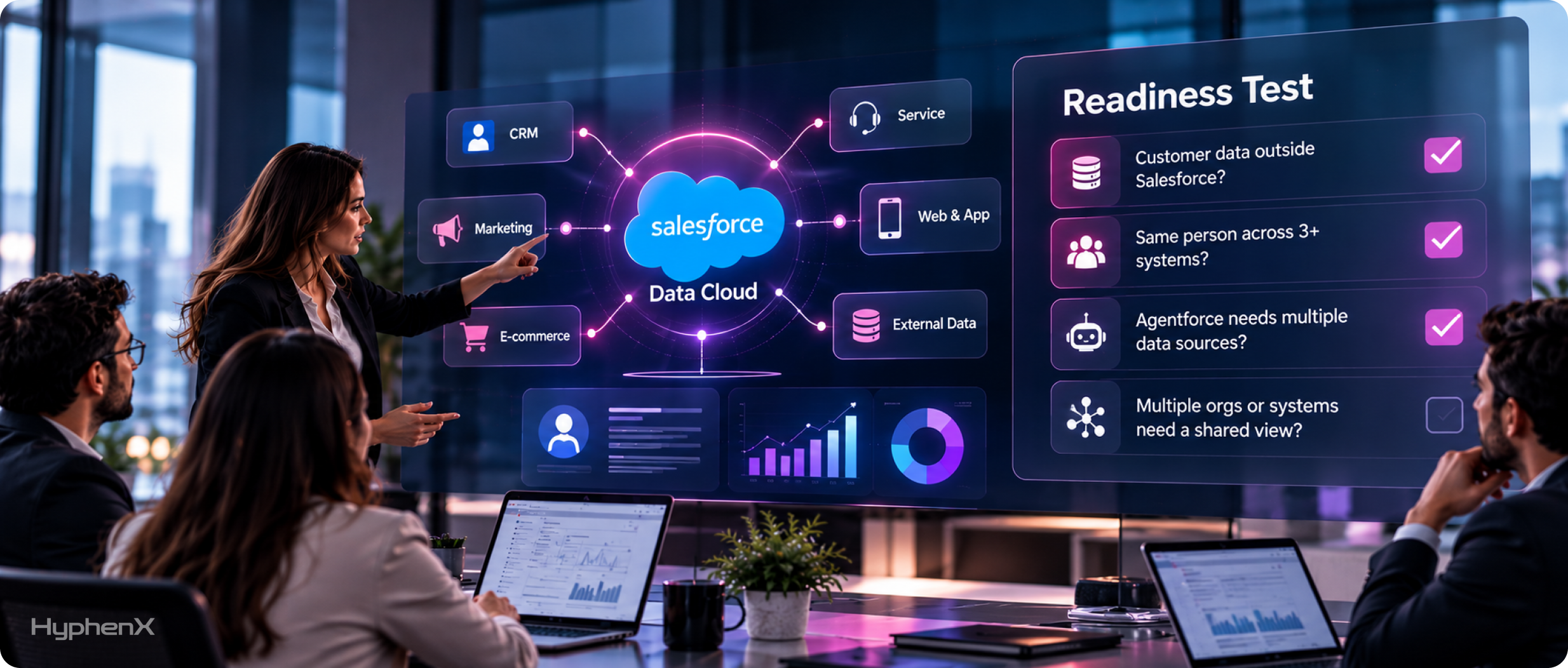
Whether Salesforce Data Cloud is worth it depends on the problem it solves beyond your current tools. Salesforce Ben suggests four questions: does useful customer data live outside Salesforce; does the same person appear across three or more systems; will Agentforce need multiple data sources beyond public knowledge articles; and do multiple orgs or systems need a shared customer view? A yes to one suggests a potential fit, while several yes answers strengthen the case. Focus on what teams will do with the connected information. A practical use case, such as reducing duplicate outreach or improving renewal preparation, gives the decision a clearer basis than a general desire for better customer insight.
The platform may offer less value to smaller businesses with simple Salesforce setups, teams that only need analytics, or organizations with inaccurate or incomplete source data. Before proceeding, name an owner for the data model and matching rules, choose one measurable goal, check source quality, and estimate credit usage based on planned activities and frequency. Our view: if several questions apply and these foundations are ready, start with a small pilot and measure the results before expanding. If you cannot explain the problem Data Cloud will solve in one sentence, clarify the need first. When none of the questions apply, improving your existing CRM may be the more useful next step.
How Data Cloud Connects to Agentforce and Your Clouds
In an agent setup, Salesforce Data Cloud supplies the customer and business context that helps Agentforce deliver relevant responses. It also makes connected information useful across other Salesforce applications. Sales Cloud and Service Cloud teams can access unified profile information on configured record pages, while Marketing Cloud can use activated segments to support audiences and journeys. This gives teams and agents access to customer context drawn from multiple systems.
Salesforce Ben notes that Data 360 now sits under the Agentforce 360 umbrella, reflecting its closer connection to AI agents. Tableau Semantics and Intelligent Context were announced alongside the rename to support consistent metrics and help agents use unstructured information. The practical starting point is identifying what information your agent needs, then preparing that data and configuring access before testing responses. Our walkthrough on setting up AI with Agentforce, Data Cloud and Einstein explains the sequence.
Case Studies: Where 250+ Certified Specialists Come In
Turning Salesforce Data Cloud into a working solution requires expertise in data modeling, identity resolution, and the Salesforce applications that use its output. HyphenX is powered by 250+ certified Salesforce professionals, including architects, developers, and consultants, bringing together skills across architecture, integration, and ongoing administration. We help teams define their use case, select data sources, and establish ownership rules before connecting systems. After launch, we support credit monitoring and matching adjustments to keep the implementation aligned with business needs.
Salesforce Data Cloud FAQs
1. What is Salesforce Data Cloud?
Salesforce Data Cloud is a platform that ingests customer data from many systems, matches records to unified profiles and makes them available across Salesforce. Salesforce now calls it Data 360. Teams use it to build audiences, give sales and service a fuller customer view and supply trusted context to AI agents.
2. Is Salesforce Data Cloud the same as Data 360?
Yes, so what is Salesforce Data Cloud and what is Data 360 get one answer. Salesforce’s help documentation says Data Cloud was rebranded to Data 360 as of October 14, 2025, and that the functionality is unchanged. You may still see the Data Cloud name inside the product, in documentation and in older articles, so treat the two names as one product.
3. What does Salesforce Data Cloud do?
Ask what is Salesforce Data Cloud’s job and the answer is connection and matching. It connects data sources, maps them to a standard model, matches records into unified profiles and lets you build segments and insights. It then sends those results to sales, service, marketing and Agentforce, so every team works from one trusted view of each customer.
4. Is Salesforce Data Cloud a CDP?
Salesforce positions it as a customer data platform and lists a CDP among its components. It does more than a classic CDP, including zero-copy access to external warehouses and context for AI agents. Whether it replaces a separate CDP depends on where your data, teams and destination apps live.
5. How does Salesforce Data Cloud vs CDP differ in practice?
A standalone CDP mainly unifies customer data for marketing. Data Cloud adds native links to Salesforce apps, zero-copy federation and grounding for Agentforce, while a warehouse-first approach suits teams that run everything from a warehouse. Test each option against your own sources, teams and destination apps.
6. How does Salesforce Data Cloud pricing work?
Salesforce says pricing is consumption based, with Flex Credits, profile-based and enterprise profile models. Ingestion is free, while some actions draw down credits. Salesforce Data Cloud cost depends on your company and requirements, so ask your account executive for current terms, since the pricing page is subject to change.
7. What are Salesforce Data Cloud credits?
Credits are the unit that meters actions in Data Cloud, and each action uses a number of credits set by Salesforce’s rate card. Streaming, large identity resolution runs and frequent refreshes tend to use more. Digital Wallet shows credits used and remaining, so someone should own that dashboard.
8. Is Salesforce Data Cloud free for existing Salesforce customers?
Partly. Salesforce says customers can provision Data 360 for free with a limited amount of storage and consumption credits, and that bringing data in is free. The page doesn’t state the amounts, so confirm them with your account executive before you plan a pilot around them.
9. Is Salesforce Data Cloud worth it for a small business?
Often not yet, because what is Salesforce Data Cloud for if your data sits in one place? Salesforce Ben says smaller businesses with one or two Salesforce tools and simple integrations may not need it. It becomes worth considering when the same customer appears in three or more systems, or when you want Agentforce to draw on several data sources.
10. What are common Salesforce Data Cloud use cases?
Whoever asks what is Salesforce Data Cloud for hears the same short list. The most common are building audiences from combined purchase and web data, giving service agents a full interaction history, showing reps account context and grounding Agentforce answers in current customer data. Companies with several Salesforce orgs also use it to create one shared customer view without a full merge.
11. What is zero copy in Data Cloud?
Zero copy lets Data Cloud query external data without copying it. Salesforce says it processes results in memory and discards them after use. It supports sources such as Snowflake, Databricks, Redshift and BigQuery, and it works in both directions, so insights can reach external platforms too.
12. Does Data Cloud replace a data warehouse?
In most cases, no, which clears up a common confusion about what is Salesforce Data Cloud. Zero-copy federation lets Data Cloud work with your warehouse where it sits, so the two operate side by side. Your warehouse remains the home for analytics and history, while Data Cloud builds profiles and audiences that Salesforce apps use directly.
13. What do you need before starting with Data Cloud?
Before you settle what is Salesforce Data Cloud for in your company, line up a named owner, one measurable use case, a short list of sources and reasonably clean data. Duplicates and blank fields carry into every profile. Start with a small pilot, check the matching results and expand only after the first use case works.
14. How does Data Cloud work with Agentforce?
Data Cloud gives Agentforce agents current, unified customer context. Salesforce says Data 360 now sits under the Agentforce 360 umbrella as the data layer. An agent answering a customer can draw on the unified profile, so replies reflect purchases, cases and history instead of one system’s view.
15. How do you track Data Cloud credit usage?
Use Salesforce Digital Wallet. It shows credits used and remaining on cards and charts usage by time period and usage type. Your user needs the View Consumption Cards permission, and the primary billing contact receives a monthly account summary email, with the invoice prevailing if the two differ.