

Most of your first 90 days in Salesforce goes to decisions: who owns each field, what a deal stage means and who gets admin rights.
This guide treats Salesforce for startups as a 90-day plan. It covers which edition to start on, what to set up in each 30-day block, what it costs and when to bring in help. It also marks which numbers come from Salesforce’s own pages and which come from our guides.
We’re HyphenX Solutions, a Salesforce consulting firm. Prices, limits and security rules come from Salesforce’s own pages, checked in October 2026, and our own cost guide supplies the services figures.
TL;DR
What Salesforce for Startups Includes
Salesforce has no startup edition. Startups use Free Suite, Starter Suite or Pro Suite, and venture-backed teams can apply to Salesforce Launchpad for discounts. Salesforce doesn’t publish the discount amount or duration, so confirm the terms with Salesforce before you budget.
Where Early Setups Go Wrong
The usual surprises are limits and retired tools. Starter Suite allows 0 custom objects, new automation belongs in Flow instead of Process Builder, admins in paid orgs need phishing-resistant MFA, and the Import Wizard can’t load opportunities. Finding any of these late means rework.
The 30-60-90 Path
Days 1 to 30 set up access, the data model and imports; days 31 to 60 connect email and build Flow automation; days 61 to 90 audit data, check adoption and decide on AI. Help makes sense once scope outgrows one admin’s time.
What Salesforce for Startups Means in 2026
Salesforce doesn’t sell a startup edition. “Salesforce for startups” means the standard Sales editions used at startup size, plus a funding-based program called Salesforce Launchpad.
- Free Suite: It costs $0 and comes with 2 user licenses, customizable reports and dashboards, connected Slack conversations and up to 100 emails a month. Salesforce says it has no expiration date as long as you log in at least once every 60 days, and free users get support through the Agentforce chat bot on help.salesforce.com.
- Starter Suite and Pro Suite: These are the entry paid editions, at $25 and $100 per user per month. Salesforce’s startup CRM guide mentions a free 30-day trial of Starter Suite and says it requires no implementation fees.
- Salesforce Launchpad: This is the funding-based program for venture-backed startups, with discounts and implementation support on selected Salesforce products.
The data model, access rules and automation work the same way in a CRM for startups as in a 500-person company’s. What changes is how little room you have and how much each early decision costs to undo. Some articles still use older edition names such as Essentials, which isn’t one of the editions on Salesforce’s Sales pricing page, so this guide uses the names on that page today.
Why Early Setup Pays Off, and When to Wait
Setting up a CRM for startups early pays off when the records you create now become the pipeline report you rely on later. Every deal you log in the first week is a record you can report on. Every deal you keep in a spreadsheet is a record you’ll have to import and clean.
Salesforce’s view: In its startup CRM guide, Salesforce says adopting a CRM early means starting with clean data and tracking performance from the first day, that setup gets more expensive as the company grows, and that waiting can force a costly migration later. Its summary: “The sooner, the better.” |
That is a vendor’s opinion, and it comes with a catch. A rushed setup full of undefined fields takes more cleanup than a slower one where every field has a definition.
Waiting is reasonable when one or two founders sell and a spreadsheet still answers every question. Free Suite costs $0 for 2 users, so the cost of starting early is your time, and the account stays available only while someone logs in every 60 days. Our tipping point is your third seat, or the first deal that needs a handoff between people.
Which Salesforce Edition Fits Your Startup Stage
Pick the least expensive edition whose limits fit the next six months of building. Salesforce’s list prices look simple, and the limits behind them decide what you can build. Count the custom objects you need and the automations you’ll build in the first 60 days, then read the table with that list beside it.
Edition | List price (per user per month, USD) | Limits that shape your setup | Best fit |
|---|---|---|---|
Free Suite | $0 | 2 users; 100 emails a month; chat-bot support; log in every 60 days | One or two founders testing a pipeline |
Starter Suite | $25, billed monthly or annually | 0 custom objects; 0 custom apps; 25 custom fields per object; 20 active validation rules per object | A small team working on standard objects |
Pro Suite | $100, billed annually | 50 custom objects; 100 custom fields per object; 5 flows and processes in total; 10 permission sets; 3 custom profiles | Teams that need custom objects and more automation |
Core | $195, billed annually | AI can be added; 1 Partial Sandbox included | Teams that want AI or a test environment |
Advanced and Max | $395 and $550, billed annually | Both include 1 Partial Sandbox and 1 Full Sandbox | Later-stage teams |
What the Limits Mean in Practice
- 0 custom objects on Starter Suite: Everything you track has to fit leads, contacts, accounts and opportunities, so a concept like a partner referral becomes a picklist value or a field on an existing object.
- 25 custom fields per object on Starter Suite: Each field has to earn its slot, so create one for each decision you’ll make.
- 5 flows and processes in total on Pro Suite: Automate the handoffs that cost you the most time first, and combine small rules into one flow where you can.
Salesforce announced Core, Advanced and Max on September 3, 2026, and says existing customer pricing on legacy editions remains unchanged. Salesforce’s pricing page says it is provided for information purposes only and is subject to change, so check it before you buy.
Our rules of thumb: move off Free Suite at your third user, move from Starter Suite to Pro Suite when you need a custom object or hit the 25-field cap, and move to Core when you decide to add AI. Pro Suite’s Web Services API is a $25 per user per month add-on, so confirm whether you need it before you count on it.
How Salesforce Launchpad Works for Venture-Backed Startups
Salesforce Launchpad is Salesforce’s startup program, and it is open to venture-backed startups across industries and growth stages. The Launchpad team reviews each application within 5 business days to verify proof of funding. Confirm these four things before you apply:
☐ Your startup is venture-backed.
☐ You can show proof of funding.
☐ The offers cover what you plan to buy: Starter Suite, Pro Suite, Sales Cloud Core, Agentforce, Tableau and Slack, plus implementation support.
☐ You’ve asked Salesforce for the current discount terms.
Salesforce’s page names the offers but publishes no discount percentage, credit amount or duration, and joining doesn’t guarantee investment from Salesforce Ventures. Ask Salesforce what the implementation support includes and how long the discount lasts. Budget at list price until Salesforce confirms the terms, as of October 2026.
Founders without venture funding can start on Free Suite or Starter Suite at list price. Launchpad affects what you pay, and the 90-day plan below applies to any edition, with the limits table above showing how much each one lets you build.
Your First 90 Days in Salesforce at a Glance
The plan runs in three 30-day blocks, and each block ends with something you can check.
Block | Goal | What you finish | Owner | Done when |
|---|---|---|---|---|
Days 1 to 30 | A secure org with clean core data | Edition, admin MFA, access model, data model, sales stages, first import | Founder or sales lead, plus one admin | Reps log every deal in Salesforce, and the pipeline report matches the spreadsheet |
Days 31 to 60 | Less manual work | Email sync, one or two Flow automations, first dashboards, integration shortlist | Admin and sales lead | Reps no longer copy data by hand for the automated steps |
Days 61 to 90 | Proof it works, plus a decision on AI | Data audit, adoption review, AI check, edition review | Founder and admin | You can say whether to stay, upgrade or add help |
Leave these until after day 90:
- Custom objects beyond the ones your sales process needs.
- Automations that touch several objects at once.
- Integrations you can replace with a weekly manual export for now.
- AI agents, unless the day 61 to 90 checks pass.
- An edition upgrade you haven’t hit a limit on.
This plan is our own working framework, and the blocks can stretch or compress with your team size. A small team with one sales process is often a candidate for a single cutover. Our guide to Salesforce implementation approaches: big bang, phased or parallel walks through the five questions that decide it and includes a startup-style scenario.
Days 1 to 30: Lay the Foundation
Salesforce setup in the first 30 days produces one thing: a secure org where your core data is clean and named once.
- Choose the edition and name an admin. Use the limit map above to match an edition to your next six months of work. Starter Suite has a free 30-day trial, and Free Suite fits a team of up to 2. Name one person who approves every change to fields, access and automation.
- Lock down admin logins. In paid production and sandbox orgs, Salesforce requires MFA for employee logins. Admins and other privileged users, meaning anyone with the System Administrator profile or the Modify All Data, View All Data, Customize Application or Author Apex permission, must use phishing-resistant methods: security keys or built-in authenticators such as Touch ID or Windows Hello. Salesforce Authenticator and third-party TOTP apps sit in the standard MFA tier, which doesn’t qualify. Register each admin’s phishing-resistant method at first login, and before you convert a trial to a paid subscription, because converted trial orgs get no 30-day grace period.
- Set access with permission sets. Give users the Minimum Access – Salesforce profile, or a clone of it, and grant access through permission sets. Bundle the sets into permission set groups that correspond to your user personas, which for a startup might be sales rep and sales manager. Our guide to least-privilege permission design shows how to keep that tidy as the team grows.
- Name your data model. Settle leads, contacts, accounts and opportunities first. Write a one-line definition and an owner for every field before you create it, because Starter Suite caps you at 25 custom fields per object. Make lead source, stage, amount, close date and owner required, since your first dashboards depend on them.
- Agree on your sales stages. Pick stage names and an exit rule for each, so “Proposal” means the same thing to every rep. Sales Cloud setup is one of the services we run, and it covers lead and opportunity configuration.
- Load a first batch of data. Import one object at a time, starting with accounts and contacts. The next section covers the tools and their limits.
A startup data model stays small: leads hold people you haven’t qualified yet, and when one qualifies you convert it into a contact and an account, plus an opportunity when there’s a deal. The account is the company, the contact is the person and the opportunity is the deal with an amount, a stage and a close date.
By day 30, every rep logs deals in Salesforce, admins use phishing-resistant MFA and no one holds access they don’t need. Treat the spreadsheet as read-only from here.
How to Move Spreadsheet Data Into Salesforce Without Breaking It

In any Salesforce setup, start with the Data Import Wizard and switch to Data Loader for the objects the wizard can’t handle.
Before You Load
- Clean: Remove duplicates and blank rows from each file.
- Standardize: Use one spelling for every picklist value, such as one name per deal stage.
- Match: Give every contact the company name that appears on an account row, so the records can link.
Data Import Wizard
- Limit: 50,000 records at a time.
- Handles: business and person accounts, contacts, leads, campaign members, custom objects and solutions.
- Can’t import: assets, cases, campaigns, contracts, documents, opportunities and products.
Data Loader
- Use it for: opportunities and the other objects the wizard can’t import.
- Works from: CSV files, so export each object from your spreadsheet as one clean CSV.
- Plan for: a short test run before the real load.
Opportunities carry the deals you care about most, so load accounts and contacts first, then use Data Loader for opportunities so each deal attaches to its account. Test with a small batch before the full load, then compare the record count in Salesforce with the rows in your file. If your spreadsheets hold years of mixed history, data migration support from us can handle the mapping and cleanup.
Days 31 to 60: Connect Email and Automate With Flow
Days 31 to 60 remove manual steps. Connect email first, then automate one pain point at a time.
- Sync email and calendar: Einstein Activity Capture Standard is available in the Starter, Pro Suite, Professional and Enterprise editions that Salesforce’s page lists. Microsoft is retiring Exchange Web Services for Microsoft Office 365 in October 2026, and Salesforce advises moving the authentication method to Microsoft Graph. If your team uses Microsoft email, set that up before you connect it.
- Automate with Flow: Salesforce no longer supports Workflow Rules and Process Builder as of December 31, 2025, and recommends Flow Builder. Start with one automation, such as assigning new leads to an owner, and check your edition’s flow limit in Setup. Pro Suite allows 5 flows and processes in total, so spend each slot on the automation that saves the most time.
- Build the first dashboards: Base them on the fields you made required in days 1 to 30: pipeline by stage and activity by rep. A report is only as good as the fields behind it.
- Hold a weekly pipeline review in Salesforce: Run it from a dashboard. Whatever isn’t in Salesforce doesn’t get discussed, which gives every rep a reason to keep records current.
- Add integrations only when a manual step hurts: Our cost guide puts integration at 10% to 30% of the services budget, so rank candidates such as billing and product data by hours saved. Our integration services cover the harder ones.
Each automation is one more thing to document and test. Write down what it does, who owns it and what it replaces.
Days 61 to 90: Check Your Data, Your Team and Your AI Readiness
By day 60 you have data and habits to test. Run three checks before you buy anything new.
Is Your Data Trustworthy?
- Check: Score your records on five dimensions: completeness, accuracy, consistency, uniqueness and timeliness. Our guide to clean data before you scale AI opens its audit checklist with duplicates across leads, contacts and accounts. Then fix the process, not just the records: required fields, ownership rules and validation controls keep bad data from coming back.
- Pass if: Every open opportunity has an owner, an amount, a stage and a close date.
Are People Using It?
- Check: Watch login frequency, opportunity creation, task completion, record updates and report usage. Our guide to user adoption explains how to read them. Then ask each rep what they still keep in a spreadsheet.
- Pass if: Your weekly pipeline review runs from a Salesforce dashboard.
Is AI Ready to Turn On?
- Check: Salesforce’s pricing page says AI can be added to Core and above, and its guide says Data 360 must be provisioned and set up before you turn on Einstein generative AI features. Our guide to when Agentforce earns a place in scope adds a narrow use case, trustworthy data, defined action permissions, testable integrations and an owner who accepts the outcome.
- Pass if: All of those conditions are true. If not, treat AI as a later roadmap item.
Review who holds admin rights too, because our permission guide notes that early-stage orgs tend to grant access on request, without oversight. Then count your custom fields per object against Starter Suite’s cap of 25 and your automations against Pro Suite’s cap of 5 flows and processes. The limit you’ll hit next tells you whether to stay on your edition, upgrade or add help.
What Salesforce Costs a Small Team: A Worked Example
License cost for a small team is arithmetic: seats times list price times 12.
- Free Suite: $0 for up to 2 users.
- Starter Suite: 5 users x $25 = $125 a month, or $1,500 a year.
- Pro Suite: 5 users x $100 = $500 a month, or $6,000 a year, billed annually.
- Core: 5 users x $195 = $975 a month, or $11,700 a year, billed annually.
These are Salesforce list prices as of October 2026, and they exclude add-ons, any Launchpad discount and services. Pro Suite’s Web Services API would add $25 x 5 x 12 = $1,500 a year if you need it. Rerun the arithmetic each time you add a seller, and budget admin time too, for changes, release checks and user requests.
On services, our 2026 Salesforce implementation cost guide gives an illustrative partner-services band of $15k to $40k for a focused rollout: one cloud, under 75 users, clean data, 0 to 2 simple integrations, limited custom code and 4 to 10 weeks. It calls its bands planning bands for orientation, and it says migration cost depends on the condition of your data more than on the record count. Salesforce says Starter Suite requires no implementation fees, so a self-run setup costs your time.
Do It Yourself, Start With a Quickstart, or Hire a Partner
Match the path to the work: the more custom objects, integrations and data you have, the more help pays off.
Path | Fits when | What it covers | Watch for |
|---|---|---|---|
Do it yourself | One person can own setup and you work on standard objects | Everything in the three plan blocks above | Your time, and Free Suite support comes through a chat bot |
Fixed-scope start (HyphenX Quickstart) | A first implementation on Sales Cloud or Service Cloud for up to 25 users | Standard package: standard integrations, data migration, user training and two weeks of post-launch support, delivered within four to six weeks | Fixed scope and fixed price, but no price is published, so ask for a quote. Custom engagements are scoped after discovery |
Partner-led project (Salesforce implementation services) | Custom objects, several integrations or a large data move | Fixed-scope projects, time and materials, phased rollouts, managed services or hybrid models | Ask for the scope assumptions behind any quote |
Managed services after go-live (when to switch) | You’re live, demand is continuous and your admin’s time is limited | Ongoing admin and release support | A small org with one cloud and a capable certified admin can keep ownership internal and buy periodic expert review |
Do it yourself if one person has the time to own setup, you work on standard objects and email sync covers your integrations. Otherwise, a fixed-scope start or a partner can save you the learning curve. If your scope outgrows the Standard Quickstart, the Extended package runs six to eight weeks with four weeks of post-launch support.
We don’t broker or staff out work at HyphenX, and the consultants who plan a project build it too. Whichever path you pick, ask for the written scope before the first invoice, and for a handover that documents the architecture, data, automation, integrations and security.
Case Study: What Connected Prospecting Data Looks Like in Salesforce
B2B SaaS Client: Unifying Three Prospecting Tools in One Salesforce Action
A B2B SaaS company ran outbound prospecting through Apollo, Lusha and Hunter, and none of the three connected to Salesforce, so reps copied contact data into the CRM by hand. HyphenX linked the providers through APIs behind a single-click identify-and-insert action on Lead, Contact and Account records, with real-time deduplication, source attribution and Hunter email verification before any record is written. The project ran in five phases, from discovery and architecture through build and enablement to ongoing tuning.
Key takeaway: Connecting outside data sources to Salesforce works best when deduplication, source-of-truth rules and email verification are built in before records are written.
Read the full case study: From Swivel-Chair Prospecting to Single-Click Pipeline. Explore more case studies.
Seven Salesforce Setup Mistakes Startups Make, and the Fixes
Each of these traces back to a Salesforce rule, limit or setup decision, and each has a fix you can apply this week.
- Budgeting a Launchpad discount you haven’t confirmed. A discount figure with no Salesforce source behind it turns into a gap on the first invoice. Budget at list price, and treat any confirmed discount as savings.
- Building new automation in retired tools. Salesforce no longer supports Workflow Rules and Process Builder, so anything you build there becomes a migration project later. Build in Flow, and if older rules exist, they keep running while the Migrate to Flow tool can convert them.
- Protecting admins with the wrong MFA method. In paid orgs, Salesforce Authenticator and TOTP apps sit in the standard tier, which doesn’t meet the requirement for privileged users. Register security keys or built-in authenticators for admins.
- Giving everyone admin rights. Every extra admin is another person who needs phishing-resistant MFA and another way to change data by accident. Start from the Minimum Access profile and add permission sets, and keep the System Administrator profile for the few who need it.
- Adding custom fields without definitions. Starter Suite caps you at 25 per object. Write the definition and the owner first.
- Importing the whole spreadsheet at once. A bad load is slow to undo, and the wizard can’t import opportunities at all. Load one object at a time and test a small batch.
- Switching on AI before the data is ready. Data 360 comes first, and Salesforce says AI can be added to Core and above, so switching on early can mean paying for a higher edition to run AI on messy records. Run the day 61 to 90 checks first.
Most of these trace back to a decision made in days 1 to 30, which is why the plan front-loads them.
Your Salesforce Startup Setup Checklist
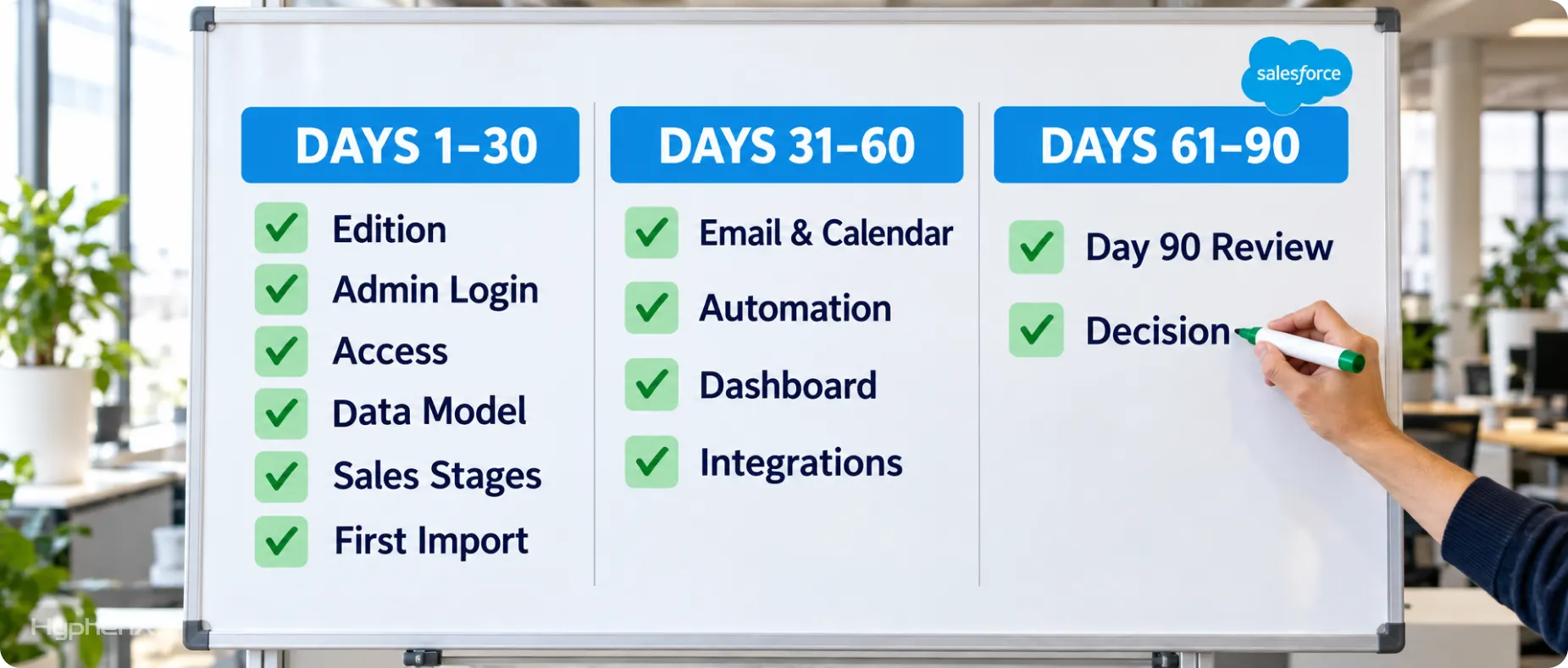
Tick these off in order, and you’ve covered the first 90 days. The first six lines cover days 1 to 30, the next four cover days 31 to 60, and the last two cover days 61 to 90.
☐ Edition: Chosen against the limit map, with the next limit you’d hit written down.
☐ Admin logins: Protected with security keys or built-in authenticators.
☐ Access: Minimum Access profile and permission set groups in place, with no one holding rights they don’t use.
☐ Data model: Defined, with an owner for every field.
☐ Sales stages: Agreed, each with an exit rule.
☐ First import: Tested and loaded, with opportunities going through Data Loader.
☐ Email and calendar: Synced, with Microsoft Graph authentication if you use Microsoft.
☐ Automation: Flow automation live and documented, with an owner for each flow.
☐ Dashboard: The first one matches the spreadsheet, and the weekly pipeline review runs from it.
☐ Integrations: Shortlist ranked by hours saved.
☐ Day 90 review: Data audit run, adoption signals reviewed and the AI question answered.
☐ Decision: Edition and partner choice recorded, with the date you’ll revisit them.
Review the list again when you add a seller, change edition or reach a Salesforce release, and check prices and limits against Salesforce’s pages each time. Salesforce changed its edition lineup in September 2026, so recheck the limits instead of relying on this page alone.
Salesforce for Startups FAQs
What should a startup set up in Salesforce in the first 90 days?
In days 1 to 30, choose an edition, secure admin logins, set up access, define your data model and load clean data. In days 31 to 60, sync email, automate with Flow and build dashboards. In days 61 to 90, audit data quality, check adoption and decide on AI.
Which Salesforce edition should a startup start with?
Free Suite works for up to 2 users. Starter Suite ($25 per user per month) covers standard objects but allows 0 custom objects. Pro Suite ($100 per user per month, billed annually) allows 50 custom objects and 5 flows and processes in total. These are list prices as of October 2026.
Is there a Salesforce program for startups?
Yes. Salesforce Launchpad is open to venture-backed startups. Applicants show proof of funding, and Salesforce reviews applications within 5 business days. Offers cover Starter Suite, Pro Suite, Sales Cloud Core, Agentforce, Tableau and Slack. Founders without venture funding can start on Free Suite or Starter Suite at list price.
Does Salesforce Launchpad give startups free credits or a set discount?
Salesforce says Launchpad offers exclusive discounts and implementation support, and its page mentions free and discounted products, but it publishes no discount percentage, credit amount or duration. Treat any discount percentage or credit figure on a third-party page as unconfirmed, and ask Salesforce for the current terms, including whether the discount covers the editions you plan to buy, before you budget.
Is Salesforce free for a startup?
Free Suite costs $0 and includes 2 user licenses. It has no expiration date as long as users log in at least once every 60 days, and free users get support through the Agentforce chat bot. When your team reaches 3 or more users, Salesforce points you to Starter Suite or Pro Suite.
How much does Salesforce cost for a small team?
At list prices, 5 users cost $125 a month on Starter Suite ($1,500 a year) or $500 a month on Pro Suite ($6,000 a year, billed annually). Add-ons, partner services and any Launchpad discount change the total. Salesforce says Starter Suite requires no implementation fees.
Do I need a Salesforce admin at a 5-person startup?
Someone has to own setup, but that doesn’t require a full-time hire. In our managed services guidance, a small org with one cloud and a capable certified admin can keep ownership internal and buy expert input for release cycles and health checks. Without that person, a fixed-scope start can cover the first build.
When should a startup move from spreadsheets to Salesforce?
Salesforce’s own startup guide says “The sooner, the better,” because setup gets more expensive as a company grows. That is a vendor view. A practical trigger is your third seat, since Free Suite covers 2 users, or the first deal that needs a handoff between people.
How long does a Salesforce setup take?
Our Quickstart Standard package runs 4 to 6 weeks for up to 25 users, and our cost guide puts a focused rollout at 4 to 10 weeks. Starter Suite’s 30-day free trial gives you a month to test the setup before you commit. Your timeline depends on scope, data condition and the number of integrations.
What are the Starter Suite limits?
Salesforce’s limits page lists 0 custom objects, 0 custom apps, 25 custom fields per object and 20 active validation rules per object for Starter. Pro Suite raises the caps to 50 custom objects and 100 custom fields per object. Salesforce’s Starter limits page lists no flow cap, so check Setup before you plan automation.
How do I move spreadsheet data into Salesforce?
Save each object as a clean CSV, remove duplicates, then use the Data Import Wizard for accounts, contacts and leads, up to 50,000 records at a time. The wizard can’t import opportunities, so use Data Loader for those. Load a small test batch first.
How do I set up user access for a small team?
Assign the Minimum Access – Salesforce profile, or a clone of it, and grant access through permission sets. Bundle the sets into permission set groups that correspond to your user personas, which for a startup might be sales rep and sales manager. Pro Suite allows 10 permission sets and 3 custom profiles.
Do I need multi-factor authentication in Salesforce?
Yes, in paid production and sandbox orgs. Salesforce requires MFA for employee logins through the UI and SSO, with enforcement phased in through September 3, 2026. Trial, Developer Edition and scratch orgs aren’t subject to enforcement, and a trial converted to a subscription gets no grace period. Admins and other privileged users need phishing-resistant methods such as security keys or built-in authenticators like Touch ID, and Salesforce Authenticator and TOTP apps don’t meet that requirement.
Can I still use Workflow Rules or Process Builder?
Salesforce no longer supports them as of December 31, 2025, and recommends migrating to Flow Builder. Existing rules keep running, and Salesforce’s Migrate to Flow tool can convert them, but test the result. Build new automation in Flow. Pro Suite allows 5 flows and processes in total, so plan which automations earn a slot.
Should a startup turn on Agentforce in its first 90 days?
Only with a narrow use case and trustworthy data. Salesforce says AI can be added to Core and above, and Data 360 must be set up before you turn on Einstein generative AI features. Our Agentforce guide also asks for defined action permissions, testable integrations and an owner who accepts the outcome.