
If you’re shopping for CPQ software that integrates with Salesforce, you’re probably also dealing with a sales team that’s tired of manual quote approvals, pricing errors that slip into contracts, and deals that stall because nobody’s sure which discount rule applies. That’s the real cost of outgrowing a spreadsheet-and-email quoting process. Salesforce Revenue Cloud and a handful of third-party tools now compete for that budget, and the right pick depends less on feature lists and more on how deep the integration actually goes.
This guide compares the CPQ software that integrates with Salesforce most reliably in 2026, walks through what changed after Salesforce CPQ’s End of Sale, and gives you a framework for picking the right one for your catalog, team size, and sales motion. We did the research so you don’t have to read eleven vendor pages to find out which tool actually talks to your CRM the way it claims to, and we’ve implemented enough of these ourselves to know where the marketing copy and the real behavior tend to part ways.
TL;DR
- The landscape shifted in 2025. Legacy Salesforce CPQ entered End of Sale in March 2025. New buyers can evaluate Salesforce’s Revenue Cloud offerings, part of Agentforce Revenue Management, alongside Salesforce-native managed packages and third-party CPQ platforms.
- Integration architecture matters. Some CPQ solutions run on Salesforce Core, others use Salesforce managed packages, and others connect external platforms through APIs. The actual data flow, security model, and synchronization timing depend on the product and deployment.
- Catalog complexity, not company size, is the better predictor of which CPQ tool fits. A 50-person company with a configurable, multi-tier product catalog often needs more CPQ muscle than a 500-person company selling three flat-rate plans, so don’t shortlist tools by headcount alone.
What Changed When Salesforce CPQ Went End of Sale
Legacy Salesforce CPQ entered End of Sale in March 2025, as explained in Salesforce’s own announcement. End of Sale is different from End of Life, and existing customers should confirm current support and renewal terms with Salesforce. For new implementations, Salesforce now positions Revenue Cloud offerings within its Agentforce Revenue Management portfolio. Those offerings use a different architecture from legacy Salesforce CPQ, so replacing the original product involves more than changing a license.
Legacy Salesforce CPQ was delivered as a managed package inside Salesforce; that does not mean it relied on an external synchronization layer. Revenue Cloud Advanced uses a newer Salesforce Core architecture and revenue data model. Moving between them is a migration project, not a routine version upgrade. Salesforce also markets its broader revenue suite as Agentforce Revenue Management. When comparing products, check the specific edition, data model, licensing terms, and supported integration architecture.
What Is CPQ Software That Integrates With Salesforce?
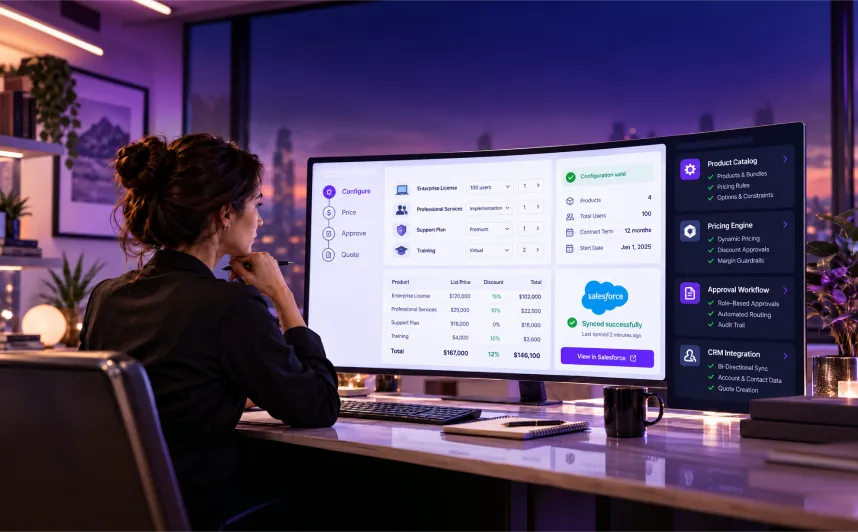
CPQ stands for configure, price, quote. It’s software that takes a sales rep’s product selections, applies pricing logic, discount rules, and approval chains, and generates an accurate quote without manually checking a pricing spreadsheet or emailing finance for sign-off. When people search for CPQ software that integrates with Salesforce, they mean a tool that reads and writes data directly inside the Salesforce records a sales team already lives in: opportunities, accounts, products, and contracts. A tool that syncs occasionally creates a second source of truth, so reps check two systems to find out where a deal stands. The better tools run natively on Salesforce or connect through a purpose-built integration layer that keeps both systems current in near real time.
CPQ is also one piece of a broader quote to cash motion, the full chain from configuring a quote through contracting, invoicing, and renewal. Some Salesforce quote to cash solutions bundle CPQ with billing and revenue recognition out of the box; others expect you to pair a standalone CPQ tool with a separate billing system. Which approach fits depends on how much of that downstream process you want inside one platform versus stitched together, and it’s a question worth answering before you start comparing tools line by line.
How Salesforce CPQ Integration Works: Core, Managed Packages, and Connectors
Salesforce-compatible CPQ does not come in only two architectures. Salesforce Core applications use platform services and revenue data models; Salesforce-native managed packages add their own objects and logic within the CRM; and separately hosted CPQ platforms exchange information through APIs, middleware, or embedded interfaces. A managed package is not the same thing as an external connector. Ask where quotes, product configurations, pricing rules, and approvals are stored and which system owns each record.
An external CPQ platform is not necessarily slower or less reliable. Some integrations exchange changes through events or APIs in near real time; others rely on scheduled jobs. The practical questions are which updates trigger a sync, how conflicts are resolved, what happens when an integration fails, and whether sales and finance see the same approved quote. Demonstrate those behaviors using simultaneous edits, approval changes, amendments, and real catalog data before choosing a platform.
What to Look for in CPQ Software That Integrates With Salesforce
Before you start comparing specific tools, it helps to know which features actually separate a good fit from a bad one for your catalog and sales motion. G2’s CPQ buyer’s guide breaks down a similar checklist, and our own implementation work lines up with most of it.
- Integration depth. Is it native to the Salesforce platform, or connector-based with scheduled syncs? Ask for the sync frequency in writing, not a verbal assurance from a sales rep.
- Pricing rule complexity. Can it handle tiered pricing, volume discounts, bundles, and usage-based models, or just flat-rate line items? Have the vendor demo your actual price book, not a generic sample catalog.
- Approval workflow flexibility. Can you build multi-step approval chains that route based on discount percentage, deal size, or product type, without custom development work on every change?
- Guided selling support. Does it walk reps through complex configurations with built-in logic, or just present a flat product catalog that still requires product knowledge to navigate?
- Contract and renewal handling. Does it manage amendments and renewals as part of the same quote lifecycle, or hand that off to a separate system your team has to learn as well?
- Reporting inside Salesforce. Can sales leadership see quote and pipeline data in native Salesforce dashboards, or does it require a separate reporting layer and a second login?
- Implementation timeline and cost. How long does a typical rollout take, and does the vendor publish realistic ranges instead of best-case estimates that assume a clean, uncustomized catalog?
Use your own catalog and approval chain as the test. A short vendor demonstration built around real products, pricing exceptions, and quote amendments is more useful than a generic feature checklist.
How CPQ Pricing Typically Compares
Pricing for CPQ software that integrates with Salesforce varies by product edition, user count, catalog complexity, and downstream modules. Salesforce publishes indicative list prices for Revenue Cloud Growth at $150 per user per month and Revenue Cloud Advanced at $200 per user per month, billed annually; current contracts, prerequisites, and usage-based components may change the total. Some third-party vendors require a tailored quote. Compare the full cost of ownership, not only the seat price.
Tier | Typical fit | What drives the cost |
|---|---|---|
Entry-level | Small sales teams, simple product catalogs | Per-user licensing, minimal configuration |
Mid-market | Growing teams with tiered pricing or bundles | Approval workflow complexity, number of pricing rules |
Enterprise / ERP-anchored | Large catalogs, multi-entity billing, global pricing | Custom integrations, dedicated implementation support |
An important cost beyond licensing is implementation. It’s implementation. A tool that looks cheaper per seat can still cost more overall if it needs six months of consultant time to configure your pricing rules correctly. Ask every vendor for a realistic implementation timeline before you compare sticker prices, and treat any quote that skips that conversation as incomplete. The same goes for ongoing admin time: a connector-based tool that needs weekly sync troubleshooting carries a real cost even if nobody puts it on the invoice.
What Does CPQ Cost Beyond Licensing?
When comparing CPQ software that integrates with Salesforce, the license price is only one part of the budget. A platform with a lower monthly subscription can cost more over three years if it requires extensive configuration, custom integrations, or dedicated administration. Understanding the full cost before signing helps you avoid unexpected expenses after implementation begins.
Here are five cost areas worth evaluating:
- Implementation and configuration: Setting up product catalogs, pricing rules, discount thresholds, approval workflows, and quote templates takes time, especially when your existing sales process has exceptions.
- System integrations: Connecting CPQ with Salesforce, ERP, billing, and contract management systems may require middleware, API development, additional licenses, and ongoing maintenance.
- Data migration and testing: Moving product information, existing quotes, and pricing configurations requires validation to prevent inaccurate calculations or disruptions to active sales processes.
- Training and adoption: Sales representatives, finance teams, and administrators need role-specific training to use the new quoting process consistently and handle exceptions.
- Ongoing support and changes: New products, pricing structures, business rules, and software updates can create recurring configuration and support expenses.
Three-Year CPQ Cost = Initial Implementation + Licensing + Integrations + Training + Ongoing Support and Administration
Before comparing vendor proposals, ask for a clear breakdown of one-time expenses, recurring fees, optional modules, and future customization costs. This gives you a more realistic basis for choosing between Salesforce-native and third-party CPQ solutions.
Top CPQ Tools for Salesforce, Compared

Choosing CPQ software that integrates with Salesforce means comparing more than feature lists. These seven tools illustrate different approaches to guided selling, complex configuration, and quote-to-cash workflows. This is a practical shortlist, not an independently verified ranking. Compare current editions, documented integrations, pricing, and product fit against your own requirements.
Agentforce Revenue Management (Revenue Cloud Advanced)
Revenue Cloud Advanced is part of Salesforce’s Agentforce Revenue Management portfolio, designed to support configuration, pricing, quoting, and broader revenue workflows on Salesforce Core. It is distinct from the legacy Salesforce CPQ managed package. Buyers should confirm the edition’s features, required licenses, and how its revenue objects relate to their existing CRM setup.
For teams that want to manage quoting and more of the revenue lifecycle within Salesforce, this is an important option to evaluate. It also introduces choices around data-model design, entitlement, subscription processes, and migration from legacy Salesforce CPQ. Do not assume existing custom pricing rules, approval logic, or quote history transfer automatically.
Conga CPQ
Conga provides Salesforce-native and platform-based CPQ options for businesses managing complex configuration, pricing, and approval workflows. Conga Advantage CPQ has a Salesforce-native managed-package offering, while other Conga products can use integrations across platforms. Verify the exact product and deployment model rather than assuming every Conga CPQ implementation uses an external connector.
Conga can be a fit for businesses with complex bundles, approvals, and document-heavy processes. Ask the vendor to demonstrate your pricing exceptions and explain which parts of the solution live within Salesforce versus another platform. Implementation effort depends on catalog design, integrations, contract workflows, and customization.
DealHub CPQ
DealHub leans heavily into guided selling, walking reps through configuration decisions with a playbook-style interface rather than a flat product list. That’s a real advantage for teams with less experienced reps or catalogs with many interdependent options, and it’s one reason DealHub keeps showing up on lists of the best CPQ tools for Salesforce.
DealHub offers a Salesforce-integrated CPQ approach oriented around guided selling and deal collaboration. Ask for a demonstration of how opportunity information, quote status, approvals, and contract workflows move between systems, and confirm which capabilities are included in the edition under consideration.
PandaDoc CPQ for Salesforce
PandaDoc started as a document and e-signature tool and has built out CPQ functionality around that core strength. If document generation, branded proposals, and signature tracking matter as much to you as pricing logic, PandaDoc’s combination of the two in one workflow is worth a look as a form of CPQ software that integrates with Salesforce.
Its pricing rule engine is less sophisticated than tools built CPQ-first, so teams with genuinely complex configurable products may find it limiting. For simpler catalogs where speed-to-quote and document polish matter most, it’s a strong, lower-friction option, and reps who already use PandaDoc for proposals tend to adopt it faster than a tool that introduces a second interface.
SAP CPQ
SAP CPQ is worth evaluating for complex products, pricing, and manufacturing-oriented selling, particularly where SAP systems already play a major role. Salesforce integration is possible through an appropriate integration design, but buyers should validate supported interfaces and data ownership for their specific SAP and Salesforce environments.
The trade-off is that SAP CPQ’s Salesforce integration is secondary to its ERP-first design, so teams without an existing SAP footprint usually find simpler, Salesforce-native options easier to implement and maintain. For teams that already run SAP, though, the ability to keep pricing logic consistent across both systems usually outweighs the extra setup work.
Oracle CPQ
Oracle CPQ supports sophisticated configuration and pricing workflows and can exchange quote information with Salesforce through documented integration patterns. It is relevant for enterprises that have complex catalogs, partner selling, or Oracle systems elsewhere in their stack. Check integration prerequisites, data mapping, and lifecycle ownership before shortlisting it.
Like SAP CPQ, its Salesforce connector is built to serve existing Oracle customers rather than Salesforce-first teams, so the implementation lift tends to be heavier if Salesforce is your primary system of record. That lift is usually worth it if your channel partners are already working inside Oracle’s own ordering systems.
Tacton CPQ
Tacton specializes in configurable, engineered products, the kind with thousands of possible variant combinations, like industrial equipment or custom machinery. Its visual configuration engine and constraint-based rules logic go well beyond what most general-purpose CPQ tools attempt.
Tacton supports Salesforce-connected quoting for manufacturers with engineered and configurable products. Its fit is strongest when configuration rules and product dependencies matter more than general-purpose proposal formatting. Ask how product changes, engineering inputs, pricing, and sales opportunities stay aligned across the connected systems.
How the Top CPQ Tools for Salesforce Compare
Tool | Salesforce integration | Best fit | Watch for |
|---|---|---|---|
Revenue Cloud Advanced | Salesforce Core | Teams fully invested in Salesforce | Edition, licensing, migration scope |
Conga CPQ | Native / integrated options | Complex approval chains, document-heavy sales | Confirm product and deployment |
DealHub CPQ | Salesforce-integrated platform | Guided selling, newer sales teams | Confirm sync frequency for high deal volume |
PandaDoc CPQ | Salesforce integration | Document and signature-centric workflows | Lighter pricing rule engine |
SAP CPQ | Salesforce integration | Existing SAP / manufacturing ERP users | Secondary to SAP-first design |
Oracle CPQ | Salesforce integration | Existing Oracle customers, channel sales | Heavier implementation if Salesforce-first |
Tacton CPQ | Salesforce-embedded / integrated | Engineered, highly configurable products | Narrow fit outside manufacturing |
No CPQ platform is the right choice for every catalog. Use the integration approach and the “Watch for” column as questions for a live demonstration. Ask the vendor to show your real product constraints, approvals, amendments, and reporting requirements instead of relying on a sample quote.
Which CPQ Tool Fits Your Business?
For simple catalogs with straightforward pricing and approvals, first evaluate standard Salesforce Quotes before buying dedicated CPQ software. If you need complex product configuration, tiered discounts, multi-step approvals, or recurring subscription changes, compare Revenue Cloud and third-party tools against those exact workflows. Proposal-heavy sales may favor PandaDoc, while guided selling may point toward DealHub; engineered products may warrant Tacton.
If you’re already running SAP or Oracle on the ERP side, that existing footprint often matters more than Salesforce-nativeness. SAP CPQ and Oracle CPQ both integrate with Salesforce capably, but they’re built to extend an existing ERP relationship, not to replace Salesforce as your system of record. In every one of these cases, the deciding factor is rarely the brand name; it’s whether the specific flavor of CPQ software that integrates with Salesforce matches how your catalog and approval chain actually work today.
Still Running the Original Salesforce CPQ? Here’s What Changes
If you’re using legacy Salesforce CPQ, End of Sale does not automatically interrupt existing configurations. Existing customers should confirm support and renewal terms with Salesforce and assess risks to their custom configuration. The decision in front of you is about your next contract renewal, not an emergency migration, and it’s a decision plenty of teams researching top Salesforce CPQ alternatives are weighing right now rather than defaulting straight to Revenue Cloud Advanced. Some teams may keep a working legacy setup while evaluating alternatives, subject to their existing Salesforce support and renewal arrangements.
Revenue Cloud Advanced is one migration option for legacy Salesforce CPQ customers, but moving to it is not a simple upgrade. It involves remapping your pricing rules, product catalog, and approval workflows onto Revenue Cloud Advanced’s native data model, since the two products don’t share the same underlying architecture. Teams with heavily customized CPQ configurations should expect this to look more like an implementation project than a version update, with real testing time built in before cutover, and it’s worth treating the evaluation with the same rigor you’d give any other CPQ software that integrates with Salesforce for the first time. Custom approval logic and heavily modified price rules usually take the longest to remap.
What’s Next for CPQ on Salesforce
AI-assisted selling is becoming part of the CPQ conversation, including product recommendations, quote preparation, and workflow assistance. But availability varies by product edition, release, permissions, and configuration. Ask vendors to demonstrate features that are already generally available in the exact environment you would purchase, rather than evaluating roadmaps as finished capabilities.
AI should not distract from accurate pricing and reliable approvals. Test whether a suggested discount or configuration follows approved business rules, whether users can review its reasoning, and how errors are caught. A useful CPQ solution must work consistently even when an AI feature is unavailable.
What Does CPQ Implementation on Salesforce Actually Involve?
Implementing CPQ software that integrates with Salesforce involves several phases, and understanding them upfront helps you set a realistic timeline instead of relying on a vendor’s best-case estimate. Implementation starts with discovery: mapping your current pricing logic, approval chains, and product catalog in detail, including the edge cases your reps already work around manually. That discovery phase is where most underestimated timelines go wrong, because undocumented pricing exceptions surface late and force rework, and it’s the phase that most distinguishes a careful CPQ implementation for Salesforce from a rushed one. Skipping it to hit an arbitrary go-live date almost always costs more time later than it saves upfront.
Configuration and integration then cover product models, pricing rules, approvals, and information exchanged with Salesforce. Test real deals, exceptions, amendments, and permissions before a pilot rollout. HyphenX’s published planning guidance uses an indicative eight-to-sixteen-week range for some mid-market CPQ projects, not a universal market average. Complex migrations and enterprise configurations can take longer. See our implementation timeline guide for additional planning considerations.
Questions to Ask a CPQ Vendor Before You Buy
- Is your Salesforce integration native or connector-based, and what’s the exact sync frequency under normal load?
- What does a realistic implementation timeline look like for a catalog with our specific level of complexity, not an average client?
- Can you show us a reference customer with a similar pricing model and approval structure, not just a similar industry?
- How does pricing scale as we add users, product lines, or new approval tiers over the next two years?
- What happens to our configuration, pricing rules, and historical quote data if we need to migrate off this tool later?
- Who handles implementation day to day: your own team, a certified implementation partner, or some mix of both?
Vendors that answer these plainly, without redirecting to a sales deck, are usually the ones worth shortlisting. If a sales rep can’t give you a straight answer on sync frequency or implementation timeline before you’ve signed anything, that’s a preview of how support conversations will go after you have.
Common Challenges & Solutions
- Sync delays causing quote discrepancies
The Challenge: Connector-based tools sync on a schedule, and reps working the same deal can end up looking at different versions of a quote.
Our Approach: We configure sync triggers around your actual approval workflow, not a generic schedule, so the records that matter most during a live negotiation update in near real time instead of catching up overnight.
- Pricing rules that don’t match how reps actually sell
The Challenge: Pricing logic built from a spreadsheet often misses the exceptions and overrides reps use every day, leading to workarounds that defeat the point of CPQ.
Our Approach: We map pricing rules against real historical quotes, not just the official price book, so the configured logic matches how deals actually close, exceptions and all, instead of how a pricing document says they should.
- Implementation timelines that slip past the quoted estimate
The Challenge: Vendor timelines often assume clean data and no customization, which rarely matches reality once discovery starts.
Our Approach: We run discovery first and give you a timeline based on your actual catalog and approval complexity, not a generic estimate, and we flag the specific pricing exceptions most likely to extend it before work begins.
- Low rep adoption after rollout
The Challenge: A CPQ tool that’s technically correct but slower or more confusing than the old process gets quietly abandoned by reps within a few months.
Our Approach: We build guided-selling flows around how your reps already think about products, and we train on real deals, not demo scenarios, so the tool earns adoption instead of requiring it.
How to Measure CPQ Success After Implementation

A successful CPQ implementation should do more than replace spreadsheets with another quoting interface. It should improve pricing accuracy, reduce approval delays, and make sales processes more efficient. Once your CPQ software that integrates with Salesforce is live, tracking the right performance indicators helps you understand whether the implementation is delivering measurable improvements.
Here are five key metrics to monitor after implementation:
Performance Metric | What to Measure | Why It Matters |
Quote Generation Time | Track the average time sales representatives take to prepare and deliver customer-ready quotes, including complex configurations. | Identifies whether CPQ reduces manual work and accelerates quote preparation. |
Approval Turnaround Time | Measure how long discount requests and pricing exceptions take to move through approval workflows. | Helps identify approval bottlenecks, unnecessary steps, and workflow inefficiencies. |
Pricing Accuracy | Monitor the percentage of quotes requiring corrections due to incorrect prices, discounts, or product combinations. | Reveals whether pricing rules are configured correctly and consistently applied. |
Sales Team Adoption | Track the percentage of eligible quotes generated through CPQ instead of spreadsheets or manual processes. | Shows whether representatives are using the platform and where additional training may be needed. |
Integration Reliability | Monitor synchronization failures, missing records, and data discrepancies between CPQ, Salesforce, ERP, and billing systems. | Helps maintain data consistency and prevent disruptions to quoting and order processing. |
Establish a performance baseline before implementation and review these metrics at 30, 60, and 90 days after launch.
At HyphenX, we recommend measuring CPQ performance against actual sales workflows rather than relying solely on vendor benchmarks. This helps identify improvements, address remaining bottlenecks, and determine where further configuration or process changes can deliver better results.
How HyphenX Helps With Salesforce CPQ Selection and Implementation
Finding CPQ software that integrates with Salesforce is only part of the decision. HyphenX starts by reviewing your sales process, product catalog, pricing exceptions, discount approvals, and existing Salesforce setup. We identify where manual quoting causes delays and assess whether standard Salesforce quoting, Revenue Cloud, or a third-party CPQ solution fits your requirements. The goal is to choose a platform around how your team actually sells, not just a list of features.
From there, HyphenX helps plan the implementation around what needs to work on day one: pricing and product data, ERP or billing integrations, approval workflows, quote templates, and testing with real sales scenarios. For teams replacing legacy Salesforce CPQ, that includes reviewing migration dependencies and identifying changes that need validation before rollout. Explore our Salesforce Revenue Cloud Services to discuss the right approach for your business.
250+ Salesforce Certifications
HyphenX reports 250+ Salesforce certifications across its team. Those are certifications, not a count of individual certified experts. Our Salesforce services cover implementation, integration, customization, and revenue-process planning. We begin by understanding your catalog, pricing rules, approvals, and existing Salesforce configuration before recommending a solution.
Before a CPQ project moves forward, review the difficult cases: grandfathered discounts, nonstandard bundles, regional rules, changes to active subscriptions, and historical quote data. HyphenX can help assess the Salesforce configuration and implementation requirements, with project scope and platform experience confirmed during discovery.
Frequently Asked Questions
Is Salesforce CPQ still available to buy?
The legacy Salesforce CPQ product entered End of Sale in March 2025. Existing customers should confirm their renewal and support terms with Salesforce. New buyers can evaluate Revenue Cloud offerings under Agentforce Revenue Management or consider other Salesforce-compatible CPQ products.
What’s the difference between Salesforce CPQ and Revenue Cloud Advanced?
Legacy Salesforce CPQ was a managed package deployed inside Salesforce. Revenue Cloud Advanced uses a newer Salesforce Core architecture and revenue data model. Both are part of the Salesforce ecosystem, but their configurations and underlying objects differ, so migration requires assessment and testing.
What’s the difference between native and connector-based CPQ integration?
Salesforce Core tools and native managed packages operate within the Salesforce platform, whereas external CPQ systems exchange data through APIs or integration services. Sync may be event-driven or scheduled. Ask where the authoritative quote resides and how updates, conflicts, and failures are handled.
How much does CPQ software that integrates with Salesforce typically cost?
Salesforce lists Revenue Cloud Growth at $150 and Revenue Cloud Advanced at $200 per user per month, billed annually, subject to edition and contract terms. Third-party pricing varies. Include implementation, integration, migration, training, and support when comparing total costs.
How long does a typical CPQ implementation take?
Eight to sixteen weeks is an indicative planning range for some mid-market CPQ implementations, not a guaranteed schedule. Scope, product complexity, custom approvals, integrations, data quality, and legacy migrations can change the timeline substantially.
What are the best CPQ tools for Salesforce?
Options to evaluate include Salesforce Revenue Cloud Advanced, Conga CPQ, DealHub, PandaDoc, SAP CPQ, Oracle CPQ, and Tacton. They serve different catalog and selling needs; shortlist by documented capabilities and Salesforce integration, not a single universal ranking.
What are the top Salesforce CPQ alternatives if I don’t want to migrate to Revenue Cloud Advanced?
Conga CPQ, DealHub, PandaDoc, SAP CPQ, Oracle CPQ, and Tacton are possible alternatives depending on catalog and workflows. Conga also offers Salesforce-native options, so verify the exact product architecture before assuming a connector-based deployment.
Do I need to migrate off the original Salesforce CPQ right now?
No. End of Sale doesn’t mean End of Life. You can keep using your current CPQ setup, but it’s worth planning your migration path before your next major renewal.
Can CPQ software handle usage-based or subscription pricing?
Most modern CPQ tools support usage-based and subscription pricing models, though the depth varies quite a bit by vendor. If that’s central to your business, confirm it directly with each vendor rather than assuming it’s included, since some tools treat it as a core feature and others as a recent add-on.
How do I know if my company actually needs CPQ software?
Recurring pricing errors, manual configuration, delayed discount approvals, and inconsistent quotes can justify evaluating CPQ. Start by checking whether standard Salesforce Quotes can solve the problem; build a business case using actual quote volume, error rates, approval time, and implementation costs.