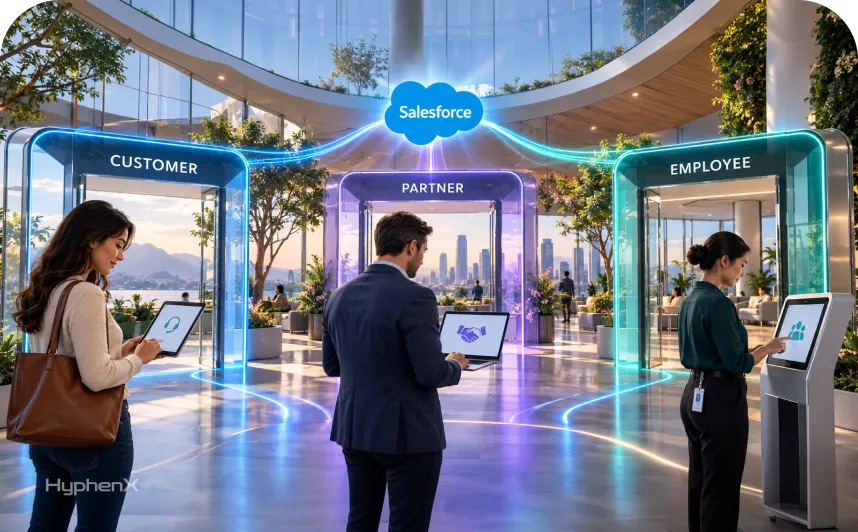

A customer wants to see the status of their own case. A reseller needs the leads and deal registrations assigned to them. An employee wants to ask HR about leave or report a broken laptop. All 3 can use an Experience Cloud site, and each one needs different records, different permissions and sometimes a different license.
That’s why Salesforce Experience Cloud portal types matter before anyone builds a page. The audience decides which records are visible, which license fits and what the subscription costs. This guide compares customer, partner and employee portals side by side, then covers licenses, security, templates, site architecture, pricing and launch planning. The license rules, template details and prices come from Salesforce’s own pages. Where we found no published figure, we say so instead of guessing.
Start with the people and the tasks they need to finish, because licenses, templates and costs all follow from those two answers. You’ll finish with a 12-question checklist to settle before you pick a portal type.
What Are the 3 Main Salesforce Experience Cloud Portal Types?
The 3 main Salesforce Experience Cloud portal types are customer portals, partner portals and employee portals. Each one is an Experience Cloud site that connects a defined group of users to selected Salesforce data and functions:
- Customer portal. Gives customers access to selected account information, support requests and knowledge resources.
- Partner portal. Supports resellers, distributors and other external business partners who work with your sales or channel processes.
- Employee portal. Gives internal employees one place to find approved information and request services.
A project can serve 1 of these groups or combine several. These labels describe who uses the site. Product names and license names are a separate layer, so audience, license, template and product are 4 different decisions. The sections below take them one at a time.
HyphenX Solutions builds customer and partner portals through its Salesforce Experience Cloud services. The comparison here applies whoever builds yours.
Customer vs Partner vs Employee Portals: Key Differences
A Salesforce customer portal serves self-service, a Salesforce partner portal serves channel selling and a Salesforce employee portal serves internal requests. This table puts the main Salesforce Experience Cloud portal types side by side.
Factor | Customer portal | Partner portal | Employee portal |
|---|---|---|---|
Intended users | Customers and account holders | Resellers, distributors, channel partners | Internal staff |
Main purpose | Self-service and support | Channel sales and collaboration | Internal requests and employee help |
Common tasks | Find answers, open cases, check status | Work shared leads, register deals | Search knowledge, submit and track requests |
Typical records | Accounts, contacts, cases, knowledge | Leads, opportunities, partner accounts | Knowledge, cases, Service Catalog requests |
Person accounts | Supported | Not supported | Not applicable |
Access model | Sharing sets tie records to the customer’s account or contact | Users belong to a partner-enabled business account | Internal employee access |
Main security concern | One customer seeing another’s records | One partner seeing another’s deals | Employees reaching sensitive internal records |
License starting point | Customer Community or Customer Community Plus | Partner Community, with Channel Account as an option | Internal licenses or Employee Community licenses |
Success measure | Self-service tasks completed | Partner participation and deal activity | Employee requests completed |
A customer portal and a partner portal can look alike on screen. The difference is who the user is in your data. A customer is a contact tied to an account that sharing sets can reach, while a partner user belongs to a business account enabled as a partner account.
Two rows carry most of the decisions: access model and license. Everything else follows from who the users are and what they need to finish. One company can serve all 3 audiences from a single org, and the site architecture section shows when that makes sense.
What Can Customers Do in a Salesforce Customer Portal?
In a Salesforce customer portal, customers can search knowledge articles, open and follow cases, update account details and, on the right template, view and pay invoices. Here’s an illustrative journey for a customer with an invoice question, built from documented features and no client data:
- Search the knowledge base and read a relevant article.
- Submit a case when the article doesn’t answer the question.
- Sign back in later and check the case status.
- Review the account details and invoices the portal permits.
Salesforce’s Customer Account Portal template covers steps 1 and 4. Its page list also includes files, reports and dashboards. The Customer Service template adds posting questions and opening cases. Order history or document libraries are possible too, but they depend on which Salesforce objects and connected systems sit behind the site. Cases and knowledge articles come from Service Cloud, which is why a customer portal project often includes Salesforce Service Cloud services work.
The harder part is access. Each customer should see only the records authorized for their account, and the security section shows how Salesforce enforces that. Customer Community and Customer Community Plus are the usual license starting points, and the licensing section compares them.
How Do Salesforce Partner Portals Support Channel Sales?
A Salesforce partner portal supports channel sales by giving resellers and distributors a controlled view of your sales data. Salesforce’s partner site guide describes what that can include:
- Shared leads. A pool of leads that you pass to partner users.
- Deal registration. A way for partners to submit qualified deals.
- Opportunity tracking. Partner sales managed and forecast alongside your direct sales.
- Partner resources. Recruiting, onboarding and training with certifications.
- Channel management. Programs, tiers, business plans and partner scorecards.
Take an illustrative case. A distributor registers an opportunity through the site, and the flow runs in 3 steps:
- The distributor submits the deal.
- Your channel team reviews it.
- The status goes back to the distributor on the portal.
Salesforce’s deal registration documentation says that once a deal is registered, other resellers or your direct sales team can’t compete for it. It also lists managing channel conflict as a reason to configure the feature.
Access is where partner portals diverge from customer portals. A Partner Community user must belong to a business account enabled as a partner account, and 2 competing resellers shouldn’t automatically see each other’s opportunities. Partner portals also run on your CRM data, so plan the portal alongside your Salesforce Sales Cloud services setup.
What Does a Salesforce Employee Portal Provide?
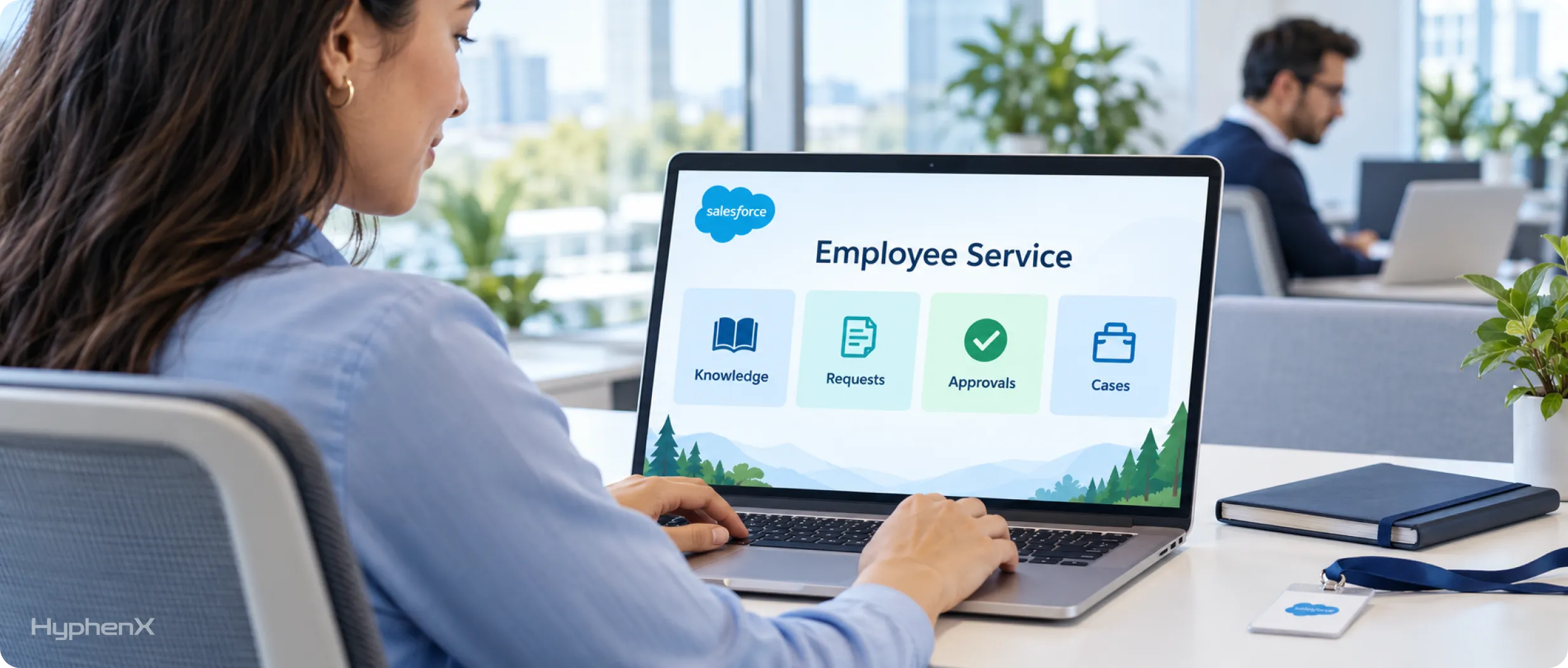
A Salesforce employee portal gives staff one place to ask for help. Salesforce describes the Employee Service site as a self-service site where employees read knowledge articles, submit requests through Service Catalog, obtain manager approvals and create cases. Employees can also reach a service representative through email, voice or messaging channels when self-service falls short. The Employee Service template includes pages and components for Employee Concierge and Service Catalog.
Two illustrative scenarios show the range. In an HR request, an employee finds leave guidance in a knowledge article, submits a personnel question as a case and follows its status. In IT support, an employee searches the IT knowledge base, reports a failing laptop as a case or requests access to a system through Service Catalog. Request routing and manager approvals are where Salesforce workflow automation does the work.
Employee cases and confidential documents need tighter access than a public help page, because an HR case can hold personal details. An employee portal’s exact features depend on the Salesforce products you buy and configure, so no org receives a generic HR portal automatically. Salesforce’s HR Service pricing page, for example, lists an Employee Service Portal as a feature of HR Service Desk Enterprise Edition.
Which Salesforce Licenses Fit Each Portal Type?
Customer portals usually start on Customer Community or Customer Community Plus, partner portals on Partner Community or Channel Account, and employee portals on internal or Employee Community licenses. Licenses attach to users, and licensed users can reach several sites, so one site can mix license types. The table maps the Salesforce Experience Cloud licenses that Salesforce documents in its user licenses article to the portal type each one usually serves.
License | Usually serves | Use case to evaluate |
|---|---|---|
Customer Community | Customer portal | Business-to-consumer sites with large numbers of external users who need cases or knowledge. Works with person accounts |
Customer Community Plus | Customer portal | Customers who need reports, dashboards and standard sharing, without report subscriptions. Works with person accounts |
Partner Community | Partner portal | Business-to-business sites that use sales data such as partner relationship management. Partner users belong to business accounts, never person accounts. Partner Cloud also needs Sales Cloud Enterprise Edition or higher, plus Partner Ecosystem Management and External Apps licenses |
Channel Account | Partner portal | Business-to-business sites where usage is counted by the number of partners |
External Apps | Customer or partner portal | Custom digital experiences for any external stakeholder |
External Identity | Any external audience | Standalone identity services such as single sign-on and passwordless login. Salesforce says you can upgrade it to a community license at any time |
Internal Salesforce or Platform license | Employee portal | Employees who need internal Salesforce functions. Salesforce discourages internal licenses for external use cases |
Employee Community licenses | Employee portal | Employee sites, supported by 2 underlying licenses: the Salesforce Platform user license and the Company Community for Lightning Platform permission set license |
Each community license is member-based or login-based. A member-based license is assigned to one user, who can access a site as often as needed. A login-based license is bought as a monthly number of logins, and each daily unique login consumes one, so 3 logins on the same day count once. Expected user count and login frequency decide which model fits.
Before you buy, list the objects each user group must reach, then confirm the exact quoted product with Salesforce. That list also gives any consulting partner a concrete scope to quote against, and it keeps you from licensing every user for the heaviest use case.
How Does Data Access and Security Differ Across Portals?
Access differs because each audience must see a different slice of your data:
- A customer must see only their authorized account information.
- A partner must see only the permitted channel records.
- An employee must reach only what their role requires.
Salesforce enforces those limits with a stack of controls, and your license decides which ones exist.
Control | What you need to know |
|---|---|
Authentication | How users prove who they are before they see anything. External Identity licenses cover single sign-on and passwordless login |
Permission sets | Which objects, fields and actions a user can reach |
External sharing defaults | Baseline record visibility. The external default can’t be more permissive than the internal one, so a Private internal default limits the external default to Private |
Sharing sets | Grant access to records tied to the user’s account or contact, with one set per profile |
Sharing rules | Extra record sharing that Customer Community licenses don’t support |
Guest access | Public information exposed without authentication |
Salesforce’s license limitations article says Customer Community licenses support sharing sets but not sharing rules, while Customer Community Plus and Partner Community licenses offer different sharing options. A sharing set grants site users access to any record associated with an account or contact.
Guest access needs the strictest handling. Salesforce’s guest user guidance recommends no access to almost all objects, Read at most where data must be shown, and never View All or Modify All. Secure guest user record access is on by default and can’t be disabled. Our guide to Salesforce permission hygiene and least privilege covers the permission side in more depth.
Then test it. Sign in as a user from one account and try to open a record that belongs to another account by changing the record URL. If anything loads, the sharing model has a gap. Run the same test for every portal audience before launch, and repeat it after any change to sharing sets, rules or profiles.
Which Experience Cloud Templates Work for Each Portal?
Customers usually start on Customer Service or Customer Account Portal, partners on Partner Central and employees on Employee Service. A template is a starting point for a portal type, so choose it after you know the audience and the tasks.
Template | Fits | Framework Salesforce lists |
|---|---|---|
Customer Account Portal | Customers who view and pay invoices, update account details and search knowledge | Not stated |
Customer Service | Self-service sites for finding articles, posting questions and opening cases | Aura |
Partner Central | Channel sales, lead distribution, deal registration and partner training | Aura |
Employee Service | Employee knowledge, Service Catalog requests and manager approvals | Not stated |
Help Center | Public self-service sites that expose knowledge base articles | Not stated |
Build Your Own (Aura) | Sites that need a custom page structure | Aura |
Build Your Own (LWR) | Custom sites built with Lightning web components | LWR |
Microsites (LWR) | Small special-purpose sites for events or campaigns | LWR |
Aura and LWR are technical choices. LWR templates use the Lightning Web Components model, and they lack some Aura features. Salesforce’s LWR template limitations list Chatter feeds, some preconfigured standard pages, default themes, and template, page and theme export with Lightning Bolt Solutions. Pick the framework by the components and behavior your portal needs.
Changing course later costs more than choosing carefully now. LWR sites can’t change templates, Salesforce discourages switching Experience Builder templates because it deletes all customizations, and no in-place Aura-to-LWR switch is documented. Some templates also carry prerequisites. Customer Service needs Chatter turned on in your org, and Partner Central needs at least one Partner Community license. Treat the framework as a decision you make before the build, and bring Salesforce customization services into component choices early.
Should Customer, Partner and Employee Portals Share One Site?
Share a site when the audiences share content and ownership, and separate them when branding, login journeys or administrators differ. A site can hold several license types, so a shared site is possible, and an org can also run several sites. Neither is a universal best practice.
Consider one shared site when | Consider separate sites when |
|---|---|
Audiences have compatible navigation needs | Audiences have very different workflows |
Access requirements are manageable in one site | Stronger separation is needed |
Content and ownership are similar | Different teams administer each experience |
The same site structure makes sense | Distinct branding or login journeys are needed |
Salesforce says Enterprise, Performance and Unlimited orgs can create up to 100 Experience Cloud sites without buying communities licenses, and active, inactive and preview sites all count toward that limit. Licenses are a separate count. Site count changes your design and administration work, while license counts follow users and logins.
Picture a company with a large customer base, a small reseller channel and an internal service desk. The 3 audiences differ on license family, template and data access, so each can justify its own site: high-volume self-service, a sales-focused partner site and an employee site with its own sign-in. A company with one small audience can often start with 1.
Experience Cloud vs a Public Help Center vs a Custom Portal
Choose Experience Cloud when signed-in users need Salesforce records, a public help center when visitors only need articles, and a custom portal when interface or hosting needs go beyond what a template offers. Match the approach to the requirement:
Requirement | Approach to consider |
|---|---|
Publish help articles for general visitors | Public help center |
Give signed-in users their permitted Salesforce records | Experience Cloud |
Build a separate application with unusual interface or hosting needs | Independently developed portal |
The approaches differ in account access, development responsibility, software charges, security work and maintenance. A public help center needs no login and shows only what you publish. Experience Cloud ties each signed-in user to Salesforce records through licenses and sharing. A custom portal gives you full control and makes your team responsible for authentication, security work and every integration. Experience Cloud licenses your external users, while a custom build adds engineering time and its own upkeep.
A public help center can also run on Experience Cloud. Salesforce’s Help Center template is a public self-service site that exposes knowledge base articles, and guest users can see it when you apply the restrictions covered above. Our post on why Experience Cloud portals matter more in the AI-first service era covers the case for investing in one.
How Much Do Salesforce Experience Cloud Portals Cost?
No single Salesforce Experience Cloud pricing figure covers every portal. Cost depends on the license or product behind each portal, and implementation is a separate bill. The table lists the US-dollar list prices we found on Salesforce’s pricing pages on October 8, 2026.
Offering | Portal type | Published price | Basis |
|---|---|---|---|
Service Portal Login | Customer | $4 per login | 24-hour login session |
Service Portal Member | Customer | $10 per member | Unlimited sessions per month |
Partner Relationship Management | Partner | $25 per member per month | Billed annually |
Partner Ecosystem Management | Partner | $50 per member per month | Annual billing not stated |
HR Service Desk, Enterprise | Employee | $50 per user per month | Billed annually |
HR Service Desk, Unlimited | Employee | $75 per user per month | Billed annually |
AI Agents for Employees | Employee | $15 per user per month | Billed annually |
Salesforce’s customer self-service pricing page calls its prices informational and subject to change, so confirm the billing period for the member and login prices with Salesforce before you budget. The Partner Cloud pricing page notes a Sales Cloud or CRM license requirement. On the HR Service pricing page, full HR Service Desk fees apply to HR professionals who manage complex cases, while the wider workforce is covered by AI Agents for Employees licenses. For Customer Community, Customer Community Plus and employee portal licenses, ask Salesforce for a quote based on your user count and login pattern. These rates aren’t interchangeable across the 3 portal types.
Budget with a simple model: first-year cost = licenses + implementation + system connections + support and administration. At list price, 50 partner members on Partner Relationship Management cost 50 × $25 × 12 = $15,000 a year, and 20 HR professionals on HR Service Desk Enterprise cost 20 × $50 × 12 = $12,000, both before any build work. Data access, identity-provider work, page development and testing drive the one-time side, so ask any Salesforce implementation services quote to itemize them. After launch, Salesforce managed services or an in-house admin carry the recurring side. We quote no average build cost, because no sourced one exists.
What Goes Into Planning and Launching an Experience Cloud Portal?

Six checkpoints take a portal from plan to launch:
- Identify user groups and tasks. List each audience and write every task in one sentence, such as “A reseller registers a deal.”
- Map records and systems. Note which Salesforce objects each task touches and which outside systems supply data, such as an order system for invoices.
- Confirm licenses, authentication and permissions. Match each group to a license, decide how users sign in and set object and field access.
- Choose the template and build the pages. Settle the framework first, because LWR sites can’t change templates.
- Test real tasks and unauthorized access. Run each task as a real user, then repeat the access test from the security section.
- Prepare launch ownership and support. Name who owns the site, who answers user questions and who handles changes after launch.
Steps 2 and 4 are where integrations and page builds come in. HyphenX Solutions covers system connections through its Salesforce integration services and the page build through its Experience Cloud portal development work.
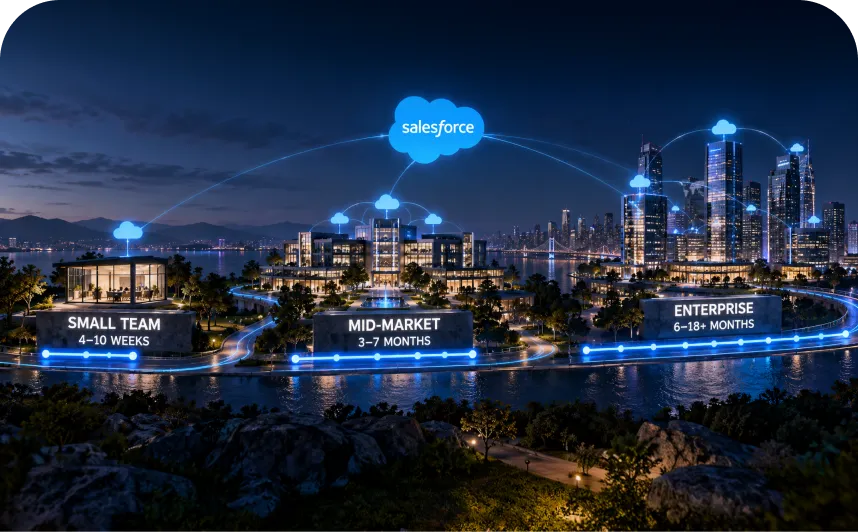
We found no Salesforce-published duration for a portal launch. The number of audiences, users, data sources, system connections and test cycles sets the timeline, so scope each one before you commit to a date. Track success by portal type: support-task completion for customers, deal-registration activity for partners and service-request completion for employees.
Match Your Requirement to a Portal Type, License and Template
Find your requirement in the first column to see the portal type, license and template to evaluate first. Treat each row as a starting point to evaluate.
Your requirement | Portal type | Starting license | Starting template |
|---|---|---|---|
Customers tracking their cases | Customer portal | Customer Community or Customer Community Plus | Customer Service |
Customers paying invoices and updating account details | Customer portal | Customer Community or Customer Community Plus | Customer Account Portal |
Resellers registering opportunities | Partner portal | Partner Community | Partner Central |
Employees requesting IT or HR help | Employee portal | Internal or Employee Community license, confirmed with Salesforce for your product | Employee Service |
Public visitors reading knowledge | Guest access on a public site | Guest user, tightly restricted | Help Center |
Several audiences in one org | Separate or shared sites | Mixed licenses, one per user | One template per site |
The matrix is an editorial reading of Salesforce’s public documentation reviewed on October 8, 2026: license families and limitations, partner site and deal registration guides, the Employee Service site, template and LWR limitation pages, sharing-set and guest-user articles, and 3 pricing pages. No survey or client data went into it. The employee row names a license type for you to confirm, so check it against the quote Salesforce gives you.
If your requirement is missing from the table, start with the audience and the records they need, then work through the checklist that follows.
A 12-Point Checklist for Choosing the Right Salesforce Portal
Work through these 12 questions before you commit to a portal type, a license or a template.
No. | Selection question | Why it matters |
|---|---|---|
1 | Who will use the portal? | Audience sets the portal type |
2 | What must each group be able to do? | Tasks drive license and template |
3 | Which Salesforce records are involved? | Records define the access rules |
4 | Does each person need to log in? | Public content needs guest limits |
5 | What user license supports the required access? | Sharing options differ by license |
6 | How often will users access the portal? | Frequency points to member or login licenses |
7 | What data must stay restricted? | Restricted data sets defaults and permissions |
8 | Which template supports the required tasks? | The framework is hard to change later |
9 | Does the project need 1 site or several sites? | Site count affects branding and administration |
10 | Which business systems must connect? | Integrations drive build effort |
11 | What will licensing, development and support cost? | Software, build and upkeep are separate lines |
12 | Who owns testing and the site after launch? | Someone must keep the site current |
The right choice among Salesforce Experience Cloud portal types follows the intended user tasks and record access, and licenses and templates follow from those. Write the 12 answers on one page. That page is what you hand to Salesforce for a license quote and to an implementation partner for an estimate.
Who Builds Experience Cloud Portals at HyphenX
Customer, partner and employee portals each need a different mix of skills, and licensing, sharing sets, LWR components and identity setup rarely sit with one person. HyphenX Solutions has 250+ Salesforce professionals, including Experience Cloud consultants, developers and architects who test record access before launch. We’ll work through the 12-point checklist with you, question by question. Meet our portal team.
Frequently Asked Questions
What Types of Portals Can You Build With Salesforce Experience Cloud?
The 3 main types are customer portals, partner portals and employee portals. Customer portals give customers self-service access to knowledge, cases and account information. Partner portals support resellers and distributors with leads and deal registration. Employee portals give staff a site for knowledge, requests and approvals. Licenses and templates are chosen separately.
What Is the Difference Between Customer, Partner and Employee Portals?
They differ by audience, tasks and record access. Customers use a portal for support and account tasks, partners for channel selling, and employees for internal requests. Partner users must belong to partner-enabled business accounts, customer portals often start on Customer Community licenses, and employee portals can use internal licenses on a site.
Is Salesforce Experience Cloud the Same as Community Cloud?
Experience Cloud is the current product name, and Salesforce’s own release note, titled “Hello Experience Cloud, Farewell Community Cloud”, retired the old one. Salesforce Help still names the licenses community licenses, so you will see both terms. The legacy Customer Portal license hasn’t been available to new orgs since Summer ’13.
Can Customers Open Cases and Pay Invoices in a Salesforce Customer Portal?
Yes. Customers can search knowledge articles, open and follow cases, and view or update the account details the portal permits. The Customer Account Portal template also lets them view and pay invoices. What each customer sees depends on licenses and sharing, so test that no one can open another account’s records.
What Is a Salesforce Partner Portal Used For?
A partner portal supports channel sales. Salesforce documents a shared pool of leads passed to partner users, deal registration for qualified deals, partner sales tracked beside direct sales, and partner training and certifications. Once a deal is registered, other resellers and your direct sales team can’t compete for it.
What Can Employees Do in an Experience Cloud Employee Portal?
On the Employee Service site, employees can read knowledge articles, submit requests through Service Catalog, obtain manager approvals and create cases. That covers everyday needs such as a leave question or a device problem. The features you get depend on the Salesforce products you buy and configure.
What Licenses Are Needed for a Salesforce Customer Portal?
Most customer portals start with Customer Community or Customer Community Plus. Customer Community fits large numbers of external users who need cases or knowledge. Customer Community Plus adds reports, dashboards and standard sharing. Both work with person accounts. Choose by the tasks and record access your customers need, then confirm the quote with Salesforce.
What Is the Difference Between Customer Community and Customer Community Plus?
The difference is sharing and reporting. Customer Community supports sharing sets but not sharing rules. Customer Community Plus is for external users who need reports, dashboards and standard sharing, though it doesn’t include report subscriptions. Pick Plus when your customers need those capabilities, and stay with Customer Community when case and knowledge access is enough.
Do All Partner Portals Require Partner Community Licenses?
Not always. Partner Community is the main route, and Salesforce lists other options. The Partner Central template needs at least one Partner Community license, and Partner Cloud requires Partner Community licenses too. Salesforce also lists Channel Account, where usage is counted by the number of partners. Confirm which option fits your volume with Salesforce.
Can Employees Use Experience Cloud With Internal Licenses?
Yes. Experience Cloud sites support internal licenses, so employees who already hold a Salesforce license can use a site. Salesforce also lists Employee Community licenses, which rest on 2 underlying licenses. For an employee-service portal, confirm the entitlements for your product with Salesforce before you assign anyone a license.
What Is the Difference Between Member-Based and Login-Based Licenses?
A member-based license is assigned to one user, who can access the site as often as needed. A login-based license is bought as a monthly number of logins, and each daily unique login consumes one, so several logins on the same day count once. Expected user count and login frequency decide which model fits.
Can One Salesforce Org Host Customer, Partner and Employee Portals?
Yes. Enterprise, Performance and Unlimited orgs can create up to 100 Experience Cloud sites, and active, inactive and preview sites all count toward that limit. Licenses belong to users, and one site can hold several license types. You can run 3 separate sites or combine audiences on one. Site count and licensed users are separate planning questions.
Can Customers Use an Experience Cloud Site Without Logging In?
Yes, through guest user access, but keep it narrow. Salesforce recommends giving guest users no access to almost all objects, Read at most where data must be shown, and never View All or Modify All. Secure guest user record access is on by default and can’t be disabled.
What Does a Salesforce Experience Cloud Portal Cost?
No single price covers every portal. Listed prices include Partner Relationship Management at $25 per member per month, Partner Ecosystem Management at $50 per member per month and HR Service Desk Enterprise at $50 per user per month. Add implementation, system connections and support, and ask Salesforce to quote your license mix.
How Do You Choose the Right Salesforce Portal Type?
Start with who will use the portal and which tasks they must finish. Then match records, license, access rules and template to those tasks. Customers usually point to self-service, partners to channel selling and employees to internal requests. The 12-point checklist above turns that into questions you can answer before you buy.