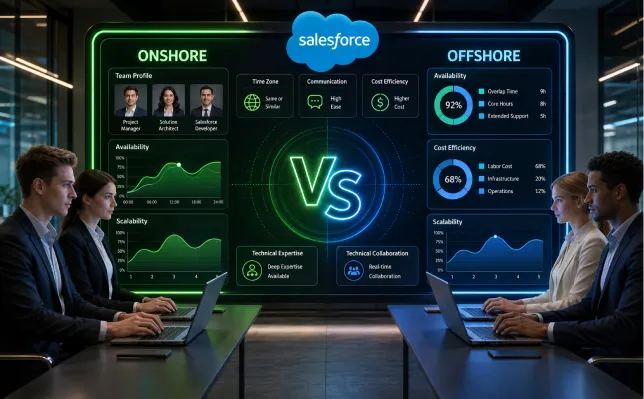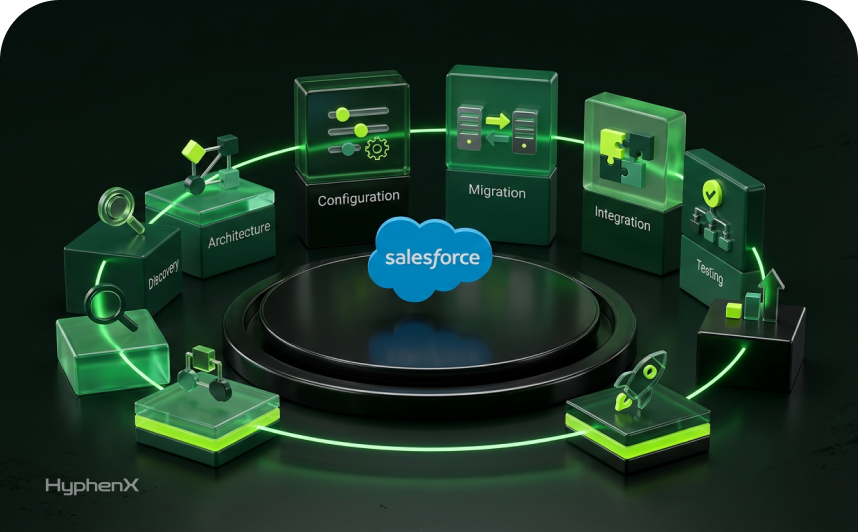
A mature Salesforce estate rarely has one queue of work. Sales Cloud enhancements may share objects with a CPQ program. Service Cloud may depend on the same customer master being changed by an integration team. A Data Cloud or Agentforce initiative can introduce new identity, data, testing, and release dependencies while the administration team is still handling production incidents. Capacity becomes a graph problem: the enterprise has to place the right skills against several connected workstreams without letting one urgent stream consume the people needed to protect the rest of the platform.
That is where staff augmentation becomes more useful than a simple headcount fix. The model works best when an enterprise already owns the roadmap, architecture standards, backlog, and release process, but the Salesforce Delivery Team cannot cover every specialization at the same time. External specialists can be attached to defined workstreams, rotated as demand changes, and measured against the same engineering controls as internal staff. The objective is controlled Salesforce Delivery Capacity across the whole program, not a larger collection of developers working independently.
The workforce pressure behind that model is real. The World Economic Forum Future of Jobs Report 2025 reported that 63% of employers identified skills gaps as a major barrier to business transformation. Enterprise CRM programs feel that pressure sharply because architecture, Apex and LWC development, integration, QA, DevOps, data engineering, security, and cloud-specific knowledge do not peak at the same time. This article explains how to use Salesforce Staff Augmentation Services as a portfolio capacity model across concurrent CRM initiatives, how to allocate roles, and how to prevent additional capacity from creating additional coordination cost.
TL;DR
The concern: enterprises with several CRM initiatives can have enough total people and still miss delivery dates because the skills are in the wrong places. A Salesforce Skills Gap may appear for only 6 or 10 weeks, yet it can block a full release train. CPQ rules wait for a specialist, integrations wait for an architect, QA becomes the shared bottleneck, or production support pulls senior developers out of roadmap work. Static staffing makes those collisions expensive because every workstream competes for the same scarce roles.
The overview: Salesforce Team Augmentation works when capacity is planned by workstream, dependency, and release window. The enterprise keeps product ownership and architecture authority while augmented admins, developers, architects, QA engineers, DevOps specialists, and cloud experts join the existing delivery system. Salesforce Resource Augmentation is most useful for temporary specialization, backlog surges, parallel programs, and uneven demand across Sales Cloud, Service Cloud, CPQ, integrations, Data Cloud, and AI work.
The approach: map workstreams first, identify shared constraints second, then staff against the constraints instead of adding generic capacity. Build one operating model for onboarding, environments, source control, testing, release management, documentation, and handoff. Measure Salesforce Project Staffing through cycle time, blocked work, defect escape, dependency wait, and knowledge transfer. Scale roles up or down as the portfolio changes while keeping architecture, security, and business accountability stable.
The Enterprise Problem is Capacity Collision, not Headcount
Parallel Salesforce programs create a pattern that ordinary workforce planning handles badly. One quarter may require two integration developers and a solution architect because an ERP connection is being rebuilt. The next quarter may need fewer integration hours but heavier CPQ configuration and regression testing. A Service Cloud rollout can suddenly need an Experience Cloud specialist. A compliance remediation can pull an admin and security lead into access work for several sprints. Permanent roles are necessary for stable responsibilities, but they are a poor match for every temporary peak. CRM Staff Augmentation works best when those temporary skill peaks are visible before sprint commitments are made.
The result is queueing. Work is ready, budget exists, and business sponsors are waiting, but a specific role has become the constraint. Delivery capacity should therefore be measured by the constrained skill, not by total team size. Ten people cannot compensate for a missing architect when five workstreams need architecture decisions before build can continue. The same logic applies to QA automation, release engineering, MuleSoft, CPQ, Data Cloud, and specialist security work. CRM Staff Augmentation gives portfolio leaders another way to relieve a narrow queue without redesigning permanent headcount.
The 2025 State of Developer Experience report from Atlassian surveyed 3,500 developers and managers and found that organizational inefficiencies were rising even as more teams reported time gains from AI. That finding matters for Salesforce programs because additional technical output does not automatically improve portfolio throughput. When dependencies, approval paths, environments, and ownership are unclear, Salesforce Staffing Services can add activity without reducing the wait states that slow releases.
A strong Enterprise Salesforce Staffing model begins by asking where work is waiting, which roles are repeatedly overbooked, and which skills are required only for defined windows. That diagnosis decides whether the right answer is a permanent hire, Salesforce Team Extension, a managed workstream, or a short specialist engagement.
Map the Portfolio Before Assigning People
A workstream map gives leaders a better staffing unit than an org chart. Each stream should show its business outcome, technical surface, critical roles, shared dependencies, and release horizon. The following pattern is typical in a multi-cloud enterprise.
| Workstream | Primary demand | Specialist constraint | Shared dependency | Staffing implication |
|---|---|---|---|---|
| Sales Cloud roadmap | Opportunity process, forecasting, automation | Senior admin / developer | Core account and opportunity model | Keep core ownership internal; add build capacity around release peaks |
| CPQ / Revenue Cloud | Product rules, pricing, approvals | CPQ specialist | Products, contracts, integrations | Use Salesforce Resource Augmentation for configuration-heavy phases |
| Service Cloud | Case routing, knowledge, channels | Service Cloud consultant | Customer identity, integrations | Add cloud expertise while preserving shared architecture |
| Integration modernization | APIs, MuleSoft, eventing | Integration architect / developer | ERP, finance, identity | Protect dedicated integration capacity from feature work |
| Data and AI | Data Cloud, Agentforce, governance | Data / AI specialist | Data quality, consent, security | Staff discovery, build, and test with different role mixes |
| Run and support | Incidents, access, minor enhancements | Admin / support engineer | All production domains | Ring-fence operational capacity so incidents do not consume roadmap staff |
For enterprises already running a structured program, the staff augmentation model is relevant when those specialist gaps need to be filled inside the client’s own backlog and delivery process. The distinction matters because the enterprise still owns sequencing and architectural decisions while added resources provide capacity where the portfolio is constrained.
Seven Signals that the Staffing Model is Fighting the Roadmap
- The same architect appears on more than three active workstreams and architecture decisions regularly wait for calendar availability.
- Senior developers are pulled into production support often enough that sprint commitments are repeatedly revised.
- Testing starts late because QA is allocated as a shared service after build rather than planned as part of each workstream.
- Integration work is sequenced around one specialist, so unrelated CRM features wait for upstream interface decisions.
- A Salesforce Skills Gap is solved with a generalist who can learn the area, even when the release window is shorter than the learning curve.
- The backlog grows despite stable or rising headcount because new capacity is added to already well-staffed roles rather than the constraint.
- Knowledge transfer happens near the end of an engagement, creating a handoff event instead of a continuous operating habit.
These signals point to a Salesforce Project Staffing problem rather than a motivation problem. They also explain why Salesforce Developer Staff Augmentation should be targeted. Adding three developers to a program whose bottleneck is architecture review, test automation, or environment release does little to improve end-to-end flow.
Staff the Constraint, then Rebalance as the Constraint Moves
Skills-based planning is becoming more important across technology hiring. SHRM’s 2025 Talent Trends research found that 4 in 5 organizations requiring new skills had difficulty finding qualified candidates. For Salesforce leaders, the implication is practical: the rare skill should be scheduled as deliberately as a shared environment or release window.
Architecture peaks before build peaks
Solution and technical architects are most constrained during discovery, dependency resolution, data model changes, integration choices, and design review. Keeping a large architecture bench assigned full time to every workstream is wasteful. Salesforce Team Extension can add architecture capacity around those decision-heavy phases, then reduce it once build patterns are stable.
Development demand is broad but still specialized
Apex and LWC capacity is easier to source than deep CPQ, MuleSoft, Marketing Cloud, Data Cloud, or industry-cloud knowledge. Salesforce Developer Staff Augmentation should distinguish platform development from cloud-specific expertise. A strong Apex developer may still need weeks to understand a complex revenue model or integration estate.
QA becomes a portfolio constraint late
Multiple workstreams often converge in test and release windows. Salesforce Team Augmentation can add test engineers earlier so regression scope, test data, automation, and acceptance criteria are prepared before code completes. This prevents QA from becoming the place where parallel delivery collapses into one queue.
DevOps demand is bursty but high impact
Release engineering may look small on a resource plan, yet source-control discipline, CI/CD, environment strategy, packaging, and deployment recovery affect every stream. Resource augmentation is a strong fit when an enterprise needs temporary DevOps depth to repair the release system or support a major cutover.
Use a Role Pool Instead of Copying the Same Team into Every Workstream
| Role pool | Stable core | Variable layer | Typical trigger to add capacity |
|---|---|---|---|
| Product / BA | Product owners and domain BAs | Specialist BA for new cloud or process | Large discovery load or new business domain |
| Architecture | Enterprise Salesforce architect | Solution, integration, security specialist | Cross-org design, major integration, AI/data work |
| Admin / config | Core admins | Cloud-specific admin or consultant | Release surge, cleanup, permission redesign |
| Development | Core senior developers | Apex/LWC and specialist developers | Backlog growth or bounded feature program |
| QA | Test lead and regression ownership | Manual/automation engineers | Parallel releases, large regression surface |
| DevOps | Release owner | CI/CD or deployment specialist | Pipeline redesign, migration, major cutover |
Why Permanent Hiring Alone Struggles with a Changing Skill Mix
The skills mix is moving faster than many hiring plans. The Linux Foundation’s 2025 State of Tech Talent report reported widening gaps in AI and machine learning, cybersecurity, FinOps, cloud computing, and platform engineering. It also reported that onboarding new hires took 62% longer than upskilling in the organizations surveyed. Salesforce programs face the same structural problem when Data Cloud, Agentforce, integration patterns, DevOps, or security requirements change faster than job families can be redesigned.
Permanent hiring should cover work that is persistent, business-specific, and ownership-heavy. Salesforce Staff Augmentation Services should cover demand that is temporary, specialist, uncertain, or tied to a release window. That boundary protects both models. It prevents contractors from becoming undocumented permanent dependencies and prevents permanent teams from being overloaded with every short-lived specialization the platform introduces. CRM Staff Augmentation belongs in the middle ground where the work is real, the skill is specific, and the duration does not justify a permanent role.
A Six-step Operating Model for Multiple Augmented Workstreams
- Create one portfolio capacity board. Show every active Salesforce workstream, milestone, critical role, dependency, and known capacity risk for the next 8 to 12 weeks.
- Classify each role as core, shared, or elastic. Core roles hold long-term accountability. Shared roles serve several workstreams. Elastic roles can be added through Salesforce Staffing Services when demand exceeds the planned threshold.
- Give every augmented resource a workstream home and a technical community. A developer may work on CPQ while still participating in common code review and platform standards across the Salesforce Delivery Team.
- Use one engineering definition of done. Source control, peer review, test evidence, security checks, documentation, and deployment readiness should apply to internal and augmented staff equally.
- Review allocation at sprint and portfolio cadence. Salesforce Delivery Capacity should move when the constraint moves. Do not keep a specialist attached to a stream because the original statement of work said so if the high-skill phase has ended.
- Treat knowledge transfer as weekly work. Architecture decisions, runbooks, test assets, release notes, and troubleshooting context should be created while delivery happens, so Salesforce Team Extension can scale down without a late documentation sprint.
At HyphenX, our Salesforce Consulting Services are a better fit when the enterprise also needs architecture, roadmap, or solution ownership rather than capacity inside an already defined delivery model. Keeping that distinction clear prevents staff augmentation from being asked to solve unclear product ownership or unresolved architecture.
The Hardest Workstream is Usually the One Shared by Everyone

In multi-workstream CRM programs, the integration and data layers often become shared infrastructure. A Sales Cloud change can alter outbound ERP data. Service Cloud may consume the same customer identity model. CPQ depends on product and pricing feeds. Data Cloud needs consistent source definitions. Agentforce depends on trusted data and controlled actions. When several teams can change the same objects, events, APIs, or data contracts, local delivery speed can create portfolio instability.
That is why a Salesforce Delivery Team needs explicit ownership for shared interfaces and canonical data decisions. Staff augmentation should reinforce those owners, not create parallel design authorities. An augmented MuleSoft developer can speed implementation, but the enterprise still needs one integration architecture, one API lifecycle, and one change-control path. Guidance on why Salesforce integrations fail is relevant when the staffing issue exposes deeper dependency and interface problems.
Protect Specialists from Work that Only Looks Urgent
A Microsoft Research study of 484 software developers on ideal versus actual workweeks found that wider gaps between ideal and actual time allocation correlated with lower productivity and satisfaction. The finding translates well to enterprise CRM programs: senior Salesforce specialists lose throughput when their week is fragmented across incident triage, design review, stakeholder meetings, mentoring, coding, release support, and several unrelated workstreams.
A Salesforce Project Staffing plan should therefore budget focus, not only hours. Limit the number of simultaneous workstreams per architect. Give senior developers defined support rotations. Reserve QA automation time before release week. Use Salesforce Team Augmentation to absorb bounded work that would otherwise fragment scarce specialists. This makes Salesforce Delivery Capacity more predictable because the most constrained people spend more time on the work only they can do. CRM Staff Augmentation can protect that focus by moving bounded delivery work away from people who own shared technical decisions.
Choose the Engagement Model by Ownership, Duration, and Uncertainty
| Situation | Best fit | Reason |
|---|---|---|
| Backlog is clear; team lacks hands | Salesforce Developer Staff Augmentation | Client already owns scope and can direct added developers |
| A rare cloud skill is needed for 6 to 12 weeks | Salesforce Resource Augmentation | Temporary specialization without permanent hiring |
| Roadmap or architecture is unclear | Consulting / advisory | The first problem is decision quality, not capacity |
| A bounded project has defined outcome | Project delivery | Vendor can own scope, milestones, and acceptance |
| Production operations need ongoing ownership | Managed services / support | Work is continuous and service-level driven |
| Several workstreams need changing role mixes | Salesforce Team Extension | Capacity can be rebalanced across the portfolio |
For steady-state operations, Salesforce Managed Services are distinct from Salesforce Staff Augmentation Services because ongoing service ownership and workload management sit with the provider to a greater degree. Enterprises should decide which accountability model they need before they compare rates or resumes.
Capacity Only Counts when it Survives the Release Process
Salesforce Staffing Services should be measured through production outcomes. A resource who closes many tickets but creates rework, regression defects, manual deployment steps, or undocumented logic can reduce portfolio capacity over time. This is especially important when several CRM streams touch common automation and data. One rushed Flow or trigger can break a downstream process owned by another team.
- Peer review coverage for code and complex declarative automation.
- Automated and manual regression coverage for shared business processes.
- Deployment success rate and rollback frequency by workstream.
- Defect escape rate into UAT and production.
- Average dependency wait time for architecture, integration, QA, and release gates.
- Documentation completion before a specialist rolls off.
- Percentage of critical components with at least two people able to support them.
If production support repeatedly consumes roadmap engineers, a dedicated support lane may be needed. Salesforce Support Services cover ongoing administration, monitoring, and issue resolution, which can separate run capacity from change capacity. The important portfolio decision is whether support is a workstream with protected staffing or an interruption allowed to pull from every other stream.
New CRM Capabilities Increase the Number of Specialties, not Just the Amount of Work
Salesforce’s 2025 State of Service report surveyed 6,500 service professionals and reported that respondents expected AI to handle half of service cases by 2027, up from 30% at the time of the survey. That shift illustrates why CRM staffing is changing. A Service Cloud program can now involve case design, knowledge, data quality, AI configuration, governance, testing, and human escalation design. The amount of work may change, but the larger staffing challenge is the breadth of skills required to implement and operate the change safely.
Salesforce Certified Professionals matter because certifications provide a baseline for platform knowledge, but Enterprise Salesforce Staffing should still screen for applied experience in the exact workstream. A certification cannot show whether someone has handled a 20-system integration estate, a complex subscription model, a highly regulated Service Cloud deployment, or a Data Cloud identity design. Interview against the work that will be done, the constraints around it, and the decisions the role is expected to make.
Make Onboarding a Reusable Technical Package
The fastest Salesforce Team Extension programs do not rely on tribal knowledge. They maintain a reusable onboarding package that lets new specialists understand the org without spending their first weeks reconstructing basic context.
- Current architecture diagram showing clouds, orgs, major packages, integrations, identity, and data flows.
- Environment and branching model with deployment responsibilities and emergency-change path.
- Coding, Flow, naming, testing, security, and documentation standards.
- Backlog taxonomy that shows which workstream owns each epic and which components are shared.
- Business glossary for products, customers, service processes, pricing, and other domain terms.
- Known technical debt register with areas that require extra review before changes.
- Access matrix that grants the minimum environments and systems needed for the role.
- Named architecture, product, QA, DevOps, and support contacts with decision boundaries.
A Salesforce Skills Gap closes faster when the incoming specialist can see the system around the task. This is also where Salesforce Certified Professionals should be evaluated on their ability to read an unfamiliar org, ask precise questions, and document decisions rather than only on feature knowledge.
Do Not Use Augmentation to Hide an Unhealthy Org
Extra Salesforce Delivery Capacity can speed good engineering, and it can spread disorder. If the org contains duplicate automation, conflicting validation rules, unclear ownership, abandoned metadata, unreliable test data, or fragile manual deployments, every new contributor has to navigate that complexity. Salesforce Team Augmentation works better after the enterprise identifies the areas where change carries unusual risk.
At HyphenX, our Salesforce CRM Cleanup work focuses on data, automation, layouts, reporting, permissions, and configuration debt. That type of remediation can be necessary before Salesforce Resource Augmentation is scaled across several streams. The objective is to give new capacity a maintainable platform rather than asking more people to work around the same structural problems.
Measure Portfolio Flow, Not Utilization
| Metric | What it reveals | Risk signal |
|---|---|---|
| Blocked days by specialist role | Which skill constrains multiple streams | Same role repeatedly blocks unrelated work |
| Cycle time by workstream | How long work takes from ready to production | Capacity rises while cycle time stays flat |
| Dependency wait time | Time lost to shared architecture, data, QA, or release gates | Teams spend more time waiting than building |
| Defect escape rate | Whether added speed survives quality gates | More production defects after staffing increase |
| Release success rate | Whether teams can ship independently and safely | Frequent rollbacks or cross-stream release collisions |
| Knowledge concentration | Whether one person remains a single point of failure | Critical areas have only one capable owner |
| Ramp time | How quickly Salesforce Staffing Services become productive | New resources require repeated manual onboarding |
Utilization can be useful for cost control, but a 95% utilized specialist may be a warning sign if every workstream waits for that person. Salesforce Delivery Capacity improves when queues shorten, release confidence rises, and the Salesforce Delivery Team can absorb work without creating more cross-stream blocking.
Three Staffing Patterns for Different Portfolio Shapes
Pattern A: one core org, several enhancement streams
Keep product ownership, architecture, one admin lead, and senior development ownership internal. Use Salesforce Developer Staff Augmentation for feature volume, QA peaks, and bounded specialist needs. This pattern works when the enterprise has strong standards and a stable release system.
Salesforce Team Extension should be reassessed every 6 to 8 weeks because the constrained role can move quickly from development to QA or integration as releases progress.
Pattern B: multi-cloud transformation with shared integrations
Protect architecture and integration ownership as shared portfolio roles. Add cloud specialists for Sales, Service, CPQ, Data Cloud, or Experience Cloud workstreams. Salesforce Project Staffing should explicitly reserve shared specialists instead of expecting workstream leads to negotiate for them sprint by sprint.
This pattern benefits from a common technical design authority and one release calendar because several teams change shared customer, product, identity, and integration assets.
Pattern C: acquisition, migration, or temporary delivery surge
Use Salesforce Staff Augmentation Services to create temporary build and test capacity around a fixed event. Keep security, architecture approval, and final production accountability with the long-term platform team. Plan the scale-down criteria before onboarding so temporary capacity does not become an unplanned permanent dependency.
Salesforce Certified Professionals with migration, integration, QA, and data experience are more useful here than a large pool of generalists because the work is compressed into a bounded transition window.
The Failure Modes are Predictable
| Failure mode | What causes it | Control |
|---|---|---|
| Too many people, same bottleneck | Generic hiring instead of constraint staffing | Review blocked work before adding roles |
| Conflicting designs | Each workstream has its own technical authority | One architecture model and design review path |
| Contractor dependency | Knowledge stays with temporary specialists | Weekly documentation and paired ownership |
| Environment collisions | Parallel streams share sandboxes and release windows | Environment plan, source control, release calendar |
| Uneven quality | Different standards for internal and augmented staff | One definition of done and peer review model |
| Slow ramp | Access and context are assembled after start date | Reusable onboarding package prepared in advance |
| Hidden cost growth | Resources stay after specialist demand falls | Portfolio allocation review and roll-off criteria |
A 90-Day Rollout Without Turning the Program Upside Down
Days 1–30: expose the real constraints
Inventory active workstreams, role assignments, upcoming milestones, shared dependencies, incident load, and blocked backlog. Measure where work waits. Identify Salesforce Skills Gap areas that are temporary versus persistent. Select one or two workstreams where Salesforce Resource Augmentation can remove a visible constraint without changing product ownership.
Days 31–60: add capacity under existing controls
Onboard the selected resources through the same repositories, environments, security rules, review practices, and release process as the core team. Track ramp time, blocked days, defects, and throughput. Use Salesforce Team Augmentation to strengthen a known weak point, such as integration development, QA automation, CPQ configuration, or backlog build capacity.
Days 61–90: rebalance based on evidence
Review whether the original constraint moved. If build speed improved and QA is now the queue, change the role mix. If a specialist skill has become a permanent need, evaluate a long-term hire. If ongoing support is consuming roadmap capacity, create a dedicated run lane. Salesforce Project Staffing should evolve with the portfolio rather than freezing the first staffing plan for the rest of the year.
Build a Variable Delivery Layer Around a Stable Control Spine

Enterprises with several CRM workstreams do not need every role at the same intensity throughout the year. They need stable ownership for product, architecture, security, and production, then a way to change the specialist mix as the roadmap changes. staff augmentation provides that variable layer when the program already has clear priorities and delivery controls.
The strongest Salesforce Team Extension model starts with portfolio constraints, not vendor headcount. It distinguishes core roles from shared roles and elastic roles. It gives Salesforce Certified Professionals the context and standards they need to contribute quickly. It also makes scale-down a normal part of capacity planning rather than a sign that the engagement failed.
For a large Salesforce Delivery Team, the practical test is simple: can the program move capacity to the next constraint without losing architecture consistency, release quality, or business context? If the answer is yes, augmentation services can support multiple CRM streams while keeping control with the enterprise. If the answer is no, the first work belongs in portfolio governance, engineering process, or platform cleanup before more capacity is added.
Frequently asked questions
What is staff augmentation?
Staff augmentation is a resourcing model in which external Salesforce professionals join an enterprise’s existing team, backlog, tools, and delivery process for a defined period. The client keeps product and delivery control while adding specific skills or capacity.
How is Salesforce Team Augmentation different from outsourcing?
Salesforce Team Augmentation adds people inside the client’s delivery model. Outsourcing usually transfers responsibility for a defined scope or outcome to a provider. The difference is who owns day-to-day priorities, delivery management, and acceptance.
When should an enterprise use Salesforce Resource Augmentation?
Use Salesforce Resource Augmentation when a specialist skill or temporary volume spike blocks an otherwise clear roadmap. It fits CPQ, MuleSoft, Data Cloud, QA, DevOps, migration, and release peaks particularly well when the need is time-bounded.
When does Salesforce Developer Staff Augmentation make sense?
Salesforce Developer Staff Augmentation fits a clear feature backlog where architecture, requirements, environments, and review standards already exist. It is weaker when the real problem is unclear solution design or unresolved ownership.
How should Salesforce Staffing Services be measured?
Track cycle time, blocked days, dependency wait, defect escape, release success, ramp time, and knowledge concentration. Utilization alone does not show whether Salesforce Staffing Services improve portfolio flow.
What should remain internal in an Enterprise Salesforce Staffing model?
Long-term product ownership, business accountability, security authority, architecture standards, and production governance should usually remain stable. Enterprise Salesforce Staffing can add delivery depth without moving those responsibilities.
Do Salesforce Certified Professionals guarantee a good fit?
Salesforce Certified Professionals provide evidence of platform knowledge, but enterprises should still test applied experience in the exact cloud, integration pattern, domain, or delivery role required by the workstream.
How do you prevent augmented staff from becoming a knowledge risk?
Pair temporary specialists with internal owners, require documentation during delivery, maintain shared runbooks and test assets, and set roll-off criteria. Knowledge transfer should happen throughout the engagement.
Can one augmented pool support several Salesforce workstreams?
Yes, but shared specialists need explicit allocation and priority rules. A pooled architect or QA engineer can become the bottleneck if every workstream assumes the role is available on demand.
What is the best way to increase Salesforce Delivery Capacity?
Find the current constraint first. Salesforce Delivery Capacity improves when the scarce skill, dependency, or release gate receives enough capacity to reduce waiting across the portfolio.