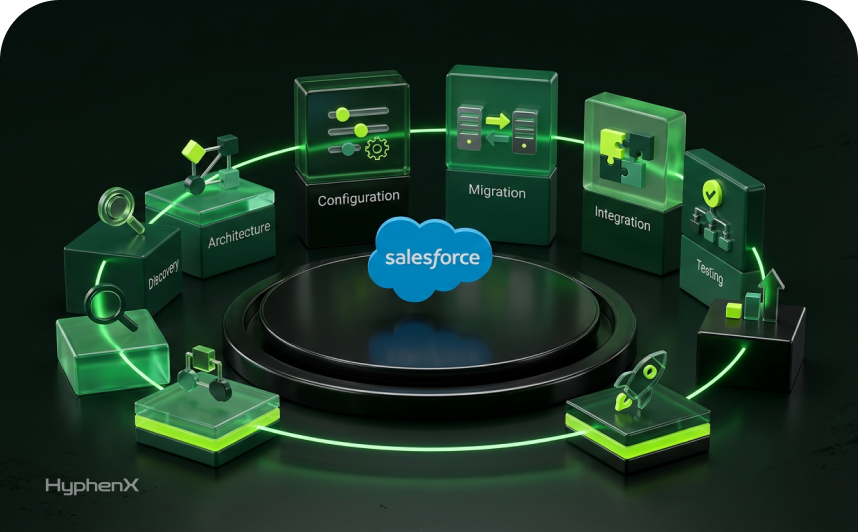
Every Salesforce org gets upgraded three times a year whether anyone on the team has capacity for it or not. The features arrive, the release updates enforce, and the integrations that have run quietly since 2019 either keep working or they do not. A lot of teams find out on a Monday morning.
That is the honest starting point for any conversation about release readiness. The question is rarely whether your admins are competent. It is about whether the people you have can absorb a release cycle on top of a roadmap they already committed to and whether the specific skills a given release demands happen to sit inside your team this quarter. When the answer is no, Salesforce Staffing Services stops being a hiring decision and becomes a scheduling one.
This guide covers what release readiness involves, where teams run short, which specialists solve which problems, how to size the help without inventing ratios, and how the engagement models compare. Release details are current as of August 2026 and drawn from Salesforce documentation, so verify anything time-sensitive against your own instance.
TL;DR
Three releases a year, and none of them wait for your sprint plan
Salesforce upgrades every org three times a year on a fixed calendar. Winter ’27 brings enforcement items that change existing behavior, including the retirement of the OAuth username-password flow. The testing runway between sandbox preview and production upgrade runs roughly five to six weeks.
The real question is capacity, not competence
Most teams struggle through release cycles for structural reasons rather than skill gaps. Release work lands on top of committed roadmaps, testing effort scales with customization rather than headcount, and the specialist skills a release demands are rarely the ones you staffed for permanently.
How to size the help and pick the right engagement model
Inside you will find a capacity check, a skills coverage map, role-to-problem mapping, a four-input estimation method, a staffing timeline, and a comparison of six engagement models. Salesforce staffing services fit when you have the plan but not enough hands to execute it.
What does Salesforce release readiness actually involve?
Salesforce ships three major releases a year: Spring, Summer, and Winter. Release readiness is the work of finding out what each one changes in your org, proving your customizations still behave, fixing what does not, and getting users through it without a ticket spike. Salesforce’s own Release Readiness Strategies module on Trailhead treats it as a repeatable process rather than a one-off review.
Why the release calendar is tighter than most plans assume
Take the current cycle as an example. According to Salesforce Help’s sandbox preview instructions, the Winter ’27 sandbox preview window begins August 28, 2026, and any sandbox you wanted on a preview instance had to be created or refreshed before 6:00 PM PT on August 27, 2026. Preview instances are upgraded to Winter ’27 on August 28 and 29, 2026. Non-preview instances follow on October 9 and 10, 2026. Salesforce describes the general pattern the same way each cycle: production and non-preview instances are upgraded roughly six weeks after the sandbox preview window opens.
That leaves about five to six weeks between the first preview sandboxes and the main production waves, and that window is your entire testing runway. It does not stretch; it overlaps with quarter-end for many businesses, and it assumes somebody already did the impact assessment before the preview opened. Teams that start when the sandbox flips have spent half of it.
One more environment matters here. Salesforce offers pre-release Developer Edition orgs, typically available three to four weeks before the sandbox preview starts. They are excellent for exploring what is coming and close to useless for regression testing, because they contain none of your metadata or data. Explore in a pre-release org and test in a preview sandbox.
Release updates are the part that quietly breaks things
New features are opt-in and get the headlines. Release Updates are the enforcement items, and they change how existing functionality behaves whether you asked for it or not. They live in Setup under Release Updates, where you can see which items need action, which are due, and which are overdue.
Winter ’27 illustrates the point well. Salesforce is retiring the OAuth 2.0 username-password flow for connected apps, and its own release note is blunt about the consequence: the update will break all connected app integrations that use this flow. The recommended replacements are the web-server flow with PKCE for user login and the client credentials flow for server-to-server integrations. If a nightly job posts a username, password, and security token to get an access token, it stops working on your upgrade weekend.
Behind that sits a second deadline. Salesforce has announced that the SOAP API login() call in SOAP API versions 31.0 through 64.0 is retired in Summer ’27, after which affected applications fail with an error indicating the endpoint has been deactivated. Both changes point at the same underlying pattern, and both can be tested ahead of enforcement using the test run option inside Release Updates.
Winter ’27 also carries accessibility enforcement items covering date pickers, popovers, utility bars, record headers, page headers, and modal windows at high zoom, plus the retirement of the exemption process that let Support disable email change verification. Individually, none are dramatic. Collectively they are a testing workload that has to fit somewhere in your calendar.
So what does ready actually mean?
A useful definition is behavioral. Your team is release-ready if it can answer all of the following before the upgrade weekend.
- You know your production instance’s exact upgrade date and maintenance window from Salesforce Trust, not just the general release weekend.
- You have a list of every Release Update marked due or overdue for your org, each with a named owner and a recorded test result.
- Every integration’s authentication method is documented, including the ones nobody has touched in years.
- Your Apex tests pass in a preview sandbox running the incoming release, not only in production against the current one.
- Someone has walked the critical business processes end to end by hand: quote to cash, case escalation, lead conversion, whatever actually pays the bills.
- Managed packages from AppExchange vendors have been confirmed compatible in writing by the vendor.
- Users have been told what changes, when, and where to report problems.
- You have a mitigation or rollback plan for the two or three failures that would hurt most.
A team that ticks all eight is ready. A team that ticks five is not incompetent, it is under-resourced, and that distinction matters when you go looking for budget.
Where do Salesforce teams usually run into capacity problems?
Release cycles fail for the same handful of structural reasons across organizations of very different sizes.
Release work lands on top of the roadmap, not instead of it
Nobody plans a quarter whose only deliverable is surviving the upgrade. Release testing arrives as unplanned work inside a sprint that was already committed, and the usual outcome is that testing gets compressed rather than the roadmap moved, because the roadmap has stakeholders and the release does not. The compressed testing then misses something, which surfaces in production during the busiest week of the quarter. That is arithmetic, not discipline, and it repeats three times a year.
Testing effort scales with customization, not with headcount
Two orgs with identical user counts can carry very different release workloads. What drives effort is the change surface: Apex classes and triggers, Lightning Web Components, active flows, integrations, managed packages, profiles and permission sets and how much of it is documented. An org with 400 users, twelve years of accumulated Salesforce customization work, and six live integrations is a heavier lift than an org with 4,000 users sitting mostly on standard functionality. Capacity planning that starts from user count has the relationship backwards.
The knowledge usually lives in one person’s head
Most orgs have someone who knows why the opportunity trigger carries an odd carve-out for renewals. When that person is on leave, interviewing elsewhere, or assigned to the integration project, release testing turns into archaeology. This is the most common reason a release cycle goes badly, and it is a staffing problem wearing a documentation problem’s clothing.
The skills a release demands are rarely the skills you staffed for
A team hired to build features is not automatically equipped to audit authentication flows, write automated regression suites, or untangle a permissions model that grew by accretion across four admins. Release cycles surface exactly these skills for a few weeks at a time. That intermittency makes them awkward to hire for permanently and natural to source through Salesforce staffing services, where you add the specific capability for the specific window and release it afterward.
Preview windows do not negotiate
The sandbox refresh cutoff is a hard timestamp. Miss it and your sandbox stays on the current release, leaving you to hunt for another preview-eligible sandbox or test after production has already been upgraded. Deployment constraints compound this: metadata created or edited using a new release’s features or API version cannot be deployed into production until production itself is upgraded.
How do you know if your Salesforce team is actually release-ready?
Two assessments answer this, both quick enough to run inside a week. One measures whether you have enough time; the other, whether you have the right skills. Teams tend to run only the first.
A capacity check you can run in an afternoon
- Confirm your dates. Look up your production instance on Salesforce Trust and record the maintenance window, plus your sandbox preview date and refresh cutoff. Working days between the preview and upgrade is your runway.
- List the release work as discrete workstreams: impact assessment, release update testing, regression testing, integration validation, managed package confirmation, UAT coordination, user communication, and post-release monitoring.
- Estimate each in-person day using how long the last cycle actually took. Your own history predicts better than any published benchmark.
- Subtract what is already spoken for: committed sprint work, planned leave, and the standing support load your team carries every week. Support tickets do not pause for a release.
- Compare the remainder against the estimate. If the gap exceeds roughly a fifth of the work, you are relying on overtime, which is the least reliable resource in any plan.
A skills coverage map worth filling in
Capacity tells you whether the hours exist. This tells you whether the right hours exist. Fill in the third column naming a specific person, not a team.
Release workstream | What it actually requires | Risk if uncovered |
Impact assessment | Platform breadth and the ability to read release notes against your specific configuration | Changes ship into production untested |
Apex and trigger regression | Apex, test class maintenance, governor limit awareness | Deployment failures and silent logic breaks |
Lightning Web Component validation | LWC, unit testing, browser and accessibility checks | UI defects reaching end users |
Flow and automation validation | Flow Builder depth and order-of-execution understanding | Records saved in the wrong state |
Integration and authentication review | OAuth flows, named credentials, middleware, API versioning | Batch jobs and syncs fail silently |
Security, sharing, and permissions | Profiles, permission sets, sharing models, and field-level security | Access gaps or accidental overexposure |
Automated regression suite | Test automation tooling and a CI pipeline | Manual testing that does not scale |
Deployment and release engineering | Source control, CI/CD, metadata deploys or change sets | Failed or partial deployments |
UAT coordination | Business analysis, test script writing, stakeholder management | Sign-off without real coverage |
Change management and enablement | Communication, training, adoption tracking | Ticket spike immediately after go-live |
The value of this exercise sits entirely in the blank cells. A single uncovered workstream is not automatically a reason to bring in help. Three or four blanks across a five-week window almost always are.
What are the warning signs that you need outside help this cycle?
Most of these signals are easy to miss because they have been normalized. If several describe your team, the pattern matters more than any single item.
- Your last release produced a support ticket spike your team is still working through.
- You cannot name, without checking, every integration that authenticates against your org.
- The Release Updates list in Setup contains items marked overdue.
- Regression testing is entirely manual and takes more than a week of elapsed time.
- One person is the only one who genuinely understands a business-critical automation.
- Your preview sandbox was refreshed after the cutoff last cycle, so you tested late or not at all.
- Deployments regularly fail on test coverage and get patched under time pressure.
- Roadmap delivery has stalled across the last two release cycles because the team was absorbed by release work.
- You have managed packages whose vendors you have never contacted about release compatibility.
- Your Apex test suite passes, but nobody on the team would bet on it catching a real regression.
Any one of these is manageable. Three or more inside the same cycle is a pattern, and patterns like this resolve faster with additional hands than with a process change, at least this quarter. Process fixes are the right answer for the cycle after next.
Which Salesforce specialists could you need before the next release?
Release staffing goes wrong most often through over-generalization. Asking for two Salesforce resources produces two people who may or may not solve your problem. Asking for an integration specialist for three weeks and a QA engineer for five produces something you can plan around.
Administrators and business analysts
The unglamorous backbone of a release cycle. Admins own the release updates review, the permissions audit, configuration validation, and the setup-level changes that fall out of testing. Business analysts write test scripts, run UAT with the people who use the system daily, and turn a vague complaint about a moved button into a defect worth logging. Adding an experienced admin for six weeks often does more good than adding a developer, because it frees your senior admin for work only they can do.
Apex and Lightning Web Component developers
Code is where release changes bite hardest and fixes are least delegable. Developers handle failing test classes, deprecated behaviors, component rendering changes, and the refactoring that falls out of a regression run. This is also where technical debt surfaces, which makes a release cycle a reasonable moment for additional Salesforce development services capacity rather than a bad one. If the need is narrow, it is often simpler to hire Salesforce developers on a defined engagement than to reshuffle an internal roadmap.
Integration and identity specialists
Given what is enforced in Winter ’27, this is the role most likely to be underweighted. Someone has to inventory every connected app, named credential, middleware connection, and script that authenticates and then migrate whatever relies on a flow that is going away. Login history, connected app usage reports, and named credential configuration show most of it. The work is discrete, time-boxed, and specialized, which makes it a natural fit for external Salesforce integration services support rather than a permanent role.
QA engineers and test automation specialists
Manual regression testing is the first thing to break under time pressure, because it is the easiest thing to shorten. A QA specialist who builds or extends an automated suite during one cycle leaves an asset that pays off across the next three. Even without automation, a dedicated tester finds what a developer testing their own work will not, for reasons of proximity rather than skill.
DevOps and release engineers
Sandbox strategy, source control hygiene, deployment pipelines, and the discipline of not deploying on a Friday afternoon. Teams that deploy through change sets and optimism feel this gap acutely during release weeks. A release engineer’s contribution is measured in failed deployments that did not happen, which makes it easy to undervalue. Salesforce’s own guidance on developing a release management strategy is a reasonable benchmark for what good looks like here.
Technical architects
Worth involving when a release exposes a structural question rather than a defect. If retiring an authentication flow means rethinking how six systems talk to Salesforce, that is an architecture decision, not a ticket. Architects are usually needed for a few days at the front of the cycle rather than throughout, which is an efficient way to buy senior judgment.
Security and permissions specialists
Sharing models, profiles, permission sets, field-level security, and the release updates that change default access behavior. Orgs that have grown through acquisition, or through several generations of admins, tend to carry permission debt that only becomes visible when a release changes a default. Finding that in a sandbox is inexpensive. Finding it in production is not.
Change management and enablement
Frequently skipped, and frequently the reason a technically clean release still feels like a bad one. Someone has to tell users what changed, update documentation, and be visible in the first week afterwards. Enablement is the easiest workstream to hand to an augmented resource, since it needs organization and clear communication more than deep org history. Where the change involves automation behavior, pairing enablement with whoever owns your Salesforce workflow automation avoids the situation where users are told about a change nobody has actually validated.
Mapping problems to the roles that solve them
If this is your problem | The role that resolves it | Typical engagement shape |
Integrations still authenticate with a username and password | Integration or identity specialist | Two to four weeks, front-loaded in the cycle |
Apex tests fail against the preview release | Apex developer | Across the preview window, tapering after fixes |
Regression testing is manual and slow | QA or test automation engineer | Full cycle, and leaves reusable assets behind |
Nobody has time to read the release notes properly | Senior Salesforce administrator | One to two weeks at the start of the cycle |
Deployments fail or take too long | DevOps or release engineer | Full cycle plus pipeline setup |
Permissions and sharing are undocumented | Security and permissions specialist | Two to three weeks |
UAT never gets real business sign-off | Business analyst | Weeks three to five of the cycle |
Users are blindsided every release | Change management or enablement lead | Two weeks before, two weeks after |
The release exposes a structural design problem | Technical architect | A few days, early |
Roadmap work stops entirely during release weeks | Blended admin and developer capacity | Full cycle, sized to protect the roadmap |
How do you estimate what you need without inventing ratios?
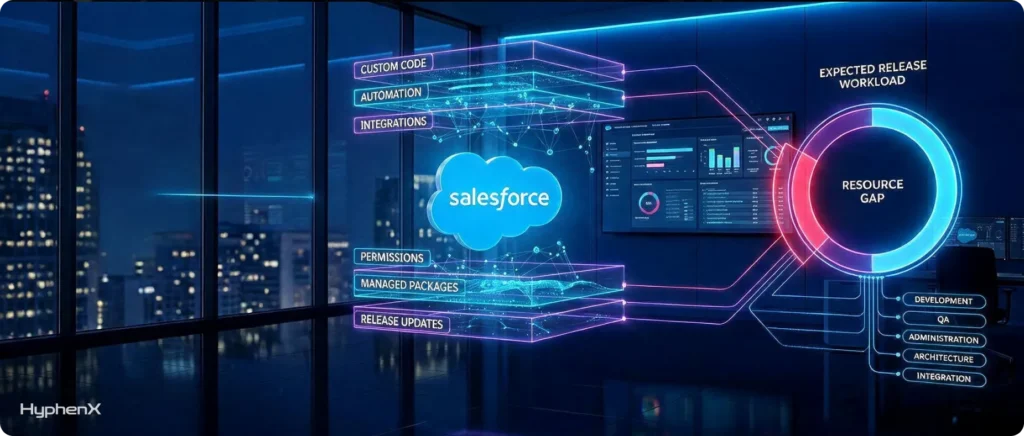
There is no credible rule that says one tester per fifty Apex classes, or one admin per thousand users. Anyone offering one is guessing, calibrated to an org that is not yours. Estimate instead from your own change surface and history, both available in a few hours.
Start from what your org actually contains
Pull this inventory first. Most of it comes from setup, metadata retrieval, or a code analysis run.
- Number of Apex classes and triggers, plus current org-wide test coverage.
- Number of Lightning Web Components and any Visualforce pages still in active use.
- Number of active flows, and how many of them touch objects involved in revenue processes.
- Number of live integrations, listed by authentication method rather than by system name.
- Number of installed managed packages, with the vendor for each.
- Number of profiles and permission sets, and when each was last reviewed.
- Release Updates currently listed as due or overdue in Setup.
Then use four inputs you can defend in a budget conversation
- Effort from the last cycle. How many person-days did the previous release actually consume, including the post-release cleanup nobody logged? This is your baseline and it beats any external benchmark.
- Change in your change surface. How much more code, automation, and integration exists now than then? If org complexity grew by a fifth, assume the release workload did too.
- Release-specific weight. Some cycles carry heavy enforcement. A release that retires an authentication flow costs materially more than a release that mostly ships opt-in features. Read the Release Updates list before you assume parity with last time.
- Available internal capacity. Working days, minus committed sprint work, minus standing support load, minus leave. Be pessimistic here, because everyone is optimistic here.
Subtract the fourth input from the sum of the first three and you have a gap in person-days. Convert it into roles using the mapping table rather than a generic headcount request. Two specialists for three weeks is a very different proposition from one generalist for six, even when the person-days match.
Where these estimates usually go wrong
- Counting the testing and forgetting the fixing. Finding defects is roughly half the work; resolving and retesting them is the other half.
- Assuming the internal team is available at full capacity. Nobody is, and release weeks are not when that changes.
- Ignoring the week after the upgrade, which is when adoption problems and genuine edge cases actually arrive.
- Treating UAT as free because business users are doing it. Coordinating UAT, chasing sign-off, and triaging what comes back is real effort with a real owner.
- Leaving onboarding time out of the plan for anyone joining. Even a highly experienced Salesforce professional needs a few days to learn the shape of your org.
When should extra resources join the release cycle?
Timing matters more than volume. Three people arriving in the final week cost more and deliver less than one arriving six weeks earlier. The timeline below runs relative to your production upgrade date, the only fixed point that matters.
Timing | What should be happening | Who is usually needed |
Eight to ten weeks before | Impact assessment against release notes and Release Updates, sandbox strategy confirmed, refresh cutoff diarised, managed package vendors contacted in writing | Senior admin; architect if structural questions surface |
Six weeks before | Preview sandbox available, Release Update test runs enabled, integration and authentication inventory underway | Integration specialist, admin |
Four to five weeks before | Core regression testing, Apex and component validation, defect logging and triage | Developers, QA engineer |
Two to three weeks before | Fixes deployed and retested, UAT with business users, deployment rehearsal | Developers, business analyst, DevOps |
One week before | Final validation, user communication, rollback plan confirmed, freeze on non-essential changes | Business analyst, enablement, release engineer |
Upgrade weekend and the week after | Smoke testing, monitoring, rapid triage of user-reported issues | Admin and developer cover, additional support capacity |
Two to four weeks after | Post-release validation, deferred backlog items, documentation updates, retrospective | Whoever stays on through stabilization |
The practical implication is that onboarding decisions need to be made roughly three months ahead of the upgrade. A staffing partner able to place a vetted resource in days rather than weeks compresses that lead time usefully, but it does not remove the need to know what you are asking for. The same logic applies to the tail end: the week after the upgrade is when ticket volume rises, which is why Salesforce support services cover is worth arranging before the weekend rather than during the following Monday.
When does staff augmentation make more sense than hiring or consulting?
Six routes are available once you know the size of the gap, and they are not interchangeable. Most bad staffing decisions come from picking a model that solves a different problem well.
Model | What you get, and what you keep control of | Works well when | Struggles when |
Existing internal team | Full org context and no onboarding cost. You control everything. | The change surface is small and stable, and the roadmap has slack | Release work collides with committed roadmap delivery |
Permanent hire | Long-term capability and retained institutional knowledge. You control everything. | The need is ongoing and predictable and justifies a headcount | You need help this quarter; hiring cycles run months, not weeks |
Independent contractors | Specific skills on flexible terms. You direct the work. | You can source, vet, and manage contractors yourself | Vetting sits entirely with you, and cover is thin if someone leaves |
Staff augmentation | Vetted specialists embedded in your team. You keep priorities, process, and deliverables. | You have internal leadership but not enough hands or the right skills for a defined window | No one internal is able to direct and review the work |
Consulting engagement | Advisory input and defined project delivery. You control outcomes at milestone level. | You need a decision made, or a project scoped and delivered end to end | You need sustained day-to-day execution capacity |
Managed services | Ongoing ownership of platform operations. You control outcomes rather than tasks. | You want continuous coverage without building a team | You need short surge capacity for a fixed window |
How the choice usually resolves
If the need is recurring and structural, hire. Salesforce releases happen three times a year indefinitely, so a permanently understaffed team will keep having this exact conversation. If the need is continuous operational coverage across support, monitoring, and small enhancements, Salesforce managed services is usually the cleaner arrangement because you are buying outcomes rather than hours. If what you need is a decision made or a design validated rather than a job done, that is Salesforce consulting services. And if you have competent internal leadership, a clear plan, and simply not enough capable hands for six weeks, staff augmentation is the model built for precisely that shape, which is why it dominates release-cycle staffing.
One caveat deserves stating plainly. Staff augmentation only works when someone internal can direct the work, review the output, and make decisions quickly. If that person does not exist or is already saturated, augmentation adds coordination load rather than removing it, and a managed or consulting arrangement will serve you better. Readers weighing that trade-off may find it useful to see how Salesforce consulting compares with in-house CRM teams, and those still forming a view of the model itself can start with what Salesforce staff augmentation is and when to use it.
What should you look for in a Salesforce staffing partner?
Once the model is settled, the provider matters more than the rate. A cheap resource who needs three weeks to become useful inside a five-week window is not cheap.
Criteria that actually predict outcomes
- Salesforce depth over general IT staffing. A firm that also places .NET and ServiceNow people may not understand governor limits, order of execution, or why your flows appear to fire twice. Depth shows up in the first technical conversation.
- Release-cycle familiarity. Ask what their people did during the last three release windows, specifically. The answer separates firms that have lived this from firms that have read about it.
- Verified certifications alongside real project history. Certifications indicate baseline knowledge. Project history indicates whether someone has debugged something ugly under time pressure.
- Honest speed to place. Days versus weeks changes your planning window materially, and an inflated promise costs you more than a realistic one.
- Continuity cover. What happens if the resource leaves mid-cycle? A partner with bench depth answers this very differently from a broker with a spreadsheet.
- Flexible engagement shapes. Hourly contract, contract-to-hire, project-based, and team-based models each suit different release situations, and a partner offering only one is fitting you to their model.
- Working model fit. Time zone overlap, communication cadence, and willingness to work inside your tools, ticketing system, and source control rather than theirs.
- Clarity on control. In a true augmentation arrangement you set the priorities. A partner steering hard toward their own delivery process is describing a different model, which may still suit you but should be named accurately.
Questions worth asking before you sign anything
- Who exactly will be working on our org, and can we speak with them before committing?
- What did your team handle during the last Salesforce release cycle, in specific terms?
- How do you assess Apex and Lightning Web Component skills beyond checking certifications?
- How quickly can you place someone, and what does that timeline assume about our side?
- What happens if the resource turns out not to be a fit in week two?
- How do you handle knowledge transfer so we are less dependent on you next cycle rather than more?
- What access will you need to our sandboxes and production org, and how do you handle credentials and data?
- Can you scale down as easily as up once the release window closes?
- Who covers for the resource during leave or illness inside a five-week window?
- What does the commercial arrangement look like if we extend past the release?
Signals worth treating carefully
- Guaranteed outcomes on a release cycle that nobody has assessed yet.
- Resumes that cannot be traced to a specific named person you are able to meet.
- Reluctance to discuss what happens when the engagement ends.
- Pricing that only works on a long minimum commitment when your actual need is six weeks.
- Vague answers about who holds credentials, how org access is provisioned, and how it is revoked.
A release-readiness plan you can run this cycle
This is a sequence rather than a checklist, because the order matters. Steps three and five are the ones most often done too late.
- Confirm your dates. Look up your production instance on Salesforce Trust and note the exact maintenance window, then note your sandbox preview date and refresh cutoff separately. The general release weekend is not your date.
- Secure a preview sandbox. Ideally keep a dedicated Developer or Developer Pro sandbox permanently on the preview track, so the refresh scramble stops being a quarterly event.
- Read Release Updates in Setup before you read the release notes. Sort by due and overdue. These are the items that change behaviour without asking your permission.
- Run the test runs. Most release updates offer a test run that lets you observe the impact in a sandbox ahead of enforcement, including the authentication retirements.
- Inventory integrations by authentication method. Login history, connected app usage, and named credential configuration will surface most of it. Flag anything relying on a flow that is being retired.
- Contact managed package vendors in writing and ask for explicit confirmation of compatibility with the incoming release. Record the answer and the date.
- Assess your change surface and estimate effort using last cycle’s actual numbers, adjusted for growth and for the weight of this particular release.
- Decide on external support now rather than in week four. If the gap exceeds about a fifth of the work, start the staffing conversation while you still hold a lead-time advantage.
- Test in a defined order: release updates first, then integrations, then core business processes end to end, then interface and accessibility changes, then edge cases.
- Plan the week after. Post-release validation, a visible support channel, and a short retrospective that produces changes for next cycle rather than a list of observations.
A simple way to decide what deserves escalation
Not everything a release touches carries equal risk, and treating it as though it does is how teams run out of time on what matters. Sorting your change surface into four tiers before testing begins is the cheapest prioritization exercise available.
Risk tier | What belongs here | How to treat it |
Tier 1: revenue or compliance stops | Quote to cash, billing integrations, regulated data flows, authentication for systems of record | Test first and test twice, name a rollback owner, escalate any defect immediately |
Tier 2: operations degrade | Case routing, lead assignment, reporting used in weekly decisions, business-critical automations | Full regression: fix before the upgrade, accept a workaround only with a named owner and a date |
Tier 3: users are inconvenienced | Interface changes, layout shifts, minor accessibility adjustments | Validate, communicate clearly, fix on the normal backlog |
Tier 4: cosmetic or unused | Features nobody uses, deprecated pages, legacy components | Document and defer, or use the cycle as an opportunity to retire them |
Sorted this way, the question of where external help earns its keep answers itself. It is almost always tier one and tier two, and almost never tier three.
What would you actually do in your situation?
The right answer depends heavily on team shape. Five common situations, with what tends to work in each.
One admin, no developer, and a growing org
The binding constraint is a single point of failure rather than total hours. Your admin can handle the release updates review and configuration validation but not Apex regression or an integration audit on top of business-as-usual support. The efficient move is short and targeted: a developer for two to three weeks across the preview window, plus enough admin cover to keep the support queue from backing up. Avoid a large blended team, since you do not have the bandwidth to direct one.
A mid-sized team carrying years of customization
The classic case for augmentation. You have internal leadership and org knowledge, and the problem is arithmetic rather than capability. Size the gap using the four-input method, then add specialists by workstream: QA for regression, a developer for fixes, and a business analyst to run UAT so your admins are not doing three jobs. Prioritize a QA engineer who can leave an automated suite behind, because your change surface will keep growing.
An enterprise org with legacy integration authentication
If nightly jobs, middleware connections, or data loading tools still authenticate with a username and password, integration and identity is your highest-risk workstream this cycle, and it is front-loaded. Bring in a specialist eight to ten weeks out, before general regression testing begins, since remediation may need coordination with external vendors. Add an architect for a few days if the fix implies a design change rather than a configuration change.
A team mid-implementation when the release lands
The worst timing, and a common one. The temptation is to pause implementation and absorb the release, which usually means doing both badly. A cleaner split is to ring-fence the implementation team and add separate release capacity reporting to the same platform owner on a distinct backlog. Whoever joins needs to work independently, since your team’s attention is committed elsewhere.
A team that just lost its senior admin
Treat this as an emergency rather than a gap. The priority is documentation and knowledge recovery, not feature work, because the release will surface every undocumented decision at once. Bring in an experienced admin quickly with an explicit brief to document as they go, and consider contract-to-hire if you intend to backfill, since a release cycle is an unusually informative trial period.
Where HyphenX Solutions fits into a release cycle

If the assessment above points toward external capacity, the practical questions are which roles, how quickly, and in what commercial shape. HyphenX Solutions offers Salesforce staffing services across the areas that release cycles tend to stress: Salesforce administration, including user management, security settings, and workflow configuration; development covering Apex, Lightning Web Components, and Visualforce; integrations with internal enterprise systems and third-party tools; app development; implementation support; and ongoing support and maintenance.
Four engagement shapes are published on the site, which matters because release needs vary in duration and certainty. Hourly contract staffing suits short-horizon requirements such as configuration fixes or a defined block of regression work. Contract-to-hire suits teams that intend to expand permanently but want to see performance under real conditions first, which a release cycle provides unusually well. Team-based staffing combines development, administration, and analytics for organizations running several workstreams at once. Project-based staffing suits a bounded initiative with a defined end, such as an integration remediation program.
The described process is deliberately short: a requirement discussion to map skill gaps and timelines, profile screening against it, onboarding of remote resources into your environment and workflows, and then delivery with ongoing oversight. The site states that matched profiles can be lined up within 24 hours of that discussion and that developers or admins can be engaged within days. For a window measured in weeks rather than months, lead time is the part that actually changes your options.
Where a release exposes something structural rather than something broken, the adjacent service lines are the more appropriate route: Salesforce consulting services for design decisions, Salesforce integration services for connecting and re-authenticating systems, and Salesforce managed services where the underlying issue is that nobody owns the platform continuously. Augmentation is the right answer when you have the plan and need the hands. It is the wrong answer when what you actually need is an owner.
Getting through the next release without the scramble
Release readiness is not really a technical problem. The technical work is documented, Salesforce publishes the dates and enforcement items in advance, and the testing sequence is not mysterious. The problem is that the work arrives on a fixed calendar and lands on teams whose capacity was allocated months earlier to something else. That mismatch produces the Monday morning discoveries.
The useful response is unglamorous. Confirm your actual dates rather than the general ones. Read release updates before the release notes. Inventory integrations by how they authenticate. Estimate from your own last cycle rather than a benchmark against capacity discounted for support load and leave. And when the gap is real, decide early, because every week you wait costs a week of the only runway you get.
Where the gap is a matter of hands and specific skills rather than direction, Salesforce Staffing Services are the straightforward fix, and Salesforce staff augmentation is the shape that fits a release window most naturally. Where the gap is ownership, a different model will serve you better, and recognizing that early is worth more than any amount of additional capacity. Either way, the decision is easier to make eight weeks out than two.