

A customer reports a bug. Support logs a case in Salesforce, then someone copies it into Jira, and 3 weeks later the customer emails to ask what happened. Support has no idea, because the answer is sitting in a Jira comment.
That gap is why teams connect the 2 systems. The connection itself is easy to buy. Deciding what should flow between them, and which system wins when they disagree, is the work.
Who actually needs Salesforce and Jira connected
We hear this request from 3 groups, and each needs something different.
Support teams escalate cases to engineering. They need a Jira issue created from the case and the status, fix version and resolution flowing back so agents can update the customer.
Sales and account teams log feature requests and blockers on opportunities. Product managers want to see which requests carry the most pipeline or renewal revenue.
Delivery and professional services teams run implementation projects in Jira for customers sold in Salesforce. Leaders want project health visible on the account before renewal.
If you only have one of these needs, build for it. Trying to serve all 3 in the first release is how integrations grow 40 fields and sync rules the admin can’t explain.
Option 1: a Marketplace connector
The fastest route is an app from the Atlassian Marketplace or Salesforce AppExchange.
There are at least 10 Salesforce connectors on the Atlassian Marketplace today, from free apps to enterprise tools. Several have moved to Atlassian’s Forge platform, which runs the app on Atlassian’s infrastructure rather than a vendor server. Exalate’s listing, for example, shows a new console released on October 29, 2026.
Connectors usually handle:
- Creating a Jira issue from a Salesforce case, opportunity or account
- Linking an existing issue to a Salesforce record
- Syncing status, priority, comments and attachments in 1 or 2 directions
- Showing Salesforce fields (customer name, ARR, tier) inside the Jira issue
Good fit: support-to-engineering escalation with standard objects, under a few thousand linked issues a month, and an admin who can own the mapping.
Watch for: pricing that scales with Jira user count, not the number of people who use the integration. A 300-seat Jira instance pays for 300 seats even if 20 support agents create escalations.
Option 2: MuleSoft
Salesforce’s own Jira integration page says the recommended solution for Jira integrations is MuleSoft, and points to the MuleSoft Composer Jira connector for tracking Jira issues in Salesforce.
Composer is the no-code option. Its Jira connector documentation lists triggers for new and updated issues that poll every 15 seconds, actions to create and update issues, add comments and handle attachments, and OAuth sign-in through an Atlassian account with the Jira Administrator global permission.
The same page lists real limits. Custom fields using multi-line text, labels, checkboxes, radio buttons, select lists or user pickers aren’t supported, and nor are the standard fields Affects version, Fix version, Environment and Component. If your escalation process depends on fix version, Composer alone won’t carry it.
MuleSoft Anypoint Platform removes those limits and fits companies that already run several integrations through MuleSoft or plan to. Our post on when to use MuleSoft for Salesforce integration covers that decision in more depth.
Option 3: a custom build
A custom integration uses the Jira REST API on one side and Salesforce events on the other. Salesforce’s Change Data Capture publishes an event whenever a record is created, edited, deleted or restored, so a middleware service can react to a case update within seconds.
We recommend custom only when your process doesn’t fit any connector: unusual objects, multiple Jira sites, strict data residency, or volume high enough that per-user connector pricing hurts. You also own the code, the monitoring and the fix when Atlassian changes an API.
Which option to pick
| Your situation | Pick | Why |
|---|---|---|
| Support escalations, standard fields, 1 Jira Cloud site | Marketplace connector | Live in days. Config, not code. |
| You need fix version or complex custom fields, already on MuleSoft | MuleSoft Anypoint | No field-type gaps. Reuses your integration platform. |
| Light sync, simple fields, no MuleSoft yet | MuleSoft Composer | Salesforce-supported, no code, cheaper than full Anypoint. |
| Several Jira sites, Data Center, strict residency or very high volume | Custom build | Full control over data flow and hosting. |
Jira Software or Jira Service Management?
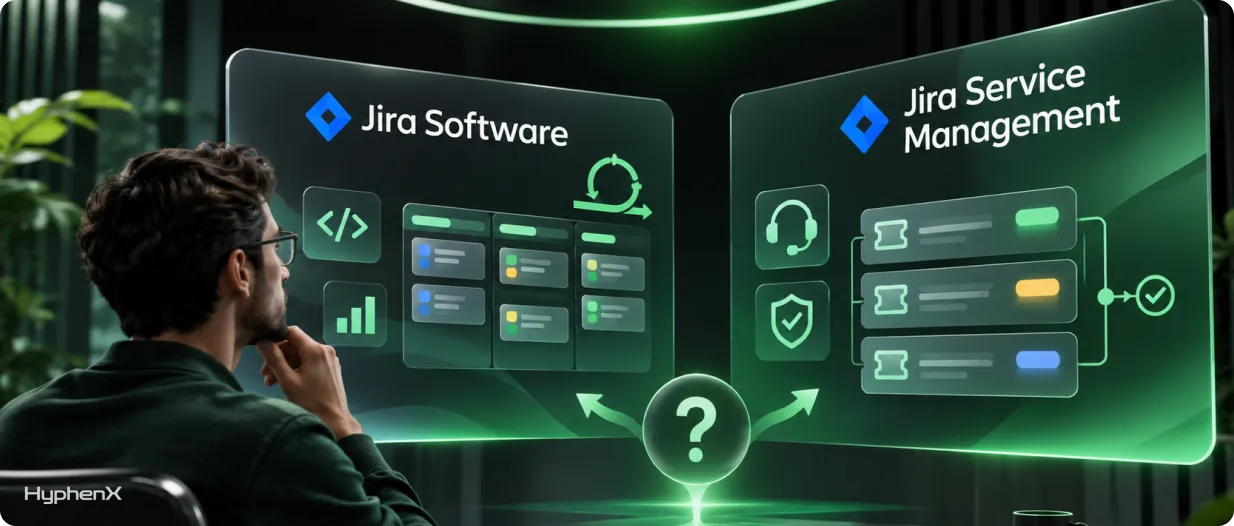
Check which Jira product your engineering or IT team actually runs before you pick a connector. Jira Software is built around projects, sprints and boards. Jira Service Management adds request types, queues and SLAs for service desks.
Some companies run both, with customer-facing requests in Jira Service Management and engineering work in Jira Software. In that setup, the Salesforce case usually links to the service request, and the service request links to the engineering issue. Syncing Salesforce straight to the engineering issue skips the service desk’s SLA tracking.
Most Marketplace connectors support both products, but field mapping differs. Confirm request types and SLA fields are covered in a trial before you buy.
Decide which system owns each field
This is the step that prevents most integration fights. Every synced field needs exactly 1 owner. The other system shows it read-only.
| Field | Owner | Shown in |
|---|---|---|
| Customer name, account tier, ARR, case priority | Salesforce | Jira (read-only) |
| Issue status, assignee, sprint, fix version, resolution | Jira | Salesforce (read-only) |
| Comments | Both, but tagged | Sync only comments marked “customer-facing” or “internal” by rule |
| Attachments | Salesforce | Jira, after a PII check |
Syncing the same field in both directions is where loops start. Case status changes in Salesforce, the connector updates Jira, Jira automation changes status again, and the connector writes it back. We’ve seen that create thousands of updates overnight.
A worked example: support escalations at a SaaS company
Picture a software company with 45 support agents on Service Cloud and 120 engineers on Jira Cloud. About 300 cases a month need engineering.
Before the integration, agents copied case details into a Jira form and pasted the issue key back into a case field. Average time from escalation to first engineering response was 2 days, mostly because issues landed in the wrong project.
We’d set up:
- A “Escalate to engineering” quick action on the case that creates a Jira issue in the right project based on product area.
- Salesforce-owned fields (account tier, ARR, case priority) copied into Jira as read-only, so engineers can sort by customer impact.
- Jira-owned status, fix version and resolution synced back to the case.
- Comments synced one way, Jira to Salesforce, only when an engineer tags them “customer update.”
- A Salesforce flow that alerts the case owner when the linked issue moves to “Done.”
The target after 60 days: escalations routed to the right Jira project at least 95% of the time, and agents updating customers within 4 hours of a fix shipping. Set your own baseline before you start.
Manual copy-paste between tools is the same problem we fixed in our prospecting tools case study. The tools change. The cost of re-keying doesn’t.
Problems to plan for before go-live
Customer data in engineering tools. Case descriptions and attachments often contain names, emails or account numbers. Decide what’s allowed into Jira and mask the rest. Jira permissions are rarely as tight as Salesforce sharing.
Integration users and licenses. Most connectors need an integration user in each system. Use a dedicated Salesforce integration user with only the permissions the sync needs, not an admin account.
Too many connections. Jira is often the 8th or 9th system wired into Salesforce, each added by a different team. Our post on integration sprawl risk explains how to keep an inventory before it becomes a security issue.
Status mismatches. Jira workflows have more states than case status does. Map them to a short list (Open, In progress, Waiting on customer, Resolved) or agents won’t know what to tell customers.
For the rest of your support stack, see our guide to Salesforce Service Cloud integrations.
Frequently asked questions
1. Does Salesforce have a native Jira integration?
Salesforce doesn’t ship a built-in Jira sync inside Sales Cloud or Service Cloud. Its own Jira integration page recommends MuleSoft, including the MuleSoft Composer Jira connector for tracking Jira issues in Salesforce. Most teams use either MuleSoft or a connector from the Atlassian Marketplace or AppExchange, and a few build custom integrations with the Jira REST API.
2. Can I create a Jira issue from a Salesforce case?
Yes. Most connectors add a button or quick action to the case that creates a Jira issue, copies the fields you choose and stores the issue key on the case.
MuleSoft Composer can do this through a flow triggered by a case change. Decide in advance which Jira project each product area goes to so issues don’t land in a general queue.
3. Should Salesforce and Jira sync in both directions?
Sync both directions only for different fields. Salesforce should own customer data such as account tier and priority.
Jira should own engineering data such as status, assignee and fix version. Syncing the same field both ways causes update loops and conflicting values, so give every synced field a single owner and show it read-only in the other system.
4. How much does a Salesforce Jira integration cost?
It depends on the route. Atlassian Marketplace connectors range from free apps to paid tools priced by Jira user tier.
MuleSoft Composer and Anypoint are licensed by Salesforce. A custom build costs development time plus hosting and maintenance.
For most support escalation setups, implementation and field mapping take 2 to 4 weeks whichever tool you choose.
Connect Salesforce and Jira properly
HyphenX designs and builds Salesforce integrations, from Marketplace connector setups to MuleSoft and custom builds, with field ownership and security agreed up front. Talk to our Salesforce integration services team, or see our MuleSoft integration services if you’re standardizing on MuleSoft.