
Your reps write to customers in Gmail all day. If none of that reaches Salesforce, your pipeline review runs on memory.
The fix is a Gmail connection that puts Salesforce next to the inbox and, if you want it, logs activity for you. Getting it right depends on 2 admins (yours and Google’s) agreeing on what should sync. Here’s how we set it up for Google Workspace teams.
What “Gmail integration” means in Salesforce
There are 2 Salesforce-built pieces, and most teams need both.
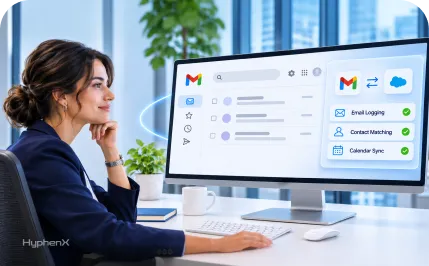
The Gmail integration is a side panel inside Gmail. A rep opens an email and sees the matching contact, lead, account and open opportunities. They can log the email, create a record or add a task without switching tabs.
Einstein Activity Capture (EAC) runs in the background. It syncs emails and Google Calendar events to the right Salesforce records with no clicks from the rep, and it can sync contacts too.
The side panel is for the rep. EAC is for the record.
A team that installs only the side panel gets clean, deliberate logging and patchy history. A team that runs only EAC gets full history and reps who still alt-tab into Salesforce to update a deal.
Watch out for look-alike connectors
Search “Salesforce Gmail” in the Google Workspace Marketplace and one of the first results is a listing called “Salesforce Connector for Gmail.” It’s popular, with more than 237,000 installs shown on its Google Workspace Marketplace listing, and it ranks on page 1 of Google for “salesforce gmail integration.”
It’s built by a third party, iEnterprises, and has its own pricing. At least 1 reviewer on the listing says they didn’t realize it wasn’t from Salesforce. It might suit you, but decide that on purpose, after checking where it stores data and what OAuth scopes it asks for (read and send email, edit calendar events).
The Salesforce-built side panel is set up from Salesforce Setup. Start there.
Pick your setup by how your team logs email
| Your situation | Run this | What you get |
|---|---|---|
| Small team, reps choose what to log | Gmail integration only | Side panel and manual logging. No surprises in the timeline. |
| You want every customer email and meeting on the record | Gmail integration plus EAC | Side panel for reps, automatic history for managers. |
| You need activity in reports, flows or AI agents | EAC with Sync Email as Salesforce Activity, full email capture | Emails become Salesforce activity data you can report on. |
| Recruiters, lawyers, finance teams with sensitive threads | Gmail integration, plus EAC with header-only capture | A record of who talked to whom, without storing email bodies. |
If you’re unsure, start with the side panel for everyone and EAC for 1 sales pod. You’ll learn more from 2 weeks of real matching data than from a month of planning.
What changed in 2026 for EAC on Google
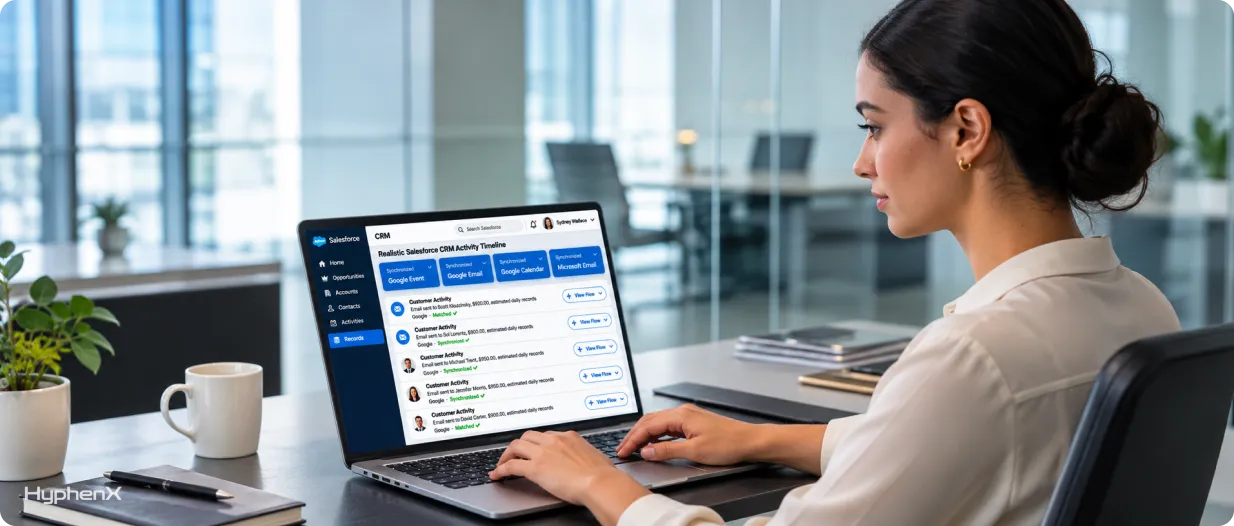
EAC used to keep captured email outside your org, visible on the timeline but missing from standard reports. Salesforce is moving every org to Sync Email as Salesforce Activity.
Salesforce’s help article on the update says users outside an EAC configuration were placed into one automatically from April 2026, automigration started in June 2026, and the migration can’t be rolled back. It also warns that unmigrated email bodies can’t be retrieved later, so decide your migration window before the system decides it for you.
The Microsoft side had extra drama this year with Exchange Web Services. Our Salesforce Outlook integration guide covers that if you run a mixed Google and Microsoft company.
Setting it up: the Salesforce side
Salesforce’s Gmail integration setup page lists the requirements: Sales Cloud, Service Cloud or Lightning Platform in Essentials, Professional, Enterprise, Performance, Unlimited or Developer Edition, an admin with Customize Application, and Enhanced Email turned on first.
Then:
- Check Enhanced Email. It has to be on before the Gmail integration can relate emails to records.
- Open Gmail Integration and Sync. In Setup, search “Gmail” in Quick Find.
- Turn on “Let users access Salesforce records from Gmail.” Then turn on Enhanced Email with Gmail so reps can relate emails to records.
- Design what reps see. Build the email application pane in Lightning App Builder. Matched contact, open opportunities and recent cases are enough. Every extra component slows the panel and gets ignored.
- Set up EAC if you’re using it. Create a configuration, assign users by profile, pick what syncs (email, events, contacts) and the direction for each.
- Add exclusions. Your own domain, personal providers, and any domain legal flags. Do this before the first sync, not after.
Setting it up: the Google side
This is the half most guides skip, and it’s where rollouts stall.
Check third-party app access. In the Google Admin console, go to Security, then Access and data control, then API controls. If your Workspace restricts third-party apps, the Salesforce connection needs to be trusted or users will hit a consent block when they connect.
Decide on install method. Reps can add the panel themselves, or your Workspace admin can push it to an organizational unit. Pushing it to the sales OU means new hires get it on day 1.
Check calendar sharing rules. EAC syncs events from the user’s own calendar. Shared team calendars and resource calendars (meeting rooms) behave differently, and we’ve seen reps expect events from a shared calendar to log when they won’t. Test this in the pilot.
A worked rollout: a 25-person agency on Google Workspace
Picture a marketing agency with 25 people on Google Workspace: 8 account managers, 6 new-business reps and the rest in delivery. They’re on Sales Cloud Professional and want client conversations visible on accounts before quarterly business reviews.
We’d turn on the side panel for all 14 client-facing staff and push it to their OU. EAC goes on for the 6 new-business reps first, full email capture, events synced, contacts synced one way (Salesforce to Google) to avoid personal contacts flooding in.
Exclusions: the agency’s own domain, 2 freelancer domains, and Gmail and Outlook.com personal addresses. After 2 weeks, check how many emails landed on the wrong record. If it’s under 5%, add the account managers.
The usual cause of misfiled emails is duplicate contacts. A short Salesforce CRM cleanup before go-live saves weeks of manual fixes.
Moving off the BCC email address
Plenty of teams on Google Workspace still log email with Email to Salesforce, the personal BCC address each user can copy on outgoing mail. It works, and it’s free. It also depends on reps remembering to BCC, it only catches what they send, and replies from the customer never make it in unless someone forwards them.
If your managers keep asking “did anyone email them back?”, that’s the BCC address showing its limits. Switching to the side panel plus EAC captures both directions of the thread.
Keep the BCC address switched on during the pilot so reps keep logging during the switch, then retire it team by team once EAC matching looks right.
Problems we see after go-live
“The panel won’t load.” Usually a browser or extension conflict, or the user’s profile lacks access to the email application pane. Check the profile first.
Emails log to the wrong account. EAC matches on email address. If a person exists as a lead and a contact, results get unpredictable. Merge duplicates and convert stale leads.
Calendar events don’t appear. Check whether the event sits on the rep’s primary calendar and whether event sync is on in their EAC configuration.
Reps log by hand and EAC logs again. Pick one approach per team and train it. Duplicate activity makes reports worse than no activity.
Prospecting tools write to Gmail too. Sequences and enrichment tools often send from the rep’s inbox, so EAC captures those emails as well. That can be useful or noisy. In our prospecting tools case study, consolidating 3 tools into one Salesforce flow was what cleaned up the pipeline.
AI in Gmail: where this is heading
Salesforce and Google expanded their partnership in October 2025. The Salesforce announcement describes Agentforce Sales starting Gmail conversations, qualifying leads and booking meetings in Google Calendar.
Any of that depends on the same foundation as this guide: clean contacts, sensible exclusions and email stored as Salesforce activity. Teams that get the basic integration right this year will have a much easier time switching on agents later.
If your email sending from Salesforce also changed, read our post on Salesforce email behavior changes in 2026, which covers verified domains and SMTP. For everything else in your stack, our list of the 15 most common Salesforce integrations is a good next read.
Frequently asked questions
1. Is the Salesforce Gmail integration free?
The Gmail integration side panel is included with supported Sales Cloud, Service Cloud and Lightning Platform editions, so there’s no separate fee. Einstein Activity Capture has a standard tier included with most Sales Cloud editions, and paid tiers raise limits and retention. Third-party connectors in the Google Workspace Marketplace are priced separately by their vendors.
2. What’s the difference between the Gmail integration and Einstein Activity Capture?
The Gmail integration is a side panel reps use inside Gmail to see records and log emails by hand. Einstein Activity Capture runs in the background and syncs emails, Google Calendar events and contacts to Salesforce automatically. Most sales teams use both: the panel for daily work and EAC so the record has full history without relying on reps to click.
3. Does Einstein Activity Capture sync Google Calendar?
Yes. EAC can sync Google Calendar events to Salesforce and link them to related records, based on the settings in the user’s EAC configuration.
Events on the user’s own calendar sync. Shared and resource calendars behave differently, so test those in your pilot before promising managers full meeting history.
4. Is “Salesforce Connector for Gmail” made by Salesforce?
No. The Google Workspace Marketplace listing with that name is published by a third party, iEnterprises, and is priced separately.
Salesforce’s own Gmail integration is switched on from Salesforce Setup under Gmail Integration and Sync. Third-party connectors can be a good fit, but review their data storage and OAuth permissions with your security team first.
Get Gmail and Salesforce working together
HyphenX sets up the Gmail integration and Einstein Activity Capture, handles the Google Admin side, and cleans your data so emails land on the right records. Talk to our Salesforce integration services team about your rollout.