
Your code coverage is 84%. A record-triggered flow you changed on Thursday went live on Friday, and by Monday renewals had stopped creating discount approvals. The coverage number didn’t catch it, because the coverage number only counts Apex.
That’s the gap most Salesforce testing plans have. This guide covers what to test, which Salesforce tools do what, and which tests are worth automating first.
What actually breaks in a Salesforce org
Start from risk. In the orgs we support, the problems that reach users come from 5 places:
- Flows changed without regression testing, especially record-triggered flows on busy objects like Opportunity and Case
- Permissions changed for one team that quietly remove access for another
- Integrations that break when a field is renamed, made required or gets a new validation rule
- Salesforce releases, 3 times a year, that change behavior your automation relied on
- Data volume, where something that worked on 10 test records times out on 50,000 real ones
Apex bugs happen too. They just get caught more often, because Salesforce forces Apex to have tests.
The layers of Salesforce testing
Apex unit tests
Salesforce’s Apex Developer Guide says unit tests must cover at least 75% of your Apex code, and those tests must pass, before you deploy to production.
Treat it as a deployment gate. It says little about quality.
We’ve seen 90% coverage from tests with no assertions, which prove only that the code ran. Every test should assert an outcome: the field changed, the record was created, the error was thrown.
Flow tests and Flow Test Mode
Flow Builder has had declarative tests for record-triggered flows for a few years. Trailhead’s flow testing unit notes that the Tests feature works only in record-triggered flows.
In 2026 Salesforce added Flow Test Mode as a beta. The Salesforce Admins blog describes a dedicated Test tab for record-triggered and autolaunched flows, switched on from Process Automation Settings, with a view of test coverage.
Keep 2 limits in mind. Screen flows still need manual or UI testing.
And flow tests don’t count toward the 75% Apex deployment gate, so nothing forces your team to write them. That’s a process decision you have to make yourself.
Integration tests
Integration tests check that Salesforce and the systems around it still agree. Use mock callouts in Apex tests for the Salesforce side, and a full end-to-end run in a sandbox connected to the other system’s test environment before any release that touches shared fields.
UI and regression tests
UI tests click through Salesforce the way a user does: open a record, fill a screen flow, convert a lead. They catch problems no unit test can see, like a page layout missing a required field.
Lightning pages are hard to automate with generic tools because the page structure changes between releases. Salesforce maintains UTAM, a page-object framework that compiles JSON definitions into Java or JavaScript, which helps tests survive those changes. Commercial tools built for Salesforce do the same job with less setup.
User acceptance testing
Real users trying real scenarios in a full or partial copy sandbox before go-live. Automation doesn’t replace this for new processes. It replaces it for the 50th re-test of an old one.
Agent testing
If you’re running Agentforce, agents need their own tests: topic classification, action selection and response quality. We cover that in testing Agentforce workflows.
Test data: the part teams skip
Tests are only as good as the data they run on. These 3 rules keep test data useful.
Create data inside the test. Apex and flow tests should build the records they need, using a shared test data factory, instead of relying on whatever happens to exist in the sandbox.
Use realistic volumes for performance checks. A flow that runs fine on 5 records can hit governor limits on a 200-record data load. Run at least 1 bulk test per busy object.
Mask personal data in full and partial sandboxes. Customer names and emails copied from production shouldn’t sit in an environment contractors can open. Salesforce Data Mask and similar tools replace them with realistic fake values.
What to automate first
You can’t automate everything, and you shouldn’t try. Rank candidates by how often they break, how much damage they do when they break, and how often you’d otherwise test them by hand.
Priority | Automate | Why
|
|---|---|---|
1 | Apex tests with real assertions | Already required. Make them mean something. |
2 | Flow tests for record-triggered flows on Opportunity, Case, Lead and Account | These objects have the most automation and the most users |
3 | A UI smoke test of the 10 tasks users do most | Catches layout, permission and screen flow breaks before users do |
4 | Integration contract checks | Fail fast when a shared field changes |
5 | Permission tests for key personas | Confirm each role can still do its job after changes |
Leave one-off configuration changes, rarely used admin screens and anything still changing every week as manual tests for now.
Test for every Salesforce release
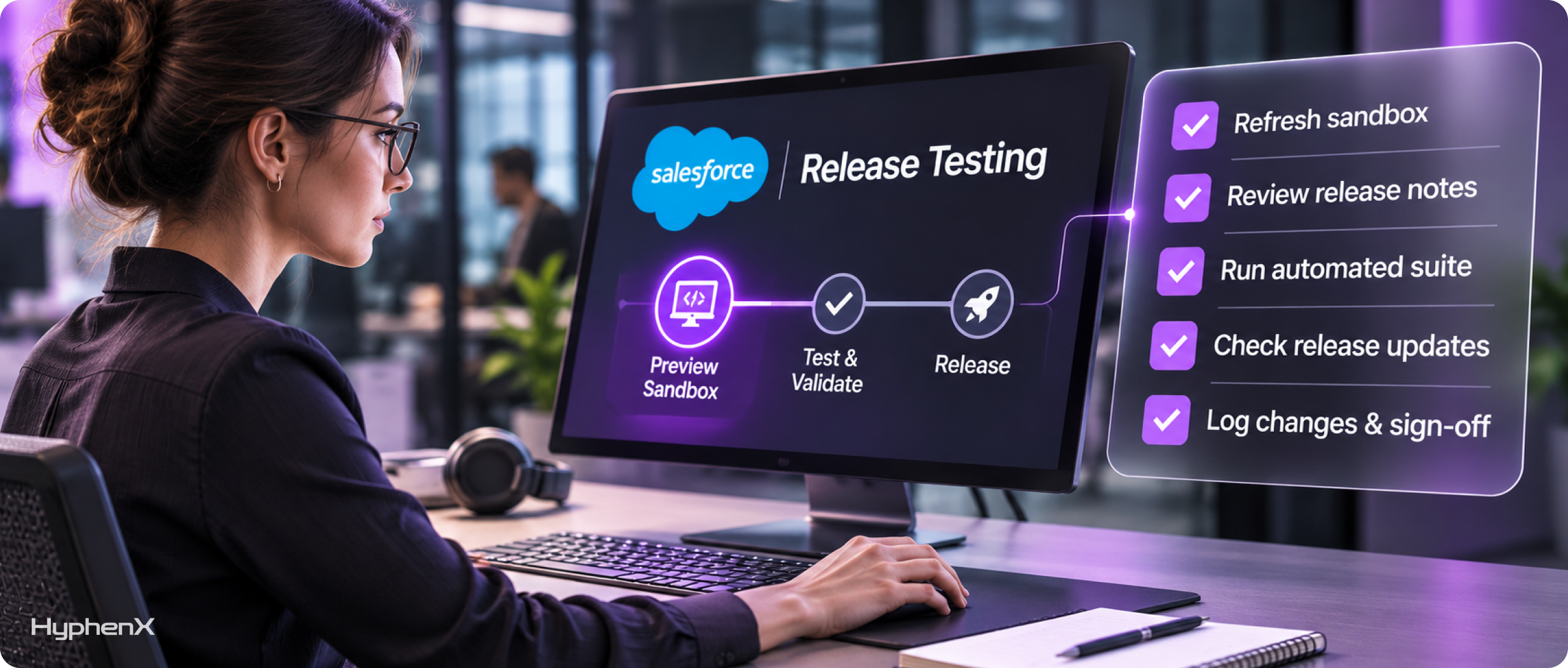
Salesforce ships 3 major releases a year. Each one arrives in preview sandboxes about a month before production. Use that window.
- Refresh or keep a sandbox on the preview instance before the preview date.
- Read the release notes for features that touch your top objects. Our Spring ’26 release checklist shows the format we use.
- Run your automated suite in the preview sandbox, then the manual checks for anything the suite doesn’t cover.
- Check release updates in Setup. Some get enforced on a set date whether you’ve tested them or not.
- Log what changed and who signed off.
Where testing fits in your release process
Tests only help if they run every time. Wire them into your deployment pipeline so Apex tests and flow tests run before anything reaches production.
Salesforce’s DevOps Center and third-party pipelines can both run tests as a deployment step. Our DevOps Center setup guide covers the governance side.
A worked example: a 3-person admin team
Picture a 250-user org with 3 admins, 1 developer, no QA team, and a release every 2 weeks. Testing today means the admin who built the change clicks through it once.
A realistic 90-day plan:
- Month 1: add assertions to the 20 Apex test classes with the weakest checks. Write flow tests for the 6 record-triggered flows on Opportunity.
- Month 2: script a UI smoke test of 10 everyday tasks (create lead, convert lead, create opportunity, add products, submit for approval, close won, create case, escalate case, close case, run the pipeline report).
- Month 3: run both suites automatically before every deployment and in the preview sandbox before each Salesforce release.
The target to track: production incidents caused by changes, per month. Set the baseline in week 1. Our case studies show the kind of cleanup work that usually comes before a test suite is worth building.
Frequently asked questions
What code coverage does Salesforce require?
Salesforce requires unit tests to cover at least 75% of your Apex code, and those tests must pass, before you can deploy to production. This applies to Apex only. Flow tests, UI tests and manual testing don’t count toward the 75%, so you need your own rules for testing declarative automation.
Can you automate testing of Salesforce flows?
Yes, for record-triggered flows, using Flow Builder’s tests. In 2026 Salesforce introduced Flow Test Mode as a beta for record-triggered and autolaunched flows, with a dedicated testing view and coverage information. Screen flows still need UI automation or manual testing.
What’s the best tool for Salesforce test automation?
It depends on the layer. Apex tests and Flow Builder tests are built in and free.
For UI testing, Salesforce maintains the open-source UTAM framework, and several commercial tools are built specifically for Salesforce’s Lightning pages. Pick based on who will maintain the tests: developers usually prefer code-based frameworks, and admin-led teams usually prefer low-code tools.
How should we test Salesforce releases?
Keep a sandbox on the preview instance about a month before each release reaches production. Run your automated tests there, manually check anything the suite doesn’t cover, review the release notes for your most-used objects, and check release updates in Setup. Log what you tested and who signed it off.
Get testing into your release routine
HyphenX builds test suites for Salesforce orgs and runs release testing as part of ongoing support. Talk to our Salesforce managed services team, or our Salesforce development services team if you need Apex tests rebuilt.