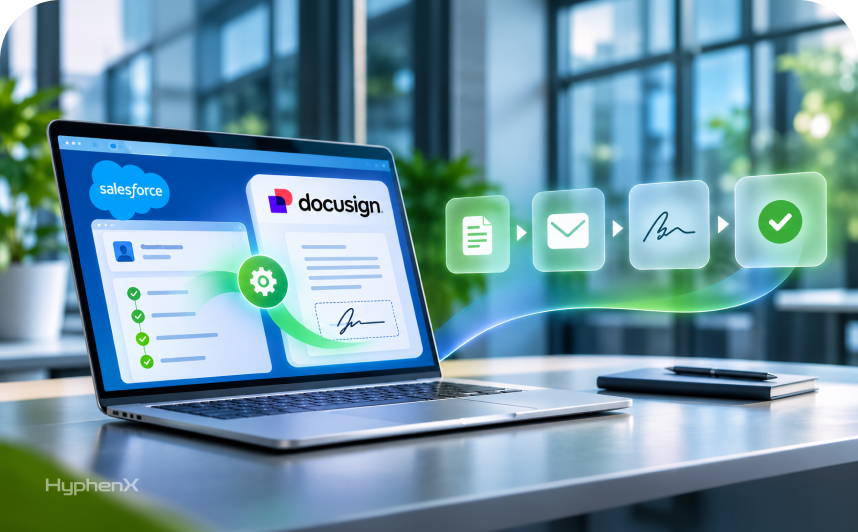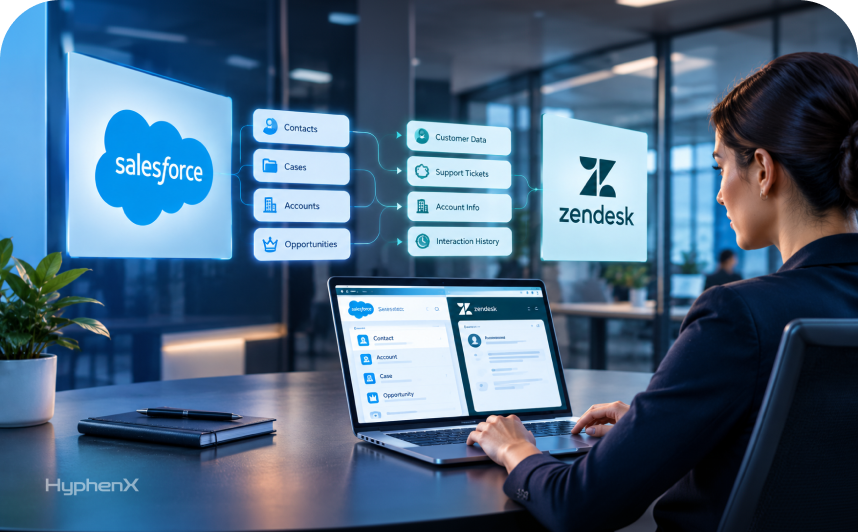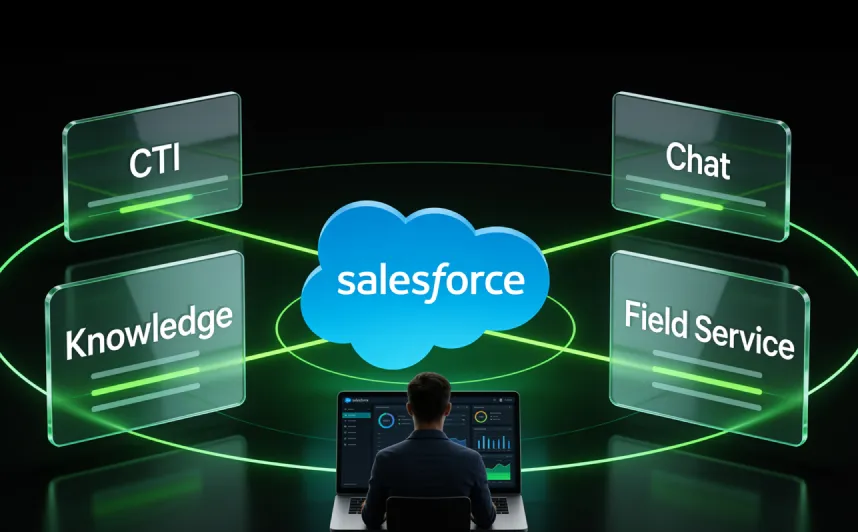

Salesforce retires Open CTI on February 28, 2028, and every phone integration built on it stops working after that date, according to Salesforce’s own Open CTI retirement notice. The legacy chat product many support teams ran on already lost support in February 2026. Those 2 dates sit on top of an older problem: your phone system, chat window, help articles and technician app each hold part of the same customer’s history, and Salesforce Service Cloud integrations are how that history lands on 1 case record.
Service leaders are connecting these channels now because Salesforce’s research ties successful AI rollouts to channel data on 1 platform, and Salesforce has retired or renamed several of the products involved since 2025. Omni-Channel routes calls, chats and messages by queue or skill, and a Salesforce CTI integration logs each call on the case.
HyphenX compiled these details from Salesforce’s documentation and research in October 2026 for teams planning a Service Cloud implementation.
What Each Service Cloud Integration Connects to the Case
Service Cloud is built around the case. Every integration a service team adds either writes a record that points to a case or feeds the case something a rep needs, so calls, chats, articles and site visits all meet in 1 place.
Meeting in 1 place only works when every channel agrees on the case model. When 2 channels disagree on required fields or record types, one of them either errors out or creates cases that reps have to clean up by hand. Settle that model before any of your Salesforce Service Cloud integrations goes live, because every channel added later inherits the same model.
Channel | Record It Creates | How It Reaches the Case |
|---|---|---|
Case, through Email-to-Case | Saves the email itself on the case record it creates | |
Phone, through Salesforce Voice | VoiceCall | Links to the caller’s contact and the related case |
Chat and messaging | MessagingSession | Points to the case through its Case ID field |
Knowledge | CaseArticle | Joins the article to the case the rep solves |
Field Service | WorkOrder and ServiceAppointment | Points back to the case through the Case field |
On-Demand Email-to-Case runs inside Salesforce with no outside system, so the outside work in most Salesforce Service Cloud integrations sits in the other 4 rows.
Why Service Teams Are Connecting Their Channels in 2026
Salesforce’s 7th State of Service report surveyed 6,500 service professionals in 40 countries in 2025, and these are its findings on connected channels:
- 1.4x: how much more likely teams with channel data on 1 platform are to rate an AI rollout very successful.
- 44%: of service leaders using AI say technology silos delayed or limited their AI plans.
- 88%: of service leaders are prioritizing technology integration to support their AI initiatives.
- 36%: of organizations running both voice and text AI have fully connected those 2 channels.
- 96%: of field service teams plan to use AI to pull up knowledge on the job.
Another 55% of organizations running both voice and text AI say the 2 are mostly connected, so 91% of that group has done at least part of the work. Field teams can only act on that 96% plan once Knowledge articles reach each technician’s phone. Connected records also set how much customer support automation can resolve on a case before a rep has to step in.
Salesforce Retirements and Renames Since 2025
Plenty of older advice on Salesforce Service Cloud integrations points to products that are retired or renamed. Service Cloud Voice is now Salesforce Voice, sold as part of Partner Contact Center, while Salesforce’s own built-in telephony is sold as Contact Center. Field Service Lightning is now Salesforce Field Service, and Salesforce help articles call Service Cloud orgs Agentforce Service orgs, the term its retirement notices use.
Salesforce’s Chat and Live Agent end of support notice documents 1 of the 8 dated changes since 2025 that affect how you integrate:
Date | Change | What It Means for You |
|---|---|---|
June 2025 | Messaging for In-App and Web starts its rename to Enhanced Chat | Salesforce docs and setup screens show both names |
October 2025 | Data Cloud becomes Data 360 | Agentforce Data Libraries for Knowledge run on Data 360 |
February 14, 2026 | Legacy Chat, formerly Live Agent, reaches end of support | Legacy Chat runs with no warranty or SLA until you move to Enhanced Chat |
February 16, 2026 | Open CTI becomes unavailable to newly created Agentforce Service orgs | New orgs start on Salesforce Voice |
Summer ’26 | Standard Omni-Channel retires | Eligible orgs were upgraded automatically, and users in orgs left on Standard can’t log in to Omni-Channel |
August 17, 2026 | Einstein Bots enter maintenance mode | Existing bots keep running, and new builds go to Agentforce |
September 2026 | Core, Advanced and Max editions launch | Voice, digital channel and Knowledge add-ons are now sold against these editions |
February 28, 2028 | Open CTI retires | Existing setups on the framework stop working |
How Omni-Channel Decides Who Gets Each Conversation
Omni-Channel, the routing engine under voice, chat and messaging, now runs as Enhanced Omni-Channel, which lets 1 skills setup route voice, chat, SMS and WhatsApp. Each rep has a set capacity, so new work stops arriving once that rep is full. Each work item follows 1 of 4 routing methods:
Queue-based routing: Work lands in a queue, and Omni-Channel hands it to the least active or most available rep in that queue.
Skills-based routing: Omni-Channel matches the skills a conversation needs, such as a language or product, to reps who have them.
Direct routing: An Omni-Channel flow sends the work straight to a named rep or an Agentforce agent, with no queue in between.
External routing: Your own routing engine or telephony partner makes the decision and passes it back to Salesforce through standard and streaming APIs.
Phones depend on this layer too, and Salesforce has you turn on Omni-Channel before you switch on Voice. Any Agentforce services rollout that puts an AI agent on chat or voice hands off to humans through the same layer. When an Agentforce Service Agent needs a person, an outbound Omni-Channel flow transfers the conversation with its history, and if that 1 transfer attempt fails, the agent picks the conversation back up.
What Happens to an Inbound Call in a Salesforce CTI Integration
CTI, short for computer telephony integration, puts your phone system inside Salesforce so reps take and log calls without leaving the case. With Salesforce Voice, an inbound call moves through 6 steps, and on the built-in Contact Center path, Salesforce itself is the telephony provider in step 1:
- The call reaches your telephony provider, whether that’s Amazon Connect or a partner such as Genesys or Five9.
- Omni-Channel, or your telephony partner’s own routing, sends the call to an available rep with the right skills.
- The rep answers in the softphone inside the Salesforce console, or picks up on a connected desk phone.
- Salesforce creates a VoiceCall record and links it to the caller’s contact and case, where the call stays on file.
- During the call, the transcript and call sentiment build on the record, and supervisors can listen in or barge in.
- Recording is paused while the customer reads out card details, and the rep then closes the call with after-call notes.
An older Salesforce CTI integration built on Open CTI covered step 3 through a vendor’s adapter and popped the caller’s record on screen, but its call records never landed on core Salesforce objects such as VoiceCall. Salesforce Voice keeps call records, recordings and transcripts inside Salesforce, where AI tools such as Agentforce can use them. Developers get a REST API and the Voice Toolkit API for custom console behavior, and Amazon Connect setups can run Lambda functions in their contact flows.
Moving From Open CTI to Service Cloud Voice: Which Path Fits Your Team?
Salesforce offers 4 ways to put Salesforce Voice or its built-in Contact Center telephony behind your service console, and all 4 connect to Omni-Channel. The choice comes down to who runs the telephony network and the phone numbers behind your Salesforce CTI integration. The 2 Amazon Connect paths differ in whose AWS account runs the instance and in billing, since the Salesforce-provisioned path bundles a set number of minutes each month.
Path | Who Runs Telephony | Best Fit |
|---|---|---|
Partner Contact Center with a telephony partner | Your existing vendor, such as Genesys, Cisco, Five9 or Talkdesk | Teams with a contact center contract they want to keep |
Partner Contact Center with your own Amazon Connect | You, on an Amazon Connect instance you already manage | Teams with AWS skills and a working Connect setup |
Partner Contact Center with Amazon Connect from Salesforce | Salesforce, on an Amazon Connect setup it provisions for you | Teams that want bundled minutes and less telephony admin |
Contact Center | Salesforce, with built-in telephony | Teams that want 1 vendor for CRM and phones |
The migration has 1 hard rule: a rep belongs to 1 contact center at a time. Salesforce’s migration guide keeps Open CTI live in production while a separate rep group runs Voice in a sandbox on real call volume. Pick a group with few transfers and simple IVR branches, so the test shows how Voice behaves before you rebuild your hardest call flows.
Keep the old CTI package installed after go-live. If cutover goes wrong, you can move reps back to their old call center in 15 to 30 minutes with no data loss. Salesforce also says to wait at least 30 days before removing the old package, and its voice migration path guide covers the setup for each path.
What Enhanced Chat Changes for Teams Leaving Live Agent
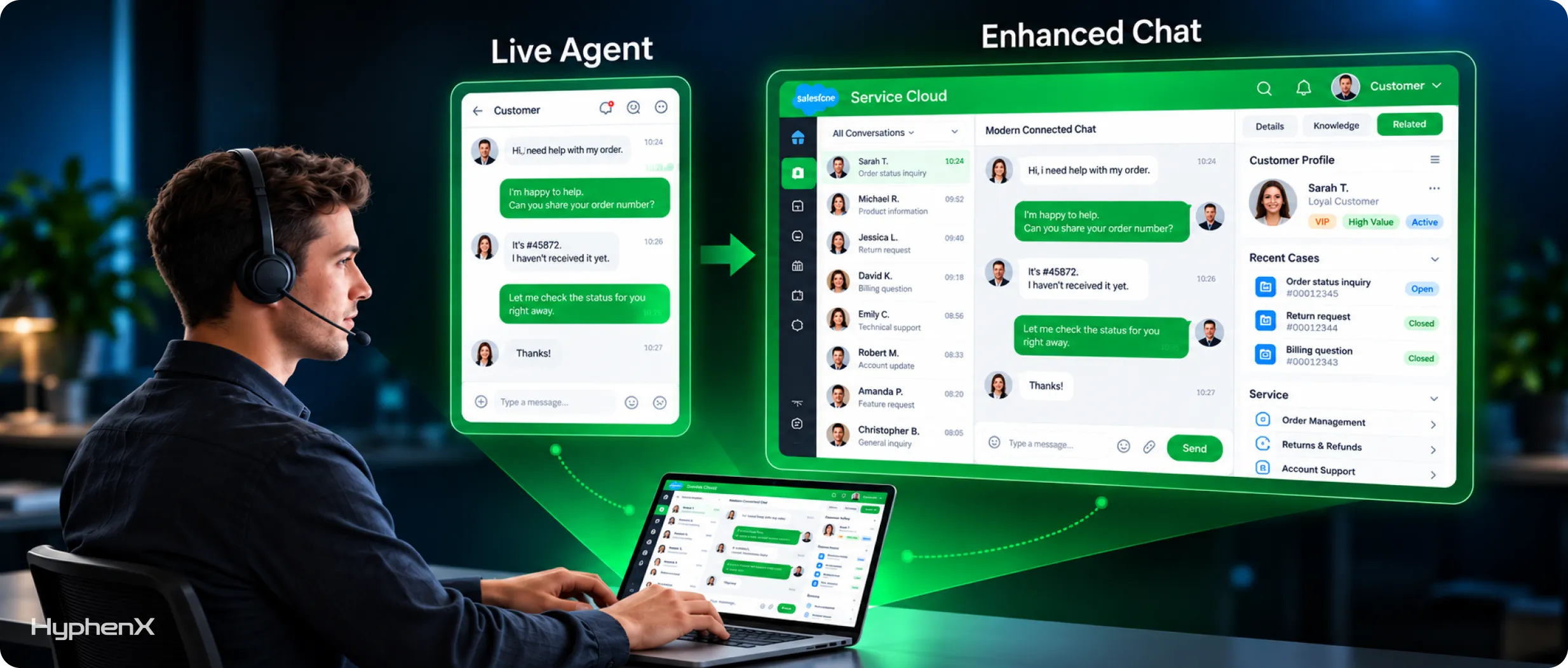
Enhanced Chat replaces Legacy Chat, the product many teams still call Live Agent, and the move changes what reps and customers see. Enhanced Chat comes in 2 versions, Enhanced Chat for Web and Enhanced Chat for In-App, and some features only exist in the in-app version. Each feature that doesn’t carry over needs its own decision before cutover.
What Enhanced Chat Adds
Verified customers keep a persistent conversation history, so they can leave and come back to the same thread and chat asynchronously across devices. Enhanced Chat supports AI agents, outbound file attachments and read receipts, and reps who join mid-conversation get a catch-up summary. Business hours and estimated wait times are built in, and in the in-app version only, automated messages can reach customers before they ask for help.
What You Lose From Legacy Chat
Queue position, IP blocking, sneak peek and chat invitations don’t carry over. If you used IP blocking to stop spam, plan another control before cutover, and tell reps who relied on sneak peek that they’ll now see each message only after it’s sent. Check Salesforce’s full comparison of Enhanced Chat and legacy Chat for any feature your current workflows depend on.
Which Channels You Can Add
The same setup handles WhatsApp, SMS, Facebook Messenger, Apple Messages for Business and LINE, plus your own channels through Bring Your Own Channel. WhatsApp has 1 extra rule: a message your business starts needs an approved WhatsApp template, and the conversation opens once the customer replies. Each channel can be assigned its own Omni-Channel flow, so WhatsApp conversations can go to a different queue than web chat.
Can One Knowledge Base Serve Every Channel?
It can, because every channel reads from the same article records. Lightning Knowledge stores articles as records with record types and controls who sees them through data categories. Each article moves through draft, published and archived versions, and data categories need planning first, because Knowledge can’t be turned off once it’s on.
- In the service console, article recommendations learn from the articles reps attached to past cases, so attaching articles improves the suggestions.
- In a help center, guests see articles once you grant read access on an Experience Cloud site and give each article a topic for search.
- On a technician’s phone, articles attached to work orders, work order line items and work types open inside the Field Service mobile app.
- In AI answers, the Agentforce action Answer Questions with Knowledge draws only on articles the asking user has permission to see.
Data 360 has to be active before you can create the Agentforce Data Library that grounds AI answers in your articles. A Data 360 connector for Confluence, with matching connectors for Google Drive and SharePoint, brings in content that lives outside Salesforce. Anyone who writes or edits articles needs a Knowledge User license, and Salesforce lists Knowledge creation as a paid add-on on Core and Advanced.
Turning a Case Into a Salesforce Field Service Visit
Salesforce Field Service takes over from the case at the point where a problem needs someone on site. The handoff runs through 4 records in the Field Service objects in this order: Case, Work Order, Service Appointment and Assigned Resource. Without a service appointment, the job never appears on the dispatcher’s schedule.
Your team creates the work order from the Work Orders related list on the case. Line items split the job into tasks, Products Required records list the parts and the service appointment holds the time window. In the Dispatcher Console, the dispatcher works from the appointment list, Gantt chart and map, then assigns a service resource whose skills and territory fit the job.
Working in the Field Service mobile app, which runs offline once it’s synced, the technician logs the products consumed and sets the work order to Completed. Existing Service Cloud customers need at least 1 Dispatcher license, and staff who also work cases need Field Service Plus, because Dispatcher and Technician licenses exclude case management. If parts live in an ERP, plan that ERP integration early, because technicians need accurate stock levels before they drive out.
Ways to Connect Service Cloud to Billing, ERP and ITSM Systems
Billing, order status, ITSM tickets and ERP data reach Service Cloud through 5 groups of Salesforce tools, and Salesforce’s documented integration patterns show which tool fits each job, with complex cross-system orchestration placed in a middleware layer such as MuleSoft. Decide first which system owns each field, because the right tool for each Service Cloud connection follows directly from that field ownership map. A single case often needs 2 of these tools, such as an API call for order status and Change Data Capture for reporting.
1. REST, SOAP and Bulk APIs
REST and SOAP handle record-level reads and writes, such as pulling order status onto a case. Give each outside system its own integration user and credentials, so you can scope and revoke its access without touching anything else. The Bulk API moves large volumes, such as historical cases, and calls from all 3 APIs count against your org’s daily API allocation.
2. Platform Events and the Pub/Sub API
Platform events fit when another system needs to react the moment something happens in Service Cloud, or the reverse. A platform event can tell a billing system that a case closed with a refund approved. Event messages are kept for 72 hours, so a subscriber that goes offline can replay what it missed with a replay ID.
3. Change Data Capture
Change Data Capture publishes near-real-time change events when a Salesforce record is created, updated, deleted or undeleted. Each event carries header fields and record fields, so a data warehouse or ERP can update its own copy without polling. It suits reporting jobs such as tracking case volume by channel outside Salesforce.
4. Salesforce Connect and External Services
Salesforce Connect shows data that lives elsewhere, such as order history, inside Salesforce in real time without copying it in. Use it when the outside system has to stay the source of truth. External Services handles calls out of Salesforce: it turns an outside API described in OpenAPI into actions your flows can call.
5. MuleSoft
MuleSoft sits between many systems at once, which matters when 1 case touches both billing and an ITSM tool. The MuleSoft Accelerator for Salesforce Service Cloud on Anypoint Exchange connects cases to ServiceNow, Jira and an order management system. MuleSoft integration fits once point-to-point APIs multiply, because each new system otherwise needs its own connection to every other one.
What a Connected Service Stack Costs at List Price
Phones, messaging and field service each add a license line on top of the base edition. These are Salesforce’s published Service Cloud list prices and add-on prices in US dollars per user per month, billed annually, as of October 2026. Editions differ in included channels and features as well as price, so compare what each Service Cloud edition includes before you pick one.
License | What It Covers | List Price |
|---|---|---|
Service Cloud Core | Base service edition for each rep | $195 |
Partner Contact Center | Salesforce Voice with your own telephony partner | $50 |
Partner Contact Center with Amazon Connect | Voice with 750, 2,000 or 5,000 minutes a month | $75, $125 or $200 |
Contact Center | Built-in voice with unlimited platform voice minutes | $125 |
Contact Center Digital | Enhanced Chat, SMS, WhatsApp and other messaging channels | $75 |
Field Service Dispatcher | Scheduling and dispatch | $175 |
Field Service Technician | Mobile app for field workers | $175 |
Field Service Plus | Field work plus case management | $230 |
Contractor Plus | Outside contractors | $80 per user or $32 per login |
To see how those lines stack up, we modeled a sample team: 25 reps on Core with Partner Contact Center and Contact Center Digital, plus 1 dispatcher and 8 technicians. Salesforce Field Service lines use the Enterprise Edition list price. Figures in guides written before the Core, Advanced and Max editions launched won’t match these, and any contract discount you negotiate comes off them.
Line | Calculation | Monthly | Share of Total |
|---|---|---|---|
Service Cloud Core | 25 × $195 | $4,875 | 50.9% |
Contact Center Digital | 25 × $75 | $1,875 | 19.6% |
Field Service Dispatcher and Technicians | 9 × $175 | $1,575 | 16.4% |
Partner Contact Center | 25 × $50 | $1,250 | 13.1% |
Total | $9,575 | 100% |
That’s $114,900 a year at list, and half of it is the base edition. It leaves out 4 costs: telephony vendor fees, partner-licensed transcription, Knowledge add-ons and implementation, which scales with how many channels and systems you connect. Swap Partner Contact Center for the $125 Contact Center and the voice line rises from $1,250 to $3,125 a month, and you drop the separate telephony vendor bill.
A Phased Launch Checklist for Salesforce Service Cloud Integrations
Phase 1 comes first because voice, chat and field work all build on the case model. Treat every box as pass or fail before you call a phase done, and get sign-off from the team that owns each channel.
Phase 1: Foundation
☐Case record types, statuses and required fields agreed with every channel owner
☐Enhanced Omni-Channel queues, skills and rep capacity configured and tested
☐Knowledge data categories and article record types planned before writing starts
☐Email-to-Case addresses mapped to the right queues and record types
Phase 2: Voice Cutover
☐Voice path chosen and transcription licensing confirmed with your telephony partner
☐Pilot rep group tested on Voice in a sandbox with real call volume
☐Rollback to the old call center rehearsed with the pilot group
☐Old CTI package kept installed for at least 30 days after the Voice cutover
Phase 3: Digital Channels and Field Service
☐Messaging channels and their Omni-Channel flows tested end to end
☐Workflows that relied on queue position or IP blocking rebuilt
☐Help center articles checked as a guest user, with topics assigned
☐Dispatcher Console tested against real service territories and operating hours
Phase 4: Security and AI
☐Voice path checked against the Business Associate Addendum if calls involve patient data
☐The addendum’s data masking requirement reviewed for each Agentforce workflow with patient data
☐Card security codes kept out of recordings under PCI SSC telephone payment guidance
☐Remaining Einstein Bots converted to Agentforce with the Upgrade Agent tool
Run Phase 1 sign-off as a single meeting with every channel owner present, so field and status decisions get settled once and every owner hears the same answer. Our write-up on why Salesforce integrations fail covers the patterns that cause rework. Phases 2 and 3 can run at the same time when separate teams own voice and digital channels, and the same phase order holds for an in-house build team or for a team using outside Salesforce implementation services.
Which Numbers Show Your Integrations Are Working?
Once channels are live, track 6 numbers that each tie back to 1 of the channel integrations your team built. Pull the same numbers for the month before each cutover, because without a baseline you can’t show that a change helped.
First contact resolution: Shows whether reps had the full customer history when they picked up. Track it in case reports, split by channel.
Transfers after first assignment: Show whether routing reached the right rep the first time. Track them in a custom report on transferred work, by queue.
Handle time on calls: Shows whether the Voice setup slows reps down. Track it in Voice real-time metrics and VoiceCall reports, by week.
Wait time before pickup: Shows whether queues and rep capacity match demand. Watch it in Command Center for Service, by hour.
Article use on cases: Shows whether Knowledge reaches reps during real work. Track it in case and Knowledge reports, by article.
First-time fix rate: Shows whether technicians arrive with the right parts and articles. Track it in work order reports, by territory.
Review the 6 numbers monthly for the first quarter after launch. If transfers climb after a voice cutover, check the Omni-Channel routing rules first. Decide before launch who owns that tuning, whether it’s your admins or an ongoing managed services team.
Integration Specialists for Every Service Channel
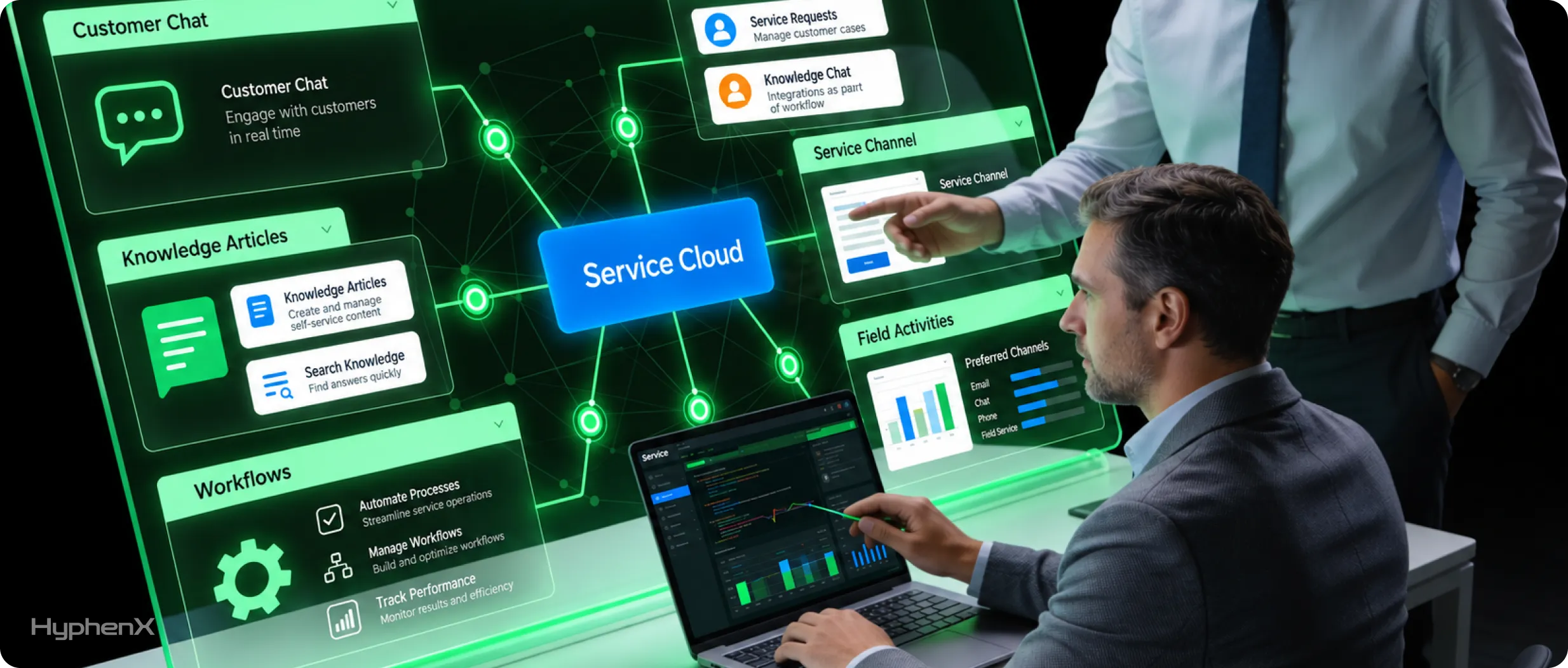
Voice, chat, Knowledge, Field Service and ERP connections each come with their own vendor, license and retirement date. HyphenX Solutions has 250+ Salesforce professionals, including integration architects, MuleSoft developers and Service Cloud consultants who plan moves such as Open CTI to Salesforce Voice and Live Agent to Enhanced Chat. One team owns the case model every channel writes to. Get to know us.
HyphenX Case Study: Connecting Outside Data Tools to Salesforce Through APIs
If you want to see these integration tools at work in a live Salesforce org, look at this HyphenX project, which used the same API pattern that Salesforce Service Cloud integrations rely on for billing, order or ERP data. The project ran on Sales Cloud, where 1 Salesforce action pulls data from 3 outside tools and writes lead, contact and account records.
B2B SaaS Company: From Swivel-Chair Prospecting to Single-Click Pipeline
A B2B SaaS company ran outbound sales on Salesforce Sales Cloud while its reps pulled contacts from Apollo, Lusha and Hunter, none of which connected to Salesforce; reps copied data by hand, which led to duplicate records, rising email bounce rates and forecasts leadership didn’t fully trust. HyphenX connected all 3 tools through their APIs and orchestrated them inside Salesforce behind a single action on Lead, Contact and Account records. Each run checks for duplicates in real time, verifies emails through Hunter before any write, follows a field-level source-of-truth policy and logs a per-record enrichment audit trail.
Key takeaway: Decide which system owns each field and check every record before it’s written, because a Service Cloud integration that lets billing, order or ERP data write to cases needs those same controls from its first day live.
Read the full case study: From Swivel-Chair Prospecting to Single-Click Pipeline
Frequently Asked Questions
What is a Salesforce CTI integration?
It connects your phone system to Salesforce so reps answer, place and log calls inside the console. With Salesforce Voice, each call becomes a VoiceCall record linked to the customer and the case. New builds run on Salesforce Voice, because Salesforce is retiring the older Open CTI framework and has named Voice as its replacement.
When does Open CTI stop working?
February 28, 2028. Existing implementations stop working after that date, and the framework has been unavailable to newly created Agentforce Service orgs since February 16, 2026. It sits in maintenance mode until then, so it gets no new features or improvements while you plan the move.
Is Service Cloud Voice the same as Salesforce Voice?
Yes. Salesforce renamed Service Cloud Voice to Salesforce Voice, and the version that works with telephony providers is now part of Partner Contact Center. Older names such as Salesforce Voice with Amazon Connect still show up in apps and documentation, so search with both names when you troubleshoot a setup.
Can Open CTI and Salesforce Voice run at the same time?
Yes, during a migration, and each rep belongs to exactly 1 contact center at a time. Because the old CTI package stays installed during the move, Salesforce says reps can be moved back to their old call center in 15 to 30 minutes. Salesforce’s plan runs the pilot group in a sandbox while everyone else stays on the old setup in production.
Do I have to use Amazon Connect with Salesforce Voice?
No. You can keep a telephony partner through Partner Contact Center, and Salesforce names Genesys, Cisco, Five9 and Talkdesk among them. You can also connect an Amazon Connect instance you already run, let Salesforce provision one through a managed AWS account or use Salesforce’s built-in Contact Center.
Does Partner Contact Center include call transcription?
No. Salesforce’s pricing page says voice-to-text transcription has to be licensed from your telephony partner, so get that price from your vendor before you sign. Once it’s licensed, transcripts show up on the call record next to call sentiment, where supervisors and reps can review them.
What replaced Salesforce Live Agent chat?
Enhanced Chat, which Salesforce first called Messaging for In-App and Web. Legacy Chat reached end of support on February 14, 2026, and now runs with no warranty or SLA. Enhanced Chat is part of Salesforce’s wider messaging setup, so the same configuration also covers SMS and WhatsApp.
Do Einstein Bots still work?
Yes. Einstein Bots entered maintenance mode on August 17, 2026, so existing bots keep running and get no new features. Salesforce’s Upgrade Agent tool creates an Agentforce Service Agent from an existing bot and leaves the original bot in place, so you can test the new agent before you switch any live channel over to it.
Which messaging channels can Service Cloud handle?
Web and in-app chat, SMS, WhatsApp, Facebook Messenger, Apple Messages for Business and LINE, plus custom channels through Bring Your Own Channel. Salesforce sells them as Contact Center Digital at $75 per user per month. Max includes digital channels, and Advanced includes web chat with other channels available for purchase.
Is Salesforce Knowledge included in every Service Cloud edition?
No, because Knowledge creation is a paid add-on on Core and Advanced, according to Salesforce’s pricing page. Anyone who does more than read articles also needs a Knowledge User license. Confirm the Knowledge terms in your contract before you plan article authoring, because the number of people who write articles drives that cost.
What does an AI agent need to answer from Knowledge?
You need 3 things: Data 360 turned on, an Agentforce Data Library that indexes your articles and the Answer Questions with Knowledge action on the agent. The agent only uses articles the asking user can access, so article permissions shape what it can answer.
Is Field Service part of Service Cloud?
Salesforce Field Service is a separate product that runs on top of Service Cloud. It needs at least 1 Service Cloud user license in the org, and existing Service Cloud customers need at least 1 Dispatcher license. Field Service Plus is the license that covers both field work and case management, which suits staff who split each day between site visits and cases.
Can technicians read Knowledge articles in the Field Service mobile app?
Yes. Articles can be attached to work orders, work order line items and work types, and technicians open them from the work order in the app. On Android, the Knowledge action doesn’t appear on the work order overview screen, so test where technicians will open articles on each device type before rollout.
Is call recording in Salesforce HIPAA and PCI compliant?
It can be. Salesforce’s Business Associate Addendum covers Salesforce Voice only on Salesforce first-party infrastructure and Hyperforce, and any partner telephony has to meet HIPAA on its own. For card payments, PCI guidance bars storing card security codes after authorization, even encrypted, and favors automated pause and resume over manual pausing by reps.
Do Salesforce Service Cloud integrations need Omni-Channel?
For voice and messaging, yes. Salesforce has you turn on Omni-Channel before Voice, and Standard Omni-Channel retired in Summer ’26, so new setups run on Enhanced Omni-Channel. Routing email cases through Omni-Channel too keeps all incoming work in 1 system with 1 set of capacity rules.