
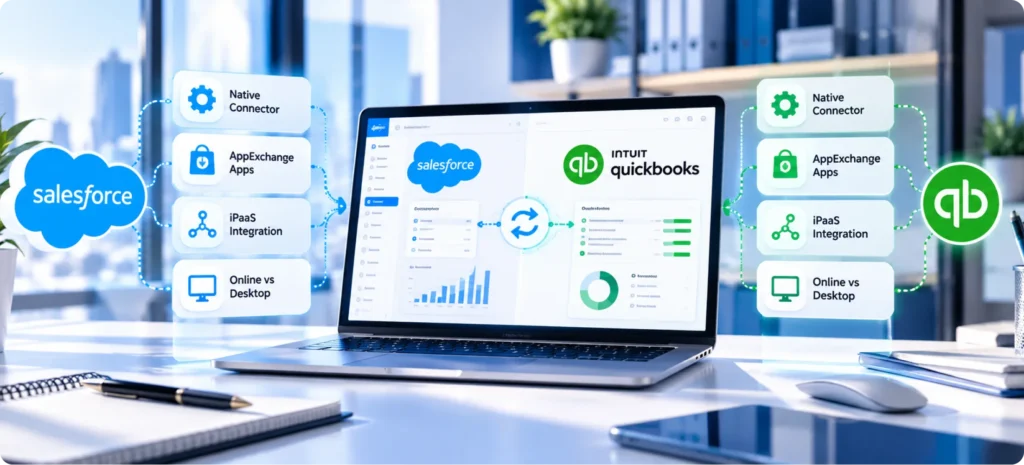

If you’ve searched for a Salesforce QuickBooks connector, you’ve probably noticed the choices don’t line up neatly. Intuit’s own Salesforce connector quietly left the QuickBooks App Store in late 2023, and Intuit never said why. What’s left is a mix of 5 routes: Intuit’s reporting link, MuleSoft, which is Salesforce’s own integration software, apps from AppExchange, which is Salesforce’s app marketplace, integration platforms and a custom build on QuickBooks’ API. Each one handles QuickBooks Online and QuickBooks Desktop differently, so we’ll sort them by what you actually run.
“Native” now means 3 different things depending on who’s saying it. QuickBooks Online connects over the internet, but Desktop needs a computer left running. Desktop 2024 has no end date, while the 2023 versions were discontinued after May 31, 2026. We also went through 11 AppExchange apps and 10 integration platforms using their own listings and documentation. Only 5 of the apps and 4 of the platforms work with Desktop, most apps charge per QuickBooks company, and Intuit now caps how much data a custom-built app can read from QuickBooks Online for free.
If you already run both systems, the 4 problems worth planning for are duplicate customer names, custom field limits, tax settings and syncs that fail quietly. Newer to the topic? Our practical guide to Salesforce QuickBooks integration covers the basics. HyphenX Solutions builds Salesforce QuickBooks integrations on the QuickBooks Online side. Every finding is dated October 20, 2026, so you can judge how current it is.
What “Native” Means for a Salesforce QuickBooks Connector
A Salesforce QuickBooks connector is any tool that moves records between the 2 systems, like turning a closed deal into a QuickBooks invoice or sending payment status back to sales. You’ll hear the word “native” a lot, and it gets stretched across 3 very different kinds of connector, plus 1 that no longer exists. Once you know which kind a vendor means, you know who supports it and what to expect from it.
- Intuit-built. Intuit’s CRM insights feature, officially called Connect your CRM app to get sales insights, works only on QuickBooks Online Advanced and Intuit Enterprise Suite, which is Intuit’s cloud product for businesses with several entities, meaning separate business units. It refreshes every hour from Salesforce, HubSpot or Monday.com, and data flows one way, from your CRM into QuickBooks. That makes it a reporting tool for numbers like win rate and pipeline value, shown next to your financials, and it doesn’t create invoices.
- Salesforce-built. Salesforce’s QuickBooks integrations page names MuleSoft as the recommended solution for QuickBooks integrations. In practice that means MuleSoft Composer, MuleSoft for Flow or MuleSoft Anypoint, and all 3 connect to QuickBooks Online.
- AppExchange-listed. These are third-party apps sold on AppExchange, Salesforce’s app marketplace. Some of their makers call them native, but Salesforce doesn’t build them, so support and pricing come from each vendor. We checked 11 of them in October 2026.
- No longer available. According to older Intuit community posts and trade press, Intuit’s “Salesforce Connector by QuickBooks” came with QuickBooks Online Advanced and turned closed Salesforce opportunities into draft invoices. It disappeared from the QuickBooks App Store in late 2023, and Intuit never gave a public reason.
Why Connect Salesforce and QuickBooks
Without a connector, someone retypes every closed deal into QuickBooks as a customer and an invoice, then updates Salesforce by hand once the money lands. It’s slow, and every retyped name or amount is another chance for the 2 systems to disagree. Two surveys show how common disconnected tools are, and what connecting them can mean.
Finding | Source | What it shows |
|---|---|---|
957 apps, 27% connected | 2026 Connectivity Benchmark from MuleSoft, a company that sells integration tools, based on a survey of 1,050 IT leaders | The average organization runs 957 apps, and only 27% of them are connected to each other |
66% vs 32% | Salesforce’s research on small and midsize businesses, based on 3,350 leaders | Growing small and midsize businesses were about twice as likely as declining ones to have a connected tech stack |
The second number is a correlation, since growing companies may also have more budget for tools. A sensible first step is one automation: closed deal to customer to invoice, with payment status going back to sales, so finance and sales both see the same status without a spreadsheet in between. It removes the retyping described above and gives you something small to test before you connect anything else.
QuickBooks Online vs Desktop for Salesforce Integration
If you use QuickBooks Online, connectors built for it reach QuickBooks over the internet through Intuit’s API, which is how apps read and write QuickBooks data. QuickBooks Desktop is installed on a computer and has no such door online. Connectors reach it through the QuickBooks Web Connector, a small Windows program on the same computer or local network that checks in on a schedule, or through a helper program installed next to QuickBooks.
QuickBooks Online | QuickBooks Desktop | |
|---|---|---|
Where it runs | Intuit’s cloud | A computer you own and maintain |
How connectors reach it | Over the internet, through Intuit’s API | Through the Web Connector or a helper program |
When data moves | Whenever the connector asks, and QuickBooks can send change notifications | When the Web Connector or helper program runs its scheduled check-in |
Does a computer need to stay on? | No | Yes, the one running QuickBooks |
Intuit Enterprise Suite behaves like QuickBooks Online here. Intuit says the QuickBooks Online APIs work out of the box for it, though each entity needs its own connection.
Is a QuickBooks Desktop Salesforce Integration Still Worth It
It can be, if you run Desktop Enterprise or Desktop 2024. Intuit stopped selling Desktop Pro Plus, Premier Plus and Mac Plus to new US subscribers after September 30, 2024. Existing Pro Plus, Premier Plus and Mac Plus subscribers can keep renewing, and Desktop Enterprise wasn’t affected.
The 2023 versions, including Enterprise 23.0, were discontinued after May 31, 2026, and add-on services like online banking, payroll and payments stopped for them. If you’re on a 2023 version, plan the upgrade before the connector project. Intuit’s page for Desktop 2024 now says the version “won’t be discontinued in May 2027” and has no sunset deadline, as Intuit moves away from its old 3-year cycle.
Desktop Enterprise is still on sale in Silver, Gold, Platinum and Diamond editions as of October 2026. Any Desktop setup needs software running next to QuickBooks, so plan for that computer and its upkeep as part of the project. One upside: Intuit’s newer data-read fees apply to QuickBooks Online only, so a Desktop connection isn’t affected by them.
Salesforce’s Own Route: MuleSoft Composer, MuleSoft for Flow and Anypoint
Salesforce points QuickBooks customers to MuleSoft, which has 3 routes into QuickBooks for very different budgets and teams. They differ in which Salesforce editions they run on and how usage is billed.
MuleSoft Composer
Composer works with QuickBooks Online only. It can start a flow when an invoice, customer, item or estimate is created or updated, and it can create, update, get and query those same records. By default, it checks QuickBooks for changes every 15 seconds, and it reaches only the first 3 text custom fields in QuickBooks.
It needs its own license on top of Salesforce and runs only on Enterprise, Unlimited or Performance editions. Usage is billed in credits, each task using up a set number of them, and Salesforce doesn’t publish a list price. Each connection is private to the person who sets it up, so decide up front who owns it.
MuleSoft for Flow: Integration
Salesforce’s old Composer product page now redirects here. It works inside Salesforce Flow, the point-and-click automation tool, and added full support for QuickBooks custom fields in November 2025. Since May 13, 2026, it also has ready-made QuickBooks Online templates for opportunity to invoice, customer sync, payments back to Salesforce and product sync.
Starter and Pro Suites include 2 connections and 2 flows, per Salesforce’s Integration Basics for Salesforce Suites page. Starter Suite allows up to 2,500 flow runs a month and Pro Suite up to 5,000, and going past those limits means upgrading to Enterprise Edition or higher and adding MuleSoft. Our guide to MuleSoft integration services covers the bigger picture.
MuleSoft Anypoint
Anypoint is built for companies connecting many systems, and it’s sold in annual packages at the enterprise end of the market. It has a QuickBooks Online connector, while QuickBooks Desktop support exists only as an old community-built connector. It fits best once QuickBooks is one of many systems you’re connecting.
AppExchange Connectors We Checked for QuickBooks

On October 20, 2026, we went through 11 dedicated Salesforce QuickBooks connector listings on AppExchange ourselves, including the 2 with the most reviews.
App | QuickBooks Online | QuickBooks Desktop | How it’s priced | Rating and Reviews |
|---|---|---|---|---|
DBSync | Yes | Yes, through the Web Connector | Free limited version; no public price for the Salesforce-QuickBooks product | 4.7 from 535 reviews |
Breadwinner | Yes | No | Paid; billing details on the vendor’s site | 4.99 from 109 reviews |
InterWeave | Yes | Yes | Yearly, per QuickBooks company | 4.49 from 47 reviews |
SyncQ | Yes | No | Monthly rate per QuickBooks company, billed annually | 4.87 from 31 reviews |
QB Sync Made Easy | Yes | Yes | Free basic version; paid Pro plan per Salesforce account | 4.97 from 31 reviews |
Tally | Yes | No | Yearly, per QuickBooks company, plus a one-time install on the vendor’s site | 5.0 from 21 reviews |
Accord Sync | Yes | No | Yearly, per QuickBooks company | 5.0 from 10 reviews |
Commercient SYNC | Yes | Yes | Monthly, per instance | 5.0 from 8 reviews |
Apphesive | Yes | No | Monthly, per QuickBooks company | 5.0 from 2 reviews |
ConnectJunction | Yes | Yes | Monthly, per QuickBooks company, in several plans | 5.0 from 2 reviews |
QuickBooks Connect by Cloud Maven | Yes | No | Monthly, per QuickBooks company | 5.0 from 1 review |
Ratings and review counts as shown on each listing on October 20, 2026. Pricing changes often, so confirm details with the vendor.
The biggest split is Desktop support. 5 of the 11 apps support QuickBooks Desktop, and the other 6 are Online only. Per-company pricing is common too: 7 of the 11 charge per connected QuickBooks company, and DBSync and QB Sync Made Easy both list a free, limited tier.
Reviews are lopsided, so read them with care. Of 797 reviews in total, 644 belong to the top 2 apps, which is about 81%, and 4 of the 11 have fewer than 10 reviews, so a perfect 5.0 can rest on 1 or 2 opinions.
Listings and vendor sites don’t always match. Tally’s listed price differed from the vendor’s own site, and Commercient’s QuickBooks page on its own site returned an error, so confirm the current price and what it covers with the vendor before you budget.
iPaaS Platforms and How Each One Handles QuickBooks
An iPaaS, short for integration platform as a service, is a middle layer that moves data between many apps based on rules you set. It makes sense when QuickBooks is one of several systems you’re connecting, such as a CRM, a billing tool and a support desk. We checked these 10 against their own documentation on October 20, 2026.
Platform | QuickBooks Online | QuickBooks Desktop | Pricing |
|---|---|---|---|
Boomi | Yes | Yes, through a small program on the QuickBooks computer | Pay-as-you-go plan plus usage |
Jitterbit | Yes | Yes, through a helper program on the QuickBooks machine | Not published |
Skyvia | Yes | Yes, through a helper program on the same PC | Monthly and yearly plans are published |
Informatica | No, its QuickBooks connector excludes Online | Yes, on your own servers | Not published |
Workato | Yes | No, Workato states it doesn’t support Desktop | Not published |
Zapier | Yes, as a Premium app | No, Zapier states Desktop isn’t supported | Plans are published |
Make | Yes | No Desktop app found | Not verified |
Tray.ai | Yes | No mention of Desktop found | Not published |
Celigo | No prebuilt connector; QuickBooks templates run over a general web connection | No | Not published |
SnapLogic | No QuickBooks connector found | No QuickBooks connector found | Not published |
7 of the 10 have a prebuilt QuickBooks Online connector, and 4 handle Desktop, each one needing software beside QuickBooks. If QuickBooks is your only connection, a platform in the middle may be more than you need. Check each platform’s own page before you shortlist it, since platform details and pricing change often, and the vendor’s own page is the source to trust before you commit to a shortlist.
When to Build Your Own Connector
A custom build fits when ready-made tools can’t handle your records or your process and someone on your side or your partner’s can own it long term, since you’ll own every fix and update whenever Intuit or Salesforce changes something. Custom fields need care here: QuickBooks’ standard API stops at the first 3 text fields, and going past that needs Intuit’s premium custom field tools, which are open only to its paid partner tiers. If that sounds like you, a custom build follows these steps:
- Check your Salesforce edition. This comes first because it decides what you can build. Custom connections need API access, which is the way outside software talks to Salesforce, and it comes with Enterprise, Unlimited and Performance and is a paid add-on on Professional and Pro Suite.
- Register an app with Intuit. Your app gets its own connection to QuickBooks Online, and you’ll need to keep that connection renewed.
- Store the login safely in Salesforce. Salesforce’s named credentials, a secure place for logins, keep the QuickBooks connection details out of your code.
- Pick Flow or Apex. Admins can use Flow HTTP Callout, a point-and-click Flow feature for calling outside systems, to reach QuickBooks without code. Developers write Apex, Salesforce’s programming language, for heavier logic, though a single Apex transaction is capped at 100 outside calls. Our Flow vs Apex decision framework helps you choose.
- Stay inside QuickBooks’ speed limits. QuickBooks Online accepts up to 500 requests a minute per company and 10 a second per company for each app, and it asks apps to wait a minute when they go over. A single query returns at most 1,000 records, so larger pulls need to be split up.
- Let QuickBooks send change notifications. QuickBooks can notify your app when records change, and Intuit doesn’t meter the notifications themselves. Your app then pulls data only when something changed. QuickBooks expects your app to acknowledge each notification within 3 seconds, and its change tracking covers the last 30 days, so a missed notification can still be caught up.
What a Salesforce QuickBooks Connector Costs: Example Scenarios

We’ve left exact prices out on purpose, since they shift often. Costs come from 5 layers, and the first table lists them. One term to know: a “read” is any request that pulls data out of QuickBooks, such as asking for a list of invoices.
Layer | What to check |
|---|---|
Your QuickBooks plan | Simple Start, Essentials, Plus or Advanced. Intuit’s CRM insights feature needs Advanced or Enterprise Suite. |
Your Salesforce edition | API access is included from Enterprise up and is a paid add-on on Professional and Pro Suite. Starter and Pro Suites include 2 MuleSoft for Flow connections. |
The connector | AppExchange apps mostly charge per QuickBooks company. iPaaS tools charge by plan, usage or quote, and MuleSoft Anypoint comes in annual enterprise packages. |
Intuit’s API tier for custom builds | Intuit meters most calls that pull data out of QuickBooks Online, known as reads, and since November 1, 2025, fees apply past each tier’s allowance. Calls that put data in, like creating an invoice, stay free. The free Builder tier blocks reads past 500,000 a month, per the Intuit App Partner Program Guide. |
Setup and upkeep | Ask for a written scope. |
Example Scenarios
Example setup | What you pay for | Watch out for |
|---|---|---|
Small team on QuickBooks Online and Starter or Pro Suite, using MuleSoft for Flow | QuickBooks plan, Suite licenses, included connections | Monthly flow run limits of 2,500 on Starter Suite and 5,000 on Pro Suite |
Team on QuickBooks Online and Salesforce Enterprise, using an AppExchange app | QuickBooks plan, connector fee per company, setup | Fees multiply per QuickBooks company |
QuickBooks Desktop Enterprise with an iPaaS and a helper program | Desktop subscription, iPaaS plan, a Windows machine kept running | Syncs stop when that machine is off |
Several systems on MuleSoft Anypoint | Annual MuleSoft package and build effort | Too big if QuickBooks is your only connection |
Custom build on the QuickBooks Online API | Developer time, plus a paid Intuit tier if reads pass the free cap | You own every fix |
How Check-In Frequency Changes Intuit’s Tier for Custom Builds
Your app checks 4 kinds of records | Reads per month | Intuit tier needed |
|---|---|---|
Every 5 minutes | 34,560 | Free tier |
Every minute | 172,800 | Free tier, using about 35% of the cap |
Every 15 seconds | 691,200 | Paid tier, since the free tier blocks reads past 500,000 |
Assumes 1 read for each kind of record per check, and a 30-day month. Letting QuickBooks notify your app of changes keeps the last row manageable, so ask for the expected monthly read volume in writing before you pick a tier.
Native, AppExchange, iPaaS and Custom Build Side by Side
The table sets each route against QuickBooks Online support, QuickBooks Desktop support, the situation it fits and what to watch out for.
Route | QuickBooks Online | QuickBooks Desktop | Pick it when | Watch out for |
|---|---|---|---|---|
Intuit’s CRM insights feature | Advanced and Enterprise Suite only | No | You want pipeline numbers next to your books | Reporting only |
MuleSoft Composer | Yes | No | You’re on Enterprise, Unlimited or Performance | Only 3 text custom fields |
MuleSoft for Flow | Yes | Not listed | You’re a small team on Starter or Pro Suite | Monthly flow run limits |
AppExchange app | All 11 we checked | 5 of 11 | You want a ready-made app with its own support | Thin reviews and price mismatches |
iPaaS platform | 7 of 10 | 4 of 10, with a helper program | QuickBooks is one of several systems | Desktop helpers and mostly unpublished pricing |
Custom build | Yes, through Intuit’s API | Through the Web Connector | Your records or process are unusual | You own every fix |
If you run several QuickBooks companies or entities, count connections before anything else: Intuit Enterprise Suite needs one per entity, and most AppExchange apps price per QuickBooks company, so the bill can grow with every entity you add.
Common Challenges & Solutions
These 4 problems are worth planning for whichever route you pick, and under each one you’ll see how HyphenX handles it. For a wider look at why integrations stall, see our guide on why Salesforce integrations fail.
Duplicate and Mismatched Customer Records
- What goes wrong: QuickBooks won’t let a customer share a name with another customer, a vendor or an employee. So if Salesforce holds 2 accounts called “Acme,” or an account named like one of your vendors, QuickBooks rejects the record, and the sync shows an error where a new customer should be.
- How to fix it: Clean up duplicates in both systems before the first sync, and agree on a naming rule for accounts that share a name.
- HyphenX’s approach: We start with a workflow and data review to find duplicate entries and broken handoffs, then set a rule for each field and object about which system’s value wins.
Data the Connector Can’t Carry
- What goes wrong: Tools only reach some of your QuickBooks custom fields, and each app supports its own list of QuickBooks records. A field you counted on may never arrive in Salesforce, and it can stay hidden until a report looks wrong.
- How to fix it: List every field and record you want to move before you shortlist tools, then check that each tool’s documentation covers them.
- HyphenX’s approach: When a packaged connector fits your workflow, we configure it around your Salesforce objects. When it doesn’t, we build a custom integration on the Salesforce and QuickBooks Online APIs.
QuickBooks Settings That Change Your Numbers
- What goes wrong: QuickBooks’ automated sales tax can recalculate the tax your connector sends. Multicurrency, which means selling in more than one currency, can’t be switched off once it’s on, and Simple Start doesn’t offer it at all. Classes and locations only exist from the Plus plan up, which allows up to 40 combined.
- How to fix it: Settle currency and tax rules with your accountant before go-live, including class tracking if you use it, and push realistic test invoices through first.
- HyphenX’s approach: We test integrations in a Salesforce sandbox, a test copy of your org, with QuickBooks test data before launch, so tax and currency surprises show up early, before a real customer sees an invoice.
Syncs That Fail Quietly After Launch
- What goes wrong: A QuickBooks Online connection expires if it sits unused for 100 days, and apps that send requests too fast get paused for a minute. Without error alerts, failed records can go unnoticed.
- How to fix it: Give one person ownership of sync errors, with error alerts for failed records, and keep an eye on Intuit’s request limits and your Salesforce daily API allowance as volumes grow.
- HyphenX’s approach: We build in automatic retries and watch sync logs closely during the first few weeks after launch.
Pre-Launch Checklist
Salesforce
☐Your edition includes API access, or you’ve priced the add-on
☐You know how much of your daily API allowance the sync will use
☐Someone owns sync errors after launch
☐You’ve tested what happens when a record fails to sync
☐You’ve picked one automation to launch first, such as closed deal to invoice
☐A sandbox is ready for testing
QuickBooks
☐Your plan has the classes or locations you want to map
☐Multicurrency is decided, since it can’t be turned off
☐Your custom fields fit the tool’s limit
☐Desktop only: the QuickBooks computer stays on during sync times, and you’re off the 2023 version
Data
☐Duplicate customer names are cleaned up in both systems
☐Sales tax is tested with sample invoices
☐One closed test deal has traveled all the way to a QuickBooks invoice and back
☐Each field has 1 system that counts as the source of truth
☐You’ve decided which Salesforce record creates the invoice, whether that’s the opportunity, the quote or the order
Vendor and Cost
☐The vendor supports your QuickBooks product, Online or Desktop
☐The price is confirmed on the vendor’s own site
☐You’ve read the review count as well as the star rating
☐The vendor has explained, in writing, how Intuit’s API fees affect your plan
☐For custom builds, your expected monthly reads stay under the 500,000 free cap, or you’ve budgeted for a paid tier
Case Studies
These 2 published HyphenX case studies cover joining systems and workflows for other teams. Neither involves QuickBooks. Both began with data that wasn’t reaching the people who needed it.
From Swivel-Chair Prospecting to Single-Click Pipeline: Unifying Apollo, Lusha and Hunter in Salesforce
HyphenX brought Apollo, Lusha and Hunter together inside Salesforce for a B2B SaaS team whose reps were copying, pasting and deduplicating leads between browser tabs. Reps can now find, verify and add a lead in 1 click, only Hunter-verified emails go into Salesforce, and every record keeps an audit trail showing where its data came from. The same project added an Agentforce research agent, which is Salesforce’s AI assistant, AI lead scoring and Einstein forecasting.
Key takeaway: Connecting the tools a team already owns inside Salesforce can cut manual data entry.
Read the full case study: From Swivel-Chair Prospecting to Single-Click Pipeline
ERP Implementation for Fan Component Manufacturing: A Proposed Blueprint for Garula Industries
Garula Industries is a mid-scale manufacturer of injection-molded fan components that ran on paper registers and spreadsheets across 2 shifts. HyphenX laid out a proposed ERP blueprint covering manufacturing execution, quality, inventory and bill of materials, dispatch, asset maintenance and HR. The case study presents a proposed design, so it reports no measured results.
Key takeaway: A business can already hold the data it needs, and the work is getting that data to flow between teams.
Read the full case study: ERP Implementation for Fan Component Manufacturing
Explore more case studies: HyphenX case studies
250+ Certified Experts Behind Our Integration Work
A connector only pays off when the mapping is right and someone owns the sync once it’s live. That’s the part HyphenX’s team of 250+ certified Salesforce professionals handles, backed by 100+ Salesforce multi-cloud implementations and 30,000+ users supported on the platform. Client feedback averages 4.9/5 for customer satisfaction, and the team works across Sales Cloud, Service Cloud and Revenue Cloud projects.
Team credentials include Platform Integration Architect, Platform Data Architect, Platform Developer and Platform Developer II. Our QuickBooks work connects Sales Cloud, Service Cloud or Revenue Cloud with QuickBooks Online, through a packaged connector or a custom build.
Salesforce QuickBooks Connector FAQs
Does Salesforce have a native QuickBooks integration?
Salesforce recommends MuleSoft for QuickBooks, through MuleSoft Composer, MuleSoft for Flow or Anypoint, and all 3 connect to QuickBooks Online. The Salesforce link Intuit documents today is its CRM insights feature, a one-way, hourly reporting sync on QuickBooks Online Advanced and Intuit Enterprise Suite. AppExchange apps come from third-party vendors.
What happened to the Salesforce Connector by QuickBooks?
It disappeared from the QuickBooks App Store in late 2023, and Intuit never gave a public reason. According to older Intuit community posts and trade press, it used to turn closed Salesforce opportunities into draft QuickBooks Online invoices. Intuit’s community moderators acknowledged the removal in November 2023, and it was still unavailable in 2025. Today, Intuit’s closest option is its CRM insights feature, a one-way reporting sync that doesn’t create invoices, so teams that want invoices created automatically look at the other routes.
Can I connect QuickBooks Desktop to Salesforce?
Yes. A QuickBooks Desktop Salesforce integration runs through the QuickBooks Web Connector or a small helper program installed on the computer that runs QuickBooks, and that computer has to stay on whenever a sync runs. In our October 2026 check, 5 of 11 AppExchange connectors and 4 of 10 iPaaS platforms supported Desktop, while MuleSoft Composer doesn’t.
Is QuickBooks Desktop being discontinued?
Only some versions. Intuit stopped selling Pro Plus, Premier Plus and Mac Plus to new US subscribers after September 30, 2024, and the 2023 versions were discontinued after May 31, 2026. Desktop 2024 has no sunset deadline, and Desktop Enterprise is still on sale.
Is there a free Salesforce QuickBooks connector?
There are free starting points. DBSync and QB Sync Made Easy both list free, limited versions on AppExchange. Starter and Pro Suites also include 2 MuleSoft for Flow connections, though they’re paid editions. For custom builds, Intuit’s free Builder tier allows 500,000 data reads a month before reads are blocked.
Can a closed-won opportunity create a QuickBooks invoice automatically?
Yes, on QuickBooks Online, which is where most of these tools work. MuleSoft for Flow has a ready-made opportunity-to-invoice template, and MuleSoft Composer can create QuickBooks invoices. Intuit’s CRM insights feature only sends data one way for reporting, so look at the other routes for invoicing.
Is a Salesforce QuickBooks sync two-way?
It depends on the route. Intuit’s CRM insights feature only sends data into QuickBooks, while MuleSoft Composer can watch QuickBooks for changes and also create records there, and MuleSoft for Flow has a template that sends payments back to Salesforce. With a custom build, two-way sync means more data reads, which count toward Intuit’s monthly limits.
How close to real time can the sync get?
It depends on the route. Intuit’s CRM insights feature refreshes every hour, MuleSoft Composer checks QuickBooks every 15 seconds by default, and custom builds can react to QuickBooks’ change alerts. Desktop syncs run on the Web Connector’s schedule, and only while that computer is on, so ask each vendor how often it syncs.
Which Salesforce editions can run a QuickBooks connector?
API access comes with Enterprise, Unlimited and Performance, and it’s a paid add-on for Professional and Pro Suite, while Essentials doesn’t offer it. MuleSoft Composer needs Enterprise, Unlimited or Performance. Starter and Pro Suites include 2 MuleSoft for Flow connections, so check your connector’s own requirements too.
Will a connector use up my Salesforce API limits?
Some connectors use your Salesforce API calls. Enterprise orgs get a daily allowance of 100,000 API calls plus 1,000 per user license, and Unlimited and Performance get more per license. Ask the vendor how many calls a typical sync uses, and compare that with your daily allowance before launch.
How much does a Salesforce QuickBooks integration cost?
It depends on 5 layers: your QuickBooks plan, your Salesforce edition, the connector, Intuit’s API tier for custom builds, and setup. The cost section above shows how each layer plays out in common setups. AppExchange apps usually charge monthly or yearly per QuickBooks company, iPaaS tools charge by plan or usage, and MuleSoft Anypoint sits at the top end.
Do Intuit’s API fees affect what I pay?
They can. Intuit meters most calls that pull data out of QuickBooks Online, with fees past each tier’s allowance since November 1, 2025, while most calls that put data in stay free; its free Builder tier stops at 500,000 reads a month. If you buy a connector, ask the vendor whether these fees touch your bill.
Does it work with Intuit Enterprise Suite or several QuickBooks companies?
Yes. Intuit says the QuickBooks Online APIs work out of the box for Intuit Enterprise Suite, though apps need 1 connection per entity. Most AppExchange connectors we checked also price per QuickBooks company, so count your entities first. A group with 3 entities needs 3 connections.
Can I sync QuickBooks custom fields to Salesforce?
Partly. QuickBooks’ standard API and MuleSoft Composer only reach the first 3 text custom fields, and Intuit’s premium custom field tools, which allow up to 12 on QuickBooks Online Advanced, are only open to its paid partner tiers. MuleSoft for Flow added full custom field support in November 2025, so test your fields there before you commit.
Do I need an integration platform like Zapier for a QuickBooks Salesforce integration?
Usually only if QuickBooks is one of several systems you’re connecting. For QuickBooks alone, an AppExchange connector or MuleSoft for Flow’s templates can do the job. Zapier also treats QuickBooks Online as a Premium app and doesn’t support Desktop, so check both first.