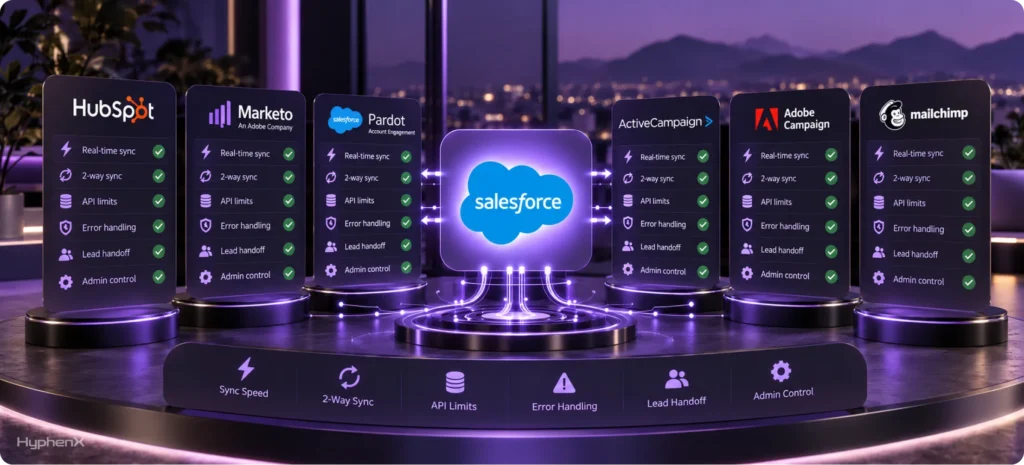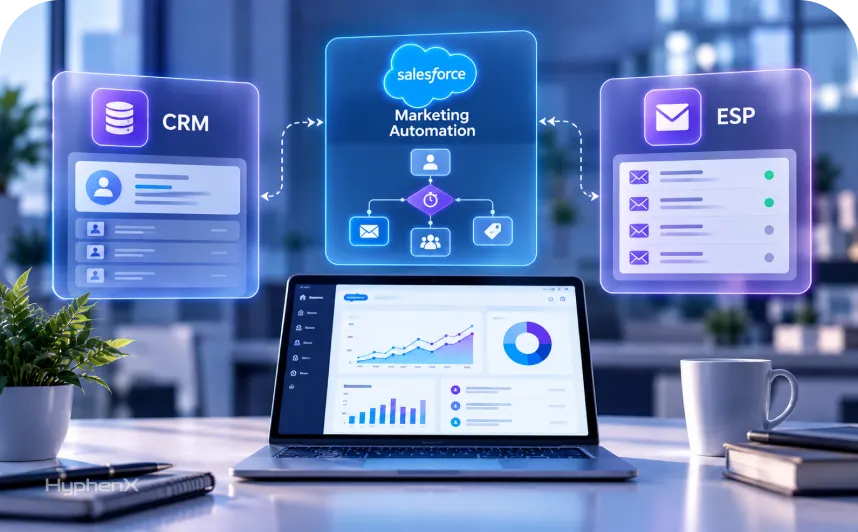

A sales rep asks why a new lead never received the welcome email. The marketer confirms the email tool sent it, while sales ops says the CRM never received the lead. All three could be right because each tool handles a different job. Understanding CRM vs salesforce marketing automation vs ESP helps businesses avoid these gaps. A CRM manages customer records, an email service provider handles email delivery, and salesforce marketing automation determines who receives messages, when they receive them, and what triggers each communication.
This guide explains how these tools work, where their functions overlap, how data moves between them, and how Salesforce products fit into the picture. We’ll also cover when businesses need each tool, five common setup problems, and the email sending rules that apply across platforms. For more context on Salesforce’s terminology, explore our guide to the Pardot to Account Engagement rename. At HyphenX Solutions, we draw on Salesforce product documentation, Google and Yahoo sender requirements, and FTC guidelines while clearly distinguishing our recommendations from established facts.
TL;DR
Three Tools With Three Jobs
In CRM vs salesforce marketing automation terms, a CRM remembers every customer and deal, and automation decides what to send, to whom and when. An ESP delivers the email at volume. Most products blur these lines, so judge each one by the job it does best.
Where the Overlap Causes Trouble
In CRM vs salesforce marketing automation setups, trouble starts when two tools both own the lead record, the lead score or the unsubscribe list. Pick one owner for each item, and let the sync carry changes to the others. Without one owner, reps and marketers work from different numbers and trust neither.
When to Add Each Tool
On CRM vs salesforce marketing automation timing, start with a CRM, add an ESP when email volume grows and add salesforce marketing automation when you need behavior-based programs and sales handoffs. Salesforce splits these jobs across Sales Cloud, Account Engagement and Marketing Cloud, and the sections below show how.
What Is a CRM
Customer Relationship Management (CRM) is a system that helps businesses store, organize, and manage customer information in one place. It keeps track of contact details, previous conversations, purchase history, sales activities, and customer support requests. Instead of managing customer information across spreadsheets, emails, and separate tools, businesses can use a CRM to maintain a complete view of every customer. Platforms like Salesforce Sales Cloud help sales teams manage leads, track opportunities, and build stronger customer relationships.
A CRM works by collecting customer information from different sources, including website forms, emails, phone calls, and sales interactions. It organizes these details into customer records that teams can access and update. Sales representatives can assign leads, schedule follow-ups, monitor deal progress, and forecast future sales. While a CRM can automate basic tasks and communications, more advanced activities, such as behavior-based email campaigns, lead nurturing, and personalized customer journeys, often require marketing automation tools integrated with the CRM.
What an ESP Does, Starting With Delivery
An email service provider (ESP) is designed to send emails at scale while managing sender authentication, bounces, unsubscribes, and spam complaints. Email delivery also comes with strict requirements. Google calls a sender bulk when it sends around 5,000 or more messages to personal Gmail accounts within 24 hours. Bulk senders must configure SPF, DKIM, and DMARC with a minimum policy of p=none, along with one-click unsubscribe for marketing emails. Google recommends keeping spam complaints below 0.1% and avoiding 0.3% or higher. Similarly, Yahoo asks bulk senders to authenticate emails using SPF, DKIM, and DMARC, honor unsubscribe requests within two days, and maintain spam complaint rates below 0.3%.
An ESP helps businesses meet these requirements while monitoring delivery performance, bounce rates, and spam complaints. It works well for scheduled communications such as newsletters, product announcements, transactional emails, and promotional campaigns where advanced customer tracking is unnecessary. However, businesses may need marketing automation when customer behavior starts influencing sales decisions. For example, if marketers regularly export email engagement data into spreadsheets to identify leads for sales teams, a marketing automation platform connected to the CRM becomes a better solution. It can track interactions, automate follow-ups, and help sales teams respond to customer interest more effectively.
What salesforce marketing automation Adds
In CRM vs Salesforce marketing automation, a marketing automation tool acts as the decision-making layer. It tracks customer activities, such as email clicks, website visits, and form submissions, and uses that information to trigger relevant marketing actions.
- Behavior Tracking: Monitors website visits, form submissions, email clicks, and other customer interactions to understand interests, identify engagement patterns, and support personalized marketing campaigns.
- Audience Segmentation: Groups contacts based on their behavior, interests, job roles, and other criteria. These segments update automatically as customers interact with marketing content.
- Lead Scoring: Assigns scores to prospects based on engagement activities, such as visiting pricing pages or downloading resources, helping sales teams identify leads with stronger buying potential.
- Lead Nurturing: Delivers automated email sequences based on customer interests and actions. Messages and follow-ups change depending on how prospects engage with previous communications.
- Sales Handoff: Notifies sales representatives when prospects meet predefined qualification criteria. It can create CRM tasks or alerts to help sales teams follow up with interested leads.
- Campaign Reporting: Tracks marketing campaign performance, including lead generation, engagement, and pipeline contribution. These insights help businesses understand which campaigns support sales opportunities and revenue.
Salesforce describes Marketing Cloud Account Engagement as a Salesforce marketing automation platform built on its CRM. Marketing Cloud Next also supports multi-step nurture programs using natural language prompts. These capabilities help explain the difference between CRM and Salesforce marketing automation, particularly when businesses need behavior-based campaigns, automated lead nurturing, and coordinated sales follow-ups.
CRM vs salesfore Marketing Automation: Where the Overlap Confuses People
CRM and marketing automation platforms often share responsibilities, including email communication, lead management, scoring, and customer data updates. This overlap can create confusion when both systems manage the same information without clear ownership. Defining which platform controls each activity helps businesses prevent duplicate records, conflicting updates, and synchronization issues.
Area | Suggested Owner | How It Works and Why It Matters |
Email Communication | CRM and Marketing Automation | CRM handles individual sales emails, while marketing automation manages bulk campaigns, nurture sequences, and behavior-triggered messages. |
Lead Records | CRM | CRM maintains the primary customer record, while marketing automation stores synchronized contact information and engagement history. |
Email Address | CRM | Sales teams update contact details in the CRM, which then synchronizes changes with connected marketing automation tools. |
Lifecycle Stage | CRM | Sales and marketing agree on qualification criteria, while the CRM maintains the primary lifecycle status to avoid conflicting updates. |
For Salesforce users, Marketing Cloud Account Engagement connects prospect records with CRM leads, contacts, or person accounts through Salesforce CRM IDs. Salesforce explains this relationship in its Account Engagement integration documentation.A documented ownership structure helps keep customer data accurate, improves synchronization, and ensures both teams work with reliable information.
ESP vs MAP: What’s the Difference?
The main difference between an Email Service Provider (ESP) and a Marketing Automation Platform (MAP) is how they manage communication. An ESP focuses on sending emails to selected audiences, while marketing automation uses customer behavior and predefined rules to deliver personalized messages. Here are four key differences between the two.
1. Audience Management
An ESP sends emails to contact lists that marketers upload or select manually. A marketing automation platform creates and updates audience segments based on customer behavior, interests, and engagement history. This helps businesses target prospects with more relevant messages without constantly managing lists.
2. Email Triggers and Automation
An ESP typically sends scheduled campaigns or emails triggered through an API. Marketing automation supports more complex workflows based on actions such as form submissions, website visits, email clicks, and lead score changes. These triggers help businesses deliver timely follow-ups throughout the customer journey.
3. Reporting and Performance Tracking
An ESP tracks email performance through metrics such as delivery rates, opens, clicks, bounces, and spam complaints. Marketing automation adds lead scoring, customer engagement tracking, campaign attribution, and pipeline reporting. These insights help marketers understand how campaigns contribute to sales opportunities.
4. Sales Integration and Lead Handoff
An ESP primarily manages email communication and generally requires additional integrations to support sales workflows. Marketing automation connects with CRM systems to share lead activity, trigger sales alerts, and assign follow-up tasks. This helps sales teams identify engaged prospects and respond when they show buying intent.
How Data Moves in CRM vs Salesforce Marketing Automation Setups

In CRM vs Salesforce marketing automation setups, customer data moves between marketing tools, the CRM, and email delivery systems. The CRM typically maintains the main customer record, while marketing automation tracks engagement and manages follow-ups. Here’s how the process works:
- Lead Capture: When a visitor submits a website form, the marketing automation platform creates or updates their record, captures contact information, and tracks their interactions.
- Lead Scoring: The platform evaluates customer activities, such as page visits, form submissions, and email clicks. Qualified leads are identified based on predefined scoring criteria.
- CRM Synchronization: Qualified lead information moves into Salesforce CRM through an integration. Account Engagement supports bidirectional synchronization, with its connector checking for updates approximately every two minutes.
- Sales Follow-Up: Sales representatives access lead details and engagement history in the CRM. They contact prospects, record conversations, update lead statuses, and manage further sales activities.
- Status Updates: Changes made in the CRM synchronize with marketing automation. This helps prevent unnecessary nurture emails when leads move into active sales conversations or become customers.
- Email Delivery and Tracking: The email sending system delivers scheduled or triggered messages while tracking bounces, complaints, and unsubscribes. These updates synchronize across connected platforms to maintain accurate communication preferences.
Salesforce Account Engagement allows one Salesforce connector per account, and connector version 2 initially remains paused until activated. Teams should also monitor synchronization queues to identify failed updates. Before launching, test the complete data flow using a sample lead, including CRM status changes and unsubscribe preferences, to confirm information moves correctly between systems.
CRM vs Salesforce Marketing Automation vs ESP: Key Differences
CRM, Salesforce marketing automation, and Email Service Providers (ESPs) support different parts of customer communication and sales management. While they share some capabilities, each serves a specific purpose. The table below compares their features, functions, and business applications.
Comparison Factor | CRM | Salesforce Marketing Automation | Email Service Provider (ESP) |
Primary Purpose | Manages customer relationships, leads, and sales activities. | Automates marketing campaigns and customer engagement. | Sends and manages email communications at scale. |
Main Function | Stores customer data and tracks sales interactions. | Tracks behavior and triggers personalized marketing workflows. | Handles email sending, delivery, and performance tracking. |
Customer Data | Maintains customer profiles, contact details, and sales history. | Uses customer data and engagement history for targeting. | Stores subscriber lists and email preferences. |
Lead Management | Captures, assigns, and tracks leads through the sales pipeline. | Scores, segments, and nurtures leads based on engagement. | Manages email subscribers but offers limited sales lead management. |
Email Capabilities | Supports sales emails and basic automated communication. | Runs automated email sequences and personalized campaigns. | Sends newsletters, promotional emails, and transactional messages. |
Automation | Automates sales tasks, reminders, and workflow updates. | Automates customer journeys, lead scoring, and follow-ups. | Supports scheduled emails and basic triggered messages. |
Reporting | Tracks pipeline performance, sales activities, and revenue forecasts. | Measures campaign engagement, lead conversion, and marketing attribution. | Reports email delivery, opens, clicks, bounces, and complaints. |
Sales Integration | Serves as the central system for sales activities. | Connects marketing engagement with CRM records and sales workflows. | Requires integration to share email activity with sales teams. |
The right setup depends on your business needs. A CRM organizes customer information, Salesforce marketing automation manages engagement and lead nurturing, and an ESP handles email delivery. Businesses can use these tools separately or integrate them to create connected sales and marketing workflows.For Salesforce-specific support, explore our Sales Cloud services, Account Engagement services, and Marketing Cloud services.
When Do You Need a salesforce marketing automation Platform?
You need one when decisions about who gets what message and when become too many to make by hand. These signs are our rules of thumb:
- You run 3 or more programs that react to behavior, such as welcome, trial and re-engagement.
- Sales keeps asking marketing which leads to call first.
- You can’t say which campaign sourced a closed deal.
- Marketers export click lists to a spreadsheet to decide follow-up.
- Building one audience by hand takes an afternoon.
If you see fewer than 2 of these, an ESP and a CRM are enough for now. If you see 3 or more, plan the CRM sync before you buy.
When do you need a salesforce marketing automation platform if you sell mostly to existing customers? Often later. A CRM with simple reminders and an ESP for newsletters covers a lot of ground.
When do you need a CRM first? As soon as more than one person talks to customers. Without a shared record, every tool you add copies the same gaps.
The CRM vs salesforce marketing automation order matters here. Buy the CRM first in the CRM vs salesforce marketing automation order, because the marketing tool will copy its records, and a messy CRM makes a marketing tool messy too.
Five Setups We See and What Breaks in Each
These CRM vs salesforce marketing automation setups are our illustrations from Salesforce projects. Each one works until a specific thing happens.
- CRM only. Works for a small sales team that sends one-to-one email. Breaks when marketing wants to send to 2,000 people at once. First fix: add an ESP.
- CRM plus an ESP. Works for newsletters and announcements. Breaks when someone exports the CRM list by hand and the unsubscribes never return to the CRM. First fix: automate the list sync.
- CRM plus marketing automation. Works when the sync has an owner. Breaks when two tools both write the lifecycle stage. First fix: assign one writer per field.
- An all-in-one suite. Works when one team runs everything. Breaks when sales and marketing want different fields and the suite has one set. First fix: agree on a shared field list before configuring.
- salesforce marketing automation on top of a separate ESP. Works when you need a specific sending reputation. Breaks when bounces stay in the ESP and the automation tool keeps mailing the same address. First fix: send bounce and opt-out data back.
The CRM vs salesforce marketing automation pattern is the same in all five. A missing owner for a shared field is the problem. Whichever side of CRM vs salesforce marketing automation your gap sits on, the fix starts with naming the owner.
How CRM, Marketing Automation, and ESP Work Together: A Real-World Example
Understanding CRM vs Salesforce marketing automation becomes easier with a practical example. The following scenario shows how a prospect named Dana moves through all three systems during a typical sales and marketing journey.
Day | Customer Activity | How the Systems Work Together |
Monday | Dana downloads a buyer’s guide from the website. | Marketing automation creates her record, tracks the download, and assigns campaign details. The lead remains in marketing until it meets the agreed qualification criteria. |
Tuesday | Dana opens two emails and visits the pricing page. | Marketing automation tracks her engagement and increases her lead score. Once qualified, her information and activity history synchronize with the CRM. |
Wednesday | A sales representative contacts Dana to discuss her requirements. | The CRM records the conversation and updates her status to nurture because she is still comparing options. This change is shared with marketing automation. |
Thursday | Dana enters a slower email nurturing sequence. | Marketing automation adjusts her communication journey based on the CRM status. The email sending system delivers messages and records delivery events. |
Friday | Dana decides to unsubscribe from marketing emails. | The ESP records the unsubscribe, and the preference synchronizes with marketing automation and the CRM to prevent further marketing emails. |
This example shows how each platform supports a different stage of the customer journey. The CRM manages customer records and sales activities, marketing automation controls lead nurturing and engagement, and the ESP handles email delivery. Accurate data synchronization keeps all three systems connected and helps prevent communication errors.
How to Choose Between CRM vs Salesforce Marketing Automation Setups
Choosing the right CRM and marketing automation setup depends on your sales cycle, email volume, team structure, and integration requirements. Evaluating these factors helps businesses select tools that support their operations.
Start With the Sales Cycle
Businesses with longer sales cycles and multiple decision-makers often need marketing automation to track engagement, nurture leads, and manage follow-ups. Companies with shorter sales cycles may only require a CRM and an ESP to manage customer records and email communication. Understanding your sales process helps determine which tools best support customer interactions and business growth.
Look at Email Volume and Frequency
Businesses sending large volumes of emails need reliable delivery systems, sender authentication, and performance monitoring. However, email volume alone does not determine the need for marketing automation. Companies running occasional newsletters may find an ESP sufficient, while businesses managing personalized campaigns, automated follow-ups, and customer journeys benefit from marketing automation platforms.
Count the People Who Touch the Record
Businesses with multiple teams managing customer information need consistent records and clearly defined responsibilities. A CRM provides shared access to customer details, while marketing automation supports coordinated campaigns and lead management. Assigning ownership for field updates, data synchronization, and integration monitoring helps prevent duplicate records, conflicting information, and communication gaps.
Test Before You Commit
Businesses should test their CRM and marketing automation integration before implementing it across the organization. A small pilot, such as a welcome email sequence, helps verify lead capture, CRM synchronization, status updates, and unsubscribe preferences. Testing also identifies duplicate records, missing information, and workflow errors before they affect larger campaigns or sales operations.
What Does CRM vs Salesforce Marketing Automation vs ESP Cost?
The cost of a CRM, Salesforce marketing automation platform, or ESP depends on more than the monthly subscription. Businesses must also consider implementation, integrations, contact volume, and ongoing maintenance. Understanding these expenses helps teams choose a setup that fits their budget without paying for unnecessary features.
1. Software Licensing and Subscription Costs
CRM platforms commonly charge based on users and selected features, while marketing automation platforms may price plans around contacts, functionality, or usage. ESP costs often depend on subscribers and email volume. Businesses should compare pricing tiers and feature limits before choosing a platform.
2. Integration and Data Migration Costs
Connecting CRM and marketing automation tools may require data migration, field mapping, connector configuration, and workflow testing. Businesses moving from spreadsheets or disconnected platforms may also need data cleaning and deduplication. These requirements can increase the initial implementation budget.
3. Ongoing Maintenance and Support
Connected systems require regular monitoring to maintain accurate customer records and reliable automation. Teams may need to troubleshoot synchronization errors, update workflows, manage user permissions, and maintain email authentication. These ongoing responsibilities should be included when calculating total operating costs.
4. Employee Training and Platform Adoption
Employees need to understand how to use CRM records, marketing workflows, reporting dashboards, and email tools. Training helps sales and marketing teams follow consistent processes, reduce manual errors, and use the available features effectively. Businesses should account for onboarding and continued training when planning their investment.
The right CRM vs Salesforce marketing automation setup should balance functionality with total ownership costs. Evaluating software, integration, and maintenance expenses helps businesses invest in tools that support their current needs and future growth.
Case Studies
1. B2B SaaS: From Manual Prospecting to a Single-Click Pipeline
A B2B SaaS company struggled with disconnected prospecting tools, duplicate records, and manual data entry into Salesforce. HyphenX integrated Apollo, Lusha, and Hunter into a single CRM workflow with email verification, automated lead routing, and AI-powered scoring. This helped streamline prospecting and improve data quality.
2. Garula Industries: Building a Connected ERP System
Garula Industries relied on paper records and spreadsheets to manage production, inventory, quality checks, and dispatch. HyphenX proposed a modular ERP solution to centralize operations, improve data visibility, and reduce manual errors. The proposed system targets fewer dispatch mistakes and more consistent quality control.
Common Challenges in CRM vs Salesforce Marketing Automation and Our Approach

Businesses often face challenges when connecting CRM and Salesforce marketing automation platforms. Poor data synchronization, unclear ownership, and disconnected workflows can affect lead management and campaign performance. At HyphenX Solutions, we help businesses address these challenges with structured integration and automation strategies.
1. Unclear Sales and Marketing Processes
Common Challenge: Businesses implement marketing automation tools without defining lead scoring criteria, qualification rules, or sales handoff processes. This creates confusion between teams and delays follow-ups.
Our Approach: We map existing workflows, establish lead qualification criteria, and define clear handoff rules before configuring automation to support sales and marketing goals.
2. Unnecessary Data Synchronization
Common Challenge: Synchronizing too many fields between CRM and marketing automation platforms creates duplicate information, mapping conflicts, and unnecessary complexity in maintaining customer records.
Our Approach: We identify essential customer fields, establish data mapping rules, and configure synchronization to keep relevant information accurate and consistent across connected platforms.
3. Incomplete Two-Way Synchronization
Common Challenge: Lead information reaches the CRM, but changes to customer status, email preferences, and unsubscribe requests do not always return to the marketing automation platform.
Our Approach: We configure bidirectional data flows, test status updates and opt-out synchronization, and validate that important changes reach the appropriate systems.
4. Conflicting Data Ownership
Common Challenge: When CRM and marketing automation platforms update the same fields independently, records can become inconsistent, leading to incorrect customer information and unreliable reporting.
Our Approach: We establish clear field ownership, define update permissions, and configure synchronization rules to prevent conflicting changes between sales and marketing systems.
5. Limited Integration Monitoring
Common Challenge: Failed synchronization jobs, connector errors, and outdated records may go unnoticed, affecting lead routing, campaign targeting, and the accuracy of customer information.
Our Approach: We implement integration monitoring procedures, review synchronization errors, and establish regular checks to identify issues before they disrupt business workflows.
6. Inconsistent Consent and Email Preferences
Common Challenge: Customer unsubscribe requests and consent preferences may not update across all connected tools, increasing the risk of unwanted communications and compliance issues.
Our Approach: We define centralized consent management rules, synchronize communication preferences, and test unsubscribe workflows to support consistent email practices across platforms.
Where 250+ Certified Specialists Come In
The biggest challenge in CRM vs Salesforce marketing automation is defining data ownership and ensuring accurate synchronization between systems. The HyphenX team, backed by 250+ certified Salesforce professionals, including architects, developers, and consultants, helps businesses configure Sales Cloud, Account Engagement, and Marketing Cloud. From establishing field ownership and opt-out rules before launch to monitoring synchronization issues after implementation, our team helps maintain reliable data flow and smoother sales and marketing operations.
CRM vs salesforce marketing automation FAQs
What is CRM vs salesforce marketing automation in simple terms?
CRM vs salesforce marketing automation is memory against action. A CRM stores customer records and sales history for sales and service teams, while salesforce marketing automation decides who gets which message and when, scores leads from behavior and hands them to sales. Most growing teams run both, with the CRM as the master record.
What is the difference between ESP and marketing automation?
An ESP delivers email at volume, and salesforce marketing automation decides who receives which email, when and why. You hand an ESP an audience and a message. A salesforce marketing automation tool builds the audience from behavior, picks the message and passes ready leads to the CRM.
Can a CRM replace marketing automation?
Only for small programs. A CRM can send one-to-one email and run simple reminders, and Salesforce lists marketing campaign automation among CRM features. It struggles with high-volume sending and behavior-triggered journeys, which need delivery infrastructure, behavior tracking and scoring that a CRM alone doesn’t provide.
Do I need both a CRM and marketing automation?
Most growing teams do. The CRM holds the record that sales and service rely on, and salesforce marketing automation runs behavior-based programs and hands leads over. A team with a small list, one newsletter and no behavior-based programs can stay with a CRM and an ESP for now.
Is salesforce marketing automation the same as an ESP?
No. An ESP focuses on delivering email, while salesforce marketing automation adds behavior tracking, scoring, nurture programs and sales handoff. Many automation tools include their own sending, which is why the two get confused in CRM vs salesforce marketing automation discussions, so judge a product by the job it does best.
When do you need a salesforce marketing automation platform?
You need one when behavior-based decisions outgrow manual work. Our signs: 3 or more programs that react to behavior, sales asking which leads to call first, and no way to say which campaign sourced a deal. With fewer than 2 signs, an ESP and a CRM are enough.
Which should come first, CRM or marketing automation?
The CRM, in most cases, because it holds the customer record and every tool you add later copies from it. Add an ESP when email volume grows, and add salesforce marketing automation when you need behavior-based programs and a clear handoff to sales. That order keeps the CRM vs salesforce marketing automation decision simple.
Can I use a CRM as an email service provider?
For one-to-one email, yes. For bulk marketing email, a CRM is a weak fit, because Google and Yahoo set rules for bulk senders on authentication, unsubscribes and spam rate. An email service provider is built to meet those rules and to report on bounces and complaints.
Do small businesses need marketing automation?
Often not at first. A small team with one newsletter and a short list can run on a CRM and an ESP. Add salesforce marketing automation when you see signs such as several behavior-triggered programs or sales asking which leads to call, and plan the CRM sync before you buy.
Is Salesforce Sales Cloud a CRM or marketing automation?
Sales Cloud is a CRM. Salesforce says it helps teams capture, track and prioritize leads and covers forecasting. salesforce marketing automation sits in Marketing Cloud Account Engagement and Marketing Cloud, which connect to the CRM, so Sales Cloud is the CRM side of any CRM vs salesforce marketing automation setup in Salesforce.
What is the difference between Salesforce Marketing Cloud, Pardot and Sales Cloud?
Sales Cloud is the CRM, Pardot is the old name for Account Engagement, and Marketing Cloud Engagement is a separate platform for email, SMS, push and journeys. Account Engagement targets B2B marketing automation, and Salesforce says Marketing Cloud Next is rebuilt on the Salesforce Platform.
Does Account Engagement sync with Sales Cloud?
Yes. Salesforce’s training unit says Account Engagement connects to Salesforce through a secure connector with two-way sync that checks for changes about every 2 minutes. Prospects match to leads, contacts or person accounts by CRM ID, and only one connector is allowed per account.
What do Google and Yahoo require from bulk email senders?
Both require authentication and an easy unsubscribe. Google asks bulk senders for SPF, DKIM, a DMARC record of at least p=none and one-click unsubscribe, with spam rates below 0.1%. Yahoo asks for SPF, DKIM, a passing DMARC policy and unsubscribes honored within 2 days.
Does CAN-SPAM apply to salesforce marketing automation emails?
Yes. CAN-SPAM applies to commercial email whichever tool sends it. The FTC says you must honor opt-outs within 10 business days, include a valid postal address and keep headers and subject lines accurate, and you can’t contract away your legal responsibility to a vendor.
How do you keep CRM and salesforce marketing automation data in sync?
Name one owner for each shared field and let the connector carry changes. Make the CRM the master for the lead record, check the sync queue regularly and make sure opt-outs and bounces flow back to every tool. For Account Engagement, someone must monitor the connector queue.