
Einstein generative AI starts with one toggle in Setup, and in new orgs that toggle is already on. It covers features that write text for users, such as sales emails, call and case summaries, service replies and knowledge articles. What’s left is knowing which switches you can flip yourself, which need an add-on and why every one relies on Data 360, still listed in the Setup menu as Data Cloud Setup.
After the main toggle, each feature has its own switch, permission set and license. Salesforce’s own setup order for Einstein and Agentforce puts the Einstein Trust Layer after the main toggle, before anyone uses a feature.
When a switch won’t appear, the cause is usually a missing prerequisite. A sandbox test plus a go-live checklist keeps surprises out of production. For the full stack, see our guide to setting up AI in Salesforce with Agentforce, Data Cloud and Einstein, and HyphenX’s Salesforce Agentforce services cover the agent build that goes beyond this guide.
TL;DR
One Toggle Opens the Door
The main switch lives at Setup, Quick Find, Einstein Setup, then Turn on Einstein, and new orgs already have it on. Data 360 has to be provisioned first, because Salesforce says the Einstein Trust Layer depends on it to work correctly.
Each Feature Has Its Own Switch
After the main toggle, every feature has its own setting, permission set and license. Prompt Builder comes with Agentforce Foundations, while Sales Emails, Service Replies, Work Summaries and Knowledge Creation each need a specific Einstein or Agentforce add-on before users can touch them.
Check Trust Settings Before Users Start
Data masking is on by default for embedded features but disabled for agents. Review toxicity and prompt injection detection, weigh the credit cost of audit and feedback, and test every feature in a sandbox before your wider user base sees it.
What Einstein Generative AI Covers in Salesforce Today
Einstein generative AI is the set of Salesforce features that write content for your users: email drafts, call and case summaries, service replies, knowledge articles and the output of prompt templates. Einstein’s lead scoring and similar features rank records instead of writing anything, while agents go a step further by taking actions on their own. The switches below are the generative ones an admin controls.
Four product names have changed since 2024, and help pages still mix the old and new names:
Einstein Copilot: became Agentforce Assistant and was then upgraded to Agentforce, so older guides that name Copilot permission sets are out of date.
Einstein Studio: now called AI Models, the place where you bring your own LLM or configure model access, so search both names when you look for model settings.
Data Cloud: rebranded to Data 360, though the Setup menu entry still reads Data Cloud Setup and the Data Cloud Architect permission set keeps the old name.
Sales Cloud: now listed as Agentforce Sales on Salesforce’s product release pages, so feature pages and help articles may use either name.
Search help articles and Trailhead with both the old and the new name when a setting doesn’t turn up, since pages were renamed at different times. For how the assistant and agents relate, see our comparison of Agentforce vs Einstein Copilot.
Why You Can Switch On More Than You Think
Salesforce’s setup article says the Turn on Einstein step “isn’t needed for new orgs because the Einstein setting is automatically turned on.” Salesforce also planned to begin turning on the Agentforce platform for existing orgs with Agentforce access on a rolling basis from the first week of September 2026, as part of Winter ’27, so many orgs will now find the Agentforce toggle already on as well. Salesforce also plans to remove that Agentforce setting later in Winter ’27, so admins in those orgs won’t need to switch it on at all.
Salesforce Foundations, whose feature set Trailhead also labels Agentforce Foundations, widens that further. Trailhead describes it as included at no extra cost with Enterprise, Unlimited, Einstein 1 Sales and Einstein 1 Service editions, with Agentforce built in and Prompt Builder among its tools, so a Foundations org can build and run prompt templates without a separate add-on. It also includes Data 360 access and an allowance of Flex Credits, though Salesforce’s own pages quote different amounts, so confirm yours in Digital Wallet.
The catch sits in the license column. Sales Emails, Service Replies, Work Summaries and Knowledge Creation each name a specific add-on, so check which of those your contract already includes before you promise a feature to a team, because those add-ons are the points where budget approval comes in.
Before You Flip Anything: The Prerequisite Order
Work through these 5 checks in order, because the later checks only make sense once your edition, add-ons and Data 360 provisioning are settled:
- Check your edition and add-ons. Salesforce’s setup article lists Enterprise, Performance and Unlimited editions with an Einstein for Sales, Einstein for Platform, Einstein for Service, Einstein 1 Service or Einstein GPT Service add-on, and each feature page adds its own requirement to that list.
- Provision Data 360. Open Data Cloud Setup from the Setup menu and click Get Started, which needs the System Admin profile plus the Data Cloud Architect permission set. Salesforce’s Data 360 provisioning steps say most orgs with a Data Cloud license are provisioned automatically within a few minutes, so check the page first and click Get Started only if that hasn’t run.
- Confirm Lightning Experience. Prompt Builder runs only in Lightning Experience, so any team still working in Classic needs to move before you switch features on.
- Clean the data features will read. Summaries, emails and replies draw on your records and Knowledge, so duplicate contacts and outdated articles show up in the output, which is why it pays to clean up your CRM data before you scale AI.
- Pick your sandbox. Decide which sandbox gets every switch first, and confirm Data 360 provisioning is active there as well as in production. Write down which users join the pilot, so permission sets go to a small group first.
The order matters because Data 360 has to finish provisioning before the Einstein Trust Layer can work, and every feature reads the data you cleaned in step 4. Orgs that haven’t licensed Data 360 yet need a licensing conversation with their account executive before anything else, and Salesforce Data Cloud consulting covers the setup that goes beyond provisioning.
How to Turn On Einstein Generative AI in Einstein Setup
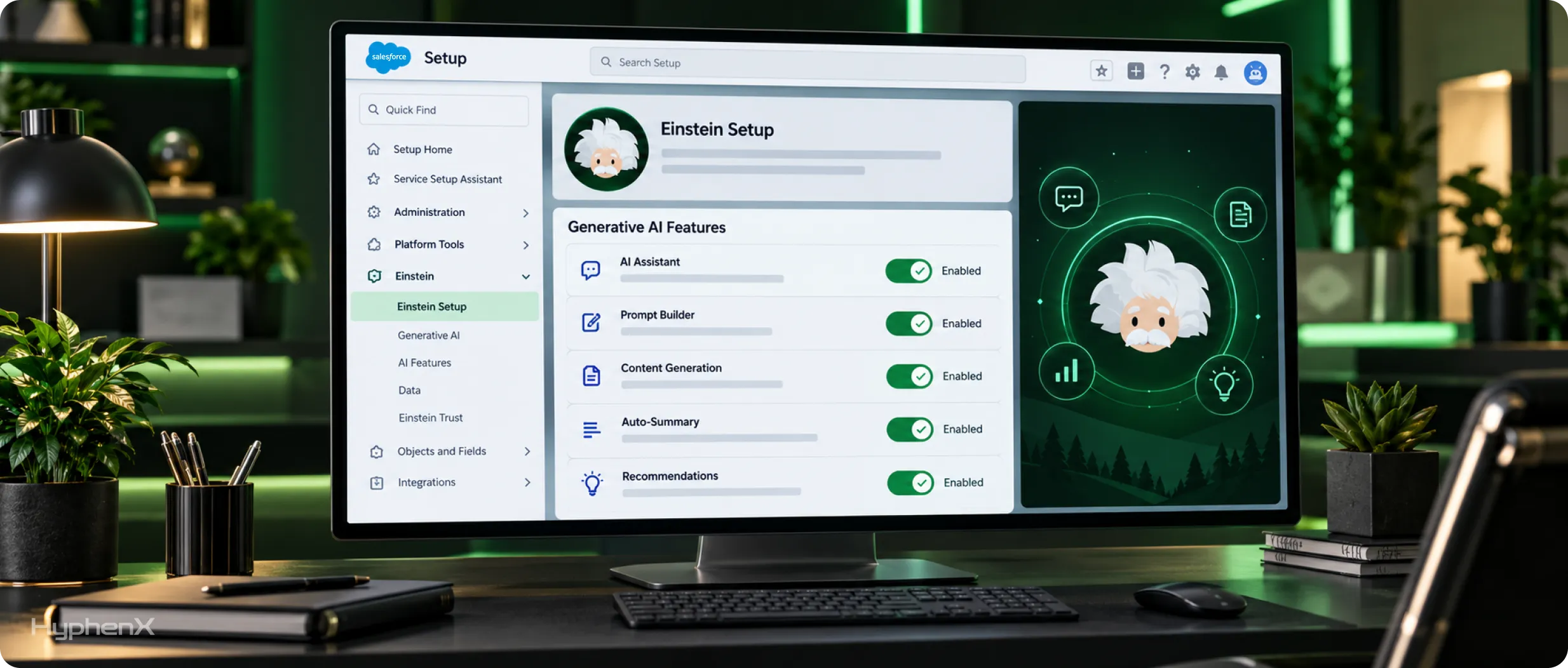
Salesforce’s setup article lists 4 steps, and they run in this order, even in new orgs where step 2 is already done for you.
Verify Data Cloud in Your Org
What to do: open Data Cloud Setup and confirm Data 360 is provisioned. If the menu item is missing, Salesforce suggests refreshing or logging out and back in, then checking your edition.
Where: the Setup menu, then Data Cloud Setup.
Turn On Einstein Generative AI
What to do: switch on Turn on Einstein if it isn’t already on. New orgs usually have it enabled, so confirm the toggle shows as on before you move to the next step. Salesforce notes the Einstein and Data Cloud sync can take a few minutes, so give it time before you look for features.
Where: Quick Find, Einstein Setup, then the Turn on Einstein toggle.
Set Up Einstein Trust
What to do: open the Einstein Trust Layer page and review its masking and safety tabs before any feature reaches users. The page has 2 tabs, one for data masking and one for content safety and security.
Where: Quick Find, search Einstein Trust Layer, then open the Einstein Trust Layer page.
Turn On Data Collection for Agentforce and Generative AI Audit and Feedback
What to do: turn on audit and feedback so prompts, responses and user feedback are stored for review. Salesforce warns that turning on data collection increases your org’s credit consumption rate, so plan it into your usage budget. You can turn it off later, which pauses the data stream.
Where: Quick Find, search Einstein Audit, then open Einstein Audit, Analytics, and Monitoring Setup, where Audit and Feedback and Agentforce Session Tracing each have a toggle and you choose the data space that stores the data.
Refresh the browser after each step, then confirm the features you expect show up in Setup. Salesforce’s article on how to set up Einstein generative AI links steps 3 and 4 to their own setup articles.
The Self-Serve Map: Generative Features and Their Switches
Feature | Where you switch it on | Permission set | License or add-on | Cloud |
|---|---|---|---|---|
Prompt Builder | Turn on Einstein, assign permission sets, then refresh until Prompt Builder appears in Setup | Prompt Template Manager to build, Prompt Template User to run | Einstein for Platform, an Einstein or Agentforce add-on for Sales or Service, or Agentforce Foundations | Platform |
Sales Emails | Search Quick Find for “Einstein for”, open Einstein for Sales, then Turn on Sales Emails | Einstein Sales Emails | Einstein for Sales add-on, an extra cost in Performance and Unlimited | Sales |
Generative call summaries | Setup menu, Salesforce Go, Einstein Conversation Insights, then Generative ECI | Not named on Salesforce’s page | Einstein Conversation Insights | Sales |
Agentforce flow automation, beta | Process Automation Settings | Not named on Salesforce’s page | Foundations or Agentforce 1 editions, with Data 360 provisioned | Platform |
Service Replies | Search Quick Find for “Einstein Reply Recommendations”, then the Service Replies toggle | Service Replies User | Service Cloud Einstein add-on | Service |
Work Summaries | Service Setup, then the Einstein Work Summaries toggle | Work Summaries User | Einstein for Service add-on | Service |
Einstein Knowledge Creation | Search Quick Find for “Knowledge Creation”, then the Einstein Knowledge Creation toggle | Einstein Knowledge Creation | Agentforce for Service add-on | Service |
Agentforce Vibes for developers | Setup, the Agentforce Vibes Extension toggle, which is on by default | Not named on Salesforce’s page | Developer, Enterprise, Partner Developer, Performance and Unlimited editions | Developer |
Read the license column first: if your org already owns the add-on named there, the feature is a toggle and a permission set away, and if it doesn’t, switching on yourself stops at that row. Every row also assumes the main Turn on Einstein toggle is already on. Three rows name no permission set because Salesforce’s pages for those features don’t name one, so confirm access on each feature’s setup screen in the sandbox.
Sales, Platform and Developer Features You Can Switch On Today
Prompt Builder
- What users get: admins build prompt templates in Setup, and users with Prompt Template User can run those templates outside Prompt Builder.
- How to confirm: assign Prompt Template Manager, refresh the page and check that Prompt Builder appears in Setup Quick Find.
- Watch for: scratch orgs need Prompt Builder added to the definition file before Einstein is enabled.
Sales Emails
- What users get: reps draft emails with Einstein, and Salesforce says Sales Emails must be active before prompt templates can power sales emails.
- How to confirm: have a pilot rep with the Einstein Sales Emails permission set draft a test email from a contact in the sandbox.
- Watch for: the admin doing setup needs both the Customize Application and Manage Users permissions.
Generative Call Summaries
- What users get: once Generative ECI is on, call summaries run automatically for calls made by users with an Einstein Conversation Insights license.
- How to confirm: run a test call with a licensed user and check that a summary is produced for that call.
- Watch for: generative AI must be on first, and some Data 360-based Conversation Insights features, such as Sales Signals, can’t be tested in a sandbox.
Agentforce Flow Automation, Beta
- What users get: admins describe a flow in plain language and get a draft to refine in Flow Builder.
- How to confirm: start a new flow in the sandbox once the setting is on and check that the drafting option appears.
- Watch for: it’s a beta, and it needs Einstein generative AI turned on and Data 360 provisioned.
Agentforce Vibes for Developers
- What users get: developers get AI help for building and editing code in the Agentforce Vibes IDE, which also runs in sandboxes.
- How to confirm: check that the Agentforce Vibes Extension toggle in Setup is still on, since Salesforce turns it on by default.
- Watch for: Salesforce lists it as unavailable in the EU Operating Zone, and Einstein must be on first.
Salesforce’s pages to enable Prompt Builder and set up Sales Emails cover each screen. Once templates are live, prompt engineering for predictable Agentforce outputs helps them stay consistent, and least-privilege permission design keeps these permission sets from spreading past the people who need them.
A Service Rollout Order: Replies, Summaries, Then Knowledge
Service teams get the most from these features when they arrive in a set order, because each one draws on the same customer conversations and the feedback from one step tells you whether the next is ready:
- Start with Service Replies. Replies work inside conversations reps already have open, so feedback on draft quality comes quickly. After the Service Replies toggle, give reps the Service Replies User permission set, which comes with the Service Cloud Einstein add-on license, and ground replies in Knowledge so drafts point to articles your team trusts.
- Add Work Summaries next. Summaries turn finished conversations into case notes, and Salesforce lists support across Enhanced Messaging, Voice and Email, with case summaries still in beta. Legacy Live Chat dropped off that list when Salesforce retired it in February 2026. Setup includes mapping the summary output to case fields, so agree on those fields with your service leads first, and the same setup adds Conversation Catch-Up summaries for supervisors and reps.
- Finish with Knowledge Creation. Drafted articles draw on the same conversations, so wait until reps trust the replies and summaries before you add article drafts. Salesforce lists Einstein generative AI as a prerequisite, and an optional Prompt Builder Template toggle lets you shape drafts with your own template.
Give all 3 features to the same pilot reps before you widen access, so one group’s feedback covers the whole chain. For the wider service platform these features sit in, see what Salesforce Service Cloud includes.
Einstein Trust Layer Settings to Check Before Users Start
The Einstein Trust Layer page in Setup holds most of the controls, as Salesforce’s Trust Layer setup guide shows, and 6 items deserve a look before users start:
Data masking: on by default, with each entity and category toggled on its own. It applies to embedded features such as Service Replies and Work Summaries and to features that use prompt templates, except when an agent action calls the template, because masking is disabled for agents.
Toxicity detection: checking responses is always on and can’t be turned off, while checking prompts is a beta toggle on the Safety and Security tab that needs the View Setup and Customize Application permissions.
Prompt injection detection: a beta setting on the same tab, supported only in US English, so prompts written in other languages skip that check.
Audit and feedback: prompts, responses and feedback stream to a data lake object in Data 360, and Salesforce installs pre-built reports and dashboards so you can review them, including the feedback reps leave on each response.
In-region model requests: a setting in Einstein Setup that, for some models, turns off the fallback that reroutes failed requests to another region.
Zero data retention: a standing policy Salesforce agreed with external model providers such as OpenAI, under which they don’t retain your data, so there’s nothing for you to switch on. It still belongs in your data policy, since security reviewers will ask where prompt data goes.
Review masking first if your records hold personal data, then decide on audit and feedback with whoever owns your compliance reviews, since its stored prompts and responses become the record they’ll ask to see. Salesforce-managed models are on by default, so model settings only need attention if you plan to bring your own LLM. These settings apply across the org, so change them in the sandbox first, send a test prompt that includes a contact’s email address and phone number to confirm masking replaces both, and then mirror the settings in production.
Switch It On Yourself or Bring In a Partner?
Task | What an admin can do | When a partner helps |
|---|---|---|
Turning on Einstein and the Einstein Trust Layer settings | All of it, from Einstein Setup and the Trust Layer page | When masking rules must match a formal data policy |
Feature toggles and permission sets | All of it, from each feature’s setup page | When rollout spans many profiles and permission set groups |
Prompt templates | Standard templates built in Prompt Builder | When templates need custom grounding, flows or Apex |
Custom agents | Basic setup from the standard templates | When agents need custom actions, testing and escalation design |
Bringing your own LLM | Configuration through AI Models | When model choice and security review need an architect |
Audit and feedback | Turning it on from Einstein Audit, Analytics, and Monitoring Setup | When audit data has to feed reports or compliance reviews |
Data 360 modeling and grounding | Provisioning from Data Cloud Setup | When data has to be mapped, unified and grounded for answers |
The line sits where configuration turns into design. Flipping a toggle, assigning a permission set and checking a Trust Layer tab are admin work, while grounding prompts in unified Data 360 data or building an agent with custom actions needs design decisions about data models, actions and testing that no setup screen makes for you.
Teams that want to build custom AI models without code should plan that as its own project. That work trains on data in Data 360, so it needs its own test plan and security sign-off before any custom model reaches users.
What Turning On Generative AI Costs

Cost tracks the size of the rollout: how many features you turn on, how many users get them and how much data collection runs behind them. These 6 factors drive what Salesforce meters for generative AI, and each one moves your credit use:
- Prompts: Salesforce meters embedded features by the number of prompts, so a feature used across a whole service team costs more to run than the same feature in a small pilot.
- Agents: agents are metered by the actions they trigger, which is a separate meter from embedded features, so an agent that runs several actions in one conversation uses more than one that answers and stops.
- Builder time: building agents in Agentforce Builder isn’t metered, though previewing them in chat or voice is, so count previews in your test budget.
- Data collection: audit and feedback raise your credit consumption rate, and storage above your allocated amount uses Data 360 credits.
- Sandbox testing: testing in a sandbox is metered as well, so long test cycles show up in usage.
- Feature count: every embedded feature you switch on adds its own prompts to the same meter, so turn them on one at a time in production, because 5 features switched on together make it hard to see which one drives usage.
Salesforce tracks usage in Digital Wallet, so check it weekly during the first month and confirm current terms with your account executive before you widen access. Salesforce’s page on generative AI usage and billing explains each meter in more detail. If one feature’s usage climbs faster than its user count, review that feature’s prompt templates or narrow its pilot group before more users get it.
When a Switch Won’t Appear or Won’t Work
Most setup problems trace back to a prerequisite, a page refresh or a documented limit:
Symptom | Why it happens | Fix |
|---|---|---|
Einstein Setup doesn’t appear in Quick Find | Salesforce ties the page to prerequisites, so a missing edition, add-on or Data 360 setup can hide it | Check the requirements of the features you plan to use, then refresh or log out and back in |
The error says Data Cloud is not provisioned | Data 360 provisioning didn’t finish | Follow Salesforce’s fix for the provisioning error: log in to the Data 360 instance, open Data Cloud Setup, as the menu still labels it, and click Get Started on Setup Home |
Users can’t run a prompt template outside Prompt Builder | Prompt Template Manager covers building templates, and running them needs a separate permission set | Assign Prompt Template User to the people who run templates, then have them refresh the browser |
An agent won’t activate because agents are still being provisioned | Salesforce hasn’t finished provisioning agents in the org | Turn Agentforce off and on again, and if that doesn’t work, switch the Turn on Einstein toggle off and on, then retry |
Personal data shows up in an agent’s answer | Salesforce disables pattern-based and field-based masking for agents | Limit the records and fields the agent’s running user can see |
Prompt injection detection misses a non-English prompt | The beta check supports only US English | Add your own review step for prompts written in other languages |
Einstein features are missing on Government Cloud | Salesforce’s Turn Einstein Features On or Off page says Einstein features aren’t available on Salesforce Government Cloud | Confirm which cloud your org runs on, since Government Cloud Plus has its own Agentforce feature list to check before you plan a rollout |
Developer Edition stops answering mid-test | Developer Edition with Agentforce and Data Cloud is limited to 150 LLM generation requests per hour | Spread tests out or move heavier runs to a sandbox |
The Sales Emails toggle isn’t there | The setting lives on the Einstein for Sales page, which depends on the Einstein for Sales add-on | Confirm the add-on with your account executive, then search Quick Find for “Einstein for” |
Work through the first 3 rows before you open a case with Salesforce, since they cover prerequisites, provisioning and permission sets.
Test in a Sandbox, Then Run This Go-Live Checklist
Turn every switch on in a sandbox first. Salesforce’s sandbox considerations for Data 360 say to confirm provisioning is active before you activate Einstein features, and they note that you can’t use a sandbox template for Data 360 sandboxes. Script your test prompts before you start, because the sandbox draws on the same metered credits described in the cost section.
For each feature, test with real records, check the output against what a good rep would write and confirm that users without the permission set can’t see the feature. For Sales Emails, draft from a contact with a full activity history, and for Service Replies, open a case that already has a linked Knowledge article.
Org
☐ Edition and add-ons confirmed for each feature
☐ Data 360 provisioned in the sandbox and production
☐ Turn on Einstein is on in Einstein Setup
☐ Users are working in Lightning Experience
☐ The pilot group and its sandbox are agreed
Features
☐ Each feature’s toggle is on
☐ Permission sets are assigned to a pilot group only
☐ Prompt Builder appears in Setup after a refresh
☐ Test output reviewed for each feature
Trust
☐ Masking entities match your data policy
☐ Toxicity and prompt injection settings reviewed
☐ Audit and feedback decision made with its credit cost
☐ In-region model requests set to match your data residency needs
☐ Usage checked in Digital Wallet after the first tests
Once the list passes, roll out one team at a time and show each team where its feature appears on the record page before access opens, because Salesforce adoption and user enablement decides whether people actually use what you switched on.
Who Helps When a Switch Needs More Than a Click
Most Einstein features turn on from setup, but trust settings, permission sets and data access still need an owner. HyphenX Solutions has 250+ Salesforce professionals, including admins who handle the toggles and AI specialists who step in when a feature calls for Data 360 or Prompt Builder work. You can start alone and call for help only where you need it. Learn about our AI team.
Explore Our Salesforce Case Study
From Swivel-Chair Prospecting to Single-Click Pipeline
A B2B SaaS company was prospecting across Apollo, Lusha and Hunter, none of them connected to Salesforce, so reps copied records in by hand and checked for duplicates by eye. HyphenX built a single-click identify-and-insert action in Sales Cloud that verifies emails through Hunter before anything is written and checks existing records in real time. With that verified data in place, the build added AI lead scoring, next-best-action recommendations, Einstein-powered forecasting and an Agentforce account-research agent.
Key takeaway: Einstein features summarize and score whatever your records hold, so verified, deduplicated data has to come before the switches in this guide.
Read the full case study: From Swivel-Chair Prospecting to Single-Click Pipeline
FAQs
How do I enable Einstein generative AI in Salesforce?
Provision Data 360, then go to Setup, search Quick Find for Einstein Setup and switch on Turn on Einstein. Then set up the Einstein Trust Layer, decide on audit and feedback, and turn on each feature with its own toggle and permission set.
Is Einstein generative AI already on in my org?
In new orgs, yes. Salesforce says the Turn on Einstein step isn’t needed for new orgs because the setting is turned on automatically. Older orgs should open the Einstein Setup page and check the toggle.
Do I need Data Cloud or Data 360 to use Einstein generative AI?
Yes. Salesforce says Data 360 is required for the Einstein Trust Layer to work correctly. The Setup menu still calls it Data Cloud Setup, and provisioning needs the System Admin profile and the Data Cloud Architect permission set.
Which editions support Einstein generative AI?
Salesforce’s setup article lists Enterprise, Performance and Unlimited editions with an Einstein for Sales, Platform or Service add-on, Einstein 1 Service or Einstein GPT Service. Each feature’s help page then adds its own add-on requirement to that list.
What can I switch on without buying an add-on?
Prompt Builder is available with Agentforce Foundations, the feature set inside Salesforce Foundations, which comes at no extra cost with Enterprise, Unlimited, Einstein 1 Sales and Einstein 1 Service. Sales Emails, Service Replies, Work Summaries and Knowledge Creation each need a named add-on.
Which permission sets does Prompt Builder need?
Prompt Template Manager for people who build templates and Prompt Template User for people who run them outside Prompt Builder. Refresh the page after assigning them so Prompt Builder appears in Setup.
How do I turn on Einstein Sales Emails?
Search Quick Find for “Einstein for”, open Einstein for Sales and switch on Turn on Sales Emails. Assign the Einstein Sales Emails permission set. It needs the Einstein for Sales add-on, an extra cost in Performance and Unlimited.
How do I turn on Einstein Service Replies?
Search Quick Find for “Einstein Reply Recommendations” and switch on Service Replies. Then give reps the Service Replies User permission set, which comes with the Service Cloud Einstein add-on license.
Does Einstein Trust Layer data masking apply to agents?
No. Salesforce disables pattern-based and field-based masking for agents. Masking still applies to embedded features such as Service Replies and Work Summaries and to features that use prompt templates, except when an agent action calls the template.
Why can’t I find Einstein Setup in Quick Find?
Usually a prerequisite is missing, such as the edition, an add-on or Data 360. Check the requirements of the features you plan to use, then refresh the page or log out and back in.
Can I turn on Einstein generative AI in a sandbox first?
Yes, and it’s the safer path. Confirm Data 360 provisioning is active in the sandbox first and expect sandbox testing to be metered. Some Data 360-based Conversation Insights features, such as Sales Signals, can’t be tested there.
Does turning on audit and feedback cost anything?
Yes. It raises your org’s credit consumption rate, and storage above your allocated amount uses Data 360 credits. The data lands in Data 360, where you can review prompts, responses and user feedback.
What happened to Einstein Copilot?
Salesforce renamed it Agentforce Assistant and then upgraded it to Agentforce. The legacy Agentforce Default agent gets no new features, and Salesforce recommends moving to the Agentforce Employee agent.
Can I use my own LLM with Einstein generative AI?
Yes. Salesforce-managed models are on by default, and you can bring your own model through AI Models, formerly Einstein Studio. Plan it as a separate project with its own security review.
When should I bring in a Salesforce partner?
When the work moves from configuration to design: custom agents, grounding in Data 360, your own LLM or masking rules tied to a formal data policy. Everything before that point, such as toggles and permission sets, is admin work you can test in a sandbox and then repeat in production.