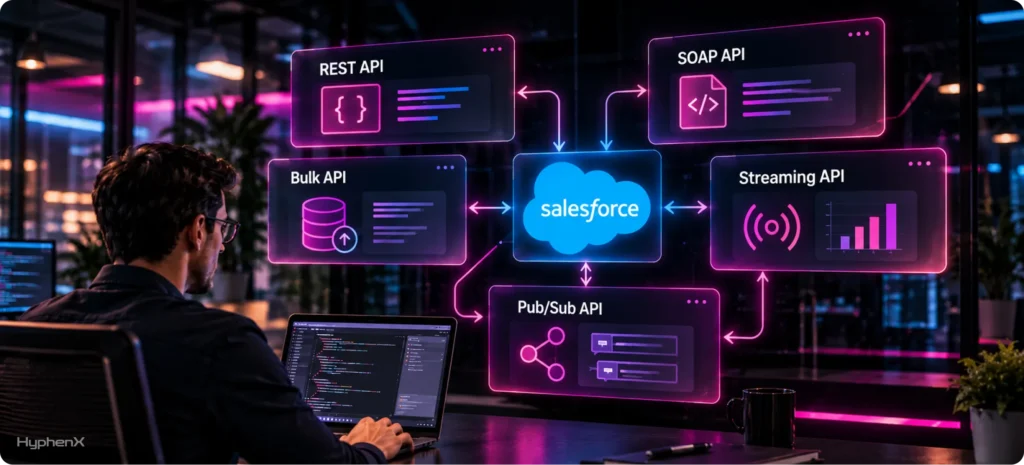

An ERP that writes 150,000 order updates into Salesforce one call at a time needs 150,000 Salesforce API requests a day. An Enterprise Edition org with 15 licenses gets 115,000, so the allowance runs dry before the day ends, while the same records sent 200 at a time use 750 requests, or 0.65% of the budget. That math drives the choice among Salesforce integration APIs, alongside the data format and timing that Salesforce’s own API selection guide lists for 12 of them.
REST API and SOAP API answer each call synchronously, and the Composite resource packs up to 25 operations into a request that counts once. Bulk API 2.0 batches large loads for you where 1.0 makes you split files, and Salesforce now points new event subscribers to Pub/Sub API, with PushTopic and generic Streaming events labeled legacy. Metadata API, GraphQL API, Salesforce Connect and Event Relay cover narrower jobs, Salesforce’s 6 integration patterns map each job to a tool, and new builds authenticate through OAuth and external client apps as the SOAP login call retires.
Requests, Bulk records and event deliveries each have a separate allowance. Add-ons that raise those allowances start at $25 a month, and API versions 31.0 through 40.0 stop working in Summer ’28. A case study from our Salesforce integration services work at HyphenX Solutions shows 3 outside APIs feeding 1 clean record, followed by 15 FAQs.
What Are Salesforce Integration APIs?
Salesforce integration APIs are the interfaces outside systems use to read and write Salesforce data or subscribe to its changes. Each one matches an integration style, and the style decides how much data moves per call and which allowance it spends. API access is on by default in Enterprise, Performance, Unlimited and Developer Edition orgs, while Professional Edition needs an add-on.
- Request and Response: REST API and SOAP API return each answer synchronously, which suits portals and apps that need a record the moment a customer requests it.
- High Volume: Bulk API 2.0 and Bulk API 1.0 accept large files, process them in the background and return results when the job finishes.
- Events: Streaming API and Pub/Sub API deliver messages when data changes, so an outside system can react without repeated queries.
- Configuration: Metadata API moves setup and code between sandboxes and production, and Tooling API feeds the developer tools that write the code.
A single order process can touch all 4 styles: a REST API call when a storefront posts the order, a nightly Bulk API load of invoices, a change event when the order ships and a Metadata API deployment when an order field goes live. Those 4 steps spread across several Salesforce allowances, and exhausting any single allowance can stall the order process while the others sit nearly untouched.
Why Your API Choice and API Version Both Matter
Salesforce meters integrations through separate allowances: a daily pool of API requests, a rolling 24-hour cap on Bulk API records and batches, and a daily count of event deliveries to outside subscribers. A design that fits easily inside one allowance can blow through another, so the same data load looks cheap or impossible depending on the API carrying it. Limits are one way a sync breaks, and our post on why Salesforce integrations often fail covers the others.
Version lifecycle: Salesforce supports each API version for at least 3 years. Versions 21.0 through 30.0 were retired in Summer ’25, and versions 31.0 through 40.0 become deprecated and unsupported by Salesforce in Summer ’27, then fail on every call from Summer ’28. |
Every integration also pins an API version, and that choice carries its own deadline. An integration pinned to an old Salesforce API version keeps running until the retirement date and then breaks all at once, so we build on the newest version available and document it. For REST, the version sits in every URI under /services/data/, which turns an audit into a simple search.
REST API and the Composite Resources
REST API gives programmatic access to Salesforce data over HTTPS, with request bodies in JSON or XML and JSON as the default. Each URI carries a version number, and Winter ’27 ships API version 68.0. Its resources cover record create, read, update and delete, SOQL queries, SOSL searches and a /limits resource that reports your org’s usage.
Where REST API Fits Best
Salesforce’s integration patterns guide rates REST API “Best” for Remote Call-In, the pattern where an outside system creates, reads, updates or deletes Salesforce data. That makes REST the default for apps and portals that touch a handful of records per action, and for AI agents that call headless APIs in Salesforce without a screen. A synchronous query returns up to 2,000 records per response, with a link to the next set when more remain.
Composite, Batch, Tree, Collections and Graph
Resource | What One Request Carries | How It Counts |
|---|---|---|
Composite | 25 subrequests where later steps reuse earlier results, up to 5 of them sObject Collections or queries | 1 call for the whole request |
Composite Batch | 25 independent subrequests that can’t pass data to each other | Every subrequest counts against limits |
sObject Tree | 200 parent and child records in new trees up to 5 levels deep | 1 call for the whole request |
sObject Collections | 200 records to create, update, upsert or delete, with all-or-none off by default | 1 call for the whole request |
Composite Graph | 500 nodes per payload, split across as many as 75 graphs of related operations | 1 call for the whole request |
Salesforce’s page on the Composite resource shows how requests chain and count, and dependency usually decides the pick. When step 2 needs the ID created in step 1, use Composite or Composite Graph. When records are independent and numerous, sObject Collections transfers 200 records per call, and wrapping 5 Collections in 1 Composite request moves 1,000.
SOAP API: Where It Still Fits and What the Login Retirement Changes
SOAP API exchanges XML messages defined by a WSDL file, and Salesforce’s documentation names ERP and finance system integration among its uses. It suits platforms built around strict, typed contracts. SAP ECC environments often expose SOAP web services alongside IDocs, BAPIs and RFCs, so projects connecting Salesforce with SAP can meet SOAP on both sides.
Enterprise WSDL or Partner WSDL
The Enterprise WSDL is a strongly typed description of one org’s data, so a new custom field means downloading the file again and regenerating client code. The Partner WSDL is loosely typed and can access data in any org, which suits tools and products that connect to many orgs. Salesforce rates SOAP API “Suboptimal” for Remote Call-In because it needs deep knowledge of the Salesforce object model, API mechanics and SOAP message handling.
The Login Call Retirement Timeline
- Orgs created in Winter ’26 or later have the SOAP login call disabled by default, and API versions 65.0 and later don’t include it.
- From December 1, 2026, the login call succeeds only for users with the Use Any API Auth permission.
- From December 15, 2026 in sandboxes and January 31, 2027 in production, users whose login IP range is wider than /8 need a security token or mutual TLS.
- The same dates switch the call off in orgs with no login call activity in the trailing 6 months.
- In the Summer ’27 release, the login call retires for API versions 31.0 through 64.0, and calls on those versions stop working once the org upgrades.
Integrations keep calling SOAP API and change how they sign in. Salesforce’s notice on the retirement of the SOAP login call points teams to external client apps and OAuth, and Salesforce’s Summer ’26 developer guide confirms SOAP API now accepts JWT-based access tokens from Salesforce OAuth flows in its session header. Bulk API 1.0 jobs that get their session from the login call need the same change.
Bulk API 2.0 vs Bulk API 1.0: Which One Should Load Your Data?
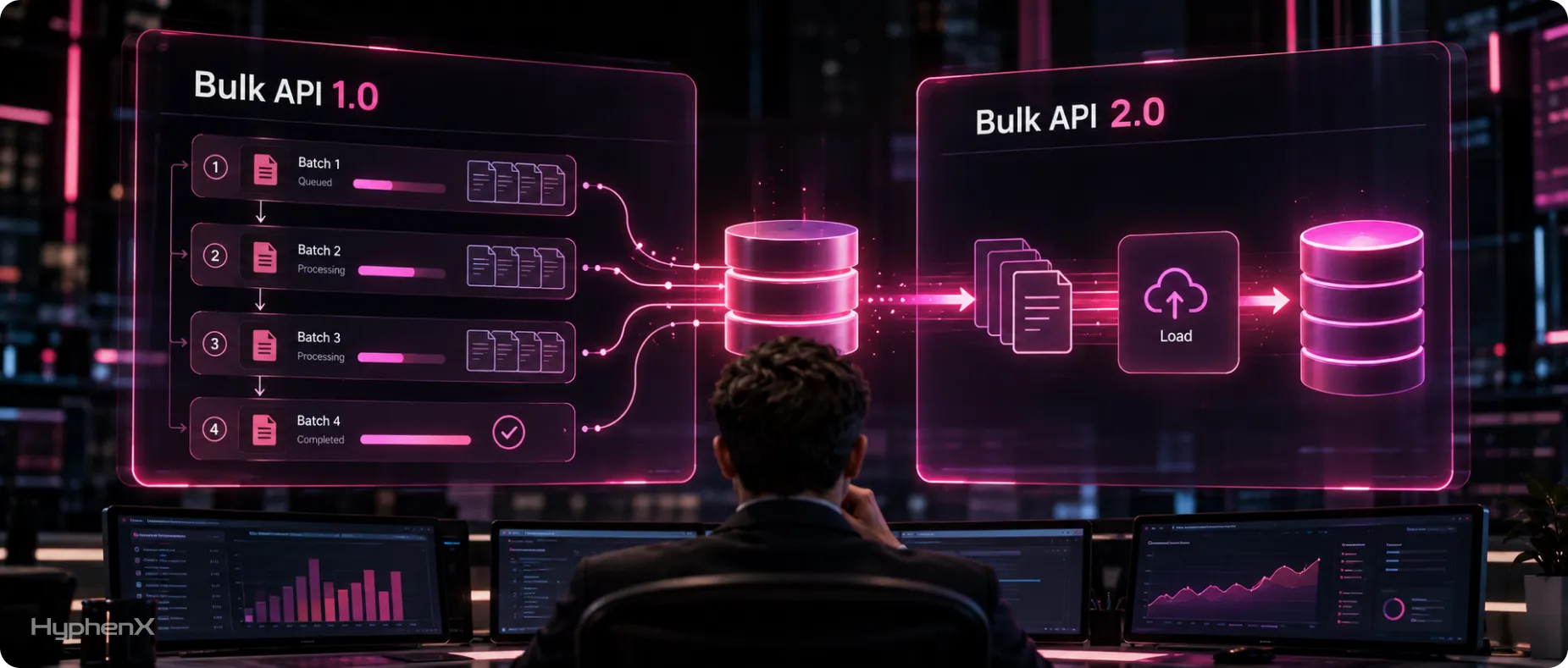
Bulk API inserts, updates, upserts, deletes and queries large datasets asynchronously: you submit a job and collect the results once Salesforce finishes processing it in the background. Bulk API 2.0 is REST-based and handles batching for you, while Bulk API 1.0 asks you to split the data and manage each batch yourself. Both versions remain available, and 2.0 is the default pick for new jobs unless you need XML, JSON or binary attachments, which only 1.0 accepts.
Feature | Bulk API 2.0 | Bulk API 1.0 |
|---|---|---|
Data formats | CSV only | CSV, XML, JSON and binary attachments |
Batching | Salesforce splits the job automatically | You create and size each batch |
Query chunking | PK chunking runs automatically | PK chunking is set up by hand |
Authentication | Same OAuth flows as REST API | Session header, documented as coming from the SOAP login call |
Upload size | 150 MB of base64-encoded data per job | 10 MB and 10,000 records per batch |
Daily cap measured in | Records | Batches |
Salesforce’s threshold: Any data operation that includes more than 2,000 records is a good candidate for Bulk API 2.0, and smaller jobs work best as bulkified synchronous calls in REST API. |
Bulk API 2.0 allows 150,000,000 records per rolling 24 hours, the same total 1.0 reaches through 15,000 batches of 10,000 records, and both draw on a shared pool of 15,000 batches, though Bulk API 2.0 query jobs don’t use it. Bulk API 2.0 query jobs add limits of 10,000 jobs and 1 TB of results per 24 hours, and ingest job results stay available for 7 days. Salesforce’s page on the differences between Bulk API 2.0 and 1.0 lists the rest, and for large one-time loads in Salesforce data migration work, 2.0’s automatic batching removes the most manual steps.
Streaming API vs Pub/Sub API: What’s Legacy and What Replaces It
Streaming API pushes notifications to subscribers through CometD, using the Bayeux protocol and long polling, and it carries PushTopic events, generic events, platform events and change data capture events. Pub/Sub API became generally available in Summer ’22 and runs on gRPC over HTTP/2 with binary Apache Avro payloads. Salesforce’s Streaming API guide now says, “we recommend you use Pub/Sub API instead of Streaming API.”
PushTopic and generic events are legacy products that get no new features from Salesforce and only limited support, with Change Data Capture suggested in place of PushTopic and platform events in place of generic events. Streaming API remains a supported route for platform events and CDC events to CometD clients.
- Transport: Streaming API runs on CometD and Bayeux long polling, and Pub/Sub API runs on gRPC over HTTP/2 with protocol buffers.
- Event Types: Streaming API carries PushTopic, generic, platform and CDC events, and Pub/Sub API carries high-volume platform events, CDC and real-time event monitoring events.
- Scope: Streaming API handles subscriptions only, while Pub/Sub API publishes, subscribes and retrieves event schemas in 1 API.
- Delivery Control: Salesforce pushes events to Streaming API clients, and a Pub/Sub API client pulls a set number, up to 100 across its open requests.
- Retention: Streaming API keeps PushTopic, generic and standard-volume events 24 hours, and both APIs keep high-volume platform events and CDC events 72 hours.
Salesforce’s page on Streaming event features names the replacement for each legacy type, and its Pub/Sub API allocations page sets limits of 1,000 concurrent streams per gRPC channel, 4 MB per publish request and 1 MB per event. Salesforce’s architect guide calls Pub/Sub API the recommended way for external publishers and consumers to use the event bus and says all new solutions should use it, so we build every new subscriber on it.
Other Salesforce APIs and Tools Worth Knowing
Salesforce integration APIs extend well past the 5 above, and these 9 APIs and tools handle setup, code, custom logic, analytics and outside data.
- Metadata API: retrieves, deploys, creates, updates or deletes customizations for your org, so it moves configuration between environments.
- Tooling API: connects Salesforce metadata with other systems and supports developer tools that need fine-grained access to code and setup.
- GraphQL API: returns only the data a client asks for in a single request, and it uses the same limits as the Connect APIs.
- Connect REST API: gives programmatic access to features such as B2B Commerce for Lightning and CMS managed content.
- Apex REST and Apex SOAP: expose your own Apex classes and methods as custom web services that outside applications can call.
- Analytics REST API: lets outside tools query and manage CRM Analytics datasets, lenses and dashboards.
- Outbound Messages: send SOAP messages to an endpoint when a record change triggers them, retry until a message is 24 hours old, and can arrive out of order or more than once.
- Salesforce Connect: lets users view, search and modify data stored outside the org through OData 2.0 and 4.0, cross-org or custom Apex adapters.
- Event Relay: sends platform events and change data capture events from Salesforce to Amazon Web Services without a custom integration app.
Several of these draw on the same daily request pool as REST API, including most Connect REST APIs, so an org running many of them has to plan the budget across all of them. Apex REST deserves a second look before you build it, since Salesforce’s patterns guide rates it “Suboptimal” for Remote Call-In next to the standard REST API.
Which Salesforce API Fits Which Job?
Salesforce’s integration patterns guide sorts work with Salesforce integration APIs into 6 patterns and rates the tools for each. Each job below sits in one of those patterns, with the tool Salesforce rates highest, an alternative and the allowance it draws from.
Job | Salesforce Pattern | Start With | Alternative | Allowance Used |
|---|---|---|---|---|
Outside app writes a few records at a time | Remote Call-In | REST API | SOAP API, rated Suboptimal | Daily requests |
Related records saved in 1 round trip | Remote Call-In | Composite or Composite Graph | sObject Tree for new parent-child sets | Daily requests |
Nightly load of more than 2,000 records | Batch Data Synchronization | Bulk API 2.0 through an ETL tool | sObject Collections for smaller sets | Bulk records and batches |
Outside system reacts to record changes | Fire and Forget | Change Data Capture through Pub/Sub API | Polling with SOQL | Event deliveries |
Salesforce announces a business event | Fire and Forget | Platform events through Pub/Sub API | Outbound Messages, rated Suboptimal | Event deliveries |
Salesforce calls a service and waits | Request and Reply | External Services calling a REST API | Apex callout with a named credential | Per-transaction callout limits |
Screen refreshes when data changes | UI Update Based on Data Changes | Platform events | Polling the record | Event deliveries |
Outside data shown without copying it | Data Virtualization | Salesforce Connect over OData | Request and Reply callout, rated Suboptimal | Salesforce Connect license |
Events streamed to AWS | Fire and Forget | Event Relay | Pub/Sub API client on AWS | Event deliveries |
Most builds span several rows, so each flow gets its own pick. Mapping each flow to a row comes before any code in Salesforce API integration services work, because a wrong row costs far less to fix on paper than after go-live.
How Do Integrations Authenticate With Salesforce?
Every Salesforce API call except the SOAP login call requires authentication, and for new builds that means OAuth 2.0 through an external client app. The flow you pick decides whether a person signs in and which user the integration runs as.
- Client Credentials Flow: suits server-to-server jobs with no user interaction, and it runs as a designated integration user.
- JWT Bearer Flow: signs a token with a certificate for unattended access, and the client app must be approved before the first call.
- Web Server Flow With PKCE: fits apps where a person signs in, and Salesforce names it a replacement for the username-password flow.
- Username-Password and User-Agent Flows: Salesforce calls both insecure, orgs created in Summer ’23 or later block username-password by default, and Salesforce plans to end it for connected apps.
Connected app change: Creating new connected apps is restricted as of Spring ’26. Existing connected apps keep working, Salesforce Support can still enable creation on request for now, and Salesforce recommends external client apps, which it calls the new generation of connected apps. |
The integration should run as its own user. Enterprise, Unlimited and Performance orgs get 5 Salesforce Integration user licenses at no extra cost and Developer Edition gets 1, with the API Enabled and API Only permissions locked on. For calls Salesforce makes outward, named credentials store the endpoint and its authentication in 1 definition, which keeps secrets out of code.
Salesforce’s article about the restriction on new connected apps says Support won’t be able to enable creation in future releases, so every new integration should start on an external client app. For OAuth settings, connected app policies and Event Log Files, our Salesforce API security checklist covers each control.
How Salesforce Counts API Calls and Event Deliveries
Salesforce pools request allowances at the org level, so every integration and every user draws from 1 shared number. These figures come from Salesforce’s API limits cheat sheet and event allocation docs.
Allowance | Default Figure | How Salesforce Counts It |
|---|---|---|
Daily API requests | 100,000 plus 1,000 per license in Enterprise and Professional, 5,000 in Unlimited and Performance, and a flat 15,000 in Developer Edition | REST API, SOAP API, Bulk API, Bulk API 2.0 and most Connect REST APIs draw on it |
Long-running requests | 25 concurrent in production and sandboxes, 5 in Developer Edition and trial orgs | Requests that run 20 seconds or longer |
Event delivery | 50,000 per 24 hours in Performance and Unlimited, 25,000 in Enterprise, 10,000 in Developer | Per subscribed client, shared by platform events and CDC, with Apex triggers and flows excluded |
Event publishing | 250,000 per hour, or 50,000 in Developer Edition | Covers platform events and governs Pub/Sub API traffic with the delivery allowance |
CDC objects | Up to 5 objects by default | The CDC add-on removes the cap and adds 100,000 deliveries a day |
Usage shows up in the API Usage section of the System Overview page in Setup and in the /limits resource in REST API, which lists each allocation and what remains. API usage notifications in Setup send an alert when usage passes a threshold you set. Salesforce lets a paid, active org run past its daily allocation by a small amount when it can, and it says not to rely on that room.
Every new flow and subscriber adds to these numbers, which makes them a standing line item in any Salesforce managed services plan.
Original Research: One 150,000-Record Day Through Every Option
This scenario pushes the same 150,000 daily updates through 8 delivery methods. An ERP integration sends 150,000 order updates into Salesforce each day, and an outside warehouse system needs to hear about each change. Every figure is our arithmetic on Salesforce’s published limits.
- The org runs Enterprise Edition with 15 Salesforce licenses, which gives 115,000 daily Salesforce API requests and 25,000 event deliveries per 24 hours under Salesforce’s default event allocations, and no other integration touches either allowance that day.
- Each update produces 1 change event. Salesforce can merge the same change to several records in 1 transaction into a single event, so the event counts here are the upper end.
- When the warehouse system polls instead, it checks every 5 minutes, which is 288 checks a day, with changes spread evenly, and the query uses QueryAll so deleted records still show up.
- The Composite row combines 2 documented rules: a Composite request counts as 1 call, and up to 5 of its subrequests can be sObject Collections of 200 records.
Direction | Method | Records per Request | Load on Salesforce | Share of Allowance |
|---|---|---|---|---|
Inbound | REST API, 1 record per call | 1 | 150,000 requests | 130% of daily requests |
Inbound | sObject Collections | 200 | 750 requests | 0.65% of daily requests |
Inbound | Composite with 5 Collections subrequests | 1,000 | 150 requests | 0.13% of daily requests |
Inbound | Bulk API 2.0 | Split by Salesforce | 150,000 records plus the job requests | 0.1% of the record cap |
Inbound | Bulk API 1.0 | 10,000 per batch | 15 batches | 0.1% of the batch cap |
Outbound | CDC to 1 subscriber through Pub/Sub API | Up to 100 per pull | 150,000 deliveries | 600% of event deliveries |
Outbound | CDC to 2 subscribers through Pub/Sub API | Up to 100 per pull | 300,000 deliveries | 1,200% of event deliveries |
Outbound | Polling with SOQL every 5 minutes | Up to 2,000 per response | About 288 requests | 0.25% of daily requests |
Batching drops the same day from 130% of the request allowance to under 1% once records travel 200 at a time. Each event subscriber multiplies the delivery count against a default of 25,000 a day, so the outbound side needs the most design attention. For high-volume changes that can wait a few minutes, polling costs a fraction of a percent of requests, so we reserve events for changes that need a response within seconds.
What Do Salesforce Integration APIs Cost?
The APIs themselves come included with Enterprise, Performance, Unlimited and Developer Edition, so cost starts when an integration needs more capacity or a paid feature such as Salesforce Connect. Salesforce lists those add-ons publicly in USD, billed annually, on its add-on pricing page, and design and build cost is separate.
Salesforce’s Listed Add-On Prices
- Additional API Calls: $25 a month, or $300 a year, for each block of 10,000 more daily calls.
- Platform Events: $500 a month, or $6,000 a year, for 100,000 more daily events.
- Change Data Capture: $5,000 per org a month, or $60,000 a year, for 100,000 more delivered events a day and no 5-object cap.
- Salesforce Connect: $4,000 per connection a month, or $48,000 a year, for access to outside data without copying it.
- Web Services API: $25 per user a month, or $300 a year, which is how Professional Edition and Pro Suite orgs add API access.
Applied to the scenario above, the record-by-record design is 35,000 requests short, which takes 4 blocks of extra Salesforce API calls at $100 a month, while switching to sObject Collections costs nothing in add-ons. The 1-subscriber CDC stream needs 125,000 more deliveries a day than the 25,000 default, which is more than one 100,000-event add-on covers, so redesigning comes before buying capacity.
What Drives Build Cost
Build cost scales with project size, which comes from the number of systems and flows, daily record volumes, event subscribers, migration of older connected apps or login call code, and post-launch monitoring. When a program needs middleware, MuleSoft, which Salesforce sells separately, lists packages from $2,000 a month, billed annually. Programs that connect many systems usually weigh MuleSoft integration against point-to-point code before that spend.
How to Plan an Integration Build: Steps and a Pre-Launch Checklist
A build plan for Salesforce integration APIs settles its decisions in a deliberate sequence, so a later choice doesn’t undo an earlier one.
- Map every flow. Record the source, target, direction, daily volume and how fast each change has to arrive.
- Assign an API per flow. Use the decision table to pick the pattern and API, and mark which allowance each flow draws from.
- Set up access. Create an integration user, an external client app and an OAuth flow, following Salesforce’s integration user best practices, and use named credentials for anything Salesforce calls outward.
- Size the allowances. Add up daily requests, Bulk records and event deliveries per subscriber, then compare each total with your edition’s defaults before buying anything.
Before launch, every line in this checklist should hold true.
☐ Every endpoint is on a current API version, and none sits in 31.0 through 40.0.
☐ No flow uses the username-password OAuth flow.
☐ New code and new Bulk API 1.0 jobs avoid the SOAP login call.
☐ Any user still on the login call has Use Any API Auth by December 1, 2026.
☐ One-time and nightly loads above 2,000 records run through Bulk API 2.0.
☐ CDC covers 5 objects or fewer, or the CDC add-on is in the budget.
☐ Event delivery totals are counted for each subscriber.
☐ Outbound Message receivers ignore duplicate and out-of-order messages.
☐ Peak load stays under 25 concurrent long-running requests.
☐ API usage notifications are switched on.
☐ No subscriber expects legacy events through Pub/Sub API.
☐ Each Pub/Sub API subscriber stores its last replay ID and can resume within the 72-hour retention window.
Run the checklist again after every release that adds a flow or a subscriber, because the allowances are shared across the whole organization.
Engineers Who Build on Every Salesforce API
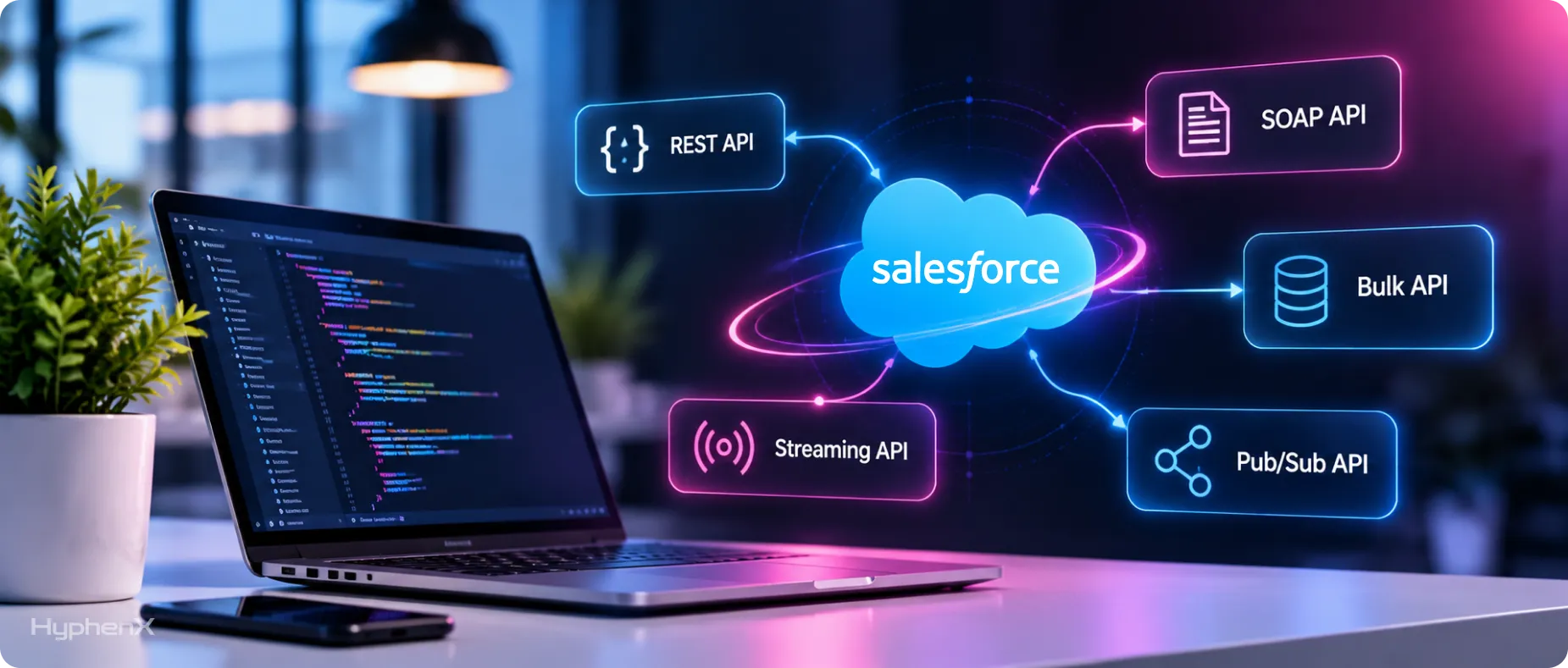
REST, SOAP, Bulk, Streaming and Pub/Sub each suit a different job, and the wrong pick shows up later as limit errors. HyphenX Solutions has 250+ Salesforce professionals, including integration architects and API developers who size call volume before the first line of code. Authentication, retries and monitoring are planned alongside the build, so the first release ships with them in place. Meet the engineers behind our integrations.
A Salesforce Integration Case Study From HyphenX
This HyphenX Solutions project connected 3 outside data providers to Salesforce through their APIs, with every provider call sequenced so the record is complete before Salesforce writes it.
B2B SaaS Sales Team: From Swivel-Chair Prospecting to Single-Click Pipeline
A B2B SaaS business prospected with Apollo for database reach, Lusha for direct dials and Hunter for email discovery, while reps re-keyed contacts into Salesforce by hand with no deduplication. HyphenX connected all 3 providers through their APIs and orchestrated them inside Salesforce behind one button, using waterfall logic that calls the best source first and falls back when a provider has no match. Each record is checked against existing data in real time and its email verified by Hunter before anything is written, and list views support bulk enrichment of whole target lists.
Key takeaway: When several APIs feed one record, the order of calls decides data quality, so enrich, deduplicate and verify before the write and Salesforce receives one clean record.
Read the full case study: From Swivel-Chair Prospecting to Single-Click Pipeline
Frequently Asked Questions
Which Salesforce API should I use for a new integration?
Start from volume and timing. Use REST API for small, immediate reads and writes, Bulk API 2.0 once a job passes 2,000 records, and Pub/Sub API when an outside system needs to react to changes as they happen.
What’s the difference between REST API and SOAP API in Salesforce?
REST API works over standard HTTP methods with JSON by default, and Salesforce rates it Best for outside systems calling into Salesforce. SOAP API carries XML structured by an Enterprise or Partner WSDL and fits systems that require typed contracts.
Is Salesforce retiring SOAP API?
Salesforce is retiring the SOAP login call, and SOAP API stays available. The call ends for API versions 31.0 through 64.0 in Summer ’27 and needs the Use Any API Auth permission from December 1, 2026, so migrate those integrations to OAuth through an external client app.
Which Salesforce API handles large data volumes best?
Bulk API 2.0 is built for it, and Salesforce points to it for any operation over 2,000 records. It handles up to 150,000,000 records per rolling 24 hours and splits jobs into batches automatically.
Is Bulk API 1.0 still supported?
Yes, and it’s the version that accepts XML, JSON and binary attachments. Its documented sign-in uses a SOAP login call session, so those jobs need Use Any API Auth by December 1, 2026 and OAuth or a move to Bulk API 2.0 before Summer ’27.
Do Bulk API calls count against the daily API request limit?
Yes. Salesforce lists Bulk API and Bulk API 2.0 among the APIs that draw on the daily request allocation, in addition to their own record and batch caps.
Is Pub/Sub API replacing Streaming API?
For new integrations, yes. Salesforce’s architect guide says all new solutions should use Pub/Sub API, and Streaming API keeps serving existing CometD clients for platform events and CDC while PushTopic and generic events sit in legacy status.
Does Pub/Sub API count against the daily API request limit?
Salesforce’s documentation measures Pub/Sub API against event allocations: an hourly publishing limit and a 24-hour delivery allowance counted per subscriber. Size a Pub/Sub API integration against those event figures.
What’s the difference between Change Data Capture and platform events?
Change Data Capture sends an event automatically when a record is created, updated, deleted or undeleted, while platform events carry custom messages you define and publish. Both share the same delivery allocation, and CDC covers 5 objects unless you buy the add-on.
How do I check how many API requests my org has used?
System Overview in Setup shows API requests for the last 24 hours, and the /limits resource returns every allocation with its remaining balance. Usage notifications email an admin once consumption crosses a set percentage.
How do I increase my Salesforce API request limit?
Each extra Salesforce license adds 1,000 daily requests in Enterprise Edition or 5,000 in Unlimited, and Salesforce sells Additional API Calls at $25 a month per 10,000 daily calls. Batching records into Composite or sObject Collections requests can free more room than both.
Can Professional Edition orgs use the Salesforce API?
Yes, through an add-on, since API access isn’t on by default in Professional Edition. The Web Services API add-on is listed at $25 per user per month for Professional Edition and Pro Suite orgs.
Can I still create a connected app for a new integration?
Only by request to Salesforce Support, since Spring ’26 restricted new connected app creation, and Support will stop granting those requests in a future release. Salesforce recommends an external client app for every new integration.
Which OAuth flow should a server-to-server integration use?
Both the client credentials flow and the JWT bearer flow run without anyone signing in. Client credentials needs a run-as integration user and no certificate, while JWT bearer signs each token with a certificate and needs the client app approved in advance.
Do I need middleware to integrate with Salesforce?
Point-to-point integrations can run on Salesforce integration APIs alone, calling REST API, Bulk API 2.0 and Pub/Sub API directly. Middleware such as MuleSoft, listed from $2,000 a month, pays off when many systems share data and need transformations and error handling in one place.