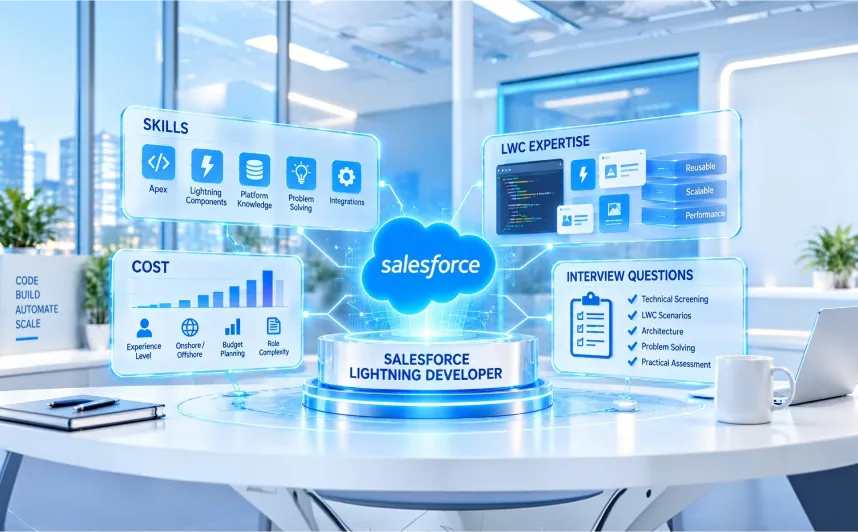

For most of your team, Salesforce isn’t a database. It’s the set of screens they work in every day. When those screens are slow, cluttered, or missing the one action a sales rep needs, adoption drops, workarounds start to appear, and a platform you pay for every month begins working against you. Fixing that is the job of a Salesforce Lightning developer, which is why knowing how to hire a Salesforce Lightning developer has become a real priority for growing businesses.
The challenge is that most hiring advice treats “Salesforce developer” as a single role. It isn’t. A Lightning developer is a front-end specialist who also understands Apex, SOQL, platform security, and the Salesforce data model. Hire a back-end developer for Lightning work, and you end up with screens that technically work but frustrate the people using them. Hire the right specialist, and your org starts to feel fast, intuitive, and easy to use.
This guide walks you through the full hiring process, step by step. Whether you plan to build in-house, bring in a freelancer, or hire a Salesforce Lightning developer through a dedicated partner, you’ll learn:
- What a Lightning developer actually does, and when your business genuinely needs one
- The skills that matter most, with a scorecard you can use in your next interview
- Where to find strong candidates and how to verify their claims
- 30 interview questions, a take-home coding task, and a grading rubric
- What it costs to hire in the US, UK, and India in 2026, with sources
- Which hiring model fits your situation, and how to onboard your new developer for success
We’re the Salesforce team at HyphenX, and helping businesses find the right Lightning talent is our everyday work. What follows is the same process we’d walk you through ourselves.
Key Takeaways: Hiring a Salesforce Lightning Developer at a Glance
- Knowing how to hire a Salesforce Lightning developer starts with one rule: hire for Lightning Web Components (LWC), not generic Salesforce experience.
- Test real skills, not badges. A short take-home task reveals more than any certification.
- UK contract Salesforce developers charged a median of £525 per day in the six months to September 2026. Dedicated offshore developers cost a fraction of that per month.
- For most teams with an ongoing roadmap, a dedicated, vetted partner developer balances speed, cost, and continuity best.
- Use the scorecard, rubric, and checklist below to avoid a costly bad hire.
What Does a Salesforce Lightning Developer Actually Do?
A Salesforce Lightning developer builds the screens your team uses every day. They create custom interfaces in Lightning Experience using Lightning Web Components, then connect those interfaces to your data with Apex and SOQL, so pages stay fast, secure, and useful.
If you’re not technical, four terms will carry you through this guide:
- Lightning Experience is the modern Salesforce interface that replaced Salesforce Classic.
- Lightning Web Components (LWC) is Salesforce’s current framework for custom UI. It uses standard HTML and modern JavaScript.
- Aura components are the older framework. The official Lightning Web Components Developer Guide confirms both can run on one page, but LWC is standards-based and lighter.
- Apex is Salesforce’s server-side language, while SOQL and SOSL are its query and search languages.
In practice, they deliver record page components, reusable App Builder blocks, Flow screen components, Experience Cloud portal components, and increasingly, UI for Agentforce actions.
Lightning Developer vs Salesforce Developer vs Admin vs Consultant: Key Differences
A Salesforce Lightning developer builds the screens your team uses every day. They create custom interfaces in Lightning Experience using Lightning Web Components, then connect those interfaces to your data with Apex and SOQL, so pages stay fast, secure, and useful.
If you’re not technical, four terms will carry you through this guide:
- Lightning Experience is the modern Salesforce interface that replaced Salesforce Classic.
- Lightning Web Components (LWC) is Salesforce’s current framework for custom UI. It uses standard HTML and modern JavaScript.
- Aura components are the older framework. The official Lightning Web Components Developer Guide confirms both can run on one page, but LWC is standards-based and lighter.
- Apex is Salesforce’s server-side language, while SOQL and SOSL are its query and search languages.
In practice, they deliver record page components, reusable App Builder blocks, Flow screen components, Experience Cloud portal components, and increasingly, UI for Agentforce actions.
Lightning Developer vs Salesforce Developer vs Admin vs Consultant: Key Differences
QUICK ANSWER
A Lightning developer specializes in custom Salesforce UI built with LWC and JavaScript. A general Salesforce developer focuses on Apex, integrations, and back-end logic. A Salesforce admin configures the platform with clicks, Flow, and permissions. A consultant maps business processes to Salesforce design. Custom UI projects need the Lightning specialist.
Role | Primary focus | Core tools | Writes code? | Hire when |
Lightning developer | Custom UI and user experience | LWC, JavaScript, Apex, SOQL, Lightning Data Service | Yes, front and back end | You need custom screens, faster pages, Aura to LWC refactoring, or portals |
Salesforce developer | Back-end logic and integrations | Apex, triggers, APIs, batch jobs | Yes, mostly back end | You need complex automation, integrations, or data processing |
Salesforce admin | Configuration and users | Flow, Lightning App Builder, permissions, reports | Rarely | You need day-to-day changes and simple automation |
Salesforce consultant | Process design | Workshops, requirements, solution design | Sometimes | Requirements are unclear or you’re redesigning processes |
Types of Salesforce Lightning Developers and When to Hire Each
The title “Lightning developer” covers four distinct kinds of work. Knowing which one you need makes every later hiring step easier:
- LWC front-end specialist. Builds component libraries and improves page performance and accessibility. Hire one when the interface itself is the problem.
- Full-stack Lightning developer. Writes both the component and the Apex behind it, so logic-heavy screens don’t need a hand-off between two people.
- Experience Cloud developer. Builds customer, partner, and employee portals with custom components, secure login, and your branding.
- OmniStudio and industry UI developer. Builds FlexCards, OmniScripts, and interfaces for regulated industries using clouds such as Financial Services or Health.
The bottom line: Before you decide how to hire a Salesforce Lightning developer, decide which of these four profiles your roadmap actually needs.
7 Signs Your Business Needs a Salesforce Lightning Developer
You need a Lightning developer when requirements outgrow configuration and Flow, or when custom UI is slowing your people down. These seven situations come up most often.
- Your Classic to Lightning migration has stalled. Visualforce pages and JavaScript buttons don’t carry over cleanly. Our breakdown of why migrating from Salesforce Classic to Lightning matters in 2026 explains what’s at stake.
- Record pages are painfully slow. Heavy components and too many server calls drag down daily work.
- You’re sitting on an Aura backlog. Aura still works, but it’s harder to maintain and hire for. Refactoring it into LWC is specialist work.
- Flow has hit its limits. Flow is powerful and should stay your first choice for many jobs. Dynamic tables, complex validation, and rich interactions need LWC.
- You’re launching an Experience Cloud portal. Portals need branded, secure components that respect external access.
- Agentforce is on your roadmap. Teams adopting Agentforce often need custom components that display or collect data around agent actions.
- Users have stopped trusting the screens. Side spreadsheets and constant “where do I click?” questions are UI problems in disguise.
Lightning Developer Demand in 2026: What the Hiring Data Shows
Demand is rising fast. In the UK, IT Jobs Watch recorded 214 contract roles requiring a Salesforce developer in the six months to 22 September 2026, up from 92 in the same period of 2025. Lightning Web Components was cited in about half of those ads.
Three forces drive this: Salesforce keeps investing in LWC, Agentforce rollouts need new UI surfaces, and companies are finally paying down Classic and Aura debt. Strong candidates move quickly, so preparation matters.
A great Lightning developer pays for themselves: faster pages, fewer clicks, higher adoption, cleaner data, and a UI ready for AI features.
The bottom line: If two or more of the signs above sound familiar, the cost of waiting is already higher than the cost of hiring.
What Should You Look for When Hiring a Salesforce Lightning Developer?
QUICK ANSWER
Look for strong LWC and modern JavaScript skills, solid Apex and SOQL knowledge, a clear grasp of Lightning Data Service and component communication, secure coding habits, real Jest testing experience, and comfort with Salesforce DX and CI/CD. Then confirm they can explain their decisions in plain language to non-technical stakeholders.
8 Essential Technical Skills for a Lightning Developer
- LWC fundamentals. Your developer should know the component lifecycle (connectedCallback, renderedCallback), reactivity, decorators such as @api and @wire, templates, and slots. These are the building blocks of every component.
- Modern JavaScript. LWC is mostly standard JavaScript: ES6+ syntax, promises, async/await, modules, and events. Weak JavaScript means fragile components, whatever the resume says.
- Apex, SOQL, and governor limits. Governor limits are hard caps Salesforce places on each transaction, such as the number of queries. Good developers write “bulkified” code that handles many records at once and never query inside loops.
- Data access with Lightning Data Service. Lightning Data Service (LDS) reads and writes records without custom Apex, with caching and sharing built in. The wire service connects components to data reactively. Strong developers know when each one fits.
- Component communication. Look for confident use of custom events between parent and child components, and Lightning Message Service for messaging across the page, including between LWC, Aura, and Visualforce.
- Secure coding. This means enforcing object and field permissions (CRUD and FLS), using “with sharing” correctly, and writing code that works under Lightning Web Security. The Salesforce security guide for Lightning components notes that Lightning Web Security arrived in Spring ’22 and is on by default in new orgs.
- Testing with Jest and Apex. Look for real Jest experience for LWC plus meaningful Apex test classes. The goal is catching bugs, not just reaching the 75 percent coverage Salesforce requires to deploy.
- DevOps and tooling. Expect familiarity with Salesforce DX, the Salesforce CLI, VS Code, source control, scratch orgs and sandboxes, CI/CD pipelines, and DevOps Center. Integration awareness helps too: Named Credentials, REST callouts, and how external data reaches the screen.
Bonus: AI and Agentforce readiness. In 2026, the strongest candidates can explain how custom components fit alongside Agentforce, Einstein features, and accessibility standards such as WCAG. It’s a strong signal of someone who keeps up with the platform.
FIELD NOTE FROM OUR TEAM
When we vet developers, the fastest signal is how they talk about data access. Candidates who reach for custom Apex for everything usually haven’t worked on large orgs. Candidates who explain why they chose Lightning Data Service first usually have.
LWC Skills Scorecard for Evaluating Candidates
Rate each area from 1 to 5, multiply by the weight, and compare totals.
Skill area | Junior signal | Mid-level signal | Senior signal | Weight |
LWC fundamentals | Builds simple components from examples | Uses lifecycle hooks and decorators correctly | Designs reusable component libraries | 20% |
JavaScript | Basic syntax | Comfortable with async/await and events | Clean, modular, testable code | 15% |
Apex and SOQL | Simple queries | Bulkified code within limits | Efficient service layers | 15% |
Data access (LDS, wire) | Wired Apex for everything | Chooses LDS or Apex appropriately | Optimizes caching and refresh | 10% |
Security | Aware of permissions | Enforces CRUD, FLS, and sharing | Designs for LWS and security review | 10% |
Testing | Minimal tests | Writes Jest and Apex tests | Tests edge cases, mocks wire adapters | 10% |
Performance | Not considered | Reduces server calls | Diagnoses and fixes slow pages | 10% |
DevOps | Change sets | Salesforce CLI and source control | Builds CI/CD pipelines | 10% |
Sales Cloud vs Service Cloud Developer: Skills Compared
The core LWC skills are identical; the daily work is not. When you hire a Salesforce Sales Cloud developer, you want someone who understands how revenue moves. When you hire a Salesforce Service Cloud developer, you want someone who understands how support agents work under pressure.
Area | Sales Cloud developer | Service Cloud developer |
Core objects | Leads, Accounts, Opportunities, Quotes, Products | Cases, Knowledge, Entitlements, Service Contracts |
Typical LWC builds | Opportunity workspaces, product selectors, pipeline views | Console utility bar components, case panels, knowledge search |
Automation patterns | Lead routing, approvals, forecasting | Case assignment, escalations, SLA milestones |
Key add-ons | CPQ or Revenue Cloud, forecasting | Omni-Channel, Service Console, messaging |
See the kind of revenue work a Sales Cloud developer supports in our Salesforce Sales Cloud services, and the support-side equivalent in our Salesforce Service Cloud services.
Salesforce Developer Certifications: What They Prove and What They Don’t
Certifications prove someone has studied the platform, not that they can build fast, secure, maintainable components. Salesforce renamed many credentials in 2025 and 2026, so resumes may show older titles. For Lightning work, look for the Salesforce Certified Platform Developer (formerly Platform Developer I), Platform Developer II, and the Salesforce Certified JavaScript Developer (formerly JavaScript Developer I). Current names are listed on the Trailhead developer certifications page.
The bottom line: Weight LWC and JavaScript most heavily, verify security and testing habits, and for remote hires, check written communication and time-zone overlap as carefully as code.
How to Hire a Salesforce Lightning Developer: The 9-Step Hiring Process
QUICK ANSWER
To hire a Salesforce developer, and especially a Lightning specialist, define the outcome, choose seniority and an engagement model, write a focused brief, screen against a skills scorecard, run a practical assessment, check references and real code, then onboard with controlled sandbox access. Strong Salesforce developer hiring follows this order.
- Define the outcome. “Rebuild the opportunity page so reps update products in one screen” beats “need LWC developer” every time.
- Choose seniority and model. One scoped component may need a mid-level developer. A full Aura to LWC migration needs senior judgment.
- Write the brief. Stack, clouds, org size, deliverables, and whether the role is LWC-first.
- Source and screen. Filter on relevant projects first, certifications second.
- Interview with the scorecard. Same questions, same weights, for every candidate.
- Run a practical task. Three to four hours, paid, realistic.
- Check references and code. Ask references about communication and reliability, not just skill.
- Secure access. Sandbox first, least-privilege permissions, NDA and IP agreements signed before production.
- Onboard on purpose. In the first 30 days, walk through your org, share standards, and assign a small, low-risk first ticket.
Where to Find Qualified Lightning Developers
Good Lightning developers rarely sit on job boards for long. These channels consistently produce stronger candidates:
- The Trailblazer Community. Contributors who answer LWC questions publicly show you how they think.
- Salesforce user groups and events. Experienced developers meet and network here.
- Referrals. Your admins, architects, and existing partners often know who delivers.
- Public code. Real LWC and Jest repositories tell you more than a polished resume.
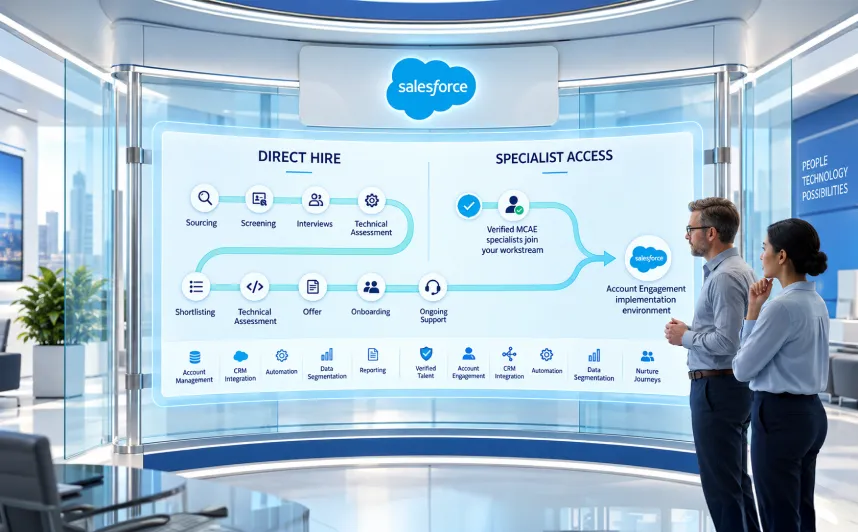
- Dedicated development partners. A partner with a working Lightning practice can shortlist pre-vetted developers in days.
How to Verify Salesforce Certifications and Trailhead Profiles
Salesforce certifications can be checked through the public verification tool on Trailhead, so confirm them yourself. Then look beyond badge counts: Lightning and Apex superbadges, recent activity, and maintained certifications say more than a long list of old beginner badges.
The bottom line: Most bad hires trace back to skipping step one. A clear outcome, and knowing where to look, makes every later step easier.
30 Salesforce LWC Developer Interview Questions and What Strong Answers Include
QUICK ANSWER
The best Salesforce LWC developer interview questions test reasoning, not memory. Cover six areas: LWC fundamentals, JavaScript, Apex and data, architecture and performance, testing and DevOps, and real-world scenarios. Decide what a strong answer sounds like before the interview, so every candidate is judged the same way.
Interviewing is where most advice on how to hire a Salesforce Lightning developer gets vague, so here is exactly what to ask.
LWC Fundamentals Interview Questions
- Walk me through the LWC lifecycle. When do you use connectedCallback versus renderedCallback?
- What’s the difference between @api, @track, and @wire?
- How does reactivity work for primitives versus objects and arrays?
- How do you conditionally render markup in a template?
- When would you use slots?
Great answers include: correct lifecycle order, guards in renderedCallback, and awareness that @track is rarely needed now.
JavaScript Interview Questions
- How do you handle async calls inside connectedCallback?
- Explain event bubbling and the composed property.
- Why does immutability matter when updating component data?
- What’s a closure, and where have you used one?
- How would you debounce a search input?
Great answers include: async/await with error handling, shadow DOM awareness, and copying read-only wired data instead of mutating it.
Apex and Data Access Interview Questions
- When do you choose Lightning Data Service over Apex?
- What does cacheable=true do, and when can’t you use it?
- How do you bulkify an Apex method?
- How do you enforce field-level security in Apex that serves an LWC?
- How do you refresh wired data after an update?
Great answers include: LDS first for single records, cacheable Apex only for reads, WITH USER_MODE for permissions, and refreshApex.
Architecture and Performance Interview Questions
- A record page takes six seconds to load. How do you diagnose it?
- When do you pick Lightning Message Service over custom events?
- How would you plan an Aura to LWC migration for 40 components?
- How do you display 50,000 records in a component?
- How do you make components admins can reuse in Lightning App Builder?
Great answers include: methodical diagnosis, pagination and lazy loading, and a phased migration starting with leaf components, because Aura can contain LWC but not the reverse.
Testing and DevOps Interview Questions
- How do you mock a wire adapter in Jest?
- What makes an Apex test meaningful beyond coverage?
- Describe your ideal pipeline from sandbox to production.
- How do you use source tracking with scratch orgs?
- How would you roll back a bad deployment?
Great answers include: hands-on Jest mocking, real assertions, CLI and version control fluency, and a realistic rollback plan.
Scenario-Based and Behavioral Interview Questions
- A stakeholder wants a custom component, but Flow could do it. What do you do?
- Tell me about a missed estimate. What happened next?
- How do you work with a team eight or more hours away?
- How would you approach UI for an Agentforce action?
- Describe a bug you shipped and how you handled it.
Great answers include: recommending the simpler solution, owning mistakes, and honest curiosity instead of bluffing.
LWC Coding Assessment: Take-Home Task and Grading Rubric
A short, paid take-home task is the best predictor we’ve found of real performance.
The brief: Build a Lightning web component for the Account record page that lists related Cases in a table. Include a status filter, a cacheable Apex method that enforces field-level security, at least three Jest tests, and a short README explaining design choices. Time box: three to four hours.
Criteria | Weight | Strong | Acceptable | Weak |
Functionality | 20% | Works fully, handles empty and error states | Works for the main case | Broken or incomplete |
Code structure | 15% | Clean, modular, well named | Readable but repetitive | Hard to follow |
Data access | 15% | Justified use of wire and cacheable Apex | Works, not optimized | Queries in loops |
Security | 15% | Enforces FLS and sharing | Partial | Ignores permissions |
Tests | 15% | Meaningful Jest tests with mocks | Basic tests | None |
Performance | 10% | Minimal server calls, handles large lists | Fine for small data | Loads everything |
README | 10% | Explains trade-offs clearly | Brief notes | Nothing |
Red Flags to Watch for in Lightning Developer Candidates
WATCH OUT
These warning signs are specific to Lightning work and easy to miss if you’re not technical.
☐ Calls Aura or Visualforce projects “LWC experience”
☐ Can’t explain when to use Lightning Data Service versus Apex
☐ Has never written a Jest test
☐ Queries inside loops or skips permission checks
☐ Holds a developer title with only admin or Flow experience
☐ Has several certifications but can’t walk through a code sample
☐ Is vague about the orgs, clouds, and components they built
☐ Promises exact timelines before seeing your org
Common Hiring Mistakes Companies Make (and How to Avoid Them)
The red flags above are about candidates. These mistakes are about the hiring process itself, and we see them often:
- Hiring a generalist for specialist work. A strong Apex developer isn’t automatically a strong UI developer.
- Skipping the practical test. Interviews reward confident talkers; tasks reward capable builders.
- Choosing on hourly rate alone. Rework, technical debt, and security gaps make cheap developers expensive.
- Giving production access on day one. Start in a sandbox with least-privilege permissions.
- No onboarding plan. Even great developers stall without org context and a clear first ticket.
- Letting code live outside your repositories. If the developer leaves, the knowledge should stay.
The bottom line: Thirty questions, one task, one rubric, and six avoided mistakes. That combination filters out most mis-hires before they cost you anything.
Should You Hire Freelance, In-House, or Through a Dedicated Developer Partner?

QUICK ANSWER
For most businesses with an ongoing Salesforce roadmap, a dedicated developer through a vetted partner is the strongest fit, because it combines fast hiring, lower cost than in-house, and built-in continuity. Freelancers work well for small, well-defined tasks. In-house hiring makes sense when Salesforce sits at the core of your product.
Criteria | Freelancer | In-house full-time | Recruitment agency | Dedicated partner developer |
Speed to hire | Fast | Slow, often months | Moderate | Fast, often days |
Cost | Variable hourly rates | Highest total cost | Placement fee plus salary | Predictable monthly fee |
Vetting quality | Your responsibility | Your responsibility | Varies | Pre-vetted by the partner |
Accountability | Individual only | High, through management | Ends at placement | Shared with the partner |
Continuity and backup | Low | Moderate, notice periods | Low | Higher, partner can arrange cover |
IP and security | Depends on your contract | Strong | Strong once hired | Covered by partner agreements |
Scalability | Hard | Slow | Slow | Scale up or down |
Management overhead | High | High | High after placement | Lower, partner handles admin |
Are There Freelance Options for Hiring Salesforce Developers?
QUICK ANSWER
Yes. Freelance Salesforce developers are widely available and can work well for small, clearly scoped tasks, such as building one component or fixing a specific bug. The risks are real, though: you handle all vetting yourself, availability can change without warning, knowledge walks out when the contract ends, and org access needs careful security controls.
If you go freelance, scope tightly, work in a sandbox, keep code in your own source control, and never grant production access without a signed agreement.
How Can I Hire a Skilled Salesforce Developer Quickly?
QUICK ANSWER
The fastest way to hire a skilled Salesforce developer is to prepare your scope and scorecard before you start, combine technical screening into one session, and work with a partner that already has pre-vetted developers ready. Done well, this cuts hiring time from months to days without lowering the bar.
Our speed playbook has five parts: a one-page scope, a scorecard and task ready on day one, one combined interview, a short paid trial sprint instead of extra rounds, and a partner’s bench. If you need to hire Salesforce Lightning developer talent for a deadline weeks away, that last step matters most.
Model | Sourcing | Screening | Offer and notice | Productive by |
Freelancer | Days | Days | None | Around 1 to 2 weeks |
In-house full-time | Several weeks | 2 to 4 weeks | Often 1 to 3 months | Often 3 months or more |
Recruitment agency | 1 to 3 weeks | 2 to 3 weeks | Often 1 to 3 months | Often 2 to 4 months |
Dedicated partner developer | Days | Days | Minimal | Often within 2 weeks |
These are typical ranges, not guarantees.
Hiring a Salesforce Lightning Developer in India: What to Know
India has one of the world’s largest Salesforce talent pools, so many US, UK, and Middle East businesses hire Lightning developers there for strong LWC skills at lower cost. Get four things right: time-zone overlap, clear written requirements, senior code review, and a partner or entity that handles contracts and compliance.
The bottom line: Match the model to the shape of your work. Small and finite suits a freelancer; ongoing and growing suits a dedicated partner developer.
How Much Does It Cost to Hire a Salesforce Lightning Developer?
QUICK ANSWER
The cost to hire a Salesforce Lightning developer depends on region, seniority, and engagement model. In 2026, UK contract Salesforce developers charged a median of £525 per day, and US software developers earned a median of $135,980 per year in 2025. Dedicated offshore developers through a partner typically cost a fraction of either.
Salesforce Developer Rates by Region in 2026
Region and model | Typical figure | Source and date |
US, in-house (all software developers) | Median salary of $135,980 per year | US Bureau of Labor Statistics, May 2025 data |
UK, permanent Salesforce developer | Median salary of £70,000 per year | IT Jobs Watch, 6 months to 22 September 2026 |
UK, contract Salesforce developer | Median £525 per day (10th to 90th percentile: £360 to £675) | IT Jobs Watch contract data, 6 months to 22 September 2026 |
India and offshore, dedicated developer through HyphenX | About $3,500 to $7,500 per month | Our published pricing, 2026 |
India and offshore, hourly or augmentation through HyphenX | About $25 to $55 per hour | Our published pricing, 2026 |
The BLS figure covers all US software developers, so treat it as a baseline. We found no verifiable 2026 benchmark for Eastern Europe, so we’ve left it out rather than guess.
Salesforce Developer Cost by Engagement Model
Freelancers bill hourly or daily, but vetting, backup, and continuity are on you. In-house hires cost salary plus benefits, recruiting, tools, and turnover risk. Agencies add a placement fee and step away once the hire starts. A dedicated partner developer comes at a predictable monthly fee that already covers vetting, management, and cover.
Our guide to Salesforce staff augmentation costs, hourly rates, and monthly pricing breaks each one down, and our offshore Salesforce development services show how a structured offshore team keeps quality and visibility intact. Onshore developers offer full time-zone overlap at a higher price; offshore developers cost far less when processes and accountability are clear.
First-Year Cost Comparison: In-House vs Contractor vs Dedicated Developer
Here’s an illustrative comparison for one mid-level developer over 12 months, with assumptions stated so you can adjust them.
Model | Assumptions | Estimated first-year cost |
US in-house | BLS median of $135,980, plus an assumed 25 to 35 percent for benefits, taxes, and equipment, plus recruiting time | Roughly $170,000 to $185,000 or more |
UK contractor | £525 median daily rate, about 220 working days | About £115,500 |
Dedicated offshore developer through HyphenX | $3,500 to $7,500 per month for 12 months | About $42,000 to $90,000 |
The bottom line: The cheapest line isn’t always the right one, but the gap is wide enough that a dedicated partner model deserves a serious look.
How to Write a Salesforce Lightning Developer Job Description
Many candidates find roles through searches for “sfdc developer jobs,” so specificity is your edge. A great Lightning developer job description names:
- Your stack: LWC, Apex, which clouds, and any Agentforce plans
- Two or three concrete deliverables for the first 90 days
- Whether the role is LWC-first or general development with some UI
- Your tooling: Salesforce DX, source control, CI/CD, DevOps Center
- Working hours, time-zone expectations, and remote policy
Salesforce developer recruitment is competitive right now. The US Bureau of Labor Statistics projects software developer employment to grow 10 percent from 2025 to 2035, much faster than the average for all occupations. Great LWC developers rarely stay on the market long. Developers reading this can explore Salesforce developer careers at HyphenX.
The bottom line: Specific job posts attract specialists. Vague ones attract everyone else.
How to Onboard a Lightning Developer: Your First 90-Day Plan
The first 90 days decide whether a new developer becomes productive or frustrated. It’s the part of how to hire a Salesforce Lightning developer that most guides skip.
Timeframe | Focus | What “good” looks like |
Week 1 | Access and context | Sandbox, repository, and tool access set up; org walkthrough done; coding standards shared |
Weeks 2 to 4 | First deliveries | A small, low-risk component shipped through your full review and deployment process |
Months 2 to 3 | Ownership | Owns a feature end to end, contributes to code reviews, flags technical debt proactively |
How to Measure Performance and Retain Your Lightning Developer
Judge outcomes, not hours. Useful measures include page load times on key record pages, user adoption and task completion, defect rates after release, Jest and Apex test quality, and how reliably sprint commitments are met. To keep strong developers, offer interesting work, time for releases and certifications, and a growth path. Retention is part of your hiring strategy.
The bottom line: A structured 90-day plan turns a good hire into a productive one, and a productive one into a developer who stays.
Which Hiring Model Fits Your Business? Recommendations by Use Case
The right model depends on how much work you have, how long it lasts, and how much management time you can spare.
Your situation | Best-fit model | Why |
Startup needing one feature | Freelancer or short project engagement | Small, scoped work doesn’t justify a long commitment |
Mid-size company migrating Classic to Lightning | Dedicated partner developer | Migration needs continuity, senior judgment, and backup |
Enterprise with an ongoing Sales Cloud and Service Cloud roadmap | In-house core team plus dedicated partner developers | Keep architecture in-house, scale delivery with a partner |
Short-term release crunch | Dedicated partner developers | Fast ramp-up, then scale back after release |
AppExchange product build | Dedicated team with security review experience | Security review is demanding and specialist |
Experience Cloud portal | Dedicated developer with portal LWC experience | Guest access, branding, and performance need specific skills |
Building a product for the marketplace? Our Salesforce AppExchange app development team designs, tests, and prepares apps in line with Salesforce security and packaging standards.
The bottom line: When you work out how to hire a Salesforce Lightning developer for your own situation, four of these six scenarios point to the same answer: a dedicated, vetted developer who can start fast and stay.
Why Businesses Hire Expert Salesforce Developers From HyphenX
You’ve seen the criteria; here’s how we meet them. When you hire expert Salesforce developers from HyphenX, you get a certified Lightning specialist from a working delivery practice, matched to your org’s real problems, with a full team behind them.
How HyphenX Matches You With the Right Lightning Developer
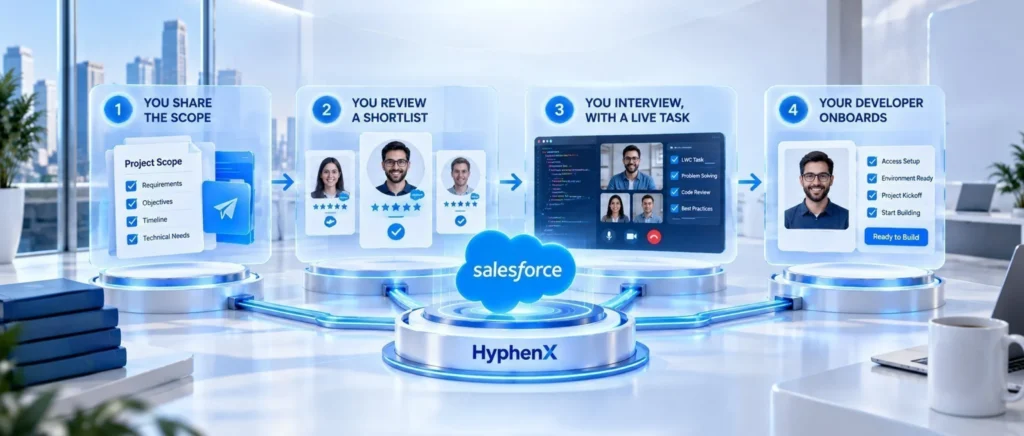
- You share the scope. Tell us the components, clouds, design rules, and sprint cadence. We sign an NDA before sharing any profiles.
- You review a shortlist. Usually within a few business days, you receive two or three developers whose past work mirrors your build, each with verifiable certifications, component demos, and repository samples.
- You interview, with a live task. We’ve already verified certifications, put sample code through senior review, and checked references.
- Your developer onboards. This typically happens inside a week, with the developer working in your Git, Jira or Azure DevOps, and chat tools.
What You Get When You Hire Through HyphenX
Our promise | What it means for you |
A proven Salesforce team | 250+ Salesforce certifications, 100+ multi-cloud implementations, and 30,000+ users supported |
Senior code review on every pull request | A second quality gate built in, without slowing your cadence |
A named delivery manager | One accountable contact for progress, priorities, and escalations |
Bench cover and replacement | If your developer is ever unavailable or a mismatch occurs, we arrange cover and manage the handover |
Apex and integration developers on the same bench | When a component needs back-end or integration help, it arrives in hours, not hiring cycles |
Hours that match yours | Delaware headquarters and a Jaipur capability centre aligned to US, UK, Middle East, and Indian business hours, with overlap written into the SOW |
Flexible models, no rigid minimum term | Dedicated developer, a monthly bank of on-demand hours, or a fixed-scope build or migration |
Security and IP you control | Sandbox-first development, NDA before profiles, and code committed to repositories you own |
Our promise is straightforward: client success comes first, and we measure it by adoption, performance, and business impact rather than project milestones alone.
YOUR NEXT STEP
Ready to add a Lightning specialist to your team? Hire dedicated Salesforce developers with HyphenX on a dedicated, on-demand, or fixed-scope basis, and get matched with someone who understands your org, not just the job title.
Pre-Hire Checklist: 8 Things to Confirm Before You Hire
☐ Scope is written, with specific components and clouds named
☐ Seniority level and engagement model are decided
☐ Skills scorecard and interview questions are ready
☐ Take-home task and rubric are prepared
☐ Code samples and references are checked
☐ NDA and IP agreements are signed
☐ Sandbox access is set up with least-privilege permissions
☐ A 30-day onboarding plan and first ticket are ready
Conclusion: How to Hire a Salesforce Lightning Developer the Right Way
Learning how to hire a Salesforce Lightning developer really comes down to a few decisions made in the right order. Define the outcome and the profile you need. Look in the right places and verify what candidates claim. Test real LWC, JavaScript, and Apex skill instead of counting badges. Compare hiring models on the same criteria, then onboard with a clear 90-day plan.
A freelancer can be the right call for one small task. An in-house hire makes sense when Salesforce is your product. For most businesses with an ongoing roadmap, a dedicated, vetted developer through a trusted partner delivers the best mix of speed, cost, quality, and continuity.
YOUR NEXT STEP
Tell us what’s slowing your org down, and we’ll match you with a Lightning developer who can fix it. Talk to the HyphenX team about your Lightning project today.