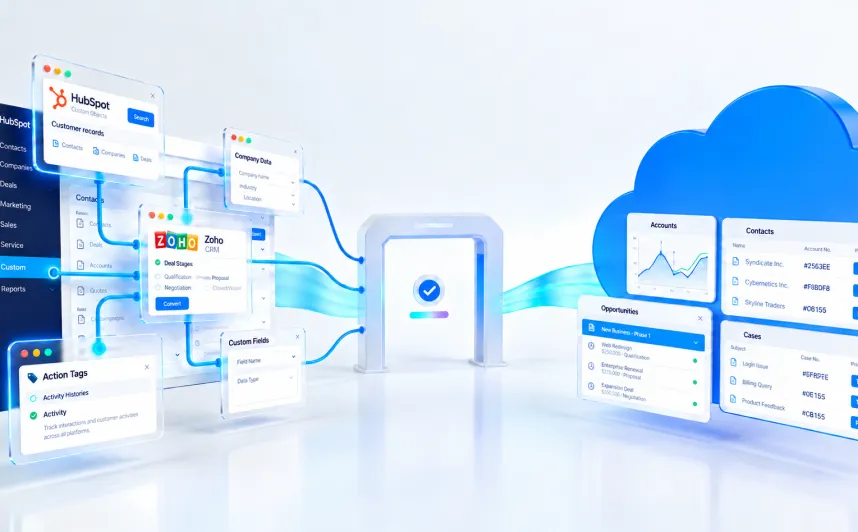

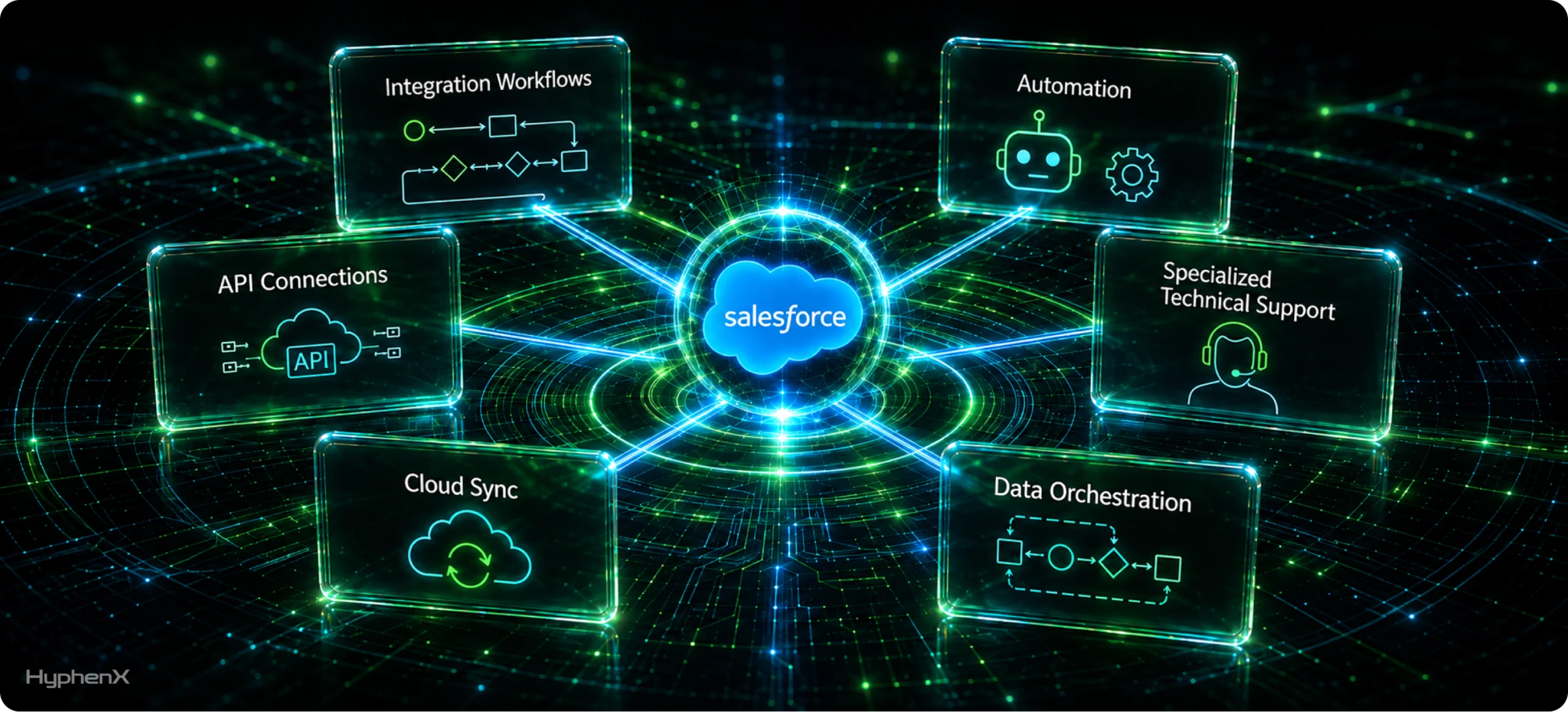
Most Salesforce teams do not discover their integration gap during a design review. They discover it on a Monday morning, when finance says the pipeline numbers in Salesforce no longer match the ERP, and nobody in the room can say when the two systems stopped agreeing.
The developer who built that sync was probably good at their job. Clean Apex, sensible naming, respectable test coverage, and code that passed review. What they had never done was design for a platform that meters API calls in a rolling 24-hour window, rolls back an entire transaction the moment one governor limit trips, counts event deliveries per subscriber rather than per event, and retires the API versions your integrations depend on according to a published multi-year schedule.
That gap is not a performance problem. It is a staffing problem, and it is far more common than most CRM roadmaps assume. This article covers what integration work on Salesforce actually demands, where generalist developers predictably run into trouble, how to tell whether your team needs integration-focused Salesforce staffing services right now, and how to evaluate the people you bring in. Our aim is that you finish with criteria you can use in your next screening call, not a general appreciation that integration is hard.
What Usually Breaks When Integration Work Goes to a Generalist
Integration is not a niche concern at the edge of the CRM roadmap. It is increasingly the roadmap. MuleSoft’s 2026 Connectivity Benchmark Report, based on responses from more than 1,000 IT leaders, found that only 27% of the applications in a typical organization are actually connected, that 95% of organizations report facing integration challenges, and that IT teams now spend an average of 36% of their time designing, building, and testing custom integrations between systems and data. The same research found that 26% of IT projects were not delivered on time over the preceding twelve months.
Those numbers describe an environment where integration work has become the largest single consumer of engineering time, while still being staffed as though it were an occasional task. The usual pattern goes something like this. A business unit needs Salesforce connected to a billing system. There is no integration specialist on the team, but there is a capable Salesforce developer with spare capacity. The work gets assigned. It ships. It works in sandbox, and it works in production for a while.
Then volume grows, or a marketing campaign triples inbound record creation, or the partner system changes a field type without telling anyone. The integration starts failing intermittently. Records go missing rather than erroring loudly. Someone writes a nightly reconciliation script to patch the gaps, and that script becomes permanent. Two years later the org has six integrations built this way, no documentation, and a single person who half-remembers how any of it works.
None of that is a failure of effort or intelligence. It is what happens when work that requires distributed-systems judgement is assigned on the basis of platform familiarity.
Why Do Salesforce Integrations Need More Than General Development Skills?
The honest answer is that Salesforce is not a neutral runtime. It is a multi-tenant platform with hard, enforced constraints that shape architecture decisions before a single line of code exists. A developer who has never had to design around those constraints will make reasonable-looking choices that fail at scale.
Governor limits quietly redefine what good code means
Salesforce enforces per-transaction execution limits that most developers coming from other environments have never encountered. A synchronous transaction may issue 100 SOQL queries and an asynchronous one 200. Any transaction is capped at 150 DML statements, 10,000 records processed by DML, and 50,000 records retrieved by SOQL. Heap size is capped at 6 MB synchronously and 12 MB asynchronously. CPU time is capped at 10 seconds synchronously and 60 seconds asynchronously.
For integration work, the callout limits matter most. A single transaction may make 100 callouts, and the cumulative timeout across all of them cannot exceed 120 seconds. Callouts cannot be made directly from a trigger, so any trigger-initiated outbound call has to be routed through asynchronous Apex. When a governor limit is exceeded, Salesforce throws a LimitException that cannot be caught with a try-catch block, and the entire transaction rolls back.
The subtlety that catches experienced developers is that these limits are cumulative across the whole execution context, not per component. A single record update can fire before-update triggers, after-update triggers, flows, legacy process automation, and managed package logic, all drawing from the same pool. An integration that inserts 200 records in one call can trip a limit that none of the individual pieces would trip alone. Designing for that requires knowing what else runs in the org, which is a different skill from writing efficient code.
The platform offers several integration paths, and choosing wrong is expensive
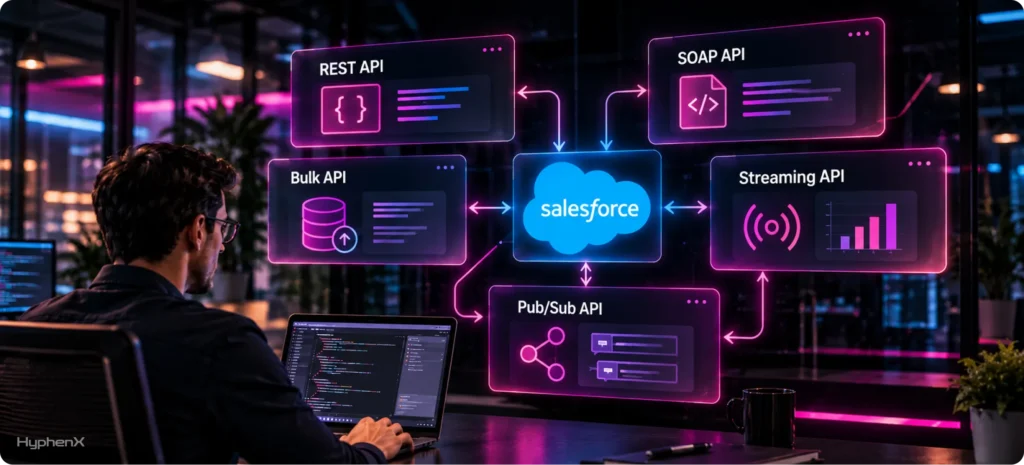
Salesforce exposes REST API, SOAP API, Bulk API 2.0, Composite resources, Platform Events, Change Data Capture, and the gRPC-based Pub/Sub API, alongside declarative options and external data access patterns. Each has a distinct performance profile, a distinct allocation, and a distinct failure mode. Choosing between them is the first real decision in any Salesforce integration services engagement, and it is close to irreversible once downstream systems have been built against it.
Bulk API is a good illustration. Salesforce allows up to 15,000 batches per rolling 24-hour period, shared between Bulk API and Bulk API 2.0, with up to 10,000 records per batch. That works out to roughly 150 million records a day, which sounds limitless until a team runs a nightly full-table sync instead of a delta sync and burns the allocation on records that never changed. A specialist reaches for Bulk API 2.0 above roughly 2,000 records and designs a delta strategy from the start. A generalist frequently loops REST calls because REST is familiar, and the org quietly bleeds API capacity.
Event-driven patterns have their own trap. Platform Events and Change Data Capture draw on a daily event delivery allocation, and deliveries are counted per subscriber rather than per published event. Publishing 1,000 events to ten subscribing systems consumes 10,000 deliveries, not 1,000. CometD subscriptions are also subject to a concurrent subscriber ceiling. Teams that discover this after building a fan-out architecture end up rearchitecting around a hub-and-spoke middleware pattern under deadline pressure, which is the most expensive time to learn it.
Authentication is a platform discipline, not a configuration screen
Integration authentication on Salesforce has moved decisively toward OAuth 2.0 and away from stored credentials. Server-to-server integrations typically use the JWT bearer flow or the client credentials flow, configured through connected apps or the newer External Client Apps model, with endpoints and secrets held in Named Credentials and External Credentials rather than hardcoded in Apex.
This is not optional hygiene. Salesforce has scheduled the retirement of the SOAP API login() operation for the Summer 2027 release, which will break every integration that still authenticates by passing a username, password, and security token to that endpoint. Integrations already using OAuth flows or Named Credentials are unaffected. Integrations built by someone who wired up a username and password because it worked will stop working with no graceful degradation.
An integration specialist knows which flow suits which architecture, knows why the callout endpoint belongs in a Named Credential rather than a custom setting, and knows how to scope an integration user so a compromised token does not expose the whole org. That knowledge is rarely present in someone whose Salesforce experience is primarily Apex and Lightning Web Components.
API versions are a standing maintenance commitment
Salesforce supports each API version for a minimum of three years and gives at least a year of notice before support ends, then retires versions in waves. Versions 7.0 through 20.0 were retired in Summer 2022. Versions 21.0 through 30.0 were retired in Summer 2025, and calls to them now fail. Versions 31.0 through 40.0 are on the schedule to retire in Summer 2028, which means every integration will need to be on version 41.0 or later to keep working.
The practical difficulty is inventory. Most organisations cannot say which API versions their integrations call, because the version sits in a URI inside middleware configuration, a third-party package, or a script somebody wrote in 2016. Salesforce provides the API Total Usage event type in Event Monitoring precisely for this, exposing fields such as connected app name, user name, client name, and API version. Knowing that tool exists, and knowing how to read its output, is the difference between a two-week audit and a production outage.
Where Do Generalist Developers Usually Struggle With Salesforce Integrations?
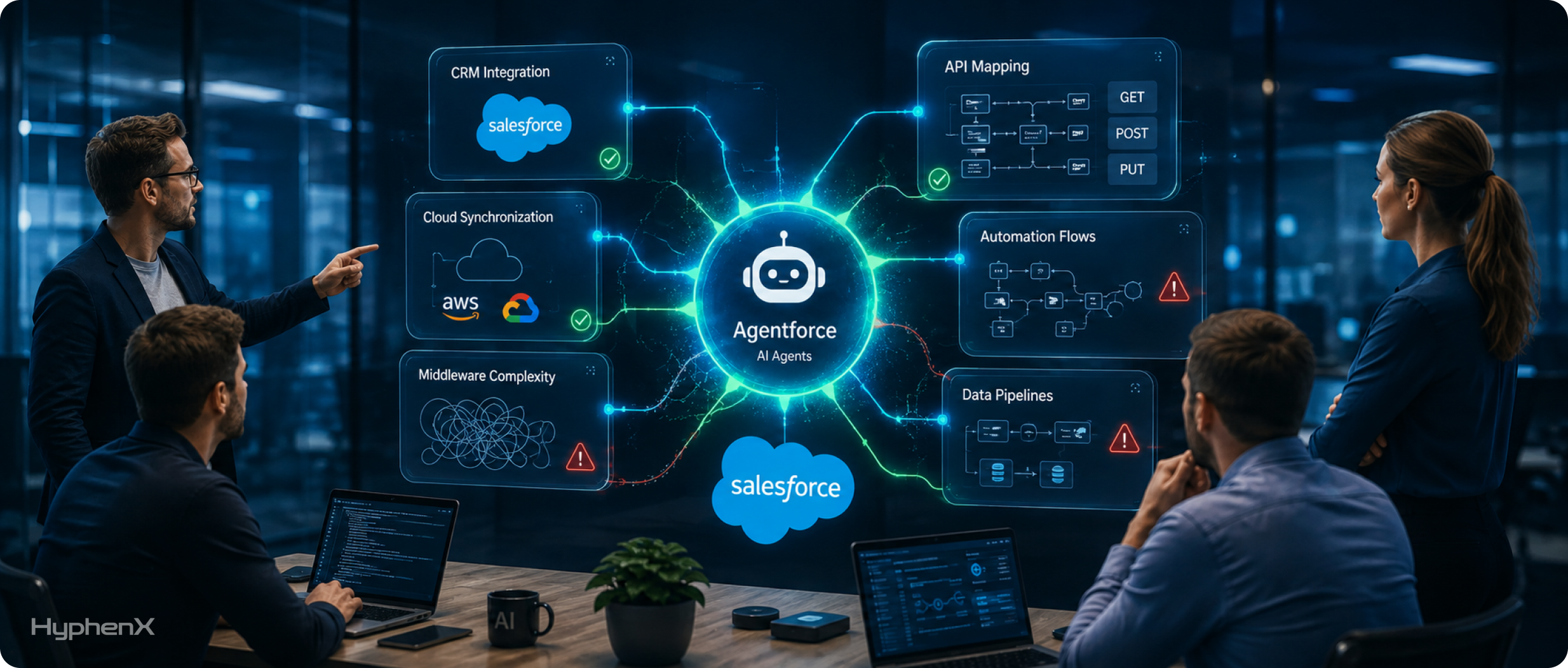
The patterns below repeat across orgs, industries, and team sizes. None of them indicate a weak engineer. They indicate an engineer working outside their depth on a platform that punishes specific assumptions.
API limits get treated as a runtime problem instead of a design constraint
Salesforce meters inbound API requests against a daily allocation calculated on a rolling 24-hour window. Enterprise Edition orgs start at 100,000 requests per 24 hours, with additional capacity granted per user licence, and further capacity available for purchase. It is a soft limit in the sense that brief overages are tolerated, but sustained overuse results in blocked requests returning HTTP 403 with a REQUEST_LIMIT_EXCEEDED error.
A generalist typically discovers this allocation during an incident. A specialist treats it as a budget allocated during design: how many calls does this integration consume per day at expected volume, at peak volume, and at the volume finance is forecasting for next year? They query the limits resource to monitor headroom continuously rather than reacting to a threshold alert. They batch, they use Composite requests to bundle related operations, and they use delta detection so the integration does not re-read records that have not changed.
Synchronous thinking applied to an asynchronous platform
The most common architectural mistake is making a user-facing action wait on an external system. A save operation calls out to an ERP, the ERP is slow that afternoon, and the user watches a spinner. Worse, if the callout times out, the transaction rolls back and the user loses their work with no clear explanation.
Salesforce provides a full asynchronous toolkit for exactly this reason: Queueable Apex, Batch Apex, Platform Events, and Change Data Capture. Deciding which of those fits a given requirement means reasoning about whether the caller needs a synchronous answer, whether ordering matters, whether the operation must be replayable, and what happens if the external system is unavailable for six hours. Those are distributed-systems questions rather than Salesforce questions, which is precisely why platform familiarity alone does not prepare someone for them.
Error handling that stops at the try-catch block
Ask a generalist how their integration handles failure and you will usually hear about exception handling and logging. Ask an integration specialist and you will hear about idempotency, retry policy, and what happens to a message that can never succeed.
The questions that actually matter in production are uncomfortable ones. If the same event is delivered twice, does the receiving system create two records or recognise the duplicate? If a callout fails, does the retry use exponential backoff, or does it hammer a struggling endpoint until both systems are degraded? Where does a message go when it has failed its maximum retries, and who finds out? Can the team replay a specific window of events after an outage, or is the only recovery path a manual data comparison?
Integrations that answer those questions well tend to keep working. Integrations that do not tend to accumulate the reconciliation scripts and manual patches that eventually become the reason a team goes looking for Salesforce support services in the first place.
Data mapping treated as a column-matching exercise
Mapping looks like the easy part. Account name here, customer name there, done. In practice this is where a large share of silent data corruption originates.
- External IDs and upsert semantics, without which a retried operation creates duplicates rather than updating the original record
- Time zone handling, where a date field and a datetime field behave differently and a user-local interpretation drifts from a UTC one
- Picklist values that exist in one system and not the other, and what should happen to the unmapped ones
- Currency, especially in multi-currency orgs where conversion rates are dated
- Record types and page layouts that change which fields are even writable
- Validation rules and duplicate rules that fire on the integration user and silently reject inbound records
- Ownership and sharing rules that make records invisible to the people who need them, even though the sync technically succeeded
Each item on that list is something an integration specialist checks by habit. Each one is something a generalist may not learn about until a business user notices numbers that do not add up.
Nobody owns observability once the build is done
The last recurring gap is what happens after go-live. A generalist typically hands over working code. A specialist hands over working code plus a way to know whether it is still working: usage monitoring against API allocations, alerting on failure rates rather than on individual errors, a documented runbook for the most likely failure modes, and a record of which API versions and endpoints the integration depends on.
Without that, the first signal of failure is a business user, and by then the data divergence usually goes back weeks.
Diagnose the Skill Gap from Blocked Work, not Résumés
A Salesforce Skills Gap is easiest to see in the backlog. Look for work that repeatedly waits for the same person, the same certification, or the same type of approval.
- Architecture queue: stories are ready, but designs wait for one senior reviewer.
- Integration queue: Salesforce work stops because API contracts, middleware changes, or source-system decisions are unresolved.
- Admin queue: small configuration items accumulate while developers work on larger builds.
- QA queue: completed stories sit in testing or production defects rise after every release.
- Release queue: teams finish work but deployment windows, change sets, or environment conflicts delay value.
- Data queue: migration, deduplication, identity resolution, or reporting work depends on skills the core team does not have.
- Cloud-specialist queue: CPQ, Marketing Cloud, Data Cloud, MuleSoft, or Agentforce work waits for a specialist who is needed only for part of the roadmap.
The strongest signal is age, not volume. A large backlog may simply reflect low-priority ideas. A smaller group of tickets that remain blocked for several sprints often shows the real constraint. Measure blocked days by skill category and compare them with cycle time. That gives Salesforce Project Staffing a concrete target.
Salesforce Staffing Services should then fill the specific gap. A six-month integration program may justify one senior integration engineer and a part-time architect. A support backlog may need an experienced admin. A release problem may need DevOps for ten weeks. Salesforce Resource Augmentation is most effective when each external role has a measurable reason to exist.
How Is Salesforce Integration Work Actually Different From Salesforce Development Work?
It is worth being precise here, because the distinction is often blurred in job descriptions and vendor bench lists. Both roles are legitimate. They are not interchangeable.
Dimension | Salesforce development work | Salesforce integration work |
Primary boundary | Inside the org: objects, Apex, LWC, flows, layouts | Between systems: contracts, protocols, transport, state |
Failure blast radius | Usually contained to one org and one feature | Propagates across systems and is often silent |
Core constraints | Per-transaction governor limits, code coverage, UI performance | Governor limits plus API allocations, event deliveries, network reliability, partner system limits |
Testing shape | Apex unit tests, UI testing, user acceptance | Contract testing, mocked endpoints, replay and idempotency tests, volume tests |
Chief risk | A feature behaves incorrectly and users complain | Data diverges quietly and nobody notices for weeks |
Typical toolset | Apex, LWC, Flow, SOQL, metadata deployment | REST, SOAP, Bulk API 2.0, Composite, Platform Events, CDC, Pub/Sub, middleware |
Security surface | Field-level security, sharing, CRUD enforcement | All of that plus OAuth flows, credential storage, token scope, transport security |
Change trigger | Business requirements change | Either side changes, plus Salesforce release and retirement cycles |
Success measure | Feature works and users adopt it | Systems stay in agreement under load, failure, and change |
This is why we keep these as distinct practices rather than one pool of Salesforce engineers. Our Salesforce development services and our integration practice draw on different screening criteria, because the work rewards different instincts.
Use a Staffing Mix Instead of One Hiring Model
A High-Performing Salesforce Team rarely consists entirely of employees or entirely of contractors. The stronger pattern is a portfolio of staffing choices matched to duration, scarcity, and accountability.
| Need pattern | Best staffing response | Why it fits |
| Permanent business ownership | Internal employee | Context and accountability compound over time |
| Permanent platform leadership | Internal employee with external advisory support | Keeps architecture and governance durable |
| 3–9 month specialist demand | Salesforce Staff Augmentation Services | Capacity can enter and leave with the work |
| 6–12 month build surge | Salesforce Team Extension or small pod | Adds throughput while the core team retains control |
| Short technical review | Consulting engagement | Advice is more important than daily backlog capacity |
| Steady operational ownership | Managed services | Service levels and continuity matter more than sprint-by-sprint control |
Recruiting speed is part of this decision. SHRM’s 2026 Recruiting Executives Benchmarking reports a median time-to-fill of 39 calendar days for nonexecutive positions and notes that more than two-thirds of organizations reported difficulty hiring for open roles. A Salesforce Project Staffing need that lasts eight or twelve weeks can be badly served by a recruiting cycle that consumes a large share of the project window before onboarding begins.
That does not mean Salesforce Staffing Services should replace permanent hiring. Use permanent roles where demand is durable and utilization will remain high. Use Salesforce Team Augmentation where timing, uncertainty, or specialization make permanent hiring inefficient.
Which Integration Failures Cost the Most, and Why Do They Stay Hidden?
Silent data drift between Salesforce and the system of record
This is the expensive one. An integration succeeds on most records and quietly skips some, usually because of a validation rule, a duplicate rule, a picklist mismatch, or a sharing restriction that applies to the integration user. There is no outage, no alert, and no error visible to anyone outside the logs. The two systems diverge slowly. By the time someone spots it, the question is not just how to fix the integration but which system was right on any given day, and that reconciliation is frequently more expensive than the original build.
The overnight job nobody knows how to restart
A scheduled data load runs at 2 a.m. and works reliably for eighteen months. Then it fails. The person who built it has moved on, there is no runbook, the job is partially complete, and rerunning it may create duplicates because it was never designed to be idempotent. Teams lose days to this, and the loss is entirely avoidable with design decisions that cost almost nothing at build time.
Middleware that quietly became a second business-logic layer
Middleware is supposed to move and transform data. What often happens is that a small transformation gets added, then a conditional rule, then a lookup, then an approval decision, until material business logic lives in an integration layer that is not version-controlled alongside Salesforce metadata, not covered by Salesforce tests, and not visible to admins. This is one of the strongest arguments for engaging people who think in terms of a MuleSoft-based integration approach with clear layer responsibilities, rather than treating middleware as a convenient place to put whatever does not fit elsewhere.
Security debt hiding inside integrations that appear to work
Integration users are frequently created with far broader permissions than the integration needs, because broad permissions make the build easier and nobody revisits it. Credentials get stored where they are convenient rather than where they are safe. Tokens are scoped generously. None of this causes a visible problem until it causes a very visible one, and the remediation almost always requires understanding why each permission was granted, which nobody documented.
How Do You Know Your Salesforce Team Needs Integration-Focused Help Right Now?
These signals are individually survivable and collectively decisive. If several of them are true in your org, the gap is real.
- Your team can build a working integration but cannot confidently predict how it will behave at three times current volume.
- Nobody can produce a current inventory of which external systems talk to Salesforce, through which APIs, at which versions.
- Integration failures are discovered by business users rather than by monitoring.
- You have reconciliation scripts or manual data comparison steps that were meant to be temporary.
- Estimates for integration work are consistently wrong by a wide margin in the same direction.
- Your team debates integration approach for weeks without converging, because nobody has enough authority on the topic to decide.
- You are approaching an API version retirement and cannot assess your exposure.
- A middleware platform was purchased and is used as a pass-through, or is not really used at all.
- Every integration conversation ends with the same one person, and that person is a single point of failure.
- Your integrations have no documented retry behaviour, no dead letter handling, and no replay procedure.
What Does an Integration Skills Matrix Look Like in Practice?
When you are assessing candidates, or assessing your existing team against the work ahead, it helps to separate capability levels rather than asking whether someone “knows integrations”. The matrix below is the shape we use when matching people to requirements.
Capability area | Foundational | Working | Specialist |
Salesforce APIs | Uses REST for CRUD operations | Chooses between REST, Bulk, and Composite appropriately | Designs API consumption against allocation budgets and peak load |
Governor limits | Knows the headline numbers | Writes bulkified, limit-safe code | Reasons about cumulative limits across the whole execution context |
Event-driven patterns | Has published a platform event | Uses CDC or Platform Events for decoupling | Designs for delivery allocations, fan-out, replay, and ordering |
Authentication | Can configure a connected app | Implements JWT or client credentials flows | Designs credential storage, token scope, and rotation policy |
Middleware | Has used an iPaaS tool | Builds and maintains flows in Anypoint or similar | Defines layer responsibilities and prevents logic leakage |
Error handling | Logs exceptions | Implements retries and alerting | Designs idempotency, backoff, dead letter handling, and replay |
Data modelling | Maps fields between systems | Uses external IDs and upsert correctly | Handles ownership, sharing, record types, and multi-currency edge cases |
Observability | Reads debug logs | Sets up basic failure alerting | Instruments usage, latency, and drift with runbooks for each failure mode |
Release and versioning | Deploys through a pipeline | Manages integration config across environments | Tracks API version exposure and plans retirement migrations |
A useful way to read this: a strong generalist Salesforce developer usually sits in the Working column for governor limits and data modeling and in the Foundational column for events, middleware, error handling, and observability. That is a perfectly good profile for feature development. It is a risky profile for an integration that finance depends on.
Which Specialist Should You Bring In for Each Integration Problem?
Job titles are inconsistent across the market, so it is more reliable to map the problem to the capability than to the label. This is the mapping we work from when scoping a request.
If your problem is | The role you need | What they should own |
Connecting Salesforce to one external system, well-defined scope | Salesforce integration developer | Pattern selection, build, error handling, tests, documentation |
Multiple systems, unclear boundaries, competing designs | Salesforce integration architect | Target-state architecture, pattern standards, decision records |
Heavy transformation, orchestration, many endpoints | MuleSoft or middleware developer | Anypoint flows, API specifications, layer discipline |
Large one-time or recurring data movement | Data migration and Bulk API specialist | Delta strategy, batch design, validation, rollback plan |
Real-time propagation of record changes | Event-driven integration specialist | Platform Events or CDC design, delivery budget, replay strategy |
Credentials, token scope, audit and compliance exposure | Salesforce security-focused integration engineer | OAuth flow design, Named Credentials, least-privilege integration users |
Existing integrations failing unpredictably | Integration reliability engineer | Instrumentation, failure taxonomy, runbooks, remediation backlog |
API version retirement exposure | Platform integration auditor | Usage inventory via Event Monitoring, migration plan, regression testing |
Preparing data for AI and agent workflows | Data and integration architect | Data quality, harmonisation, latency requirements, governance |
Notice how few of these are solved by adding a general Salesforce developer. Notice also that several are solved by a specialist working for six to ten weeks, not by a permanent hire.
How Does Integration-Focused Staff Augmentation Compare With the Other Ways of Buying Help?
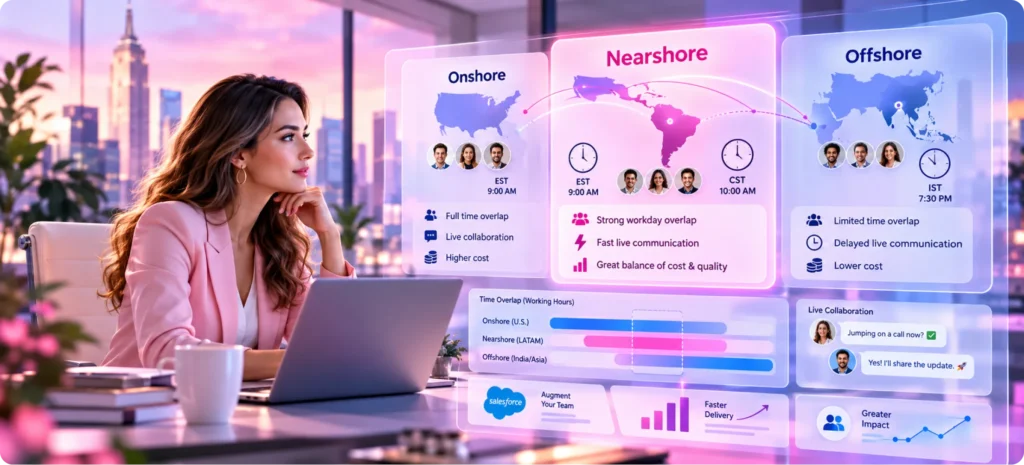
There are five realistic ways to get integration capability into a Salesforce team, and they are genuinely different instruments. If you are new to the model itself, it is worth understanding what Salesforce staff augmentation covers before comparing it against the alternatives.
Criterion | Integration staff augmentation | Independent contractor | Permanent hire | Project consulting | Managed services |
Speed to start | Days to a few weeks | Variable, depends on availability | Typically two to three months | Weeks, after scoping | Weeks, after onboarding |
Who directs the work | You do | You do | You do | The consultancy does | The provider does |
Skill precision | High, matched to the specific gap | High if you find the right person | Broad, hired for the long term | High but bundled | Broad coverage |
Knowledge retention | Good if handover is contracted | Depends entirely on the individual | Highest | Often weak after exit | Held by the provider |
Cost shape | Variable, scales with need | Variable | Fixed and fully loaded | Fixed or milestone-based | Recurring subscription |
Best when | You know the work and lack a specific skill | Scope is small and well-defined | Integration is a permanent core function | You need direction and a delivery outcome | You need ongoing operational ownership |
Weakest when | You cannot define what you need | Continuity or bench depth matters | The need is temporary or narrow | You want internal capability built | You need deep bespoke architecture work |
Reading the comparison without oversimplifying it
The most common mistake is treating these as a ranking rather than a fit question. A permanent hire is the right answer when integration is a standing function with a continuous backlog, and no staffing model beats it for institutional memory. Salesforce consulting services are the right answer when the problem is that nobody has decided what the target architecture should be, and you need someone accountable for that decision rather than someone executing yours.
Salesforce managed services are the right answer when you want ongoing operational ownership rather than to build the capability yourself, particularly for monitoring, incident response, and routine maintenance across a stable estate. Salesforce staff augmentation is the right answer in the specific case where you know what needs to be built, you retain architectural control, and you are missing a defined skill for a defined period.
The second most common mistake is choosing staff augmentation when the real problem is that nobody has defined the work. Augmentation amplifies clarity. It does not create it. If your team cannot articulate what the integration should do, adding a specialist produces an expensive discovery phase, not delivery.
What Should You Look for When Evaluating Integration-Focused Salesforce Professionals?
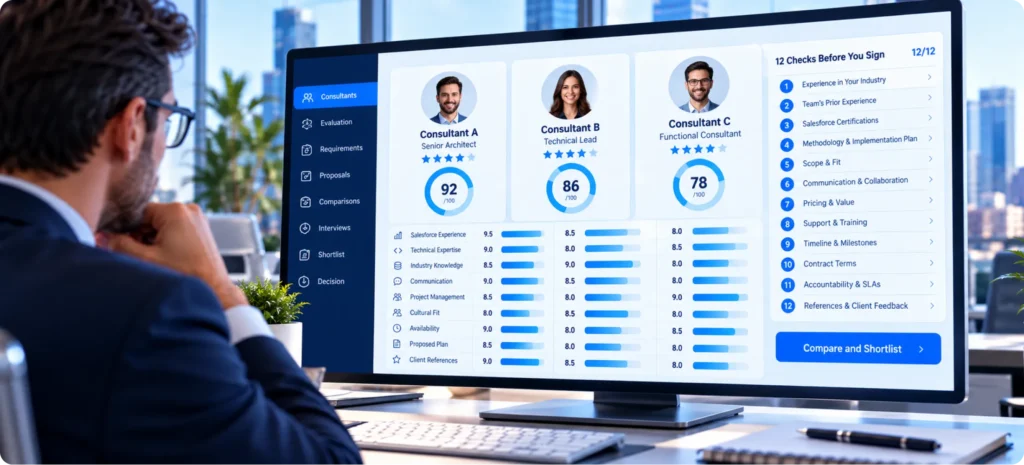
Certifications are a filter, not an answer. Platform Developer I and II establish a floor. Integration Architect and Application Architect credentials signal serious study. MuleSoft certifications matter if middleware is in scope. None of them confirm that someone has debugged a production integration at 3 a.m., and that experience is what you are actually buying.
Questions worth asking in a technical screen
- Walk me through an integration you built that failed in production. What was the failure mode, how did you find out, and what did you change?
- How would you decide between Bulk API 2.0, Platform Events, and a scheduled REST sync for a given requirement?
- A trigger needs to call an external system. How do you handle that, and why?
- How do you make an inbound integration idempotent, and how do you test that it is?
- What is your retry policy, and where does a message go when it has exhausted its retries?
- How do you budget API consumption during design rather than discovering it in production?
- What breaks first when event volume grows tenfold, and how would you find out before it happens?
- How do you store integration credentials, and how do you scope the integration user?
- How would you determine which API versions our existing integrations depend on?
- What would you hand over so that our team can operate this without you?
What strong answers tend to sound like
Strong candidates answer with specifics and trade-offs rather than best practices. They name the constraint before they name the solution. Asked about the trigger callout question, they do not simply say “use a future method”; they explain why callouts cannot be made from a trigger context, which asynchronous mechanism they would choose, and what they would do about ordering and failure. Asked about a production failure, they describe the detection gap honestly, which is usually the most revealing part of the story.
They also ask you questions. How many records, at what frequency, at what peak? What is the tolerance for staleness? What happens to the business if this is down for four hours? A specialist cannot design without those answers and will say so.
Signals that should slow you down
- Describing integration purely as a coding task, with no mention of allocations, failure, or monitoring
- Reaching for a single pattern regardless of the requirement described
- Treating error handling as equivalent to exception logging
- No opinion on idempotency, or unfamiliarity with the term in a data context
- Unable to describe how they would verify their integration is still healthy a month after go-live
- Certifications listed without any accompanying production narrative
- No questions about volume, latency tolerance, or business criticality
How Do You Scope an Integration Staffing Request So You Get the Right Person?
Vague requests produce mismatched people. The following sequence takes a few hours and materially improves the outcome when you hire Salesforce developers with integration depth.
- Name the systems and the direction of flow. Salesforce to ERP, ERP to Salesforce, or bidirectional. Bidirectional roughly doubles the design complexity, so be explicit.
- Quantify volume at three points: current daily records, expected peak, and the twelve-month forecast. This single step changes which patterns are viable.
- State the latency requirement in business terms. Real-time, within fifteen minutes, and overnight are three different architectures.
- Identify the system of record for each contested field. Most integration disputes are ownership disputes wearing a technical disguise.
- List the constraints you already know: middleware in place, security review requirements, compliance obligations, sandbox availability, and release windows.
- Define what “done” looks like beyond the code. Documentation, runbook, monitoring, handover session, and knowledge transfer to a named internal owner.
- Decide the engagement length and the exit condition. Six weeks to deliver and two weeks to hand over is a healthier framing than an open-ended assignment.
- Choose who on your side owns the architectural decisions. Augmentation works when that person exists and is available.
A request written this way lets a staffing partner match a specific person rather than sending three plausible profiles and hoping. It also surfaces internal disagreement early, which is cheaper than surfacing it in week four.
When Should Integration Specialists Join a Salesforce Project?

Earlier than most teams schedule them. The usual pattern is to bring integration expertise in during the build phase, once requirements are settled and the data model is fixed. By then the expensive decisions have already been made, and the specialist spends their first fortnight explaining why the agreed design will not hold at volume.
The decisions that benefit most from integration input happen during solution design: which system owns which data, whether a field needs to be an external ID, whether an object should be a real object or an external one, what the acceptable staleness is for each data domain, and whether the sequencing of a phased rollout leaves any period where two systems are authoritative for the same record. All of those are cheap to get right in design and painful to change after go-live.
A practical compromise for teams that cannot fund a specialist across the full project: engage one for a short design review before the architecture is locked, then again for the build, then briefly for a post-deployment health check. That third window is frequently the one teams skip, and it is where issues around Salesforce workflow automation interacting badly with inbound integration traffic tend to surface.
Which Staffing Shape Fits Your Integration Environment?
You are connecting Salesforce to an ERP for the first time
Bring in a Salesforce integration developer with prior ERP experience, plus a short architect engagement at the front to settle data ownership. The failure mode here is almost never the code. It is disagreement about which system owns the customer record, which surfaces as an integration bug months later. If the finance side of the connection is the priority, the patterns described in our guide to connecting Salesforce and QuickBooks translate reasonably well to larger ERP platforms.
You inherited integrations that nobody documented
Start with an audit engagement rather than a build engagement. Two to three weeks of a specialist inventorying endpoints, API versions, authentication methods, failure rates, and business criticality will tell you what to fix, in what order, and what can safely be left alone. Commissioning fixes before the audit usually means fixing the loudest problem rather than the most dangerous one.
You are moving from point-to-point connections to middleware
This needs a middleware specialist and an architect working together, and it needs a decision recorded up front about what logic is allowed to live in the integration layer. Without that boundary, a middleware migration reproduces the original tangle in a more expensive tool. Plan for a longer engagement than the point-to-point count suggests, because the real work is untangling implicit business rules, not rebuilding connections.
You are staring down an API version retirement
With versions 31.0 through 40.0 scheduled for retirement in Summer 2028, teams still running integrations built before roughly 2018 have a real inventory problem. This is an ideal short augmentation engagement: a specialist who can read event monitoring output, produce an exposure list, plan the migration path per integration, and set up regression testing. It pairs naturally with Salesforce migration services if data movement is part of the same program.
You are preparing Salesforce data for AI and agent workflows
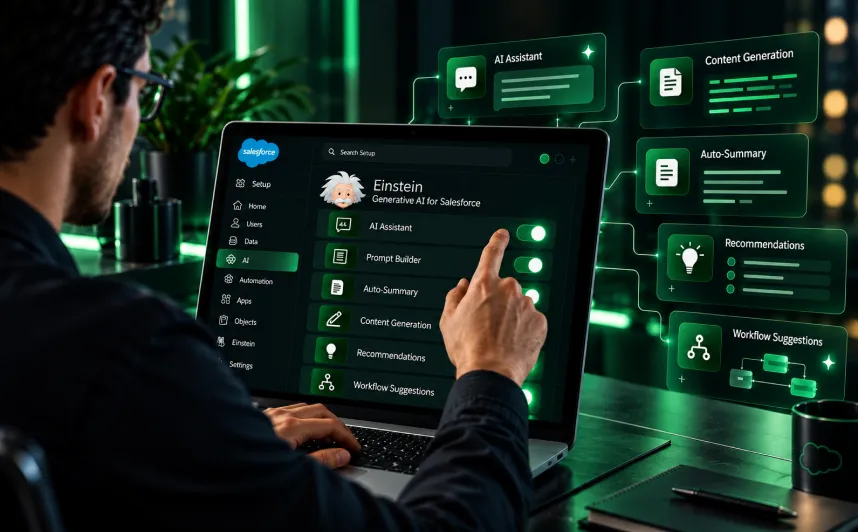
This is where integration quality stops being an IT concern and becomes a business risk. MuleSoft’s 2026 research found that 96% of IT leaders agree the success of AI agents depends heavily on seamless data integration and that 86% warn that without proper integration, agents add more complexity than value. Agents built on inconsistent, stale, or partially synchronized data produce confidently wrong answers at scale. Teams working on Salesforce Data Cloud need integration people who think about harmonization and freshness, not only about moving records successfully.
An Integration Risk Checklist You Can Run This Week
Take any integration currently running in your production org and answer these. Anything you cannot answer is a risk you are carrying without knowing it.
- Which API and which version does this integration use, and when does that version retire?
- How does it authenticate, and where are those credentials stored?
- What permissions does the integration user hold, and does it need all of them?
- What is its daily API consumption, and what percentage of the org allocation is that?
- Is the operation idempotent? What happens if the same payload arrives twice?
- What is the retry policy, and where do permanently failed messages go?
- Who is alerted on failure, and are they alerted on individual errors or on rate changes?
- Can you replay a specific time window after an outage?
- Is there a runbook, and has anyone other than the original author used it?
- When a record fails to sync, is that visible to anyone outside the logs?
- What happens to this integration if the external system is unavailable for six hours?
- Which system is authoritative for each field it touches, and is that written down anywhere?
Most teams get through four or five of these comfortably and stall on the rest. That stall point is a fair map of where your integration capability currently ends.
Specialists beat generalists. Ours hold the certifications to prove it
Generalists can build integrations, but specialists build ones that last. Our delivery and consulting roles together hold 250+ Salesforce certifications, and our integration work is backed by the Integration Architect and Mulesoft Developer 1 credentials. Need this expertise inside your own team? Through our Salesforce staff augmentation services, you can bring these same certified professionals on board quickly. You get proper error handling and scalable APIs. Learn more about HyphenX and the people behind every certification.
How We Staff Integration Work, and Where It Fits Alongside Our Other Services
We treat integration as its own competency rather than as a subset of Salesforce development. When a request comes to us for integration help, we screen against the capability areas in the matrix above rather than against a certification list, because we have seen too many certified developers struggle with their first high-volume event architecture and too many uncertified engineers handle it cleanly.
Our Salesforce staff augmentation model places those specialists inside your team, working to your priorities and under your direction, rather than taking delivery ownership away from you. Our augmented specialists cover integration with internal enterprise systems, third-party application connections, and secure data exchange and synchronisation, alongside administration, development, implementation, and ongoing support depending on what the engagement needs.
We keep the engagement structure deliberately simple. You share the requirement, we screen profiles from our internal talent pool against the specific skill gap rather than against general Salesforce experience, the selected professionals onboard into your environment and workflows, and we stay involved to track progress and manage continuity as priorities shift. Where a requirement turns out to be an architecture question rather than a capacity question, we say so, because placing a builder against an undefined problem serves nobody.
How our engagement models map to integration needs
Our model | Integration situations it suits | Typical shape |
Contract staffing | A defined integration build, an audit, or a retirement migration with a clear endpoint | One or two specialists, weeks to a few months |
Contract-to-hire | Integration is becoming a standing function and you want to assess fit in real conditions first | One specialist, evaluated on live work before conversion |
Team-based staffing | Multiple integration streams running in parallel, or a middleware migration | Complementary skills across development, integration, and administration |
Project-based staffing | A complex integration initiative you do not want to add permanent headcount for | Targeted expertise against defined goals |
Where the requirement extends past the specialist gap, we also deliver Salesforce integration services as a full engagement and provide ongoing Salesforce support services for teams that want operational cover once the build is stable. Which of those fits is a scoping conversation, not a product choice, and we would rather have that conversation honestly than place the wrong model.