You’re going to migrate off Salesforce CPQ. That part was decided for you in March 2025, when Salesforce stopped selling it. The only real questions left are when you move, how you move, and how much of your old mess you drag along for the ride.
That last one matters more than most teams expect. Here’s the thing nobody quite says out loud: the CPQ-to-Revenue-Cloud move is annoying, expensive, and slower than the sales deck suggests. It’s also the best excuse you’ll ever get to fix the quoting setup you’ve been quietly cursing for years. Both of those are true at once, and a good migration leans into the second one instead of just surviving the first.
So before you scope a Salesforce Revenue Cloud implementation, sign a partner, or panic about a deadline, here are eight things worth knowing.
TL;DR
Salesforce CPQ is still supported after its March 2025 End of Sale, so companies have time to plan their move to Revenue Cloud rather than rush it. The migration itself is closer to a reimplementation than a direct upgrade because the product catalog, pricing logic, data model, integrations, and historical records need to be reviewed and rebuilt for the new architecture.
Revenue Cloud also changes how products, pricing, and transactional data are handled, while opening the door to Salesforce’s newer Agentforce revenue capabilities. Companies should use the migration to remove dead SKUs, outdated pricing rules, unused approvals, and other CPQ baggage instead of recreating the existing setup.
For most teams, the smarter path to a Salesforce Revenue Cloud implementation is to assess the CPQ org, clean the data, document pricing and integrations, pilot the new setup, and then plan the full Revenue Cloud migration cutover around business readiness.
1. End of Sale Isn't End of Life, but the Clock Is Real
First, the good news, because there’s a version of this story that’s scarier than reality.
CPQ went into Salesforce CPQ End of Sale on March 27, 2025. That sounds ominous, and plenty of blog posts want it to. But End of Sale is not the same as End of Life. If you’re running CPQ today, it still works. You can renew your licenses. You can add seats. Support tickets still get answered. Nobody is switching off your quoting engine next quarter.
What actually changed is quieter, and in the long run it matters more. Salesforce stopped selling CPQ to new customers, stopped building new features for it, and pointed every new buyer at Revenue Cloud Advanced instead. The product isn’t dying. It’s frozen. Every ounce of engineering attention, roadmap investment, and partner energy has moved somewhere else, and it isn’t coming back.
Here’s the part that isn’t published anywhere official: Salesforce hasn’t announced a formal End-of-Life date. The partner ecosystem generally reads the runway as landing somewhere around 2029 or 2030, based on how Salesforce has retired products before, but there’s no authoritative countdown clock you can point to.
That sounds like breathing room, and it is, if you use it. The trap is reading “no deadline” as “no urgency.” The cost of waiting isn’t the license fee. It’s your bargaining position. Move on your own schedule and you evaluate options calmly, negotiate from a position of choice, clean your data properly, and pick a go-live that fits your business calendar. Wait until the pressure is real and you’re doing all of that in a hurry, with fewer partners available and less room to push back. Same migration, worse terms.
The honest framing most teams land on: 2026 is a year to plan, not a year to panic.
2. This Is a Reimplementation, Not an Upgrade
If you take one thing from this entire article, take this one, because getting it wrong is how migrations blow their budget and their timeline in the same month.
There is no upgrade button. There’s no migration tool that quietly lifts your CPQ setup and drops it into Revenue Cloud intact. Moving from CPQ to Revenue Cloud is a reimplementation, a rebuild, and treating it like a data transfer is the single most expensive planning mistake you can make.
Here’s why, and it’s worth understanding rather than just accepting. CPQ was a managed package. It started life as Steelbrick, and Salesforce bought it and bolted it on top of the platform. It runs on its own custom objects and its own logic, sitting alongside Salesforce rather than inside it. Revenue Cloud is the opposite. It’s built natively on the core platform, on standard Salesforce objects, with the pricing and configuration logic living in the platform itself.
Those two things are genuinely different underneath, not two versions of the same product. Which means your product catalog, your pricing rules, your quote templates, and your transactional data don’t just copy across. They have to be restructured, rebuilt, and revalidated inside an architecture that stores and thinks about them differently.
In practice, the work sorts into three buckets. Some of it is fairly automated, like straightforward bundles, attributes, and basic discounts. Some of it is assisted, meaning it moves with real effort and rework, like your advanced pricing and rules. And some of it is fully manual, the pieces that don’t map to the new model at all and have to be rethought from scratch. The mistake teams make is assuming everything sits in bucket one. Most of the pain lives in buckets two and three, and it’s the part the sales conversation tends to gloss over.
None of this means the move isn’t worth it. It very much can be. It just means you should scope it as a rebuild with a clear-eyed budget and timeline, not a weekend data load. The teams that plan it as a reimplementation from day one are the ones that don’t get ambushed halfway through.
3. Agentforce Is the Real Deadline
Everyone fixates on the End-of-Life date. It’s the wrong thing to watch.
Yes, sometime around 2029 or 2030 CPQ probably stops being supported, and yes, you want to be off it before then. But if you’re only planning around that far-off date, you’re missing the deadline that’s already here. It’s called Agentforce, and staying on CPQ quietly locks you out of it.
Here’s what happened. In the Spring ’26 release, which went live on February 23, 2026, Salesforce rebranded Revenue Cloud as the Agentforce Revenue Management agent. The name change tells you where the entire revenue product is heading: toward AI agents that can generate quotes, recommend pricing based on deal context, and flag renewal risk before it costs you a customer.
And here’s the catch. Those agents run on Salesforce’s core-native object model, the standard Quote, Order, and Contract objects that live inside the platform. CPQ sits outside that model. It’s a managed package on its own custom objects, remember, which means the agents literally can’t reach into it the way they need to. Stay on CPQ and you’re architecturally locked out of the AI layer Salesforce is building its whole revenue roadmap around. That’s a bigger loss than any single missing feature.
This is the piece most “let’s wait and see” plans get wrong. They treat the migration as a compliance chore, something to do before the lights go out in 2029, when the real cost is the opportunity you’re leaving on the table every quarter you stay put. Your competitors who move sooner get autonomous quoting and AI-assisted pricing. You get a frozen product and a growing list of things it can’t do.
None of this means you should panic-migrate next month to chase an agent you’re not ready to use. It means the Agentforce lockout should be in your business case, not treated as a nice-to-have you’ll get around to. The question stops being “when does CPQ die” and becomes “how long can we afford to be shut out of where Salesforce is actually investing.” For most teams, that changes the math on timing more than the EOL date ever will.
4. Your Product Catalog Gets Rebuilt, Not Moved
Your product catalog is the heart of the whole thing. It’s what every quote, price, and renewal is built on top of. So it’s worth knowing up front that it doesn’t come across in one piece.
In CPQ, the way you modeled products was, frankly, clunky, and you’ve probably felt it. Say you sell a product that comes in five sizes and four colors. In the old world, that often meant creating a separate SKU for every combination, and suddenly you’re maintaining a catalog with hundreds of near-identical products that all have to be updated by hand whenever something changes. Anyone who’s managed a CPQ catalog at scale knows exactly the headache being described here.
Revenue Cloud handles this completely differently, and this is one of the genuine upgrades in the move. Instead of a SKU for every variation, it uses dynamic attributes. You model the product once and define the size and color as attributes on it, and the system handles the combinations. That’s the difference between maintaining hundreds of records and maintaining one, and for a lot of teams it’s the single biggest day-to-day quality-of-life improvement Revenue Cloud brings.
But, and this is the part that catches people, you get that benefit by rebuilding, not by copying. Your existing CPQ bundles, features, and configuration rules don’t translate directly into the new model. So the work involves rebuilding your bundles and configuration logic from scratch, mapping or eliminating CPQ-only constructs like orphaned options and legacy price rules, and re-architecting everything around Revenue Cloud’s Product Catalog Management, or PCM. It’s real effort, and it’s the phase where migrations tend to run long if the catalog was messy going in.
Which is exactly why this is the moment to be honest about your catalog. Every dead SKU, every bundle nobody sells anymore, every configuration rule someone added in 2019 for a deal that closed once, this is your chance to leave all of it behind. You’re rebuilding the catalog anyway. The only question is whether you rebuild a clean version or faithfully recreate the mess you already have. Teams that treat the rebuild as a cleanup come out the other side with a catalog that’s actually easier to run. Teams that try to replicate the old one exactly do all the work and keep all the problems.
5. Your Pricing Logic Gets Reengineered From Scratch
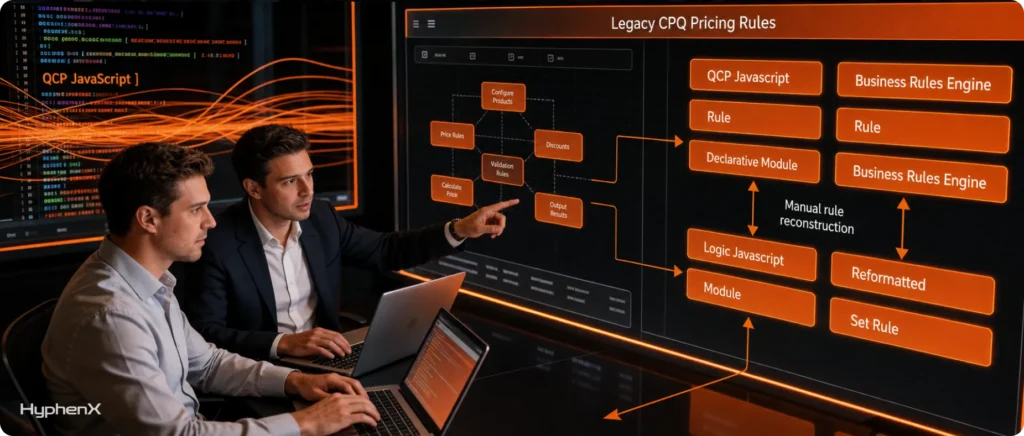
If the catalog is the heart, your pricing logic is the nervous system. It’s where all the clever, fiddly, business-specific rules live, and it’s the part that tends to keep migration teams up at night. For good reason.
In CPQ, a lot of that logic sat inside something called the Quote Calculator Plugin, or QCP, which is really just custom JavaScript. Over the years, teams built their pricing quirks, their discount ladders, their special-case handling, all of it, into that code. It worked. It also aged badly. QCP is known to hit performance ceilings on big quotes, and once you push past roughly 500 lines on a single quote, the calculator starts to drag. If you sell complex deals, you’ve probably watched a rep wait while a quote thinks about itself.
Revenue Cloud doesn’t run that JavaScript. It replaces the whole approach with a declarative Business Rules Engine, or BRE. Instead of writing and maintaining code, you configure your pricing rules in a structured, point-and-click way that the platform executes natively. It’s faster, it’s more transparent, and it’s far easier for an admin to change without calling a developer every time. Broadly, Salesforce reports Revenue Cloud running several times faster than CPQ, and the move off QCP is a big part of why.
But here’s the honest part. Your QCP scripts do not convert. There’s no tool that reads your JavaScript and spits out equivalent Business Rules. Every meaningful piece of pricing logic you built in CPQ has to be understood, translated, and rebuilt inside the BRE by hand. For a simple org, that’s manageable. For an org with years of accumulated pricing cleverness, it’s one of the heaviest parts of the whole project, and it’s where “we’ll just move our pricing over” turns into a three-month surprise.
The upside, and there genuinely is one, is that the rebuild forces a reckoning most teams need. When you have to manually recreate every pricing rule, you find out fast how many of them are still used, how many contradict each other, and how many exist because of a one-off deal nobody remembers. A clean set of Business Rules that an admin can actually read and maintain is worth more than a pile of JavaScript only one person on your team understands. You just have to budget for the fact that getting there is real work, not a copy-paste.
6. The Plumbing Changes Underneath, and It Matters More Than It Sounds
This one’s less glamorous than AI agents and dynamic catalogs, but ignore it and it’ll bite you during testing. Under the hood, the way data physically moves through a quote is different in Revenue Cloud, and a few specific pieces of CPQ plumbing simply don’t exist anymore.
Take Twin Fields. In CPQ, admins leaned on a workaround where you’d create identically named custom fields on the Quote Line and the Order Product, so data would copy across as a quote turned into an order. It was rigid and a little hacky, but it was how the data flowed. Revenue Cloud gets rid of Twin Fields entirely. In their place you get Context Definitions, a point-and-click mapping interface where you define exactly how information flows from a quote to an order. It’s cleaner and more flexible, but it’s a different mechanism, which means every one of those old field-to-field mappings has to be reestablished the new way.
The objects themselves change too. Your legacy CPQ quote lines, the ones stored as SBQQ QuoteLine records, don’t live on as-is. They have to be transformed and mapped to Revenue Cloud’s native Transaction Line Item object. This is a genuine remapping of where your transactional data lives and how it’s structured, well beyond a simple rename, and it has to be planned carefully so you don’t lose the thread between a historical quote and what it became.
Why does this matter to you, the person approving the project rather than building it? Because this is the layer where lift-and-shift thinking quietly fails. A team that assumes the data model is basically the same will scope the project too small, then discover mid-build that quote-to-order flows, custom fields, and transactional records all need rework. The plumbing is the unglamorous layer that decides whether your quotes still turn into orders correctly on go-live day. That earns it real attention in the plan, not a footnote.
One practical implication worth flagging: because so much of this is a rebuild, you’ll want to decide early what historical data actually needs to come along. Some of it, like old closed quotes, may be fine to leave in the old system for reference rather than dragging every record into the new model. That single decision, what migrates versus what stays behind, can meaningfully change your timeline.
7. The Migration Is the Cleanup You've Been Putting Off
Let’s step back from the mechanics for a second, because there’s a mindset shift that changes how the whole project feels.
Every hard thing in this article, the catalog rebuild, the pricing reengineering, the plumbing rework, has a flip side. You’re being forced to touch every part of your quoting setup at once. That’s painful. It’s also the only time you’ll ever have permission, budget, and executive attention pointed at all of it simultaneously. Most teams spend years knowing their CPQ org is bloated and never getting the mandate to fix it. This migration is that mandate, handed to you whether you wanted it or not.
Think about what’s accumulated in your org since you first rolled out CPQ. Duplicate and dead SKUs nobody sells. Price rules layered on top of price rules until no one’s quite sure what fires when. Approval steps added for a situation that came up once in 2020. Custom fields created for an integration that got decommissioned years ago. Quote templates for products you’ve retired. None of that has to come with you. In fact, the whole point of a rebuild is that it doesn’t.
This is where the difference between a good migration and a bad one really shows. A bad migration tries to recreate the old system faithfully, mess and all, because “that’s how it works today.” It does the full cost of the rebuild and keeps every problem. A good migration treats the move as a transformation, using the forced rebuild to challenge each legacy rule, retire what’s dead, simplify what’s overcomplicated, and document what survives. Same amount of work, wildly different result.
There’s a practical reason this matters beyond tidiness. Everything you carry forward becomes something you have to test, maintain, and eventually migrate again someday. Every dead rule you leave behind is a rule that can’t break, can’t confuse a rep, and can’t slow down a quote. And it’s a rule an AI agent won’t trip over later, which circles right back to the Agentforce point. Clean inputs are what make the AI layer actually useful. Drag your mess into Revenue Cloud and you’ve built a faster, more modern home for the same old confusion.
So the honest reframe is this. You didn’t choose this migration. But you do get to choose what comes out the other side. Treat it as pure compliance and it’s a grind with no reward. Treat it as the cleanup you’ve been deferring and it becomes the most valuable thing your revenue operations team does this decade.
8. Timing Is a Decision, So Make It on Purpose
The last thing to know is that when you move is as much a strategic choice as how you move, and rushing it is its own kind of mistake.
The instinct, once people realize CPQ is frozen, is often to sprint, to get the migration done immediately and put the uncertainty behind them. That instinct usually costs more than it saves. Revenue Cloud is still maturing, and Salesforce is still filling in feature gaps. Cut over too early on a complex org and you risk building on parts of the platform that are still settling. Wait too long and you’re executing under real pressure, with a thinner pool of experienced partners and far less room to negotiate. The sweet spot sits between those two, and it’s a spot you have to choose deliberately.
The consensus that’s formed across the partner ecosystem is worth saying plainly: for most teams, 2026 is a planning year, and the cutover lands later. That doesn’t mean sitting still. It means using the runway to do the migration properly rather than frantically.
Phase | What it looks like | Why it matters |
Plan (now) | Assess your CPQ org, map integrations, decide what to keep, choose a partner | You control the scope and the schedule instead of reacting to a deadline |
Prepare | Clean data, document pricing logic, redesign the catalog, build in a sandbox | The heavy lifting happens without production pressure |
Pilot | Roll out to one product line or region first, test, learn, adjust | You surface problems on a small surface before they scale |
Cut over | Expand from the validated pilot to the full org | You go live on something you’ve already proven, not a first attempt |
A few things make the timing decision easier. The more complex your integrations, especially the connection between quoting and your ERP or billing system, the earlier you should start, because integration failures are one of the top causes of go-live delays. Begin the integration work early rather than saving it for the final phase, and you avoid the classic trap of a migration that’s ninety percent done and stuck on the last ten.
It also helps to be honest about how much of what’s slowing you down is CPQ itself. Count the spreadsheets, side tools, and manual workarounds your team uses to get a complex quote out the door today. If that count is high, CPQ has already stopped serving you, and the migration is less a future project than a present cost you’re paying in your team’s time every single week. That’s a useful gut check for whether your timing should lean earlier or later.
The point of all of this is control. Plan on purpose, prepare without pressure, pilot before you commit, and cut over on your own terms. That’s the difference between a migration that happens to you and one you actually run.
Start Now, or Wait? A Quick Gut Check
Timing is a judgment call, but these signals point the way.
Lean toward starting now | You can reasonably wait |
Complex ERP or billing integrations | Simple, stable integrations |
Team relies on spreadsheets and workarounds to quote | CPQ still handles your quoting cleanly |
You want Agentforce and AI-driven quoting soon | AI isn’t on your near-term roadmap |
Large, tangled catalog and pricing logic | Lean catalog, straightforward pricing |
Salesforce is your long-term system of record | You’re re-evaluating your CRM stack anyway |
You’d rather move on your own schedule | You have internal capacity to move fast later |
If most of your answers sit in the left column, 2026 planning should turn into a 2027 cutover, not a someday. If they sit on the right, you have genuine room to wait, as long as waiting stays a decision and not a default.
The Migration Reality Table: What Moves, What's Rebuilt, What Dies
If you take a screenshot of one thing from this article and drop it into your planning doc, make it this. Most of the surprises in a CPQ-to-Revenue-Cloud project come from assuming a piece of your setup will just move, when it actually has to be rebuilt or thrown out. Here’s the honest map.
What you have in CPQ | What happens in Revenue Cloud | Effort level |
Simple bundles, product attributes, basic discounts | Migrate with a fair amount of automation | Lighter |
Advanced pricing and discount rules | Move with real rework and validation | Assisted |
QCP JavaScript pricing calculators | Rebuilt as declarative Business Rules in the Business Rules Engine | Heavy rebuild |
SKU-per-variant product catalog | Rebuilt around dynamic attributes in Product Catalog Management | Heavy rebuild |
Twin Fields (Quote Line to Order copy) | Replaced by Context Definitions mapping | Rebuilt |
Legacy quote line records (SBQQ QuoteLine) | Transformed and mapped to Transaction Line Item objects | Rebuilt |
Orphaned options, dead price rules, unused approvals | Retired, not migrated | Gone (on purpose) |
Historical closed quotes | Often left in the old system for reference rather than migrated | Your call |
Read down that “effort level” column and you can see where a project’s time actually goes. The lighter rows are the ones a sales conversation tends to emphasize. The heavy-rebuild rows are where the real budget and calendar live, and they’re the reason “we’ll just migrate our setup” and “this is a full reimplementation” describe the same project with wildly different price tags.
The bottom row is the one worth lingering on. A lot of what’s in your CPQ org doesn’t deserve a place in the new one, and the migration is your chance to say so out loud. Deciding what dies is as important as deciding what moves.
What This Actually Costs, and How Long It Takes
Nobody likes a guide that dances around the numbers on a Salesforce Revenue Cloud implementation, so here are the ones worth planning against for your Revenue Cloud migration, with the honest caveat that every org is different and your real figures come out of a proper assessment.
On licensing, Revenue Cloud Advanced generally starts around $200 per user per month, though what you actually pay depends on your contract, your user count, and your usage. Salesforce is also rolling out consumption-based pricing models for more flexibility, which can matter if your usage is uneven. And a detail that’s easy to miss when you’re modeling total cost: Salesforce raised prices roughly 6% in 2025, so build current pricing into your 2026 math rather than last year’s numbers.
On timeline, treat this as a multi-quarter program, not a sprint. A typical Revenue Cloud migration runs somewhere in the range of 18 to 24 months from evaluation through full cutover for a complex org, which is exactly why starting the planning in 2026 is the sensible move rather than a cautious one. Simpler orgs move faster. Orgs with heavy custom pricing, deep ERP integration, and a tangled catalog take the full stretch, and the tangle is usually what sets the pace.
The cost that rarely shows up on a quote is the cost of your current setup. If your team is propping up CPQ with spreadsheets, manual workarounds, and side tools to get complex deals out the door, you’re already paying for the migration, just in your people’s time instead of a line item. That hidden cost is real, it recurs every week, and it’s worth putting a rough number on when you build the business case, because it changes how the investment reads.
One planning note that saves money more often than any other: don’t leave your integrations for the end. The connections between quoting and your ERP, billing, and downstream systems are where migrations most often stall, and integration failures are a leading cause of go-live delays. Teams that start the integration work early, and test it early, consistently land better outcomes than teams that treat it as the last box to tick. Budget for it up front, both in money and in attention.
Read down that “effort level” column and you can see where a project’s time actually goes. The lighter rows are the ones a sales conversation tends to emphasize. The heavy-rebuild rows are where the real budget and calendar live, and they’re the reason “we’ll just migrate our setup” and “this is a full reimplementation” describe the same project with wildly different price tags.
The bottom row is the one worth lingering on. A lot of what’s in your CPQ org doesn’t deserve a place in the new one, and the migration is your chance to say so out loud. Deciding what dies is as important as deciding what moves.
Do You Even Have to Move to the Revenue Cloud?
Worth saying plainly, since most guides skip it in a Salesforce CPQ migration: Revenue Cloud isn’t your only option.
Move to Revenue Cloud Advanced. The stay-in-ecosystem choice. Best if Salesforce is your long-term system of record and you want native billing, contracts, and Agentforce down the line. It’s the biggest rebuild, but it keeps everything in one place.
Replace CPQ with a third-party tool. Options like Conga, DealHub, or ServiceNow CPQ sit on or alongside Salesforce and can be faster to stand up. Worth a look if your stack is multi-CRM, or if a future acquisition might complicate a Salesforce-only bet.
Keep Salesforce CRM, swap only the CPQ layer. You stay on Salesforce for everything else and replace just the quoting engine. This fits teams happy with their CRM but not ready for a full Revenue Cloud reimplementation.
The honest filter: how deep is your Salesforce investment, and how complex is your ERP integration? The more of the Salesforce ecosystem you use and the more you’re betting on it for the next five years, the more Revenue Cloud makes sense. If either is shaky, the alternatives deserve a real look before you commit.
How to Prepare Your CPQ Org Before You Migrate
If 2026 is a planning year, here’s what to do with it. None of this requires a partner or a signed project, and all of it makes the eventual move faster and cheaper.
Audit your catalog. List what you actually sell. Flag the dead SKUs, retired bundles, and products nobody’s quoted in a year. Every one you retire now is one you don’t rebuild later.
Document your pricing logic. Get your QCP scripts, price rules, and discount logic written down in plain language, not just buried in code. You’ll need this the moment you rebuild in the Business Rules Engine, and doing it now surfaces the rules that contradict each other.
Map your integrations. Write down every system CPQ connects to (ERP, billing, downstream tools), which way data flows, and who owns each connection. Integrations stall migrations, so knowing the terrain early is half the battle.
Count your workarounds. Tally the spreadsheets, side tools, and manual steps your team uses to get complex quotes out. That number is both your hidden cost today and your gut check on how urgently you should move.
Clean your data. Duplicate accounts, inconsistent product names, orphaned records, start fixing them now. A rebuild inherits whatever mess you bring, so the cleaner you go in, the smoother you come out.
Do this and you arrive at the migration with a clear scope, a documented starting point, and far fewer mid-project surprises.
How HyphenX Approaches a CPQ to Revenue Cloud Migration
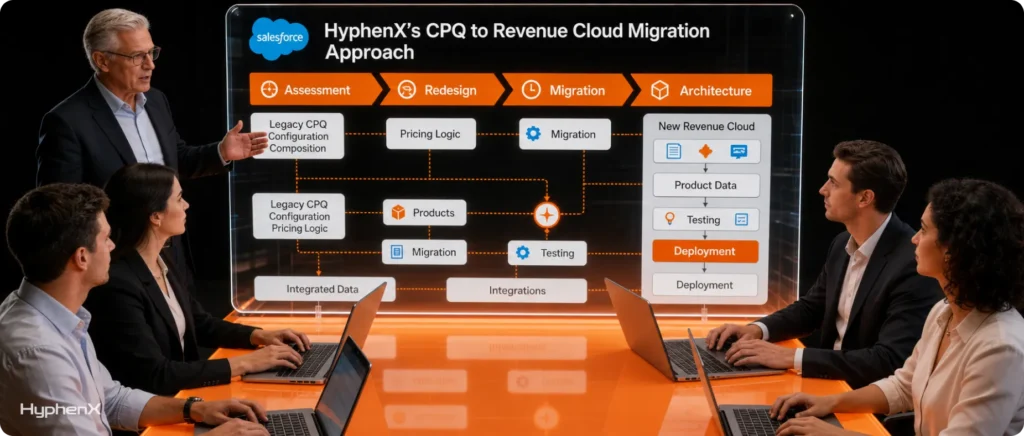
By now the pattern is probably clear: the hard part of this move is the judgment calls, not the clicks. What to keep, what to rebuild, what to retire, when to move, and how to keep quotes turning into orders the whole way through. That’s the work we focus on at HyphenX.
We treat every Salesforce Revenue Cloud implementation as a reimplementation from day one, because pretending otherwise is how projects get ambushed. That means starting with an honest assessment of your current org, the catalog, the pricing logic, the integrations, and the pile of accumulated rules nobody’s looked at in years, before anyone talks about a go-live date. From there, the sequence follows the one that actually works: plan the scope, clean and redesign in a sandbox, pilot on a single product line or region, and expand from something you’ve already proven rather than a first attempt in production.
Where it fits your situation, we also plan the migration with Agentforce in mind, so the rebuild positions you for the AI layer Salesforce is investing in rather than leaving you to redo the work later. And because integrations are where these projects most often stall, we start that work early rather than saving it for the end.
If you’re weighing the move, or you’ve decided it’s coming and want to scope it properly, our Salesforce Revenue Cloud services start exactly where this article does, with what you have today and what it should become. For the broader picture of how a rebuild like this fits your platform, our Salesforce implementation services cover the surrounding architecture, and if AI is part of your reason for moving, our Salesforce Agentforce services begin with the readiness the agents actually need.
The Bottom Line
You didn’t pick this migration, but you do get to decide what it becomes.
Handled as pure compliance, it’s a long, expensive rebuild that leaves you roughly where you started, only on newer plumbing. Handled well, it’s the once-a-decade chance to shed the technical debt CPQ quietly accumulated, land on a faster and cleaner platform, and position yourself for the AI layer Salesforce is building everything else around.
The eight things in this guide come down to a few honest truths. It’s a reimplementation, not an upgrade. Your catalog and pricing get rebuilt, not copied. Agentforce, not the far-off End-of-Life date, is the deadline that should shape your timing. And the migration you’re dreading is the same one that finally lets you clean the house.
Start planning in 2026, be clear-eyed about the work, use the rebuild to leave your mess behind, and you come out the other side with a revenue platform that’s genuinely better than what you had. That’s a much stronger place to be than waiting until the pressure decides your timeline for you.
Frequently Asked Questions
1. What is included in Salesforce Revenue Cloud implementation services?
Salesforce Revenue Cloud implementation services can cover discovery, solution design, configuration, data preparation, integration work, testing, deployment, training, documentation, and post-launch support. The exact scope should be agreed after reviewing your current Salesforce environment, business processes, users, and connected systems.
2. What happens during a pre-migration Revenue Cloud assessment?
A pre-migration assessment reviews your CPQ architecture, business processes, custom dependencies, integrations, data quality, user roles, reporting needs, and operational pain points. The output should identify risks, dependencies, sequencing decisions, and work that belongs in the implementation scope.
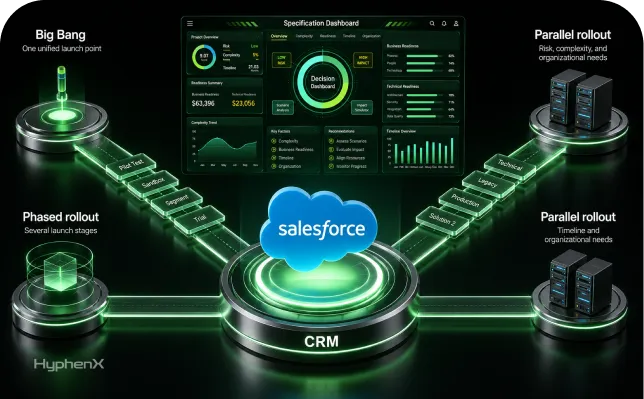
3. Can a Revenue Cloud implementation be rolled out in phases?
Yes. A phased rollout can reduce implementation risk by limiting the first release to a product line, region, business unit, or selected user group. Later phases can expand after the team validates processes, data, integrations, training, and operational readiness.
4. Can we pilot Revenue Cloud before moving the whole organization?
Yes. Many organizations start with a controlled pilot rather than moving every seller and product at once. The pilot should test real business scenarios while keeping the blast radius small enough to correct issues before wider deployment.
5. Who should be involved internally in a Revenue Cloud implementation?
Revenue Cloud projects usually need input from sales operations, finance, billing, Salesforce administrators, IT, integration owners, product teams, and executive sponsors. The exact group depends on scope, but business and technical owners should participate in requirements, testing, and go-live decisions.
6. What should Revenue Cloud discovery deliver before the build starts?
Discovery should leave the team with documented requirements, process maps, scope boundaries, integration dependencies, data decisions, risks, assumptions, acceptance criteria, and a proposed rollout plan. It should also identify open questions that must be resolved before build work begins.
7. Can we hire a Revenue Cloud partner only for assessment and planning?
Yes. A company can engage a Revenue Cloud partner for assessment, architecture, migration planning, and roadmap development without committing to full implementation. This can help leadership understand scope, risks, dependencies, staffing needs, and project phases before selecting a delivery model.
8. Can a Revenue Cloud partner work alongside our existing Salesforce team?
Yes. A partner can work with internal admins, developers, architects, operations teams, and an existing implementation provider. The engagement should define decision rights, responsibilities, handoff points, communication routines, and ownership so work does not get duplicated or fall between teams.
9. What testing should be included before Revenue Cloud goes live?
Testing should cover product configuration, pricing scenarios, approvals, integrations, permissions, quote-to-order flows, data migration, reporting, user acceptance, and deployment steps. Test cases should include normal transactions, edge cases, failure conditions, and scenarios that matter most to revenue operations.
10. How should a Revenue Cloud cutover plan be structured?
A cutover plan should define final data activities, deployment steps, user communication, integration checks, validation responsibilities, support coverage, and decision points for proceeding. The team should also document what happens if validation fails and who can pause the release.
11. How should user acceptance testing be organized for Revenue Cloud?
User acceptance testing should involve people who perform the real quoting, approval, finance, and operations processes. Give them scenario-based test cases, expected results, a way to log defects, clear acceptance criteria, and enough time to retest fixes before go-live.
12. Does Revenue Cloud implementation include user training and change management?
Training and change management can be included when new workflows alter how sales, finance, operations, or administrators work. Users need role-specific guidance, while managers and system owners need clear communication about process changes, responsibilities, support channels, and go-live expectations.
13. What documentation should we receive after Revenue Cloud implementation?
Handover material should explain the implemented design, configuration, integrations, data mappings, permissions, testing results, deployment steps, known limitations, support contacts, and ownership responsibilities. Future administrators should be able to understand why important decisions were made, not only what was configured.
14. What post-go-live support should a Revenue Cloud partner provide?
Post-go-live support can include defect resolution, integration monitoring, user questions, configuration adjustments, data issues, performance review, and backlog triage. Agree on the support period, response expectations, escalation route, ownership boundaries, and how enhancement requests will be handled after stabilization.
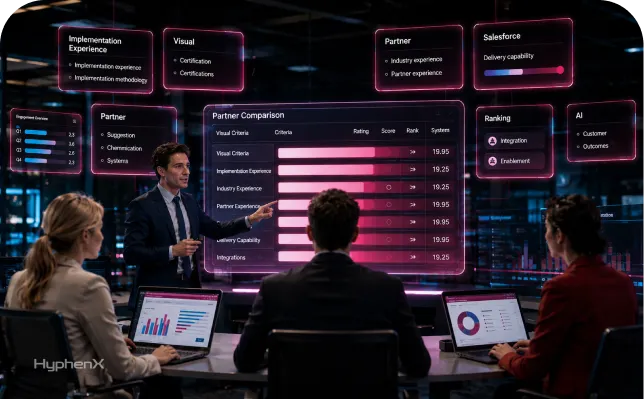
15. How should we compare Salesforce Revenue Cloud implementation partners?
Compare partners on discovery quality, Revenue Cloud experience, integration depth, testing discipline, business-process knowledge, training, handover, and support. The statement of work should clearly separate scope, assumptions, dependencies, deliverables, exclusions, responsibilities, acceptance criteria, change control, and commercial terms.