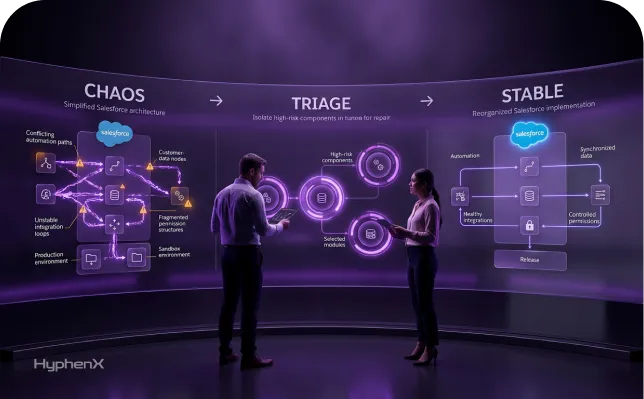
Most Salesforce implementations do not run late because the team lacked ambition. They run late because the same work keeps happening twice. A data load fails on the third attempt because nobody validated the account hierarchy first. A deployment breaks because a permission set was missed. A regression pass eats four days before every release because it is manual. Six months after go-live, nobody can explain why a validation rule exists, so the next change works around it.
Tools help with all of that, but only when chosen against a named bottleneck. We help Salesforce teams pick the smallest toolset that removes their actual constraint, and we have seen more projects slowed by an oversized stack than by a missing one. Every tool adds licensing, onboarding, and governance. That is the trade to weigh on each of the ten below.
TL;DR
Ten tools, judged by the bottleneck each one removes
This guide reviews ten Salesforce implementation tools spanning data migration, testing, DevOps, and documentation. Each is judged on the bottleneck it removes, whether that is failed deployments, manual regression cycles, duplicate records, or design decisions nobody documented before handover. Native options are weighed as seriously as commercial platforms.
The buying question vendor content rarely answers
Most teams cannot tell where free Salesforce tooling stops being enough. Data Loader and DevOps Center cover more than vendor content suggests, yet published pricing for Gearset, Copado, Salto, or Provar rarely maps to project size, so budgets get set on guesswork and stacks outgrow the team maintaining them.
Match the stack to the project, then stop buying
Every tool is assessed on verified pricing, setup effort, limitations, and when it is unnecessary, then mapped to seven project scenarios from small builds to multi-cloud programmes. The pattern holds: three tools used properly outperform seven that half the team ignores. Faster still requires discovery, testing, and clean data.
What faster actually means in a Salesforce implementation
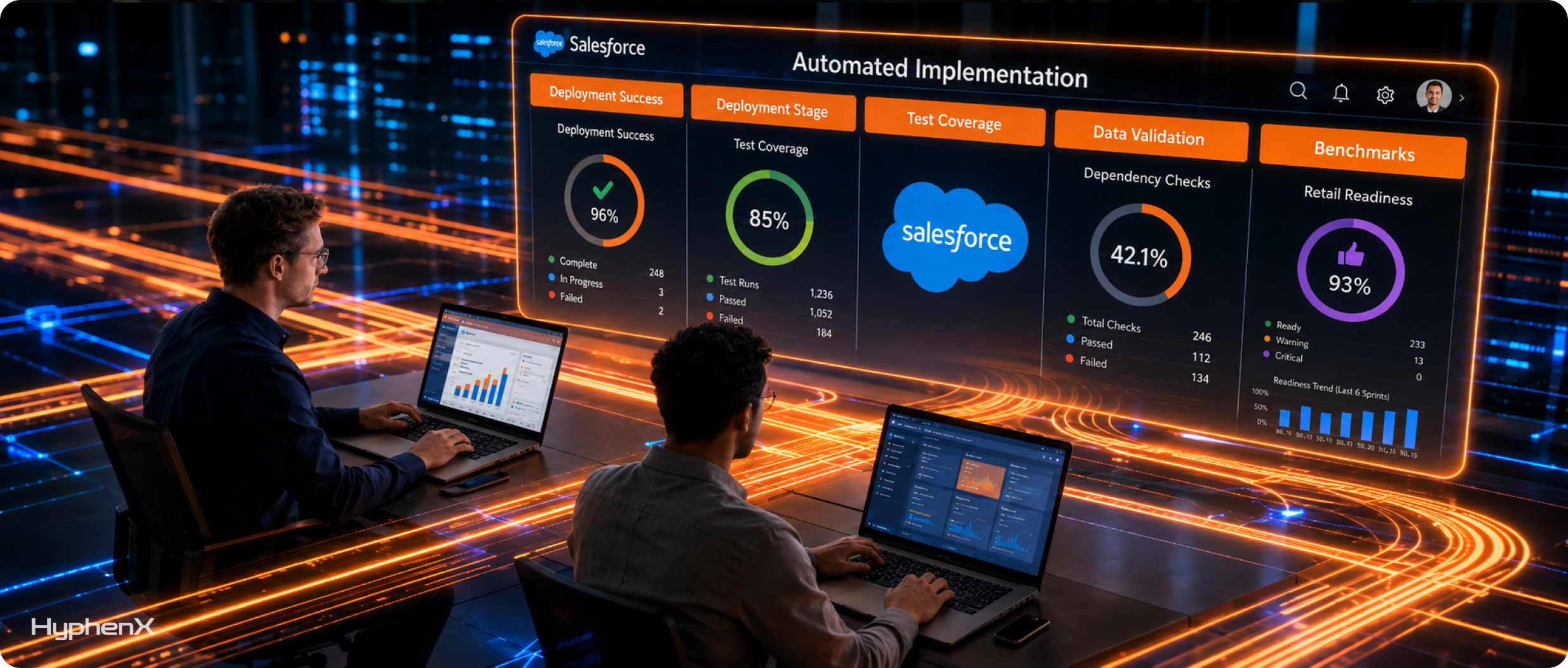
Speed here is not one number. It comes from removing categories of repeated effort: manual data preparation and reloading, slow validation of migrated records, deployments that fail on missing dependencies, regression cycles measured in days, blind spots about what a change will break, rework from undocumented decisions, manual environment comparison, hand-run promotions, absent rollback paths, and documentation that never survives handover.
Where implementation time actually disappears
In our Salesforce consulting work, four areas absorb the most unplanned effort. Migration overruns because source data is dirtier than discovery suggested. Deployment cycles stretch because metadata dependencies surface at deploy time rather than design time. Testing compresses into the final two weeks and then finds structural problems. Documentation is deferred until it is too expensive to reconstruct.
What faster does not mean
Tooling does not license a team to skip discovery, security review, UAT, data cleansing, or governance. A pipeline that deploys untested metadata in ninety seconds moves defects into production more efficiently, and a loader that moves five million unvalidated records produces a large, fast, unusable org. Good tools make disciplined work cheaper, which is what lets the discipline survive schedule pressure.
The 10 tools at a glance
Tool | Category | Best for | Implementation stage | Main time-saving benefit | Complexity | Pricing model |
Salesforce Data Loader | Data migration | Standard bulk loads | Data migration | Bulk load and export without scripting | Low | Free |
Validity DemandTools | Data quality | Messy legacy data | Discovery, migration, hypercare | Dedupe and mass fixes without manual merging | Moderate | Subscription, seat-based |
Salesforce CLI | Development, automation | Technical teams | Build, deployment | Scriptable, repeatable org operations | Moderate to high | Free, open source |
DevOps Center | Release management | Teams leaving change sets | Build, deployment | Tracked work items and click-based promotion | Low to moderate | Free with supported editions |
Gearset | DevOps, CI/CD | Mid-market teams | Build through hypercare | Metadata comparison and automated pipelines | Moderate | Subscription, modular |
Copado | Enterprise DevOps | Regulated, multi-team programmes | Build through hypercare | Governed release orchestration at scale | High | Free tier plus quote-based |
Salto | Config management | CPQ and complex config orgs | Build, deployment | Impact analysis and config data deployment | Moderate to high | Usage-based on config size |
Provar | Test automation | Salesforce-heavy regression | Testing, UAT, hypercare | Tests that survive Salesforce changes | Moderate to high | Quote-based |
ACCELQ | Test automation | Cross-application processes | Testing, UAT | Codeless tests across multiple systems | Moderate | Quote-based subscription |
Elements.cloud | Documentation, analysis | Complex or legacy orgs | Discovery through hypercare | Documentation tied to live metadata | Moderate | Tiered by org user count |
1. Salesforce Data Loader
Category: Data migration
Best for: Standard bulk loads into Salesforce objects
Main time-saving benefit: High-volume loads without custom integration code
Best implementation stage: Data migration
Technical skill required: Low to moderate
Setup effort: Low
Native or third-party: Native
Pricing model: Free
What it is. Data Loader is a free Salesforce client application for bulk import and export, running on Windows and macOS and reading from CSV files or a database.
What implementation problem it solves. The Data Import Wizard caps at 50,000 records across limited objects. Data Loader handles insert, update, upsert, delete, and export against every object, with documented support for 5 million records using Bulk API and 150 million using Bulk API 2.0.
Where it fits. Migration, UAT data staging, and post go-live corrections.
How it makes implementation faster. Upsert against an external ID lets you re-run a load after fixing source data without creating duplicates, so migration becomes iterative rather than one high-stakes event. Error files mean failures are triaged from a CSV rather than reconstructed.
Important Salesforce capabilities. External ID upsert, saved field mappings, batch size control, scriptable Windows command line operation, and a choice between SOAP and Bulk API processing.
Practical example. A manufacturer loads 400,000 accounts with the legacy ID in an external ID field, then 900,000 contacts keyed on that value so relationships resolve automatically, and a later billing country fix is an update run rather than a reload.
Strengths. Free, predictable, well documented, and respectful of org security and sharing.
Limitations. No transformation layer, no deduplication logic, Windows-only batch mode, and no validation that the migration landed correctly.
Best suited for. Almost every implementation, as the base migration tool.
When it may be unnecessary. Under 50,000 records into standard objects, where the Data Import Wizard suffices.
Pricing. Free and included with Salesforce.
Setup effort. Low. The effort sits in data preparation, not the tool.
Alternatives. Data Import Wizard, or Salesforce CLI bulk commands for scripted teams.
Our assessment. Best for the mechanical loading half of a migration. It belongs in every Salesforce data migration plan, with specialised tools added around it, not instead of it.
2. Validity DemandTools
Category: Data quality
Best for: Deduplication and mass data maintenance
Main time-saving benefit: Removes manual duplicate merging and repetitive mass updates
Best implementation stage: Discovery, data migration, hypercare
Technical skill required: Moderate
Setup effort: Moderate
Native or third-party: Third party
Pricing model: Subscription, seat-based, quote-based
What it is. DemandTools from Validity is a data quality platform for Salesforce, sold in an Elements edition covering imports, exports, verification, and deduplication, and a full edition adding assessment, mass modification, and matching.
What implementation problem it solves. Loading tools move records; they do not tell you the legacy system holds four versions of the same account. DemandTools merges duplicates on configurable matching and winning-record rules, standardises values in bulk, and blocks new ones with DupeBlocker.
Where it fits. Discovery, when you assess the source data. Migration, when you cleanse. Hypercare, when users start creating duplicates again.
How it makes implementation faster. Fuzzy matching with field-level winning rules lets one person clear a backlog that would take a team weeks by hand, and scheduled scenarios stop it rebuilding during UAT.
Important Salesforce capabilities. Lead-to-contact and lead-to-account deduplication, real-time prevention with auto-merge and auto-convert, email verification, ownership reassignment, and multi-org connections.
Practical example. During a Sales Cloud implementation consolidating three legacy systems, a match run flags 18,000 probable duplicate accounts and merges them on rules that preserve the most complete record and its open opportunities.
Strengths. Mature matching logic, respect for Salesforce permissions, and pricing Validity describes as flat rather than record-based, which keeps budgets predictable.
Limitations. A real learning curve on match configuration, and a badly configured merge is destructive. It solves data quality rather than migration, so it sits alongside a loader.
Best suited for. Implementations consolidating several legacy systems, and teams that own data quality after go-live.
When it may be unnecessary. Greenfield orgs with one clean source, or where native duplicate rules suffice.
Pricing. Subscription and seat-based. Validity publishes edition comparisons and quotes figures on request.
Setup effort. Moderate. Installation is quick; designing and testing match scenarios is not.
Alternatives. Native duplicate and matching rules, or Cloudingo as a comparable option.
Our assessment. Strongest when the migration is a consolidation rather than a lift, and unnecessary if one clean source is moving.
3. Salesforce CLI
Category: Development and automation
Best for: Technical teams building repeatable org operations
Main time-saving benefit: Turns manual, click-based org tasks into scripted ones
Best implementation stage: Build, deployment
Technical skill required: High
Setup effort: Moderate
Native or third-party: Native
Pricing model: Free and open source
What it is. The Salesforce CLI is the official command line interface for Salesforce development, distributed as the sf executable.
What implementation problem it solves. Anything done through Setup happens once, by one person, and is not reproducible. The CLI makes org operations scriptable: scratch orgs, metadata deploy and retrieve, Apex tests, data loads, permission set assignment. Every commercial CI/CD platform automates these same operations.
Where it fits. Build, deployment, and any automated quality gate between them.
How it makes implementation faster. It removes repetition across environments. A permission set assignment, test data load, and post-deployment step costing twenty minutes of clicking per sandbox becomes one script that runs identically in all five, and pipeline-run Apex tests catch failures at commit time rather than deploy time.
Important Salesforce capabilities. Metadata deploy and retrieve, source tracking, scratch org and sandbox creation, Apex test execution with coverage, bulk data commands, and a plugin architecture.
Practical example. On a Salesforce development project with four developers, each works in a scratch org, pushes to a shared repository, and a pipeline runs the Apex suite before anything reaches the integration sandbox.
Strengths. Free, official, current with every release, and the layer beneath every commercial platform.
Limitations. Command line fluency and Git literacy are prerequisites, so admin-only teams are out. There is no comparison interface, no dependency analysis, and no rollback beyond what you script, and custom pipelines become permanent maintenance.
Best suited for. Implementations with dedicated developers or an existing engineering culture.
When it may be unnecessary. Configuration-only projects, where DevOps Center gives source control benefits without a terminal.
Pricing. Free and open source.
Setup effort. Moderate. Installation takes minutes; project structure and pipeline design take engineering time.
Alternatives. Salesforce Extensions for VS Code, or a commercial platform where scripting capacity is limited.
Our assessment. Best for technical teams and any project that will eventually need automation. Worth learning even if you buy a platform, since it is what that platform automates.
4. Salesforce DevOps Center
Category: Release management
Best for: Admin-led teams moving off change sets
Main time-saving benefit: Tracked work items and click-based promotion between environments
Best implementation stage: Build, deployment
Technical skill required: Low to moderate
Setup effort: Low to moderate
Native or third-party: Native
Pricing model: Free with supported editions
What it is. DevOps Center is Salesforce’s own change and release management tool, giving a click-based interface over source control with work items and a visual pipeline. The next-generation version is a native platform capability enabled in Setup, and new installations of the older managed package are no longer supported as of April 2026.
What implementation problem it solves. Change sets have no tracking, versioning, or rollback, so teams compensate with spreadsheets, which are the most common source of missed components at deployment.
Where it fits. Build and deployment, from first sandbox to production release.
How it makes implementation faster. Nobody rebuilds a component list before a release because the work item holds it, promotion is a click rather than a change set rebuilt per environment, and a bad release traces to a commit instead of an investigation. The next-generation version adds AI-assisted conflict and deployment failure resolution through Salesforce DX MCP Server tools.
Important Salesforce capabilities. Work items, visual pipeline configuration, environment connections, managed Git branching, and commits from non-source-tracked environments.
Practical example. A Service Cloud implementation with two admins and one developer runs a four-stage pipeline, so the release manager sees what sits in UAT without maintaining a tracker.
Strengths. Free, native, and a genuine improvement over change sets for teams that were never going to adopt a command line.
Limitations. Source control support is narrower than commercial tools, centred on cloud-hosted GitHub with Bitbucket Cloud in beta. No built-in automated testing, no deployment rollback, and no data or CPQ configuration deployment. Professional Edition orgs need API access.
Best suited for. Small and mid-sized implementations and admin-heavy teams wanting release discipline at no licence cost.
When it may be unnecessary. Single-admin orgs with infrequent changes, or teams already on a commercial platform.
Pricing. Free. Salesforce includes DevOps Center with Professional, Enterprise, Performance, Developer, and Unlimited editions, though your Git provider may carry its own cost.
Setup effort. Low to moderate. Enablement is quick now that it is native; agreeing a branching strategy takes longer.
Alternatives. Gearset or Copado where CI/CD automation and rollback are needed.
Our assessment. Best for teams leaving change sets who want structure without spend, and a sensible first step because it clarifies what you actually need automated.
5. Gearset
Category: DevOps, CI/CD, and deployment
Best for: Mid-market teams and growing Salesforce practices
Main time-saving benefit: Accurate metadata comparison and automated release pipelines
Best implementation stage: Build through hypercare
Technical skill required: Moderate
Setup effort: Moderate
Native or third-party: Third party
Pricing model: Subscription, modular, published
What it is. Gearset is a Salesforce DevOps platform covering comparison and deployment, CI/CD pipelines, code review, testing, sandbox seeding, backup, and observability, with nothing installed in the org.
What implementation problem it solves. Deployment failure has a predictable cause: metadata dependencies invisible until the deployment runs. Gearset compares environments or an org against a repository, flags those dependencies beforehand, and suggests fixes for common failures.
Where it fits. Build, deployment, UAT refreshes, and post go-live change management.
How it makes implementation faster. Dependency analysis converts a failed deployment and debugging cycle into a validation warning, sandbox seeding populates test environments with related, optionally masked production data instead of days of manual test data creation, and change monitoring catches configuration made directly in production.
Important Salesforce capabilities. Comparison against orgs and Git, rollback on higher tiers, Revenue Cloud and Industries deployment support, unit test execution in automation, and integration with major Git providers.
Practical example. A retailer with three drifting sandboxes compares full sandbox to staging before UAT, finds 214 metadata differences, deploys the 60 belonging to the release, then seeds UAT with masked data.
Strengths. Published pricing, a 30-day full-feature trial, no in-org install, and a comparison engine widely regarded as accurate.
Limitations. Cost scales quickly because capabilities are licensed separately, so full lifecycle coverage means stacking subscriptions. Rollback and role-based access sit on higher tiers, and Git literacy is expected beyond simple comparisons.
Best suited for. Mid-market implementations and frequent releasers wanting DevOps maturity without an enterprise procurement cycle.
When it may be unnecessary. Small implementations with one admin and monthly releases.
Pricing. Subscription and modular, published openly. Deployment tiers run per Gearset user per month at $215 for Starter and $320 for Teams, with Enterprise by quote. Automation is per team per month at $550 and $1,100. Backup starts at $2.75 per Salesforce user per month with a $275 minimum, code reviews are $160 per contributor per month, and Revenue Cloud, Industries, and sandbox seeding are priced at 40% of net Salesforce spend with a $500 monthly minimum.
Setup effort. Moderate. Comparison works on day one; pipelines and quality gates take a week or two of design.
Alternatives. Copado for enterprise governance, or Salto where configuration data matters more.
Our assessment. Best for mid-market teams that need reliable deployments now and automation soon. It carries over into Salesforce managed services after go-live, since the same pipeline handles ongoing change.
6. Copado
Category: Enterprise DevOps and release management
Best for: Regulated, multi-team, multi-cloud programmes
Main time-saving benefit: Governed release orchestration across many teams and environments
Best implementation stage: Build through hypercare
Technical skill required: High
Setup effort: High
Native or third-party: Third party
Pricing model: Free tier plus quote-based enterprise licensing
What it is. Copado is an enterprise DevOps platform for Salesforce and other low-code platforms, covering agile planning, CI/CD, quality gates, compliance monitoring, and testing.
What implementation problem it solves. At enterprise scale the bottleneck stops being deployment mechanics and becomes coordination. Squads working in parallel across clouds, under audit requirements and separation of duties, need a system of record for change rather than a better deployment utility.
Where it fits. Build, deployment, release orchestration, and change management after go-live.
How it makes implementation faster. The saving is coordination overhead. When five squads promote through shared environments, back-promotion and conflict handling belong to the platform rather than a weekly meeting, and compliance rules blocking risky metadata at commit time prevent audit findings that force late rework.
Important Salesforce capabilities. Multi-cloud pipelines, quality and compliance gates, value stream reporting, robotic and end-to-end testing add-ons, and data deployment as a licensed extension.
Practical example. A financial services group with three delivery partners ties every change to a user story, blocks deployments exposing regulated fields, and promotes agreed stories through six environments with an audit trail.
Strengths. Deep governance, strong multi-cloud coverage, and a large pool of trained practitioners.
Limitations. The highest total cost and process overhead here. It needs a dedicated owner, often a certified engineer, setup runs to weeks, and small teams frequently adopt a fraction of the platform while paying for the whole model.
Best suited for. Enterprise programmes, regulated industries, and multi-partner delivery.
When it may be unnecessary. Any implementation with one or two release trains, where DevOps Center or Gearset delivers equivalent value with less overhead.
Pricing. Copado Essentials has a free tier limited to one user and 15 deployments or validations per month, with paid per-seat plans available. Enterprise licensing is quote-based, and add-ons such as data deployment and robotic testing are priced separately.
Setup effort. High. Pipeline design, environment strategy, compliance rules, and onboarding form a project of their own.
Alternatives. Gearset for lighter governance, or AutoRABIT as a comparable enterprise option.
Our assessment. Best for large regulated programmes where auditability is a requirement rather than a preference. Teams running it long term usually pair it with structured Salesforce support so the pipeline stays healthy after the implementation team leaves.
7. Salto
Category: Configuration management and impact analysis
Best for: Complex configuration and CPQ-heavy orgs
Main time-saving benefit: Seeing what a change will break, and moving configuration data reliably
Best implementation stage: Build, deployment
Technical skill required: Moderate to high
Setup effort: Moderate
Native or third-party: Third party
Pricing model: Usage-based on configuration size
What it is. Salto represents Salesforce configuration in a structured, code-like form, supporting comparison, deployment, change tracking, and impact analysis.
What implementation problem it solves. Two problems other tools handle poorly: dependency blindness, where nobody knows whether deactivating a field breaks a flow or Apex class, and configuration stored as data rather than metadata, which is why CPQ price rules are painful to move and often rebuilt by hand.
Where it fits. Build, deployment, and any design decision touching shared configuration.
How it makes implementation faster. Search returns every reference to a component in seconds, replacing the manual dependency hunt before a risky change, and treating CPQ configuration data as deployable removes the rebuild-by-hand step in each sandbox.
Important Salesforce capabilities. Structured representation of flows, profiles, permission sets, Apex, Lightning components, validation rules, and CPQ elements, plus Git integration and unlimited non-production environments.
Practical example. Before a quoting redesign, an architect searches a discount field and finds it in two price rules, a validation rule, a flow, and three reports, so scope is understood in an afternoon rather than as a UAT defect.
Strengths. Useful impact analysis, strong CPQ handling, and pricing that scales with configuration rather than headcount.
Limitations. The structured model takes adjustment for admins new to version control, the community is smaller than Copado’s or Gearset’s, and add-on pricing raises entry costs for smaller contracts. It is not a full release orchestration platform.
Best suited for. CPQ and Revenue Cloud implementations, orgs with heavy accumulated configuration, and small technical teams.
When it may be unnecessary. Clean greenfield builds with simple configuration and no CPQ.
Pricing. Usage-based on configuration size. Salto converts key production configuration elements into tokens, billed annually at $1.25 per token per month in 200-unit buckets. Automation for CI/CD and Enterprise Controls are each $417 per month on annual plans, and Salto states both are included for contracts valued at $25,000 and above.
Setup effort. Moderate. Connecting environments is quick; understanding a large org’s fetched configuration takes longer.
Alternatives. Elements.cloud for documentation-led analysis, or Gearset for deployment-led workflows.
Our assessment. Strongest when CPQ configuration or dependency risk is the constraint, and worth considering wherever nobody can say confidently what a change will break.
8. Provar
Category: Test automation
Best for: Salesforce-heavy regression testing
Main time-saving benefit: Automated regression suites that survive Salesforce UI changes
Best implementation stage: Testing, UAT, hypercare
Technical skill required: Moderate to high
Setup effort: High
Native or third-party: Third party
Pricing model: Quote-based, by licence type
What it is. Provar is a test automation platform built for Salesforce, licensed by type: Automation for building and running tests, Manager for in-org test management, and Grid for parallel cloud execution.
What implementation problem it solves. Generic browser automation breaks constantly on Salesforce because Lightning generates dynamic element identifiers, and teams that start with Selenium usually abandon it once maintenance exceeds the manual testing it replaced. Provar builds tests against Salesforce metadata instead.
Where it fits. System testing, regression cycles, UAT, and post go-live release validation.
How it makes implementation faster. The gain is repeat execution, not authoring. Building a suite costs real effort, but running it costs almost nothing, so a regression pass that consumed several tester-days becomes an overnight job, and metadata-based tests keep post-release maintenance proportionate.
Important Salesforce capabilities. Salesforce-aware page and field recognition, combined UI and API steps, API-based test data setup, cross-environment reuse, and CI integration.
Practical example. A Service Cloud implementation automates 120 cases covering case creation, entitlements, escalation, and self-service, then runs them nightly against UAT during hypercare so a break in case assignment surfaces the next morning.
Strengths. Purpose-built for Salesforce, capable of complex scenarios, and structured for reuse across environments.
Limitations. Real setup investment, since a maintainable framework needs test engineering skill and an untrained owner produces a fragile suite. Licensing is quote-based, and cross-application processes may need a broader tool.
Best suited for. Salesforce-centric implementations with a long lifespan and complex logic worth regression testing.
When it may be unnecessary. Short, configuration-light implementations, or teams with no capacity to maintain tests after go-live. An unmaintained suite produces failures nobody trusts.
Pricing. Quote-based, licensed by type across Automation, Manager, and Grid.
Setup effort. High. Expect weeks to build a meaningful regression suite, plus ongoing ownership.
Alternatives. ACCELQ for cross-application coverage, or Copado Robotic Testing for single-vendor stacks.
Our assessment. Best for organisations treating Salesforce as a long-term platform, and unnecessary for a one-off implementation with no ongoing change.
9. ACCELQ
Category: Test automation
Best for: Business processes that cross Salesforce and other systems
Main time-saving benefit: Codeless test creation and maintenance across applications
Best implementation stage: Testing, UAT
Technical skill required: Low to moderate
Setup effort: Moderate
Native or third-party: Third party
Pricing model: Quote-based subscription
What it is. ACCELQ is a codeless, AI-assisted test automation platform covering web, mobile, API, and packaged applications, with a dedicated Salesforce offering and products licensed separately.
What implementation problem it solves. Salesforce is rarely the whole process. An order may reach an ERP, a pricing service, and a fulfilment system before returning, and tools that only see Salesforce leave the joins untested, which is where integration defects live.
Where it fits. Integration testing, end-to-end process testing, and UAT support.
How it makes implementation faster. Codeless authoring widens the pool of people who can build tests, so automation stops queueing behind two engineers, and self-healing identification cuts maintenance after UI changes. Testing across systems in one run replaces separate Salesforce and ERP cycles reconciled by hand.
Important Salesforce capabilities. Salesforce-specific automation assets, dynamic element handling for Lightning, combined API and UI scenarios, CI integration, and Jira or Azure DevOps traceability.
Practical example. During a Salesforce integration project, one scenario creates an opportunity, verifies the order payload sent to the ERP through an API step, confirms the response updates Salesforce, and checks portal status.
Strengths. Broad application coverage, a low authoring barrier, and a free-for-life individual tier of ACCELQ Manual for trialling test management.
Limitations. Being general purpose, it is less metadata-aware than Provar. Pricing is quote-based and modular, on-premise deployment requires ten licences minimum, and codeless does not mean effortless.
Best suited for. Multi-system implementations and QA teams without deep coding capability.
When it may be unnecessary. Standalone implementations with few integrations, where a Salesforce-specific tool gives more depth.
Pricing. Quote-based subscription licensed by product, with cloud or on-premise hosting and a free trial.
Setup effort. Moderate. Faster to start than code-based frameworks, though reusable scenarios still need planning.
Alternatives. Provar for Salesforce depth, or Tricentis for large enterprise test estates.
Our assessment. Strongest when the tested process crosses several systems, and a good fit for capable QA teams that are not code-oriented.
10. Elements.cloud
Category: Documentation, process mapping, and metadata analysis
Best for: Complex or inherited orgs, and implementations that must hand over cleanly
Main time-saving benefit: Documentation that stays connected to live metadata
Best implementation stage: Discovery through hypercare
Technical skill required: Low to moderate
Setup effort: Moderate
Native or third-party: Third party
Pricing model: Tiered by Salesforce org user count, with add-ons
What it is. Elements.cloud is a change intelligence platform combining process mapping, a metadata dictionary, impact analysis, change logs, and automated documentation.
What implementation problem it solves. Two failures that cost more after go-live than during the build. Requirements captured in slides drift from what was built, so the reason behind a design decision is lost, and nobody can see how the org fits together, so every later change starts with archaeology.
Where it fits. Discovery, when processes are mapped. Build, when designs are documented. Hypercare, when support inherits the org.
How it makes implementation faster. Mapping processes live in workshops shortens the requirements cycle, since stakeholders validate a diagram in the room instead of reviewing a document a week later. Impact analysis over a synced metadata dictionary answers dependency questions in minutes, and automated documentation clears the write-up backlog.
Important Salesforce capabilities. Metadata dictionary with change logs, impact analysis and reference search, dependency mapping, configuration mining, and add-on coverage for permissions, CPQ, Industries, and Data 360.
Practical example. Taking over an inherited org, a team syncs metadata, finds 43 unpopulated custom fields and 11 overlapping automations on one object, and maps quote-to-cash against live configuration, so rationalisation rests on evidence.
Strengths. It connects business process to technical configuration, which few tools attempt, and scheduled syncs keep documentation current beyond go-live.
Limitations. It is a discipline as much as a tool, so teams that buy it without assigning ownership end up with a synced dictionary and little else. Pricing tiers by Salesforce user count, which suits large change teams better than small ones.
Best suited for. Complex implementations, regulated environments needing audit-ready documentation, and org consolidations.
When it may be unnecessary. Small implementations where a maintained requirements document and native dependency views are adequate.
Pricing. Tiered by Salesforce org user count across Core and Advanced metadata management packages, with add-ons for permissions, agentic org management, automation intelligence, CPQ, Industries, and Data 360, and a public pricing calculator.
Setup effort. Moderate. Syncing an org is straightforward; building useful process maps takes facilitated workshop time.
Alternatives. Salto for technically-led dependency analysis, or Confluence and Lucidchart for modest needs.
Our assessment. Best for complex or inherited orgs and implementations where knowledge transfer is a stated deliverable. Unnecessary on a small greenfield build with one admin.
Which tools does your implementation actually need?
No organisation needs all ten. The right stack depends on data volume, development intensity, release frequency, and who maintains the org after go-live.
Small implementation. One admin, standard objects, one source system, monthly releases. Data Loader and DevOps Center cover it, and buying a DevOps platform here adds overhead with no matching benefit.
Mid-market implementation. A few admins and a developer, several integrations, fortnightly releases. Data Loader plus Gearset gives reliable deployments and sandbox seeding, with Provar added if regression testing already hurts.
Enterprise implementation. Multiple squads, several clouds, audit requirements. Copado or Gearset Enterprise for governed releases, Salesforce CLI for scripted operations, Provar or ACCELQ for regression, Elements.cloud for documentation, and data quality tooling that is rarely optional at this size.
Data-heavy migration. Millions of records and known duplicate problems. Data Loader for the loads, DemandTools for assessment and cleansing, and sandbox seeding so UAT runs on realistic data.
Development-heavy implementation. Significant Apex and Lightning Web Components. Salesforce CLI as the foundation, Gearset or Copado for pipelines and code review, and Provar for regression coverage of custom logic.
Multi-cloud project. Sales Cloud, Service Cloud, Experience Cloud, and CPQ together. Copado or Gearset for cross-cloud deployment, Salto for CPQ configuration data, and ACCELQ for end-to-end process testing.
Limited internal expertise. Favour native tools and lean on your partner’s toolchain, rather than buying an enterprise platform nobody internally can operate once the project ends.
Scenario matrix
Implementation scenario | Migration | Testing | DevOps | Documentation |
Small implementation | Data Loader | Manual, scripted cases | DevOps Center | Maintained requirements doc |
Mid-market implementation | Data Loader, DemandTools | Provar (optional) | Gearset | Elements.cloud (optional) |
Enterprise implementation | Data Loader, DemandTools | Provar or ACCELQ | Copado or Gearset, Salesforce CLI | Elements.cloud |
Data-heavy migration | Data Loader, DemandTools | Data validation testing | Gearset sandbox seeding | Mapping documentation |
Development-heavy | Data Loader, Salesforce CLI | Provar, Apex tests | Salesforce CLI, Gearset or Copado | Salto |
Multi-cloud project | Data Loader, DemandTools | ACCELQ | Copado or Gearset, Salto | Elements.cloud |
Limited internal expertise | Data Loader | Partner-led testing | DevOps Center | Partner-provided documentation |
Build, buy, open source, or borrow your partner’s toolchain

Use Salesforce-native tools when the team is admin-led, the budget is constrained, or you are still learning what your constraints are. Data Loader, Salesforce CLI, and DevOps Center cover a lot of ground at no licence cost, and starting there tells you what you genuinely need to buy.
Buy specialised software when a bottleneck is measurable and repeating. Weekly deployment failures, multi-day regression cycles, or duplicate data blocking reporting are all cases where a licence costs less than the effort it replaces. Buy against the bottleneck, not against a category.
Use open source and free tooling when you have engineering capability and want control. The CLI plugin ecosystem, Git, and standard CI runners produce a capable pipeline, but whoever builds it maintains it, including after they change roles.
Build scripts internally when the requirement is narrow, such as a recurring transformation or an environment setup routine. Keep them small and documented, because scripts that grow into unofficial platforms become the constraint they were meant to remove.
Rely on your partner’s toolchain when the implementation is time-boxed and you have no plans to run a Salesforce practice internally. We bring our own tooling, which avoids procurement delays mid-project. Decide deliberately what happens at handover, since a pipeline the client cannot operate is a liability, and Salesforce staff augmentation is often a better route than buying a platform nobody has time to learn.
Weigh all of this against project complexity, team size, data volume, environment count, release frequency, integration complexity, internal skills, security requirements, budget, and how central Salesforce will be to your roadmap in three years. That last factor changes the answer most.
Tool adoption mistakes that slow implementations down
Buying overlapping tools. Three platforms that each compare metadata means three ways to do one job and no agreement on which is authoritative.
Choosing tools before defining the process. A pipeline encodes a release process, and if the team has not agreed what a release is or who approves it, the tool will not decide that for them.
Automating a poor process. Automation multiplies whatever it is given. A review step that catches half the problems will catch half of them faster.
Using enterprise software for a simple implementation. Enterprise platforms carry governance overhead that only repays at scale. Below it, the overhead arrives and the benefit does not.
Treating test automation as a test strategy. Automation executes decisions about what to test rather than making them, so teams that skip test design cover the easy paths and miss the risky ones.
Migrating dirty data faster. A faster loader moves bad data more efficiently. Assessment and cleansing come first, and no tool makes that optional.
Building pipelines the team cannot maintain. A pipeline only one contractor understands becomes a single point of failure the day they leave, so document it and cross-train before go-live.
Assuming tools replace Salesforce expertise. Impact analysis shows what a change touches, not whether the design is right.
How to choose your stack
Start from your constraints rather than a tool list. If data is the problem, invest in migration and data quality first. If deployments keep failing, fix release management. If regression testing consumes the end of every sprint, that is where automation pays. If nobody can explain how the org works, documentation and dependency analysis save more time than any pipeline.
Then check the unglamorous factors: environment count, release frequency, whether you have engineers or admins, and who owns each tool after go-live. Three tools the team uses properly beat seven that half the team ignores, and every tool you skip is licensing, training, and governance you do not have to fund.
If you want help getting that balance right, this is the work we do. Our Salesforce implementation services cover migration planning, architecture, development, testing, deployment, integrations, and documentation, and we bring the tooling with us rather than asking clients to buy a stack before requirements are clear. We are equally comfortable inside a toolchain you already own.