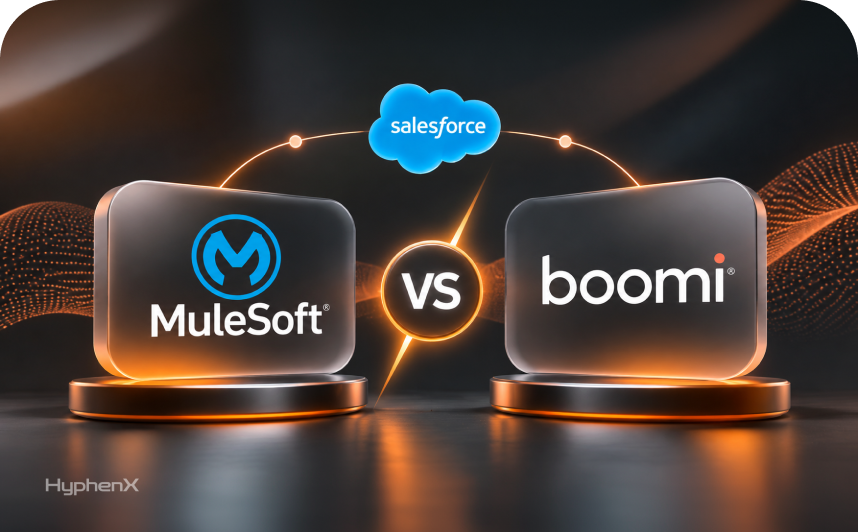


Choosing between these two usually stalls on one question: what will it cost? Salesforce publishes list prices for its Marketing Cloud editions, while Adobe shares Campaign pricing only through a custom quote. That gap sits at the center of any Salesforce Marketing Cloud vs Adobe Campaign decision, because you can model one license today and the other only after a sales call.
Both products are also changing. Salesforce announced Marketing Cloud Next in June 2025 and says its main email product, Marketing Cloud Engagement, has no retirement plans. Adobe now sells Campaign v8 only as a managed cloud service and has set December 31, 2030 as the end of core support for Campaign Classic v7. So timing matters here as much as features. We’re HyphenX Solutions, and we checked the product details below against Salesforce and Adobe pages on October 20, 2026.
Here’s the short version. If you already run Salesforce CRM and want numbers you can budget from today, Marketing Cloud may be the easier fit. If you send big, approval-heavy campaigns and want a choice of database setups, Adobe Campaign deserves a close look. Salesforce lists its prices and Adobe doesn’t, so this guide sets features, channels, data setup and costs side by side, and shows how to compare them fairly.
What Are Salesforce Marketing Cloud and Adobe Campaign?
Salesforce Marketing Cloud is Salesforce’s family of marketing products, and the one most teams compare with Adobe is Marketing Cloud Engagement, the email and mobile tool. Adobe Campaign is Adobe’s marketing automation platform for large outbound campaigns across email, SMS, push and direct mail. Adobe builds its campaigns as workflows and points real-time journeys to a separate product, while Salesforce builds journeys directly in Marketing Cloud.
Salesforce Marketing Cloud
Marketing Cloud runs your email and mobile journeys from a set of tools Salesforce calls studios and builders, and it sits right next to Salesforce CRM. For a wider field of rivals, see our look at other marketing automation platforms. Its 2026 lineup:
- Marketing Cloud Engagement: the core email, SMS and push product
- Engagement+ editions: the current bundles, called Pro+, Corporate+ and Enterprise+
- Marketing Cloud Next: a newer family, in Growth and Advanced editions, with built-in AI agents
Adobe Campaign
Adobe Campaign plans and sends large, scheduled campaigns from visual workflows. Its current version, Campaign v8, runs only in Adobe’s managed cloud, and each environment gets its own dedicated private cloud. Its 2026 lineup:
- Adobe Campaign v8: the current version, sold in Advanced and Enterprise service tiers
- Campaign Classic v7: the older version, still on core support
- Campaign Standard: another older version whose customers can move to v8
- AJO: Adobe’s separate journey product for real-time journeys, which now also runs batch-style campaigns and so overlaps with Campaign
Salesforce Marketing Cloud vs Adobe Campaign at a Glance
Here’s the whole comparison on one screen. Scan the rows that match your must-haves, since each one comes up again in more detail below. The Gartner row is a vendor claim, so it names who made it.
What you’re comparing | Salesforce Marketing Cloud | Adobe Campaign |
|---|---|---|
Main product | Marketing Cloud Engagement | Adobe Campaign v8 |
Related product | Marketing Cloud Next | AJO, for real-time journeys |
How you buy | Published editions | Custom quote |
What you’re billed on | Contacts and messages included per edition | Active Profiles, plus each channel |
Journey building | Journey Builder | Visual workflows with approvals |
Where marketers work | Studios and builders in one platform | Web interface plus a Windows desktop console |
Personalization code | AMPscript, Salesforce’s own scripting language, plus server-side JavaScript | JavaScript |
Data storage | Data extensions, which are tables of contact data | A standard setup or a Snowflake-based setup |
Salesforce CRM link | Marketing Cloud Connect | A dedicated CRM connectors package |
Messaging apps | WhatsApp and LINE | WhatsApp and LINE |
Generative AI | Agentforce Campaign Creation in every Engagement+ edition | AI Assistant |
Support | Premier support at extra cost | Advanced or Enterprise service tier |
Analyst view | Gartner Leader for Multichannel Marketing Hubs in 2025, per Salesforce | Gartner Leader in the same report in 2025 and 2026, for Adobe’s wider stack, per Adobe |
Why Recent Product Changes Matter for Your Decision
Timing matters with these two. Here are the dates that matter, in order, and what each one means if you’re about to buy or switch.
- February 14, 2024: Adobe launches the Campaign Web interface. What it means for you: marketers get a browser workspace, while marketing plans and pressure rules stay in the desktop console.
- June 11, 2025: Salesforce announces Marketing Cloud Next. What it means for you: AI agents come built into the Salesforce Platform, as Salesforce’s Marketing Cloud Next announcement explains. They rely on unified customer data from Data 360.
- July 29, 2026: Adobe updates its Campaign product description. What it means for you: this legal document sets how Adobe counts Active Profiles, so check the current version.
- September 2026: LINE arrives in the Campaign Web interface. What it means for you: teams that message customers on LINE can now build those messages in the browser.
- November 1, 2026: Salesforce updates its SMS and WhatsApp multipliers. What it means for you: the credits each mobile message uses can change, so re-check your mobile budget.
- December 31, 2030: Adobe ends core support for Campaign Classic v7. What it means for you: Adobe’s support-periods matrix lists no extended support, so v7 teams need a move plan well before that date.
- No date announced: Salesforce has no retirement plans for Engagement, and Adobe hasn’t published an end date for Campaign Standard.
How Each Platform Builds Journeys and Campaigns

Salesforce Marketing Cloud builds customer journeys in Journey Builder and runs scheduled jobs in Automation Studio. Adobe Campaign keeps audience targeting and approvals in the same visual workflow as the send. Your pick depends on how your team plans: around each customer’s path, or around large scheduled campaigns.
- Building a multichannel journey. Marketing Cloud: Journey Builder lets you build multichannel journeys with email, SMS and push steps, and it comes with Corporate+ and Enterprise+. Adobe Campaign: you build the flow as a workflow, and Adobe points real-time, event-based journeys to AJO.
- Running scheduled jobs. Marketing Cloud: Automation Studio runs data imports and data queries on a schedule or a trigger. Adobe Campaign: workflows handle imports and audience building right next to the sends.
- Approvals and planning. Marketing Cloud: ask Salesforce which planning and approval tools your edition includes. Adobe Campaign: approvals sit inside workflows, and marketing plans and programs live in the desktop console.
- Controlling message fatigue. Marketing Cloud: Einstein engagement frequency helps you tune how often each contact hears from you, in Corporate+ and Enterprise+. Adobe Campaign: pressure rules cap how many messages each person gets, and you set them up in the desktop console.
- Order confirmations and other triggered messages. Marketing Cloud: ask Salesforce which tool sends these right away. Adobe Campaign: Message Center sends these triggered messages over email, SMS and push.
Channel Support: Email, SMS, Push, WhatsApp and More
Salesforce Marketing Cloud and Adobe Campaign cover the main outbound channels, WhatsApp and LINE included. If a channel isn’t on your roadmap, skip its row. Salesforce sells mobile messages as credits, and Adobe licenses each channel separately and also covers direct mail.
One date matters for mobile budgets. Salesforce’s updated SMS and WhatsApp multipliers apply from November 1, 2026, and the SMS change covers Marketing Cloud contracts that started on or after September 1, 2022.
Channel | Marketing Cloud | Adobe Campaign | How it’s billed |
|---|---|---|---|
Email Studio | Built in | Salesforce: email messages included per edition. Adobe: an email channel license | |
SMS | MobileConnect | Built in | Salesforce: credits in blocks of 1,000, plus a setup and lease code purchase. Adobe: an SMS channel license |
Push | MobilePush | Built in | Salesforce: mobile app messages in Corporate+ and Enterprise+. Adobe: a push channel license |
In-app and inbox | Ask Salesforce | Not available in Campaign v8 | Salesforce: ask which in-app options your edition includes. Adobe: not offered in v8 |
GroupConnect | Meta’s Cloud API, with a Meta business account | Salesforce: credits in blocks of 1,000. Adobe: ask for the channel terms | |
LINE | GroupConnect | The LINE package | Ask each vendor for its LINE terms |
Direct mail | Not listed on Engagement’s pricing page | Built in | Salesforce: not listed. Adobe: a direct mail channel license |
Order and account messages | Ask Salesforce | Message Center | Salesforce: ask for the terms. Adobe: ask for the terms |
Data Model and Salesforce CRM Integration
Salesforce Marketing Cloud connects to Salesforce CRM through Marketing Cloud Connect, which links your marketing account to one or more Salesforce orgs. Adobe Campaign connects through a separate CRM connectors package and keeps your data in tables your developers can extend. If you already run Salesforce CRM, ask each vendor to show the sync working on your own fields before you commit.
How Marketing Cloud Handles Your Data
- Contact data lives in data extensions: tables that can stand alone or link to each other
- Marketing Cloud Connect ties your Engagement account to a Salesforce org, which is your company’s Salesforce account, and you can connect more than 1 org
- Some Journey Builder features only work once Connect is set up
- Users on Lightning, Salesforce’s current interface, get sent to Salesforce Classic, the older one, when they open Connect tabs
- Marketing Cloud Next relies on Data 360, so check how much Data 360 usage your edition includes, since extra profiles and usage can cost more
How Adobe Campaign Handles Your Data
- Your data sits in structures your developers extend, such as the main recipient table, and bigger changes need a database update
- The standard setup runs on PostgreSQL, a widely used open-source database
- The Enterprise database setup runs on Snowflake for very large data, up to 8 TB, and it’s a different thing from Adobe’s Enterprise service tier
- REST APIs, a common way to connect other systems, and Adobe’s Marketing Resource Management module aren’t available on the Enterprise setup
- Connectors for Salesforce and Microsoft’s CRM come in a dedicated CRM connectors package
AI and Real-Time Personalization Capabilities Compared
Salesforce Marketing Cloud’s AI covers Einstein features for send times and engagement, plus the Agentforce agents in Marketing Cloud Next. Adobe Campaign pairs an AI Assistant for content with an offer engine called Interaction, and Adobe runs real-time journey personalization through AJO. These 6 capabilities show where each one stands.
- Writing copy with AI
- Marketing Cloud: generative AI content comes with Corporate+ and Enterprise+
- Adobe Campaign: the AI Assistant helps write emails, push and SMS messages
- Verdict: both have it, so check which edition or version includes it
- An agent that drafts whole campaigns
- Marketing Cloud: Agentforce Campaign Creation, in all 3 Engagement+ editions
- Adobe Campaign: ask Adobe to show its closest match in a demo
- Verdict: Marketing Cloud has the documented feature today
- Picking the best send time
- Marketing Cloud: the Einstein send-time feature studies 90 days of engagement and scores all 168 hours of the week for each contact, in Corporate+ and Enterprise+
- Adobe Campaign: ask Adobe which send-time tools Campaign includes
- Verdict: Salesforce documents how its version works, so ask Adobe for the same detail
- Scoring engagement
- Marketing Cloud: Einstein engagement scoring estimates who’ll open, click, stay subscribed or convert, in Corporate+ and Enterprise+
- Adobe Campaign: ask Adobe which scoring Campaign includes
- Verdict: Salesforce documents this one clearly
- Real-time offers
- Marketing Cloud: the Personalization Decisioning agent in Marketing Cloud Next decides which content each person sees
- Adobe Campaign: the Interaction engine picks offers using eligibility rules
- Verdict: both can do it, and Adobe adds real-time journeys through AJO
- Audiences and creative
- Marketing Cloud: Segment Intelligence and the paid media agent in Marketing Cloud Next
- Adobe Campaign: GenStudio for Performance Marketing connects to Campaign for email only
- Verdict: Salesforce covers audiences and paid media, while Adobe’s creative link covers email
Ease of Use, Team Skills and IT Sign-Off
Salesforce Marketing Cloud suits teams with data-query and AMPscript skills, and marketers get drag-and-drop editing in Content Builder. Adobe Campaign suits teams that run approval-heavy campaigns, and it splits work between a web interface and a Windows desktop console. Skills matter as much as features here, because the best platform is the one your team can actually run. Your IT team will also want to know where the data lives.
Marketing Cloud feels easier when | Adobe Campaign feels easier when |
|---|---|
Your analysts already write data queries | Your team already plans in visual workflows with sign-offs |
A developer knows AMPscript, or is happy to learn it | Your admins can run a Windows desktop app |
Marketers want to build emails by dragging blocks around | Developers are comfortable extending data structures and running database updates |
Your Salesforce admins already run your CRM | Marketers want a browser workspace while admins handle setup in the console |
IT and security teams will ask where your data lives. Hyperforce is Salesforce’s newer hosting setup, and the Hyperforce feature list, names the Marketing Cloud features that aren’t available on it.
IT question | Salesforce Marketing Cloud | Adobe Campaign |
|---|---|---|
Where does our data live? | US or EU data centers, or Hyperforce environments in Australia, Canada, India and Japan | Adobe’s managed cloud, with a dedicated private cloud per environment |
What changes on Hyperforce? | Some features aren’t available there, including dedicated sending servers, email archiving, high-throughput journey sending and custom reports | Not applicable, since v8 runs only in Adobe’s managed cloud |
Which certifications apply? | ISO 27001 and SOC 2 for Marketing Cloud, plus HITRUST for Engagement | FedRAMP Tailored, SOC 2 Type 2 and ISO 27001:2022, per Adobe’s compliance list |
Salesforce Marketing Cloud vs Adobe Campaign Pricing: How Each One Charges
Here’s where the two differ most. Salesforce Marketing Cloud sells published editions, each with a set number of contacts and messages, billed annually per org. Adobe Campaign has no public price list, so you get a custom quote based on your Active Profiles, the channels you license, your service tier and any add-ons. Terms can change, so confirm every detail in writing.
How Salesforce Charges
Salesforce lists its Engagement+ editions publicly, and each one bundles a Marketing Cloud Next edition. The page doesn’t say whether message allowances are monthly or yearly, so ask before you plan volumes.
Engagement+ edition | Price position | Contacts included | Email messages included | Mobile app messages included | Journey Builder | Also includes |
|---|---|---|---|---|---|---|
Pro+ | Entry | 15K | 2.5M | Not listed | Not included | Marketing Cloud Growth |
Corporate+ | Middle | 45K | 10M | 1M | Included | Marketing Cloud Advanced |
Enterprise+ | Top | 500K | 150M | 10M | Included | Marketing Cloud Advanced |
Salesforce add-on | How it’s billed |
|---|---|
Premier support | A share of your license fees |
Extra business units | Salesforce’s pricing page doesn’t say how they’re sold, so confirm which editions include them and what extra units cost |
SMS, WhatsApp and extra email | Credits, bought in blocks of 1,000 |
Data 360 profiles and Flex Credits | Included amounts vary by edition, and extra usage is bought in blocks |
MobileConnect and the Sender Authentication Package | Quote only |
Journey Builder on an older Pro edition | A monthly add-on |
How Adobe Charges
Adobe shows its Advanced and Enterprise service tiers without prices. Enterprise gets monthly service reviews and health checks, while Advanced gets quarterly reviews and yearly checks. Adobe’s product description lists the billable items below, and going over your limits can mean extra fees or added capacity. Because Active Profiles count everyone you tried to contact in the past 12 months, a one-off send to a big list stays in your count for a full year.
Adobe billable item | What it means |
|---|---|
Active Profiles | Each person you tried to contact in the past 12 months, counted per 1,000 |
Channels | Each channel licensed separately, or one license that covers all channels |
Service tier | Advanced or Enterprise, which sets how often you get service reviews |
Test environments | Extra copies of your setup for testing campaigns |
Database storage | Space for your campaign data |
IP addresses and deliverability | Sending addresses and deliverability packages |
Total Cost of Ownership: How to Model Multi-Year Costs

What you pay for Marketing Cloud over several years depends on your edition, add-ons, support plan and mobile credits, and its list prices let you model it before any sales call. Adobe Campaign’s multi-year cost depends on your Active Profile count and every metered item in your quote, so you’ll need that quote first. That makes the first step simple: get the same four inputs from both vendors, which are your contacts, your channels, the number of years and your support level.
We ran Salesforce’s published Engagement+ list prices, checked on October 20, 2026, to see how cost per contact changes as you move up. Setup work sits outside this math, and our breakdown of Salesforce implementation costs covers that side.
Step up | List price rises | Included contacts rise | What it means for you |
|---|---|---|---|
Pro+ to Corporate+ | 2.75 times | 3 times | Cost per included contact dips slightly, and you gain Journey Builder |
Pro+ to Enterprise+ | 15 times | About 33 times | Cost per included contact falls by more than half |
Adding Premier support | By a fixed share of license fees | No change | Support cost grows in step with your license |
These ratios use list prices for a full year, before discounts, add-ons, SMS credits and setup work. “Per included contact” means contacts that come with the edition, and not the contacts you actually message. Adobe doesn’t publish numbers for the same check, so you’d need its quote first.
Worked Example: A Retailer Reaching 60,000 People a Year
Say you’re a retailer that emailed 60,000 people in the past 12 months, sends 2 emails a week to all of them and texts 10,000 of them (your loyalty members) once a month. It’s a made-up example, so swap in your own numbers before you request quotes.
Planning question | Marketing Cloud | Adobe Campaign |
|---|---|---|
How is the audience counted? | 60,000 contacts is more than Corporate+’s 45K, so compare Corporate+ with extra contacts, if Salesforce sells them for your contract, against Enterprise+ with 500K | 60,000 Active Profiles, billed as 60 blocks of 1,000 |
Will the email volume fit? | About 6.2M emails a year, which fits under Corporate+’s 10M allowance whether Salesforce counts it monthly or yearly | The same 6.2M emails a year, and the tier under 2M Active Profiles allows 1.5M emails per hour at peak, subject to Adobe’s shared capacity limits |
How is SMS added? | Credits in blocks of 1,000, using the multipliers in force from November 1, 2026 | An SMS channel license, or one license that covers all channels |
Do journeys come included? | Journey Builder comes with Corporate+ and Enterprise+ | Workflows are part of Campaign, and real-time journeys need AJO |
What storage comes with it? | Ask Salesforce for your edition’s data storage | 500 GB of database storage at the tier under 2M Active Profiles |
Which support plan fits? | Premier support, priced as a share of license fees | Advanced or Enterprise service tier |
Which Platform Fits Your Business?
So, which one should you pick? Answer these 10 questions and you’ll see which way you lean. Write your answers down as you go, since the pattern matters more than any single line.
- Count your people. Add up your contacts and your Active Profiles from the past 12 months. Salesforce prices by edition and contacts, and Adobe prices by Active Profiles, so this number drives both quotes.
- List your channels. Write down every channel you’ll use, and check how much of your volume is SMS and WhatsApp.
- Check your CRM. If you run Salesforce CRM, lean toward Marketing Cloud, because Marketing Cloud Connect links the two and some Journey Builder features need it. Adobe has its own CRM connectors package.
- Ask finance what it needs. If finance wants a published price before approving, Marketing Cloud’s Engagement+ list prices are public, while Adobe’s quote comes after a sales call.
- Look at your campaign style. Large campaigns with strict sign-offs and contact caps suit Adobe Campaign, which has workflows with approvals and pressure rules.
- Decide how much AI you want. If you’d like an AI agent to draft campaigns, Agentforce Campaign Creation comes with every Engagement+ edition.
- Size your data. Very large data volumes point to Adobe’s Enterprise database setup, so settle which setup you need before you ask Adobe for a quote, because it changes which tools you get.
- Match editions to features. Confirm which edition includes Journey Builder and how many business units you need, and ask Salesforce which editions include them or sell them as add-ons.
- Name your builders. Say who’ll write the code and run each tool. Marketing Cloud leans on AMPscript and data queries, and Adobe leans on JavaScript and its desktop console.
- Plan your timing and support. If you’re still on Campaign Classic v7, core support ends December 31, 2030, so set a move date well before then. Then price support, which means Salesforce Premier or Adobe’s Advanced or Enterprise tier.
Common Challenges and Solutions
Teams comparing Salesforce Marketing Cloud and Adobe Campaign tend to run into the same 4 problems. Here’s what they look like, with a fix for each and the way we’d handle it on a Marketing Cloud project. They run in the order buyers usually meet them, from the first quote to the final cutover.
Quotes That Can’t Be Compared
- The problem: Salesforce prices by edition and included contacts, while Adobe prices by Active Profiles and channels, so the 2 quotes rarely line up.
- The fix: convert both into 1 unit, like cost per person reached per year, on the same multi-year sheet, and ask both vendors to price the same contacts, sends, channels and years.
- HyphenX’s approach: we count your real contacts and sends first, then map them to the right Engagement+ edition and add-ons, so you can set your Marketing Cloud number next to Adobe’s quote line by line.
Getting CRM Data Into the Marketing Tool
- The problem: journeys break when CRM fields or consent flags don’t sync cleanly.
- The fix: pilot the sync with 1 real object and real users before you sign, and watch how consent flags carry over.
- HyphenX’s approach: we set up Marketing Cloud Connect against your Salesforce org and test it on your own records before any journey goes live.
A Skills Gap on the New Platform
- The problem: Marketing Cloud leans on data queries and AMPscript, while Adobe Campaign leans on JavaScript and its desktop console, so few teams have both.
- The fix: run a timed pilot task on each platform, then plan training or hiring for the gaps it shows. Include one marketer and one developer, since each platform asks different things from each role.
- HyphenX’s approach: our certified Salesforce consultants build your first journeys and automations, then hand them over with notes your team can follow.
Switching Without Losing Data or Sender Reputation
- The problem: a move means rebuilding data structures, templates, channel setup and sending reputation, and even inside Adobe, automated migration from Campaign Classic v7 to v8 isn’t available yet.
- The fix: inventory everything you send, map your data, warm up new sending IP addresses (the server addresses your email comes from) gradually and run both platforms side by side before you cut over.
- HyphenX’s approach: when Marketing Cloud is your destination, our migration team plans the move from your send inventory up, so nothing you send today gets missed.
Case Studies: How HyphenX Solves Data and Workflow Problems
Every marketing platform depends on clean, connected data, and these 2 projects show how we handle that work for our clients. Both projects sit outside Marketing Cloud, yet they show the habits we bring to one: map the data first, remove manual hand-offs and build checks into the process. Neither one is a Marketing Cloud versus Adobe Campaign project, and we don’t present them as one. They’re here because clean data and fewer manual steps matter in any platform choice. Each summary comes from the case study on our website, so open the full write-up for more detail.
From Swivel-Chair Prospecting to Single-Click Pipeline
A B2B SaaS company’s reps were copying data by hand between 3 prospecting tools (Apollo, Lusha and Hunter) and Salesforce, which created duplicate records and a pipeline leadership didn’t fully trust. HyphenX connected those tools inside Salesforce Sales Cloud behind a single-click button that checks for duplicates, verifies emails before saving and records where each field came from, then added an Agentforce research agent with AI lead scoring and routing. Reps now start from one button inside Salesforce, and each record shows its source.
Key takeaway: Data enters the CRM clean when sourcing, duplicate checks and verification happen in one controlled step, and every Marketing Cloud journey depends on that same discipline.
Read the full case study: From Swivel-Chair Prospecting to Single-Click Pipeline
Garula Industries: ERP Plan for Fan Component Manufacturing
Garula Industries, a mid-scale maker of injection-molded fan components, was running its plant on paper registers, manual logbooks and spoken shift handovers, so errors in dispatch, stock and quality checks surfaced too late. HyphenX mapped a modular, manufacturing-first ERP plan covering production tracking, quality checks, inventory with low-stock alerts, dispatch and maintenance, with an expected cut in dispatch errors of around 90% through purchase-order matching. This is a proposed blueprint, so the 90% figure is an expected outcome that hasn’t been measured yet.
Key takeaway: Moving scattered manual records into one connected system is what makes real-time alerts and reliable reporting possible.
Read the full case study: Garula Industries
Backed by 250+ Certified Salesforce Experts
HyphenX Solutions holds 250+ Salesforce certifications across its delivery and consulting roles, and the team that earned them works on projects like the ones in our case studies. If you’re weighing Marketing Cloud against Adobe Campaign, that is the bench you’d be working with.
The team works from our headquarters in Lewes, Delaware, and our delivery center in Jaipur, India.
Salesforce Marketing Cloud vs Adobe Campaign FAQs
How much does Salesforce Marketing Cloud cost compared with Adobe Campaign?
Salesforce publishes list prices for its Engagement+ and Marketing Cloud Next editions, billed annually per org. Adobe only gives custom quotes, built on your Active Profiles, channels, service tier and add-ons. The Advanced and Enterprise tiers also change how often you get service reviews and health checks. Both vendors price by the size of your audience, so the cleanest comparison starts with your own contact count. You can price Marketing Cloud today and Adobe Campaign after a sales call.
Is Adobe Campaign cheaper than Salesforce Marketing Cloud?
There’s no public way to tell, because Adobe doesn’t publish prices. It depends on how many people you contact each year and which channels and add-ons each vendor quotes. Put both on the same multi-year sheet before you decide, and ask each vendor to price the same number of contacts, channels and years.
What hidden costs come with Marketing Cloud and Adobe Campaign?
On Salesforce, watch Premier support, extra business units, mobile message credits, Data 360 usage beyond what your edition includes and quote-only add-ons. On Adobe, watch separate channel licenses, extra test environments, storage, IP addresses and fees for going over your limits.
What’s the difference between an Adobe Active Profile and a Salesforce contact?
An Active Profile is anyone you tried to contact through any channel in the past 12 months, and Adobe bills per 1,000 of them. Salesforce’s Engagement+ editions each include a set number of contacts: 15K, 45K or 500K.
Is Adobe Campaign Standard being discontinued?
Adobe hasn’t published an end date for Campaign Standard. It does say Standard customers are eligible to move to Campaign v8, where the In-App channel isn’t available, so plan for that gap if you send in-app messages.
When does support end for Adobe Campaign Classic v7?
Adobe’s support-periods matrix shows core support for Campaign Classic v7 ending on December 31, 2030, with no extended support listed. Adobe also says automated migration from v7 to v8 isn’t available yet, so start planning early.
Should I choose Adobe Campaign or AJO?
Adobe positions Campaign for large, scheduled outbound campaigns and AJO for real-time journeys. AJO now runs batch-style orchestrated campaigns too, but it’s licensed separately, so ask Adobe to price both against your own use cases.
What is Salesforce Marketing Cloud Next?
Marketing Cloud Next is Salesforce’s newer marketing family, announced on June 11, 2025, and built on the Salesforce Platform with Agentforce AI agents. It comes in Growth and Advanced editions and relies on Data 360 for unified customer data.
Is Salesforce retiring Marketing Cloud Engagement?
No. Salesforce’s pricing page says there are no end-of-life, end-of-sale or end-of-roadmap plans for Marketing Cloud Engagement. Each Engagement+ edition also includes a Marketing Cloud Next edition.
Can Adobe Campaign connect to Salesforce CRM?
Yes. Adobe has connectors for Salesforce and Microsoft’s CRM, available through a dedicated CRM connectors package. Test how the sync handles your own objects in a pilot before you sign.
Do I need Data 360 to use Salesforce Marketing Cloud?
Marketing Cloud Next relies on Data 360. Salesforce’s editions can include some Data 360 usage, and extra profiles and usage can cost more, so ask Salesforce how this applies to your Engagement setup, since the two product families work differently.
How much effort does migrating between the two platforms take?
Treat it as a rebuild. Data structures, templates, scripts, channel setup and CRM links all need rework on the new platform, and new sending IP addresses need a gradual warm-up before full volume. Plan a short parallel run, where both platforms send at the same time, so you can compare results before you switch everything over.
Can you run Salesforce Marketing Cloud and Adobe Campaign at the same time?
Yes. Marketing Cloud Connect and Adobe’s CRM connectors can each link to Salesforce CRM, so test both against your org. You’ll pay for both licenses, though, so keep one system as the record of who opted in and set one shared rule for how often people hear from you.
Adobe Campaign vs Salesforce Marketing Cloud: which is better for high-volume B2C email?
Both can handle high volume. Enterprise+ includes 150M email messages (Salesforce’s page doesn’t say over what period), and the Adobe tier under 2M Active Profiles allows peak sending of 1.5M emails per hour, subject to Adobe’s shared capacity limits. If you need Salesforce’s high-throughput journey sending, note that it isn’t available on Hyperforce.
Which platform is better if you already use Salesforce CRM?
Salesforce Marketing Cloud may be the easier fit, because Marketing Cloud Connect links Engagement to your org and some Journey Builder features depend on it. Test the sync on your own records during a pilot, and ask Salesforce how it handles your fields.