Your Salesforce org is ready for Claudeforce when four things are true:
- you meet the edition and plan requirements
- your permissions reflect what each seller should actually see
- your opportunity and activity data is current enough to reason over
- you have a secure, monitored connection with a clear policy on when Claude may write to Salesforce
Connecting Salesforce to Claude takes an afternoon. Getting an org into a state where that connection is safe and useful is the real project, and it is the part most teams skip.
This checklist covers the 12 checks we run before any Salesforce in Claude pilot. Each one explains why it matters, how to check it, what “pass” looks like, and the gap we find most often.
Key takeaways
- Claude acts as each signed-in user. Any over-broad permission in your org becomes an over-broad permission in Claude, so the permission audit is the most important check on this list.
- The plugin’s skills reason over your records. Stale close dates, empty next steps and missing contact roles turn into confident but wrong briefings.
- Salesforce’s own research found data leaders estimate 26% of their organization’s data is untrustworthy. Budget time for cleanup before the pilot, not after.
- Plan the External Client App, the read-only phase and the monitoring approach before anyone connects.
- You do not need a perfect org to start. You need no blockers on checks 1 to 5 and 10, and a plan for the rest.
Why readiness matters more for Claudeforce than for past Salesforce features
Claudeforce is the expanded Salesforce and Anthropic partnership announced on August 26, 2026. Its first product, Salesforce in Claude, is a plugin with 37 prebuilt sales skills that lets sellers research accounts, prep for calls, review pipeline and update records from inside Claude. It entered beta on September 15, 2026. That was the same day Salesforce announced AIforce, the layer that brings Salesforce data, logic and permissions into Claude, Slack and Lightning.
Three properties of this design change what “ready” means.
Claude inherits permissions exactly
Salesforce’s hosted MCP servers support only the OAuth authorization code flow, so every session is tied to one named user. Salesforce states there is no option to run sessions through a shared integration user. Object permissions, field-level security and sharing rules all apply to every tool call.
This is good news for security, but it means Claude will faithfully expose every permission mistake you have. A sales rep who was accidentally given “View All Data” three years ago can now ask Claude to summarize every account in the company in seconds.
Agents read far more records than people do
Salesforce’s AIforce announcement describes agents reading across hundreds of records at once. Patrick Stokes, Salesforce’s president of applications, has said a seller’s morning prioritization takes something like 10,000 clicks in the Salesforce UI and about 30 seconds in Claude. A person clicking through records rarely stumbles on a sensitive field. An agent summarizing an entire book of business will surface whatever that user can access.
Output quality follows data quality
Salesforce’s plugin documentation says the skills work with your org’s own schema, field names, stages and permissions. They do not invent a sales process. If next steps are empty and close dates are six months stale, the deal review will be built on those values.
Salesforce’s own State of Data and Analytics research found that 84% of data and analytics leaders believe their data strategies need an overhaul before AI can succeed. The same research found leaders estimate 26% of their data is untrustworthy.
How to use this checklist
Score each check as Ready, Needs work or Blocker. A blocker means you should not connect production users until it is fixed. The owner column shows who usually runs the check.
# | Check | Typical owner | Blocker if… |
1 | Edition, licenses and Claude plan | Salesforce admin, IT | Not on an eligible edition or paid Claude plan |
2 | Legal, beta terms and AI policy | Legal, security | No sign-off to use beta services with customer data |
3 | Least-privilege permissions | Salesforce admin | Sellers hold View All Data, Modify All Data or broad admin permissions |
4 | Sharing model and record ownership | Salesforce admin | Org-wide defaults are Public Read/Write for sensitive objects without a reason |
5 | Field-level security on sensitive fields | Salesforce admin, security | Sensitive fields are visible to the sales profile by default |
6 | Opportunity data hygiene | RevOps | Not a blocker; affects output quality |
7 | Activity and meeting capture | RevOps, IT | Not a blocker; affects briefings |
8 | Account, contact and lead data | RevOps, marketing ops | Not a blocker; affects tiering and triage |
9 | Documented sales process context | Sales leadership, enablement | Not a blocker; affects deal reviews |
10 | Connection security plan | Salesforce admin, security | No plan for External Client App policy, scopes and token lifetime |
11 | Write-access policy and audit trail | Salesforce admin, RevOps | Writes enabled with no field history on key fields |
12 | Monitoring, consumption and support model | Salesforce admin, IT | No named owner for the pilot |
Check 1: Edition, licenses and Claude plan
Why it matters: during beta, Anthropic lists the latest Sales Cloud Enterprise edition as the eligibility requirement for Salesforce in Claude. The plugin depends on Salesforce’s hosted MCP servers, which Salesforce made generally available in April 2026 for Enterprise Edition orgs and above. On the Claude side, the plugin is available on paid plans, and it currently runs in Claude chat and Claude Cowork on web and desktop.
How to check:
- In Setup > Company Information, confirm your edition and that API access is enabled.
- Confirm which Claude plan your organization uses. Team or Enterprise gives Owners control over which groups get the plugin.
- List the users you plan to include, and confirm each has an active Sales Cloud license and a paid Claude seat.
- Submit the beta access request on AgentExchange early. Nothing else in setup can finish until Salesforce’s acceptance email arrives.
Pass: eligible edition, paid Claude seats for every pilot user, and an access request submitted.
Common gap: companies on Professional Edition assume they can use the plugin because they can see Claude marketing. They cannot during beta. If that is you, the practical options are to plan an edition upgrade or wait for broader availability.
Check 2: Legal, beta terms and AI policy
Why it matters: Salesforce describes both the plugin and its Salesforce connector as Beta Services governed by its Beta Services terms. Many companies have policies about beta software touching customer data, and about which AI providers may process it.
How to check:
- Share the beta terms with legal or procurement and get written sign-off.
- Confirm Anthropic is an approved AI vendor under your AI or acceptable-use policy. Anthropic states it does not train its models on data from Team and Enterprise plans by default.
- Confirm how the model provider handles data under AIforce. Salesforce describes AIforce as operating with zero data retention by the model provider.
- If you operate in regulated industries or have data-residency commitments to customers, confirm with your account teams whether the beta meets them before including those users.
Pass: written approval to pilot with a named group and a defined set of data.
Common gap: sales leadership approves the pilot, but nobody asks security or legal until a customer questionnaire arrives. Get sign-off first. It rarely takes long when you bring the documentation.
Check 3: Least-privilege permissions
Why it matters: this is the most important check on the list. Salesforce’s guidance on securing hosted MCP servers says MCP tools run with the same permissions as the user who connected, and recommends least-privilege permission sets reviewed regularly. Stokes has put the rule in one line: if a user does not own a record or have permission to see it, the MCP server cannot read or write it either.
The corollary is uncomfortable. If a seller can see something they should not, so can Claude, and Claude will find it much faster. Our guide to running AI agents safely with permissions, data boundaries and human-in-the-loop controls covers the wider governance model.
How to check:
- List every user who holds View All Data, Modify All Data, View All or Modify All on key objects, or Customize Application. In most orgs, some of these are sales users who were given them years ago to fix a one-time problem.
- Review the profiles and permission sets assigned to your pilot group. Look for object permissions that go beyond the job, for example sellers with delete rights on Accounts, or read access to HR, finance or support objects.
- Check permission set groups and muting permission sets, which are easy to overlook.
- Test as a real pilot user, not an admin. Salesforce recommends testing permission behavior before production, including Apex and Flow tests that run as users with different access levels.
Pass: no pilot user holds org-wide “view all” or “modify all” permissions, and each user’s object access matches their role.
Common gap: the sales operations team. RevOps users often hold broad access for reporting and data loads. If they are in the pilot, either narrow their access or keep them out of the first phase.
Check 4: Sharing model and record ownership
Why it matters: object permissions decide which types of records a user can open. The sharing model decides which specific records. Claude respects sharing rules, so the question is whether your sharing model reflects your intent.
How to check:
- Review organization-wide defaults for Account, Opportunity, Contact, Lead, Case and any custom objects that hold commercial or personal data. Public Read/Write is sometimes set on objects that should be Private.
- Review the role hierarchy, sharing rules, account teams and opportunity teams for the pilot group.
- Pick three records a pilot user should not see (another region’s strategic account, a confidential deal, an executive’s opportunity). Confirm they are hidden in the Salesforce UI when logged in as that user.
- Check record ownership accuracy. Skills such as pipeline review and daily briefing work from the records a seller owns or is on the team for. Orphaned records owned by departed employees disappear from everyone’s view.
Pass: the three test records are invisible to the pilot user, and owned records reflect current territories.
Common gap: confidential deals (acquisitions, strategic partnerships, executive-sponsored accounts) stored as ordinary opportunities with default sharing. Before any AI tool can summarize everything a user can see, move these to restricted record types or tighter sharing.
Check 5: Field-level security on sensitive fields
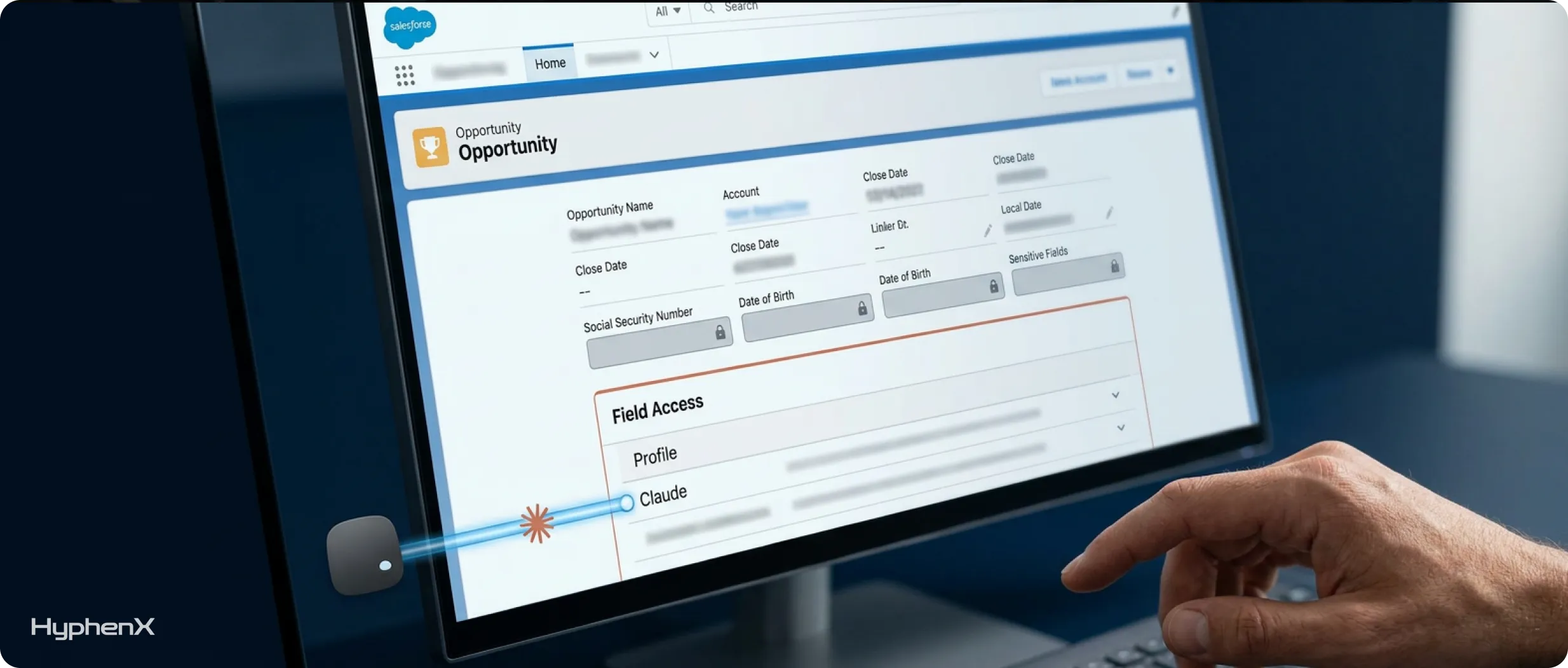
Why it matters: a user may legitimately see an Account but not every field on it. Claude honors field-level security, so it will only surface fields the user can see. Salesforce’s Headless 360 workshop lists “Claude sees fewer fields than expected” as a symptom caused by field-level security, which confirms the control works. The risk is the opposite: sensitive fields that are visible when they should not be.
How to check:
- Inventory sensitive fields: personal data (personal phone, date of birth, national ID), commercial terms (floor price, discount approval notes, margin), internal notes about customers, and anything subject to regulation in your industry.
- For each, check field accessibility for the sales profiles and permission sets in the pilot.
- Review custom fields created in the last 12 months. When admins create fields quickly, visibility is often granted to every profile by default.
Pass: every sensitive field is hidden from users who do not need it for their job.
Common gap: free-text fields. A “Description” or “Internal Notes” field may contain information that would never be allowed in a structured field, and Claude will read and summarize it. Review a sample of long-text fields on Accounts and Opportunities for content that should not be there.
Check 6: Opportunity data hygiene
Why it matters: most of the plugin’s high-value skills work from opportunity data. In Salesforce’s public plugin repository:
- pipeline review builds a seller’s pipeline assessment from stage data and deal samples
- deal review scores deal health from fields, contacts and activity
- forecast narrative builds the forecast-call brief from opportunity aggregates and field history
If the underlying fields are wrong, the analysis is wrong.
How to check: the plugin includes a skill built for this. Salesforce’s repository describes salesforce-hygiene-check as an audit of open opportunities for missing fields, stale dates, weak next steps, stage mismatches and single-threading, producing prioritized fixes without changing records. Once your pilot is connected in read-only mode, ask Claude to “check my pipeline for data problems” for each pilot user.
Before connection, run equivalent reports:
- Open opportunities with a close date in the past.
- Open opportunities with no activity in the last 30 days.
- Open opportunities with an empty Next Step field, or a Next Step not updated this quarter.
- Opportunities past a mid-funnel stage with only one contact role (single-threaded deals).
- Opportunities with no amount, or an amount that has not changed since creation.
- Stage values that do not match your documented stage definitions.
Pass: fewer than 10% of open opportunities fail any of these reports, or you have a cleanup sprint scheduled before the pilot. If the numbers are well above that, a focused Salesforce CRM cleanup is usually faster than asking sellers to fix records one by one.
Common gap: contact roles. Many teams track stakeholders in email and Slack, not on the opportunity. Anthropic’s launch post says the call-prep workflow adds stakeholders it finds in threads as new contacts. It also says the deal-review workflow adds missing stakeholders as contact roles once approved. That helps, but it works best when the existing data is a reasonable starting point.
Check 7: Activity and meeting capture
Why it matters: briefings and call prep depend on knowing what happened recently. In Salesforce’s plugin repository, the calendar skill builds schedules from Salesforce Event data, and the activity-history skill builds interaction timelines from closed Tasks and Events. If meetings are not logged in Salesforce and no calendar is connected in Claude, a daily briefing may show no meetings at all.
How to check:
- Confirm whether your team uses email and calendar sync (such as Einstein Activity Capture) or logs activities manually, and what percentage of meetings actually appear on Salesforce records.
- Decide whether pilot users will connect Gmail, Google Calendar or Google Drive in Claude. These connectors are not bundled with the plugin, and Salesforce’s setup notes say they must be connected separately if you want those sources.
- Decide whether call transcripts will be available. The call follow-up skill works from a transcript or the seller’s notes.
- Confirm which Slack channels hold deal discussion, since Slack is the one non-Salesforce connector bundled with the plugin.
Pass: for a sample of five pilot users, at least three of their last five customer meetings are visible in Salesforce or in a connected calendar.
Common gap: activity capture that syncs email to Salesforce without storing it as standard Task records. Test what the plugin can actually read for one user before assuming it sees everything.
Check 8: Account, contact and lead data
Why it matters: several skills rank and route, and each depends on fields many orgs leave empty:
- Account tiering ranks accounts using ICP fit, engagement, activity, contact and opportunity data.
- Lead triage produces a priority and routing recommendation from Lead and Account data.
- Expansion whitespace looks at owned products and opportunities.
How to check:
- Duplicate rate on Accounts and Contacts. Duplicates split activity history and confuse account context.
- Completeness of firmographic fields used in your ICP (industry, employee band, region, revenue band).
- Whether owned products or assets are tracked, if you want expansion recommendations.
- Lead source and status values, and whether lead assignment rules reflect current territories.
Pass: ICP fields are at least 70% complete on active accounts in the pilot territories, and duplicate rules are active.
Common gap: industry picklists with 60 values, a third of which are unused. Consolidate them before asking any AI to tier accounts.
Check 9: Documented sales process context
Why it matters: Claude can read your stages and fields, but it cannot infer why you sell the way you do. Salesforce’s plugin documentation says context such as customer profiles, qualification frameworks, competitors and preferred writing style can be supplied through Claude’s instructions. Anthropic’s launch post says deal review scores an opportunity against the team’s methodology. Without that methodology written down, deal reviews fall back to generic criteria.
How to check: confirm you have a short, current document covering:
- Your ideal customer profile and disqualifiers.
- Your qualification framework (for example MEDDICC or BANT) and the fields that capture it.
- Stage definitions with entry and exit criteria.
- Main competitors and approved positioning against each.
- Approved pricing and objection-handling guidance, since the objection-handling skill draws on approved internal documents.
- Writing guidelines for customer email, if you have a house style. The plugin also includes a voice-profile skill that learns an individual seller’s style from recent sent email, which requires access to sent mail.
Pass: a two-to-four page document exists, is current, and has an owner who will keep it updated.
Common gap: the methodology lives in an old enablement deck nobody has opened in a year. Write a fresh, short version. It will help new human hires as much as Claude.
Check 10: Connection security plan
Why it matters: the connection between Claude and Salesforce runs through an External Client App that you create and control. Its settings decide who can connect, what the tokens can do and how long sessions last.
How to check: before setup day, agree the following with your security team:
- A dedicated External Client App for Claude. Salesforce recommends one per MCP client, not one shared across AI tools, to make access control and auditing easier.
- Minimum scopes. Access Salesforce hosted MCP servers (mcp_api) and Perform requests at any time (refresh_token). Salesforce created the mcp_api scope so you do not need the broad api scope, which grants full Platform API access.
- PKCE and JWT-based access tokens enabled, as Salesforce’s documentation specifies.
- Permitted users. Restrict the app to pre-authorized users through a permission set, rather than the default where any user can self-authorize.
- Refresh token policy. The default token can last a year. Salesforce’s documentation suggests a shorter validity, such as 30 days, with refresh token rotation.
- IP restrictions, if your policies require them, and how they interact with Claude’s requests.
- MCP servers. All are inactive by default. Plan to activate only the server the plugin needs.
- Credential handling. Decide how the consumer key and secret will pass from the Salesforce admin to the Claude Owner (a password manager share, not email).
Pass: each item above has an agreed value and a named owner.
Common gap: reusing an existing connected app built for another integration because it “already works.” It will carry scopes and policies designed for something else, which is exactly how integration sprawl becomes a security risk. Create a new one.
Check 11: Write-access policy and audit trail
Why it matters: Salesforce’s setup notes for the plugin recommend setting tool restrictions to keep the beta read-only. With a read-only connection, analysis still works, and write steps provide manual guidance instead. When you do enable writes, Anthropic’s documentation says Claude asks the user to approve each proposed change by default, with options to allow once, always allow or deny. Salesforce says writes route through Salesforce, so validation rules and business logic still apply.
How to check:
- Decide the phases: read-only for the first two to four weeks, then writes for a small group.
- List the fields Claude is most likely to update: stage, close date, next step, amount, contact roles, tasks and logged calls.
- Enable field history tracking on those opportunity fields so every Claude-made change can be reviewed. Changes made through Claude are attributed to the signed-in user.
- Review validation rules and required fields on those objects. Make sure the error messages are clear, since sellers will see them when an approved change fails.
- Agree an approval norm for the pilot. We recommend “Allow once” rather than “Always allow” until you trust the outputs.
Pass: a written phase plan, field history on key fields, and a team norm for approvals.
Common gap: validation rules written years ago that block legitimate updates with vague messages. Test five typical updates as a pilot user before enabling writes.
Check 12: Monitoring, consumption and support model
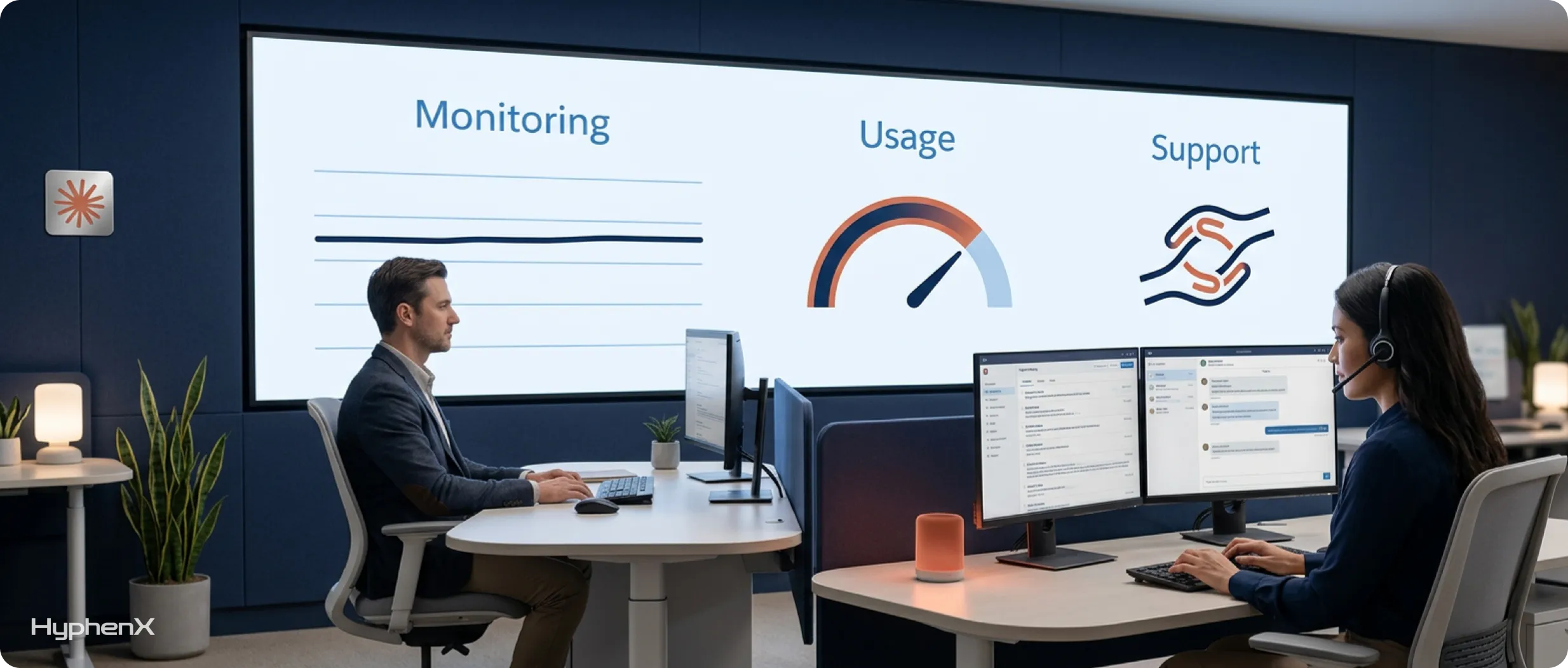
Why it matters: once sellers use Claude daily, you need to know who is using it, what it is doing, what it costs, and who fixes problems.
How to check:
- Activity logs. Salesforce logs hosted MCP activity through Event Monitoring. In the Event Log File Browser, filter by API Total Usage and look for rows where API_CLIENT_CATEGORY equals SALESFORCE_HOSTED_MCP to see which users called which tools and which objects they touched. Depending on your licenses, some event types and longer retention require Salesforce’s Event Monitoring add-on, so confirm what your org has.
- Sign-in logs. Login History and OAuth Usage show connection attempts and let you revoke tokens.
- API consumption. Stokes has said Salesforce charges for this usage through headless consumption tied to your edition and licenses, with Claude contracted separately through Anthropic. Check your org’s API request limits in Setup > Company Information and watch usage during the pilot, because daily briefings and pipeline reviews read many records.
- Support routing. Decide who users contact, and which issues go to Salesforce (sign-in, skill behavior) or Anthropic (errors in Claude after sign-in).
- Feedback loop. Set up a channel or form where pilot users report wrong outputs, with the prompt and the record involved.
Pass: a named pilot owner, a weekly log review, and a known path for escalations.
Common gap: no owner. When a pilot belongs to “sales and IT together,” nobody reviews the logs. Name one person.
The readiness scorecard
Copy this into a spreadsheet and score each line as Ready, Needs work or Blocker.
Check | Pass criteria |
1. Edition and plan | Eligible Sales Cloud edition, paid Claude seats, access requested |
2. Legal and AI policy | Written sign-off for a named pilot group and data scope |
3. Least privilege | No pilot user holds view-all or modify-all permissions |
4. Sharing and ownership | Three restricted test records invisible to pilot users; ownership current |
5. Field-level security | Sensitive fields hidden from sales profiles; free-text fields reviewed |
6. Opportunity hygiene | Under 10% of open opportunities fail hygiene reports |
7. Activity capture | Most recent meetings visible in Salesforce or a connected calendar |
8. Account, contact, lead data | ICP fields 70%+ complete; duplicate rules active |
9. Sales process context | Current methodology document with an owner |
10. Connection security | Agreed External Client App settings and credential handling |
11. Write policy | Phase plan, field history, approval norm |
12. Monitoring and support | Named owner, log review, escalation path |
A 30-day readiness plan
Week 1: Eligibility and approvals
- Confirm edition, licenses and Claude plan (Check 1).
- Submit the AgentExchange access request.
- Send beta terms and vendor information to legal and security (Check 2).
- Name the pilot owner and pick 5 to 15 pilot users (Check 12).
Week 2: Permissions and security
- Run the permission audit and remove over-broad access (Check 3).
- Test sharing with restricted records (Check 4).
- Review field-level security and free-text fields (Check 5).
- Agree the External Client App design (Check 10).
Week 3: Data and context
- Run hygiene reports and a cleanup sprint with pilot users (Check 6).
- Confirm activity capture and connector decisions (Check 7).
- Fix duplicates and critical ICP fields in pilot territories (Check 8).
- Write the sales process context document (Check 9).
Week 4: Controls and launch
- Enable field history on key fields and test validation rules (Check 11).
- Set up log reviews and a feedback channel (Check 12).
- Complete setup in read-only mode and run permission tests as a pilot user.
- Launch the pilot.
What “ready enough” looks like
No org passes all 12 checks perfectly, and waiting for a perfect org means never starting. Our rule of thumb:
- Must pass before any production user connects: Checks 1, 2, 3, 4, 5 and 10. These are about eligibility, approval and exposure. Getting them wrong creates risk, not just weak outputs.
- Can improve during a read-only pilot: Checks 6, 7, 8 and 9. A read-only pilot is a good way to find data problems, because sellers see exactly where the briefings go wrong.
- Must pass before enabling writes: Checks 11 and 12.
Beyond Salesforce in Claude
These checks apply to more than one product. Salesforce’s AIforce layer launched with three interfaces: Claudeforce in Claude, Slackforce in Slack, and Agentforce Coworker in Lightning. All three read Salesforce data under the user’s existing permissions. An org that passes this checklist is ready for any of them, and for Agentforce agents that act on the same data.
Frequently asked questions
What is Claudeforce readiness?
Claudeforce readiness means your Salesforce org can safely and usefully connect to Claude through Salesforce in Claude, the first product of the Salesforce and Anthropic partnership. A ready org meets the edition and Claude plan requirements, and has permissions that match what each seller should see. It also holds opportunity and activity data current enough to reason over, and has a secure, monitored connection with a clear policy on when Claude may write to Salesforce. Readiness is less about the connection itself, which takes an afternoon, and more about the state of the org behind it.
How long does it take to get a Salesforce org ready for Claudeforce?
For a mid-sized sales org, plan on about four weeks to reach a pilot-ready state. Week one covers eligibility, legal sign-off and choosing pilot users. Week two covers the permission audit, sharing tests, field-level security and the External Client App design. Week three covers data hygiene, activity capture and your sales process document. Week four covers write controls, monitoring and launch. Orgs with years of permission sprawl, heavy customization or poor opportunity hygiene should allow longer, because those issues take time to fix properly.
Which Salesforce edition do I need for Salesforce in Claude?
During the beta, Anthropic lists the latest Sales Cloud Enterprise edition as the eligibility requirement for Salesforce in Claude. The plugin depends on Salesforce’s hosted MCP servers, which Salesforce made generally available in April 2026 for Enterprise Edition orgs and above. Professional Edition orgs cannot use it during the beta, so the options are an edition upgrade or waiting for broader availability. Each pilot user also needs an active Sales Cloud license and a paid Claude seat, and Team or Enterprise plans give Claude Owners control over plugin distribution.
Can Claude see data a user cannot see in Salesforce?
No. Claude acts as the signed-in user and inherits their object permissions, field-level security and sharing rules, so it can only read and act on what that user can already see. Salesforce’s hosted MCP servers tie every session to one named user, with no shared integration account. The risk runs the other way: any over-broad permission a user holds becomes available to Claude, which can summarize hundreds of records in seconds. That is why permission cleanup comes before data cleanup in any readiness plan.
Why is the permission audit the most important readiness check?
Because Claude inherits permissions exactly and reads far more records than a person does. A seller clicking through Salesforce rarely stumbles on a sensitive field, but Claude summarizing an entire book of business will surface everything that seller can access. Users who were given View All Data or Modify All Data years ago to fix a one-time problem suddenly expose the whole org. Auditing profiles, permission sets and permission set groups before the pilot removes that exposure at the source, for Claude and every other connected tool.
Do we need Data Cloud (Data 360) to use Salesforce in Claude?
Data Cloud, now called Data 360, is not listed as a requirement for the Salesforce in Claude beta. Anthropic lists the latest Sales Cloud Enterprise edition and a paid Claude plan as the eligibility requirements, and the plugin reads your core Sales Cloud records through Salesforce’s hosted MCP server. Other AIforce products, such as Agentforce Coworker, have their own edition and licensing requirements. If you plan to roll out more than one AIforce interface, check the requirements for each product separately before you budget or schedule the pilot.
Should we clean our Salesforce data before connecting Claude?
Clean permissions and security issues first, because they create real risk: exposed records, visible sensitive fields and over-scoped connections. Data quality can improve during a read-only pilot. The plugin includes a hygiene-check skill that audits open opportunities for missing fields, stale close dates, weak next steps, stage mismatches and single-threaded deals, without changing any records. Sellers see exactly where their data is incomplete, which makes cleanup faster and more targeted. Aim for fewer than 10% of open opportunities failing basic hygiene reports before you enable writes.
Should Salesforce in Claude be read-only during the pilot?
Yes. Salesforce’s own setup notes for the plugin recommend setting tool restrictions to keep the beta read-only. In read-only mode, sellers still get briefings, call prep, pipeline reviews and forecast narratives, while skills that would normally update records explain the change instead. Run read-only for two to four weeks. Then enable writes for a small group once field history tracking is on for key opportunity fields and validation rules have clear error messages. Keep “Allow once” as the approval norm until the team trusts the outputs.
Can we run a Claudeforce pilot in a Salesforce sandbox?
Salesforce’s hosted MCP servers support sandbox orgs using separate server URLs, so a sandbox is useful for testing the connection, External Client App settings and permission behavior. Confirm sandbox support for the beta plugin itself with Salesforce when you request access on AgentExchange. For the pilot, most teams use production with a small group and a read-only connection, because the skills only show their value on realistic data. Stale or synthetic sandbox data makes briefings and deal reviews look weaker than they will be in production.
Who should own a Claudeforce pilot?
One named person, usually a Salesforce admin or a RevOps lead, with sponsorship from sales leadership and sign-off from security. The owner runs the weekly log review in Event Monitoring, Login History and OAuth Usage, and tracks API consumption. They also collect feedback on wrong outputs and decide when to move from read-only to controlled writes. Pilots owned jointly by sales and IT tend to stall, because nobody reviews the logs or chases data fixes. A single accountable owner keeps the pilot moving and the org safe.
TL;DR
The Salesforce Business Analyst role is primarily project-based and business-improvement focused. The BA leads Salesforce requirements gathering, process discovery, stakeholder interviews, future-state design, Salesforce user stories, acceptance criteria, and communication between business teams and technical delivery. The Salesforce Admin role is primarily operational. The Admin owns Salesforce configuration, users, permissions, data quality, reports, dashboards, Flow automation, releases, support, and ongoing Salesforce platform administration.
You need a Business Analyst when the business problem is unclear, multiple teams need alignment, a Salesforce CRM implementation is entering discovery, or requirements keep changing after work begins. You need an Admin when the platform itself needs hands-on ownership: user access, record models, reports, Salesforce process automation, configuration, data cleanup, support tickets, and production stability. The Salesforce Business Analyst vs Salesforce Admin decision should therefore start with the work that is currently blocked, not with whichever title appears cheaper or easier to recruit.
For larger implementations and mature orgs, treating this as an either-or choice creates unnecessary risk. The BA should protect business intent while the Admin protects platform execution and operational quality. Smaller companies may combine the functions in one hybrid profile, but once complexity rises, separating Salesforce Business Analyst responsibilities from Salesforce Admin responsibilities usually improves delivery speed, testing quality, adoption, and long-term maintainability.
What Is the Core Difference Between a Salesforce Business Analyst and Salesforce Admin?
The cleanest distinction is this: the Business Analyst asks what the business needs and why; the Admin decides how much of that need can be delivered safely through Salesforce configuration and then keeps the resulting system healthy.
The Salesforce Business Analyst role sits closer to business process design. A BA interviews stakeholders, observes current workflows, identifies friction, maps current and future states, prioritizes requirements, writes Salesforce user stories, clarifies acceptance criteria, supports UAT, and helps confirm that what gets built solves the intended operational problem. The role is often strongest before and during a change initiative.
The Salesforce Admin role sits closer to continuous platform ownership. The Admin manages users, profiles and permission sets, objects, fields, page layouts, record types, reports, dashboards, data quality, Flow, validation rules, release impact, and user support. Strong Admins also participate heavily in discovery because they understand what Salesforce can do declaratively and where a request introduces platform risk.
The overlap is why companies get confused. This Salesforce Business Analyst vs Admin distinction is about accountability more than whether both people can attend the same meetings. Both roles talk to users. Both need process knowledge. Both may document requirements. Both may participate in testing. But Salesforce Business Analyst responsibilities are centered on problem definition, process clarity, and stakeholder alignment, while Salesforce Admin responsibilities are centered on configuration, reliability, governance, and adoption inside the live org.
When HyphenX begins a complex project, our Salesforce consulting services team typically separates business discovery from build decisions early enough that stakeholder needs can be challenged before they become configuration. That distinction becomes especially important when the same requirement can be solved through standard functionality, process change, automation, or custom development.
Salesforce Business Analyst vs Admin: Side-by-Side Comparison
Dimension | Salesforce Business Analyst | Salesforce Admin |
Primary role type | Project-based, business improvement | Operational, platform ownership |
Main question | What problem are we solving and why? | How should Salesforce be configured and maintained? |
Main stakeholders | Business leaders, SMEs, product owners, technical team | End users, business owners, developers, security/IT |
Core outputs | Process maps, requirements, Salesforce user stories, acceptance criteria, UAT support | Configuration, Flow, security, reports, dashboards, data controls, support |
Salesforce requirements gathering | Primary owner in many projects | Contributor and feasibility reviewer |
Salesforce configuration | Usually limited or secondary | Core responsibility |
Salesforce stakeholder management | Heavy | Moderate to heavy depending on organization |
Salesforce process automation | Defines desired behavior and business rules | Builds and maintains declarative automation |
Salesforce platform administration | Limited | Primary owner |
Success measure | Right problem, clear scope, business acceptance | Stable org, usable solution, trusted data, reliable operations |
Best fit | New projects, transformations, complex process change | Day-to-day operations, enhancements, support, optimization |
This table makes Salesforce Business Analyst vs Salesforce Admin look cleaner than reality. In smaller organizations, one experienced person may perform both sets of tasks. In larger programs, the two roles should collaborate constantly because process decisions influence configuration and configuration limitations influence process design.
The broader labor market reinforces why role clarity matters. The World Economic Forum skills report found skill gaps remain the leading barrier to business transformation, cited by 63% of surveyed employers for the 2025-2030 period. Hiring a broad “Salesforce person” without defining whether you need analysis or administration is one way that the skills gap becomes a project problem rather than an HR problem.
What Does a Salesforce Business Analyst Actually Do?
The Salesforce Business Analyst role begins before a requirement becomes a ticket. The BA’s job is to understand the business context behind the request and create enough clarity that a delivery team can make good implementation decisions.
Salesforce Requirements Gathering
Salesforce requirements gathering is more than writing down what stakeholders ask for. A good BA distinguishes symptoms from root causes. A sales manager may ask for a new field when the actual issue is a missing stage definition. A service leader may ask for a dashboard when the real problem is inconsistent status usage. A finance team may request an integration before anyone has agreed which system owns the customer record.
That is why mature structured Salesforce implementation services invest heavily in discovery before configuration begins. The BA helps expose assumptions, exceptions, ownership conflicts, and success measures while changes are still cheap to make.
Process Mapping and Future-State Design
The BA documents how work happens now and how it should happen after Salesforce changes. This may include lead intake, opportunity progression, approvals, quote handoffs, case escalation, renewals, onboarding, partner processes, or finance interactions.
Process maps help teams see where human decisions, automation, integrations, and data dependencies intersect. They also prevent platform configuration from copying inefficient legacy processes simply because “that is how we do it today.”
Salesforce Stakeholder Management
Salesforce stakeholder management is one of the most important Salesforce Business Analyst responsibilities because different teams often want different outcomes from the same system. Sales wants fewer required fields. Finance wants more controls. Leadership wants cleaner forecasts. IT wants security and maintainability. Operations wants automation. The BA does not simply collect each request independently; the role helps stakeholders resolve conflict and agree on a workable future state.
Writing Salesforce User Stories and Acceptance Criteria
Salesforce user stories translate business needs into units of delivery. The useful part is not the “As a user, I want…” template by itself. The value comes from defining the context, rules, exceptions, data needs, dependencies, and acceptance criteria clearly enough that an Admin or developer can build without repeatedly returning to the stakeholder for interpretation.
Strong Salesforce user stories reduce rework because they capture why the feature matters and what must be true for the work to be accepted.
Supporting UAT and Adoption
A BA often coordinates user acceptance testing, builds scenarios around business workflows, captures defects and requirement gaps, and makes sure stakeholder feedback is classified correctly. Not every complaint is a defect. Some are training issues, new requirements, or disagreements with an earlier decision.
This is where business analysis connects directly to adoption. The Prosci change management research draws on a large body of change-practitioner research and emphasizes that change outcomes depend on structured roles, adoption measures, leadership, and reinforcement. A technically correct Salesforce release still fails if people do not understand or accept the process behind it.
What Does a Salesforce Admin Actually Do?
The Salesforce Admin role is the operational backbone of the org. Admins turn business rules into secure, maintainable platform behavior and keep that behavior working after a project team moves on.
User, Access, and Security Management
The Admin creates and deactivates users, manages permission sets and groups, maintains role and sharing structures, troubleshoots access, and protects data visibility. In a mature org, this is continuous governance rather than occasional user setup.
Platform Configuration
Platform configuration is the Admin’s core craft. It includes objects, fields, record types, page layouts, Lightning pages, validation rules, formulas, queues, assignment behavior, reports, dashboards, and many other declarative capabilities.
A strong Admin does not configure every request exactly as submitted. They ask whether the proposed change duplicates an existing field, creates inconsistent logic, adds maintenance debt, or can be solved with standard functionality already available.
Salesforce Process Automation
Modern Salesforce process automation is heavily centered on Flow. Admins build record-triggered flows, screen flows, scheduled automation, approval logic, notifications, and guided experiences while monitoring recursion, order of execution, limits, and interactions with Apex or integrations.
The Salesforce Admin role increasingly requires systems thinking because automation layers can collide. A Flow that looks correct in isolation can create unexpected behavior when validation rules, managed packages, triggers, integrations, or another Flow touches the same record.
Data Quality and Reporting
Admins import, export, deduplicate, validate, and monitor Salesforce data. They build reports and dashboards, troubleshoot why metrics do not match, and often become the first person asked when leadership loses confidence in CRM numbers.
The importance of adoption and data consistency is visible in the G2 CRM adoption report, which reports product-level adoption and payback measures across CRM tools. Platform value depends on people using the system consistently enough for data, reporting, and automation to remain trustworthy.
Release, Support, and Org Health
Salesforce platform administration also includes release readiness, sandbox coordination, regression testing, issue triage, documentation, technical debt management, and user enablement. For organizations that cannot staff all of that internally, ongoing Salesforce support services can extend the operational layer without confusing it with project analysis work.
Responsibilities Across a Salesforce Project Lifecycle
The difference becomes easiest to understand when the two roles are placed across the same Salesforce CRM implementation.
Project stage | Business Analyst leads | Admin leads | Shared responsibility |
Discovery | Interviews, process mapping, pain points, objectives | Current-org assessment, feasibility input | Scope risks and assumptions |
Requirements | Requirements, delivery user stories, acceptance criteria | Configuration options, constraints | Prioritization and dependency review |
Solution design | Future-state process, business rules | Declarative design, security, data model | Tradeoffs and maintainability |
Build | Clarifications, requirement traceability | platform configuration, Flow, reports | Issue resolution |
Testing | UAT scenarios, stakeholder coordination | Technical testing, defect fixes | Acceptance decisions |
Deployment | Business readiness, training coordination | Release execution, permissions, data changes | Go-live checklist |
Hypercare | Feedback classification, process gaps | Support, errors, user access, fixes | Adoption monitoring |
Steady state | New process discovery, improvement initiatives | Salesforce platform administration | Backlog prioritization |
This is why Salesforce BA vs Admin responsibilities should be agreed before kickoff. If nobody owns requirement decisions, the Admin is forced to interpret business policy while building. If nobody owns platform quality, the BA may produce excellent documentation that never becomes a maintainable Salesforce solution.
HyphenX’s guide to Salesforce implementation team hours makes a similar point from the client side: successful implementations consume meaningful time from process owners, project leadership, technical owners, and users. Salesforce is not a system a vendor can configure correctly in a vacuum.
12 Hiring Scenarios: Do You Need a Salesforce Business Analyst, Admin, or Both?
The fastest way to answer the BA/Admin comparison is to look at the problem you are trying to solve. These twelve scenarios cover the situations we see most often.
1. You Are Starting a New Salesforce CRM Implementation
Hire both. A Salesforce CRM implementation begins with business process discovery and ends with a system that must be configured, governed, and supported. The BA should lead Salesforce requirements gathering and future-state design while the Admin contributes feasibility, security, data-model, and configuration expertise.
If you skip the BA, the implementation can become a direct translation of stakeholder requests. If you skip the Admin, the project may define a strong process without enough attention to platform operations after go-live.
2. Your Salesforce Backlog Is Full of Small Enhancements
Prioritize an Admin. Requests such as new fields, report changes, validation rules, Flow updates, permission adjustments, list views, dashboards, and layout refinements are classic Salesforce Admin responsibilities.
A BA becomes useful if the backlog is not actually well defined and each ticket hides a larger process disagreement.
3. Stakeholders Keep Changing Their Minds Mid-Sprint
Prioritize a Business Analyst. Constant change often means the requirement was never properly understood or stakeholders were never aligned. A strong Salesforce Business Analyst role introduces workshops, decision logs, delivery user stories, and acceptance criteria so changes are deliberate rather than accidental.
This is where Salesforce stakeholder management creates direct delivery value: fewer mid-build reversals mean less configuration rework.
4. Users Cannot Access Records or Features
Prioritize an Admin. Permission sets, role hierarchy, sharing rules, object access, field-level security, login issues, and license assignments sit firmly inside Salesforce platform administration.
A BA can document business access requirements for a redesigned model, but ongoing troubleshooting belongs with the Admin.
5. Sales and Service Teams Disagree on the Process
Prioritize a Business Analyst first. If teams cannot agree on ownership, handoff points, required information, or exception handling, configuring Salesforce will not solve the disagreement. Requirements discovery should establish the future-state process before the Admin automates it.
6. Your Flows Are Failing or Becoming Hard to Maintain
Prioritize an experienced Admin, possibly with a developer. Salesforce process automation needs someone who understands Flow design, order of execution, data behavior, testing, and deployment. If the automation includes heavy Apex or integration dependencies, add a developer or architect rather than stretching the Admin role beyond its practical limits.
7. Leadership Wants Better Dashboards but Nobody Trusts the Data
Start with both roles. The BA should define which questions leadership actually needs answered and what each KPI means. The Admin should inspect field usage, data completeness, report logic, filters, source systems, and platform configuration.
Building another dashboard before resolving metric definitions and data quality usually produces a prettier version of the same disagreement.
8. You Are Replacing Spreadsheets With Salesforce
Start with a Business Analyst, then bring in an Admin. Spreadsheet replacement looks simple until the team uncovers hidden rules, manual exceptions, approval logic, and unofficial workarounds. The BA maps those behaviors; the Admin converts the approved future state into configuration and automation.
9. You Need Someone to Own Salesforce Every Day
Hire a Salesforce Administrator. Daily platform ownership is the center of the Admin function. The person should manage tickets, users, releases, data quality, reports, automation, documentation, and governance rather than waiting for projects to create work.
If your roadmap is larger than one full-time Admin can cover, a Salesforce staff augmentation model can add temporary capacity without confusing operational ownership with project analysis.
10. Your Implementation Keeps Missing Business Expectations
Hire or assign a Business Analyst. When technically complete work repeatedly gets rejected by stakeholders, the problem is often requirement quality, traceability, or expectation management rather than build capability.
The PMI business analysis research has long connected stronger business analysis practices with higher-quality requirements, stakeholder engagement, and better project outcomes. Salesforce projects are not exempt from that relationship.
11. Your Admin Is Spending Half the Week in Meetings
You may need a Business Analyst. Experienced Admins naturally perform some business analysis, but if stakeholder discovery, workshops, documentation, and backlog clarification consume so much time that platform work stalls, role overload has become visible.
Hiring a Salesforce Business Analyst can return technical capacity to the Admin while improving requirement quality at the same time.
12. You Are Scaling Across Multiple Clouds or Business Units
You need both, plus architectural oversight. Multi-cloud or multi-business-unit programs create more stakeholders, more data ownership questions, more security boundaries, and more cross-system dependencies. Salesforce Business Analyst vs Admin is no longer the whole team-design question, but both roles remain foundational.
For ongoing complexity after launch, Salesforce managed services support can provide additional Admin, developer, integration, QA, or architecture capacity while internal business ownership stays clear.
Skills and Tools: What Should You Look for When Hiring?
Skill area | Business Analyst priority | Admin priority |
Requirements discovery | Essential | Useful |
Process mapping | Essential | Useful |
Salesforce stakeholder management | Essential | Important |
Delivery user stories | Essential | Useful |
Acceptance criteria | Essential | Important |
Platform configuration | Working knowledge | Essential |
Salesforce process automation | Functional design | Essential build skill |
Security and permissions | Requirements-level | Essential |
Data management | Analysis and rules | Operational ownership |
Reports and dashboards | KPI definition | Build and maintenance |
UAT | Coordination and scenarios | Environment support and fixes |
Salesforce platform administration | Limited | Essential |
Documentation | Essential | Essential |
Skills for a Salesforce Business Analyst
When you hire Salesforce Business Analyst talent, look for structured curiosity rather than someone who simply runs meetings. The candidate should be able to challenge vague requests, distinguish needs from proposed solutions, model processes, write testable delivery user stories, and manage difficult Salesforce stakeholder management conversations without losing decisions.
They should also understand Salesforce well enough to know the vocabulary of objects, relationships, automation, profiles, permission sets, reporting, and integrations. They do not have to be the person building every solution, but they need enough platform literacy to make requirements useful.
Skills for a Salesforce Administrator
When you hire Salesforce Administrator talent, look beyond certification. The candidate should understand platform configuration, security, data quality, reporting, Flow, troubleshooting, release impact, documentation, and user support. Ask them to explain how they would investigate a broken process rather than only define a feature.
The strongest Admins also communicate tradeoffs. They can tell a stakeholder why one request should be solved with configuration, another should be simplified, and a third requires developer involvement.
The ecosystem remains competitive enough that hiring speed matters. The SHRM 2026 recruiting benchmark reports a 39-day median time-to-fill for non-executive positions and says more than two in three organizations struggled to hire for open roles in 2026. A Salesforce vacancy can therefore leave an operational or project gap open for weeks even before notice periods are considered.
Salesforce Business Analyst vs Admin: Salary and Hiring Economics
Compensation varies heavily by country, seniority, industry, certifications, employment type, and the complexity of the Salesforce environment. Titles are also inconsistent: one company’s Senior Admin may be doing business analysis, while another company’s BA may function closer to a functional consultant.
The Mason Frank careers guide is based on survey input from Salesforce professionals and remains useful for understanding ecosystem hiring and compensation trends. The Salesforce Ben salary survey similarly shows how experience, role, geography, and specialization affect pay across the ecosystem.
For Business Analysts specifically, current Salesforce Business Analyst salary data includes role-level figures across major regions, while the broader 2026 salary analysis shows that BA pay can sit below technical consultant and senior development tracks in some markets. That does not make the role less valuable; it reflects a different career and scarcity structure.
The Salesforce Business Analyst vs Admin choice should therefore be based on missing capability rather than salary comparison. Hiring an Admin because the title costs less does not solve missing stakeholder alignment. Hiring a BA because requirements are messy does not solve a production org with hundreds of unresolved access, Flow, and data-quality issues.
When Should You Hire a Salesforce Business Analyst?
You should hire Salesforce Business Analyst capability when ambiguity is slowing delivery more than configuration capacity.
Typical signals include:
- teams describe the same process differently;
- requirements arrive as solutions rather than business needs;
- developers or Admins repeatedly ask stakeholders for clarification;
- scope changes after build begins;
- UAT discovers missing business rules rather than software defects;
- leadership cannot agree on KPI definitions;
- multiple departments need one Salesforce workflow;
- process exceptions are undocumented;
- business owners are too busy to turn their knowledge into usable requirements; and
- a Salesforce CRM implementation or transformation is entering discovery.
Good Salesforce Business Analyst responsibilities reduce uncertainty before it becomes technical debt. This is also why BA capacity can be fractional or project-based. Some organizations do not need a full-time BA forever, but they need strong analysis at the start of every major Salesforce initiative.
When Should You Hire a Salesforce Administrator?
You should hire Salesforce Administrator capability when the org requires ongoing hands-on ownership.
Typical signals include:
- user-access requests wait for days;
- reports and dashboards are inconsistent;
- Platform configuration changes have no owner;
- Flow automation fails or grows without governance;
- data imports and cleanup happen inconsistently;
- releases arrive with no impact review;
- users build spreadsheet workarounds;
- duplicate fields and unused automation accumulate;
- nobody owns documentation or sandbox discipline; and
- Developers are doing basic org administration because nobody else can.
An Admin is not just the person who “keeps the lights on.” The role should continuously optimize the org, remove friction, and protect system trust. For organizations where that workload fluctuates, Salesforce Sales Cloud services or broader support models can complement internal ownership without replacing it.
How the BA and Admin Should Work Together?
A healthy BA/Admin relationship is a controlled handoff rather than a wall.
Before Build
The BA leads discovery and requirements discovery. The Admin attends enough sessions to understand platform implications and challenge assumptions early. Together they identify which requirements are process decisions, which are platform configuration, which need integration or development, and which should not be built at all.
During Build
The Admin owns the declarative implementation while the BA remains available for requirement clarification. Delivery user stories and acceptance criteria become the shared contract. If implementation reveals a limitation, the Admin explains the technical constraint and the BA takes the business tradeoff back to stakeholders.
During Testing
The BA organizes UAT around real process scenarios. The Admin supports test data, access, fixes, and deployment readiness. Defects are separated from scope changes and training issues.
After Go-Live
The Admin takes stronger ownership of the live environment. The BA measures whether the business process actually improved and identifies the next optimization opportunity. The Salesforce implementation documentation standard is useful here because ownership only works when architecture, automation behavior, data rules, support responsibility, and known risks are transferred clearly.
HyphenX Case Studies: What Real Projects Show About BA and Admin Responsibilities
The live HyphenX case-study library currently publishes two case studies. Rather than inventing additional examples, the section below uses both and focuses on what each one reveals about the BA/Admin comparison work in a real delivery context.
Case Study 1: From Swivel-Chair Prospecting to Single-Click Pipeline
HyphenX’s single-click pipeline case study describes a B2B SaaS sales workflow where reps were switching across Apollo, Lusha, Hunter, and Salesforce to research and create records. HyphenX unified those tools into a Salesforce-centered workflow with one-click enrichment, lead management, and AI-supported scoring, routing, and forecasting.
From a Business Analyst perspective, the important work starts before any integration is built. The existing prospecting journey has to be observed and broken down: where reps leave Salesforce, what information they search for, which source is trusted, what data must be created, when ownership changes, and what “one click” should actually accomplish. That is requirements discovery and process analysis in practical form.
From an Admin and technical-delivery perspective, the approved process then has to become secure, usable Salesforce behavior. Data fields, user permissions, record creation, automation, error handling, integration actions, and reporting have to function without creating duplicate records or forcing reps back into manual work. Platform configuration and platform governance protect the experience after the initial process has been designed.
The case shows why Salesforce BA vs Admin responsibilities are complementary. The BA protects the workflow outcome; the Admin protects the way that workflow lives inside Salesforce.
Case Study 2: Garula Industries – From Manual Operations to an ERP Blueprint
The Garula Industries transformation case study documents a manufacturing environment built around paper registers, handover books, manual quality logs, inventory tracking, dispatch records, maintenance routines, and compliance audits. HyphenX mapped the current operating environment and proposed a connected ERP blueprint spanning production, quality, inventory, dispatch, maintenance, procurement, and HR.
This case is particularly useful for understanding the Salesforce Business Analyst role even though the solution context extends beyond a standard Salesforce Admin engagement. The work depends on detailed process discovery: understanding shift handovers, quality gates, inventory movements, dispatch exceptions, maintenance schedules, approvals, and data ownership before designing a digital system.
That is the same discipline Salesforce Business Analyst responsibilities require in a CRM transformation. A BA cannot simply ask, “What fields do you need?” They must understand the process sequence, exceptions, decision points, handoffs, and business consequences of bad data.
If that blueprint were implemented on or integrated with Salesforce, Admin responsibilities would begin where process design turns into live platform behavior: roles, access, records, validation, automation, reports, alerts, data quality, and support. The case therefore illustrates why business analysis must precede org administration in complex transformation work.
What These HyphenX Case Studies Show Together?
Both cases start with operational reality rather than technology. One examines sales prospecting friction; the other examines manufacturing workflows. In each, the quality of the eventual system depends on understanding the current process, agreeing the future state, and then translating that design into controlled platform behavior.
That is the practical answer to the BA/Admin comparison. The BA makes sure the organization is solving the right process problem. The Admin makes sure the configured system remains usable, secure, and maintainable after the solution goes live.
A Hiring Checklist Before You Open Either Role
Before you hire Salesforce Business Analyst or hire Salesforce Administrator talent, answer these questions internally:
- Is the main problem unclear requirements or insufficient platform capacity?
- Is the work primarily project-based or continuous?
- Who currently owns requirements discovery?
- Who currently owns platform configuration?
- Are stakeholders aligned on the business process?
- Is stakeholder alignment consuming technical team time?
- Is the org accumulating support and data-quality debt?
- Does Flow automation need a dedicated owner?
- Are delivery user stories and acceptance criteria already part of delivery?
- Who owns org administration after projects go live?
- Do you need one hybrid profile temporarily or two sustainable roles?
- Which responsibilities require a developer, consultant, or architect instead?
If the answers are mixed, do not force a title before you define the workload. A role description should follow the work, not the other way around.
Conclusion
The BA/Admin comparison is ultimately a question of where business clarity ends and platform ownership begins. The BA function is built around discovery, process improvement, requirements discovery, stakeholder alignment, delivery user stories, acceptance criteria, and business validation. The Admin function is built around platform configuration, Flow automation, users, security, data quality, reporting, support, releases, and org administration.
You need a BA when ambiguity, stakeholder conflict, or weak requirements are causing rework. You need an Admin when the live Salesforce environment lacks hands-on ownership or the configuration backlog is slowing the business. You need both when a CRM rollout or transformation is large enough that the same person cannot protect requirement quality and platform quality at the same time.
The best hiring decision starts with diagnosis. Map the work your team is failing to complete, separate project analysis from daily operations, and assign accountability clearly. When Salesforce BA vs Admin responsibilities are designed around real workload, both roles become more effective and the rest of the Salesforce team spends less time correcting avoidable confusion.
FAQs
- What is the main difference between a Salesforce Business Analyst and Salesforce Admin?
The main difference in the BA/Admin comparison is focus. A Business Analyst concentrates on business problems, process design, requirements discovery, delivery user stories, and stakeholder alignment. An Admin concentrates on platform configuration, security, data, reports, Flow, user support, and org administration. Both collaborate closely, but they protect different parts of the delivery lifecycle.
- Is a Salesforce Business Analyst more technical than a Salesforce Admin?
Usually no. The BA function needs strong Salesforce platform literacy, but the Admin is normally more hands-on with configuration and day-to-day technical operations. A BA needs enough technical understanding to write realistic requirements and work effectively with Admins, developers, and architects.
- Can a Salesforce Admin perform Business Analyst responsibilities?
Yes. Many experienced Admins perform part of the BA duties, especially in smaller organizations. They interview stakeholders, clarify requests, map processes, and help prioritize enhancements. The model becomes difficult when stakeholder alignment and project discovery consume so much time that core Salesforce Admin responsibilities begin to slip.
- Can a Salesforce Business Analyst configure Salesforce?
Some BAs can perform basic platform configuration, especially if they previously worked as Admins or consultants. However, configuration is not the center of the BA function. The BA should be evaluated primarily on requirements, analysis, process design, communication, delivery user stories, testing, and business outcomes.
- When should a company hire Salesforce Business Analyst talent?
You should hire Salesforce Business Analyst talent when requirements are unclear, stakeholders disagree, project scope changes repeatedly, process mapping is weak, UAT exposes missing business rules, or a new CRM rollout needs structured discovery. The BA is especially valuable before configuration begins.
- When should a company hire Salesforce Administrator talent?
You should hire Salesforce Administrator talent when Salesforce needs continuous operational ownership. Common triggers include growing support tickets, user-access problems, weak data quality, reporting issues, unmanaged Flow automation, release risk, and an expanding platform configuration backlog.
- What are the most important BA duties?
Core BA duties include requirements discovery, current-state and future-state process mapping, stakeholder alignment, writing delivery user stories, defining acceptance criteria, supporting prioritization, coordinating UAT, documenting decisions, and validating that delivered changes solve the original business problem.
- What are the most important Salesforce Admin responsibilities?
Core Admin duties include users and permissions, platform configuration, Flow automation, data quality, reports and dashboards, security, release readiness, troubleshooting, user support, documentation, and ongoing org administration. In many companies, Admins also contribute to discovery and process improvement.
- Who should own requirements discovery?
For complex projects, requirements discovery should normally be led by a Business Analyst or functional consultant with input from the Admin and technical team. The BA owns clarity and stakeholder alignment, while the Admin validates platform feasibility and identifies configuration or governance implications.
- Who should build Salesforce Flow automation?
Declarative Flow automation is commonly an Admin responsibility, particularly for declarative business logic. The BA should define the business rules and acceptance criteria. Complex automation involving Apex, advanced integrations, or architectural concerns may require a developer or architect.
- Do I need both roles for a CRM rollout?
For a meaningful CRM rollout, having both capabilities is usually safer. The BA protects requirements, process design, stakeholder alignment, and UAT. The Admin protects configuration, security, automation, data quality, reporting, and operational readiness. A small implementation may combine the functions in one experienced hybrid person.
- What is the difference between Salesforce BA vs Admin responsibilities during UAT?
In Salesforce BA vs Admin responsibilities during UAT, the BA typically designs business scenarios, coordinates users, traces feedback to requirements, and decides whether an issue is a defect or scope change. The Admin prepares environments and data, resolves configuration defects, manages access, and confirms technical fixes.
- Is Salesforce certification enough when hiring these roles?
No. Certification is useful evidence of platform knowledge, but it does not prove delivery skill. When you recruit Salesforce BA candidates, test how they handle ambiguous requirements and stakeholder conflict. When you recruit Salesforce Admin candidates, test troubleshooting, platform configuration judgment, data governance, Flow design, and production-support thinking.
- Can staff augmentation provide Salesforce Business Analysts and Admins?
Yes. Staff augmentation can add either role when the work is time-bound or hiring would take too long. The key is to keep accountability clear. A Business Analyst should have access to stakeholders and decision-makers, while an Admin needs proper environments, release standards, access, and a prioritized backlog.
- Which role should a small company hire first?
For an already-live Salesforce org with daily support and enhancement needs, the Admin function is usually the first permanent requirement. For a company preparing a complex implementation or redesign with unclear processes, Salesforce Business Analyst capability may be needed first. If one experienced hybrid candidate can perform both jobs at the current scale, that can work until complexity justifies separation.