
how to setup
Salesforce Marketing Cloud

How to Set Up Salesforce in Claude: Step-by-Step Admin Guide (2026)

user
By user
September 29, 2026

Salesforce in Claude is a plugin, built by Salesforce and distributed through Anthropic’s Claude, that lets sellers research accounts, prep for calls, review pipeline and update Salesforce records from inside Claude. Setting it up takes two admins working in two consoles. A Salesforce admin requests beta access on AgentExchange, activates the Salesforce MCP server and creates an External Client App. A Claude Owner then enables the plugin, pastes the app’s credentials into Claude’s Salesforce connector and chooses which groups get it. Each seller then signs in with their own Salesforce login.

This guide walks through every step in order, with the exact settings that matter, the decisions you need to make before rollout, and how to test that Claude is respecting your permissions before anyone touches production data.

Key takeaways

  • You need the latest Sales Cloud Enterprise edition and a paid Claude plan. The plugin currently runs in Claude chat and Claude Cowork on web and desktop.
  • Setup is split between a Salesforce admin (AgentExchange request, MCP server, External Client App) and a Claude Primary Owner or Owner (plugin distribution and connector credentials).
  • The External Client App settings that decide whether setup works are the callback URL, the mcp_api and refresh_token scopes, PKCE and JWT-based access tokens.
  • Claude acts as each individual user, so it sees only what that user can see in Salesforce. By default it asks for approval before writing any change.
  • Start with a small pilot group and a read-first configuration, verify permissions with a test user, then widen access.

What Salesforce in Claude is (and what you are actually setting up)

Salesforce and Anthropic announced Claudeforce, their expanded partnership, on August 26, 2026. Its first product is Salesforce in Claude, which Anthropic released in beta on September 15, 2026. You will see the same product called several things:

  • “Salesforce in Claude” in Anthropic’s documentation.
  • “Sales Cloud” in Claude’s plugin directory.
  • “Sales Cloud in Claude” on Trailhead.
  • “salesforce-for-sales” in Salesforce’s public GitHub repository.

They all refer to one plugin, which bundles three things:

  • Sales skills. Anthropic and Salesforce say it ships with 37 prebuilt skills for account executives and sales leaders. They cover work such as daily briefings, call prep, call follow-up, pipeline review, deal review and forecasting.
  • Two connectors. A Salesforce connector that reads and acts on CRM data, and a Slack connector for deal channels and account-team threads.
  • A setup skill. It runs the first time a seller opens the plugin, learns their role and book of business, and tailors the other skills to them.

Under the hood, the Salesforce connector talks to Salesforce’s hosted MCP (Model Context Protocol) server for Headless 360. Salesforce’s Trailhead module explains that this server exposes a small, stable set of tools (discover, describe, dispatch and a read-only dispatch) instead of thousands of individual CRM features. Every call runs through the signed-in user’s access. That design is why most of the setup work is about authentication and permissions rather than configuring the skills. For more on how this architecture works, see our guide to headless APIs in Salesforce and AI agents.

The plugin is already in production use. According to Anthropic’s launch announcement, GitLab, Siemens and Legora have deployed it, and 7,000 Salesforce sellers use it in their work.

Before you start: requirements checklist

Confirm every item below before you request access. Most failed setups we see trace back to one of these, not to a bug.

Requirement

What you need

Why it matters

Salesforce edition

The latest Sales Cloud Enterprise edition (Anthropic’s stated beta eligibility requirement)

Salesforce’s hosted MCP servers are available only on Enterprise Edition orgs and above. Professional Edition orgs are not eligible for this plugin during beta.

Claude plan

Any paid Claude plan (Pro, Max, Team or Enterprise)

The plugin is not available on the free plan. For an organization-wide rollout you will want Team or Enterprise, where admins control plugin distribution.

Salesforce role

A System Administrator who can request AgentExchange access, activate MCP servers and create External Client Apps

The Salesforce half of setup happens in Setup and cannot be delegated to end users.

Claude role

Primary Owner or Owner of the Claude organization

Only these roles can change plugin distribution and organization connectors.

Surfaces

Claude chat and Claude Cowork, on web and desktop

Plan your pilot on these surfaces. Do not promise mobile or Claude Code workflows to your users yet.

Beta terms

Acceptance of Salesforce’s Beta Services terms

Both the plugin and the Salesforce connector are Beta services. Check with legal or procurement if your company has rules about beta software touching customer data.

Data readiness

Clean opportunity fields, consistent stages, current contact roles

The skills reason over what is in your org. Stale close dates and empty next steps produce weak briefings. A Salesforce CRM cleanup before the pilot pays off quickly.

A note on who can get access. The two companies currently describe beta access slightly differently. Anthropic’s Help Center says the beta is open to organizations that Salesforce approves through its beta sign-up. Salesforce’s AIforce announcement on September 15 says the plugin is available to all customers in beta. In practice, plan for an approval step and submit the request early, because nothing else in this guide can be completed until Salesforce’s acceptance email arrives.

Choose your route: the plugin, a custom MCP connector, or a third-party connector

There is more than one way to connect Claude to Salesforce, and search results mix them together. This guide covers the first route. The table helps you confirm it is the right one.

Route

What you get

Best for

Salesforce in Claude (official plugin)

Salesforce’s 37 sales skills, the Salesforce and Slack connectors, the setup skill, admin-controlled distribution, one organization-level connection

Sales teams on Sales Cloud Enterprise that want a supported, prebuilt seller experience

Salesforce hosted MCP servers as a custom connector

Direct access to Salesforce’s standard MCP servers (for example sobject-reads or sobject-all) and any custom MCP servers you build from Apex, Flows or prompt templates, with no prebuilt skills

Admins and developers who need access beyond sales workflows, or who want to build their own skills

Third-party connectors

Vendor-managed connections to Salesforce, often alongside other data sources

Reporting use cases or orgs that cannot use hosted MCP servers yet

The plugin and the custom connector share the same Salesforce foundations: an activated MCP server and an External Client App for OAuth. If you have already connected hosted MCP servers to Claude, most of the Salesforce-side work below will look familiar.

Step 1: Request beta access on AgentExchange (Salesforce admin)

  1. Open the Salesforce in Claude beta access page on AgentExchange, Salesforce’s marketplace for agents and AI apps.
  2. Complete the request form. Salesforce has said activation is handled through a form on the listing along with your org ID, so have your production org ID ready (Setup > Company Information).
  3. Wait for the acceptance email. It contains a link to Salesforce’s own help article with setup instructions for your org.

Tip: during beta, the help article linked in your acceptance email is the most authoritative source for your org. If any setting in this guide differs from what that article specifies, follow the article.

Step 2: Prepare the Salesforce org

Salesforce’s public setup notes for the plugin list the admin sequence as:

  1. Activate the Salesforce MCP server.
  2. Create a permission set for the users who should have access.
  3. Create the External Client App.
  4. Connect Claude.
  5. Set tool restrictions to keep the beta read-only.
  6. Roll out.

Steps 2 and 3 of this guide cover the Salesforce side of that list.

2.1 Activate the MCP server

  1. In Setup, use Quick Find to search for MCP Servers (under API Catalog).
  2. Open the Salesforce Servers tab.
  3. Open the server named in your acceptance email’s instructions (the Headless 360 server the plugin connects to) and click Activate.

All Salesforce MCP servers are inactive by default. Salesforce’s own security guidance is to activate only the servers you intend to expose to agents. Do not activate sobject-all, sobject-deletes or other standard servers unless you have a separate reason to use them. Activation can take a minute or two to take effect.

2.2 Create a permission set for pilot users (recommended)

By default, any user in your org can authorize an External Client App. For a controlled rollout, create a dedicated permission set (for example “Claude Sales Pilot”). You will use it in Step 3 to restrict which users can connect.

This permission set does not grant data access on its own. Claude inherits each user’s existing object permissions, field-level security and sharing rules. The permission set’s only job is to act as the list of people allowed to connect. Keep it that way: do not add broad object permissions to it just to make the pilot run smoothly, because that would expand what Claude can see for those users.

2.3 Decide read-only or read-write for the pilot

This is the most important decision in the rollout. Salesforce’s setup notes explicitly recommend setting tool restrictions to keep the beta read-only. The configuration file in Salesforce’s public plugin repository marks the general-purpose write tool as one that should be blocked, while leaving the read-only dispatch tool available.

With a read-only connection, the plugin still produces briefings, call prep, pipeline reviews and forecast narratives. Skills that normally update records instead explain what should change, so the seller can update Salesforce manually. That is a sensible first phase: sellers get most of the value, and you get time to confirm that drafts, contact creation and stage changes behave the way your sales process expects.

When you are ready to allow writes, remember that every write still routes through Salesforce, so your validation rules, required fields and business logic apply. By default Claude also asks the seller to approve each change before it is written.

Step 3: Create the External Client App (Salesforce admin)
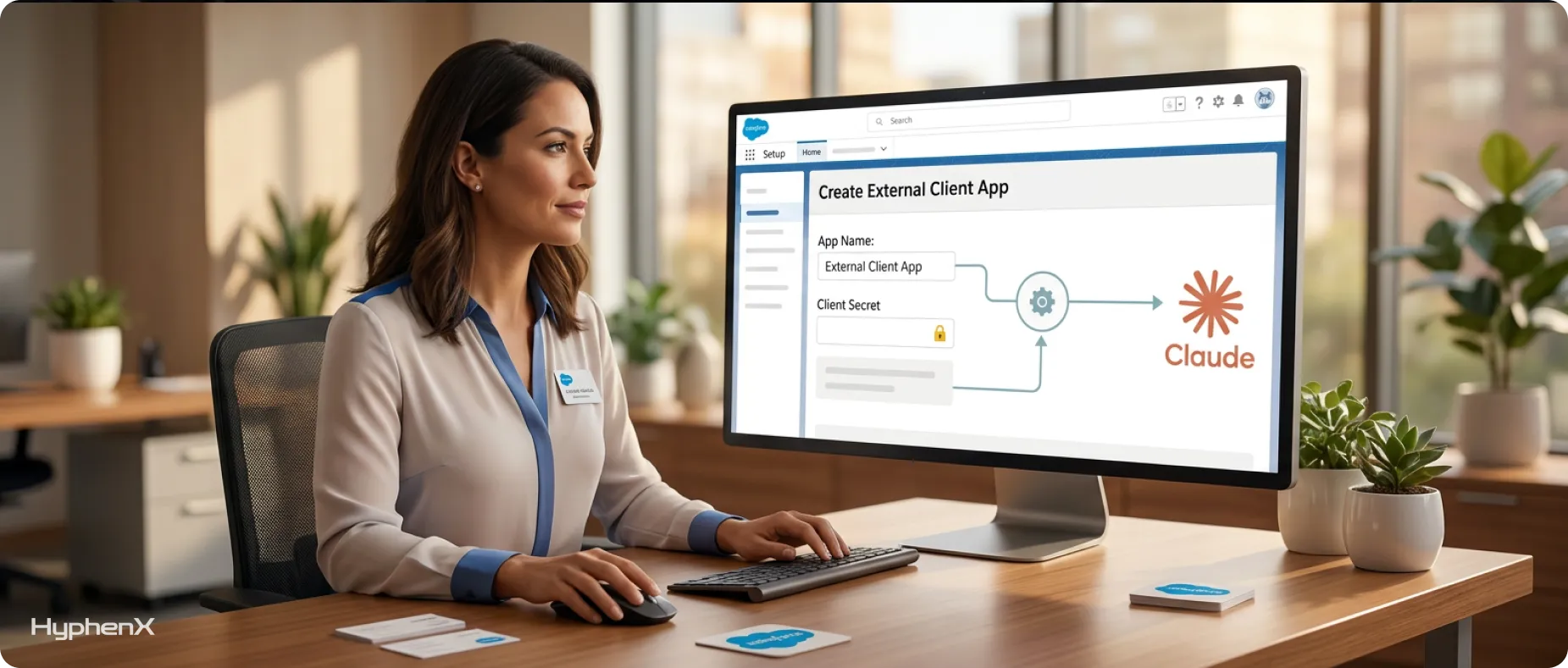
Create the External Client App (Salesforce admin)

The External Client App (ECA) tells Salesforce that Claude is allowed to request access on behalf of your users, and on what terms. Salesforce recommends a dedicated ECA for each MCP client rather than one shared app. Create a new one named for this purpose, even if you already have an ECA for another AI tool, because separate apps make access control and auditing much easier.

3.1 Create the app

  1. In Setup, search Quick Find for External Client App Manager and click New External Client App.
  2. Under Basic Information, enter an app name your team will recognize (for example “Claude Sales Plugin”), let the API name auto-fill, and add a contact email.
  3. Expand API (Enable OAuth Settings) and check Enable OAuth.

3.2 Configure OAuth and security settings

These are the settings that decide whether setup succeeds. They follow Salesforce’s documentation on creating an External Client App for hosted MCP servers and its Headless 360 workshop materials.

Setting

Value

What goes wrong if it is missing

Callback URL

https://claude.ai/api/mcp/auth_callback (exactly, no trailing slash)

Sign-in redirects fail. The URL must match character for character.

OAuth scope

Access Salesforce hosted MCP servers (mcp_api)

The token cannot call the MCP server. Salesforce created this scope so you do not have to grant the much broader api scope.

OAuth scope

Perform requests at any time (refresh_token, offline_access)

Users are forced to sign in again whenever the access token expires.

Require Proof Key for Code Exchange (PKCE)

Checked

The authorization code flow Claude uses depends on PKCE.

Issue JSON Web Token (JWT)-based access tokens for named users

Checked

Salesforce warns that sign-in can appear to succeed while MCP calls then fail with INVALID_AUTH_HEADER or INVALID_JWT_FORMAT.

Other flows (Client Credentials, Device, Token Exchange)

Unchecked

Hosted MCP servers support only the authorization code flow. Leaving other flows on adds risk without adding function.

About the consumer secret. Salesforce’s hosted MCP guides have you require PKCE and turn off “Require secret for Web Server Flow” and “Require secret for Refresh Token Flow.” Claude’s organization-level Salesforce connector, which the plugin uses, has fields for both the consumer key and the consumer secret, and Anthropic’s Help Center asks the Salesforce admin to send both. Providing the secret does no harm. What causes failures is the opposite case: if the ECA requires a secret and Claude does not send one, sign-in and consent succeed but the token exchange fails. Where your acceptance-email instructions specify a combination, use that one.

3.3 Harden the app before you save it

Salesforce’s guidance on securing hosted MCP servers recommends several controls. We apply all of them for client pilots:

  • Permitted users. Change the app policy from “All users may self-authorize” to admin-approved users, and pre-authorize the permission set you created in Step 2.2.
  • Refresh token policy. The default refresh token can last a year. Salesforce’s documentation suggests a shorter validity, such as 30 days, with refresh token rotation enabled.
  • IP restrictions. If your company requires network restrictions for SaaS access, apply them under App Authorization. Relaxing IP restrictions is common in pilots because Claude’s requests do not come from your office network, so agree this with your security team first.

3.4 Save and copy the credentials

  1. Click Create.
  2. Open the app’s Settings, then under OAuth Settings click Consumer Key and Secret. Complete email verification if prompted.
  3. Copy the consumer key and consumer secret, and send them to your Claude Owner through a secure channel (a password manager share, not email or chat).

Allow time for propagation. Salesforce notes that a new External Client App can take up to 30 minutes to become operational. If Claude returns invalid_client_id immediately after you create the app, wait and try again before changing anything.

Step 4: Enable the plugin in Claude (Claude Primary Owner or Owner)

4.1 Choose how the plugin is distributed

  1. In Claude, go to Organization settings > Plugins.
  2. Find Salesforce Marketplace.
  3. For each group, choose an installation preference:
    • Available to install: users see the plugin and can add it themselves. Best for a voluntary pilot.
    • Installed by default: the plugin is added for everyone in the group, and users can still manage it.
    • Required: the plugin is always on for the group. Use this only after the pilot, when the sales team has agreed it is part of the standard workflow.

If your Claude groups do not map to your sales teams yet, create a pilot group first. Aligning the Claude group with the Salesforce permission set from Step 2.2 keeps the two lists in sync.

4.2 Connect the Salesforce connector

  1. Go to Organization settings > Connectors.
  2. Select Salesforce (Beta).
  3. Paste the consumer key into OAuth client ID and the consumer secret into OAuth client secret, then save.

These steps follow Anthropic’s Help Center article on how to set up Salesforce in Claude for your organization.

This single organization-level connection replaces per-user MCP setup. Salesforce’s president of applications, Patrick Stokes, described this as the problem the plugin was built to solve: knowledge workers should not have to know what an MCP server is, or wire one up themselves.

4.3 Connect Slack (optional but recommended)

The plugin declares Slack as its only non-Salesforce connector. Connecting it lets skills read deal channels and account-team threads and prepare Slack drafts. Salesforce’s setup notes state that Slack content should stay a draft until the user approves the exact message and destination. You can add guidance to Claude’s instructions about which channels to use for deal summaries, lead handoffs and win announcements.

Email, calendar and document connectors (for example Gmail, Google Calendar and Google Drive) are not bundled with the plugin. Users can connect them separately if you allow those connectors. The core Salesforce skills still work without them, with less context.

Step 5: Activate the plugin for each user

Once Steps 1 to 4 are complete, each seller does the following:

  1. In Claude, open Customize > Plugins.
  2. Find and open Salesforce in Claude, click Add, and turn on the toggle if the admin has not already enabled it.
  3. Click Add to Claude. A window links to the AgentExchange public listing.
  4. Sign in with their own Salesforce account and approve the consent screen.
  5. Let the setup skill run. It asks about their role and book of business and personalizes the skills. Anthropic says it also creates a Claude artifact tailored to the seller.

Sellers then work in plain language, for example “Prep me for my renewal call with Northwind” or “Show me my accounts that haven’t been touched in 30 days.” When they want a specific workflow, they can call a skill directly with a slash command, such as /salesforce-for-sales:daily-briefing.

How approvals work

When Claude proposes a change to Salesforce, it shows the change first and offers three choices: Allow once, Always allow or Deny. Brief your pilot users on this before launch. “Always allow” is convenient, but during a pilot we recommend sellers stick to “Allow once”, so every change is reviewed while you are still learning how the skills behave with your data.

Step 6: Test before you widen access

Test before you widen access

A user successfully signing in is not the finish line. Run these checks with one admin and one ordinary pilot user.

6.1 Permission inheritance test

  1. Pick an account the pilot user cannot see in Salesforce (owned by another team, with no sharing).
  2. Signed in to Claude as that user, ask Claude to summarize the account. It should not return the record.
  3. Repeat the test with a field hidden by field-level security.

Stokes put the rule plainly: if you cannot see or own a record, the MCP server cannot either. If Claude can see anything the user cannot see in the Salesforce UI, stop the rollout and review the External Client App and the user’s permission sets. Our guide to running AI agents safely with permissions, data boundaries and human-in-the-loop controls covers the wider governance model.

6.2 Skill smoke tests

Prompt

What a good result looks like

“What needs my attention today?”

Today’s meetings, deals closing soon, overdue items and unread customer threads, with links to the Salesforce records

“Prep me for my next customer call”

Attendees, account history, open opportunities, recent activity and suggested discovery questions

“Review my pipeline”

Coverage by stage, aging, deals at risk, and hygiene issues such as missing next steps

“Check my pipeline for data problems”

A prioritized list of missing fields, stale close dates, stage mismatches and single-threaded deals, without changing any records

“Move the close date on the Northwind opportunity to December 15” (write test, if enabled)

A proposed change, an approval prompt, and the update visible on the record after approval

6.3 Check the logs

  • Login History (Setup > Login History) shows each Claude sign-in attempt and, if it failed, the real reason. This is often more specific than the message Claude shows.
  • OAuth Usage (Setup > OAuth Usage) shows which users have authorized your External Client App, and lets you revoke tokens for one user or everyone.
  • Event Monitoring. Salesforce logs hosted MCP activity. In the Event Log File Browser, filter the event type to API Total Usage and look for rows where API_CLIENT_CATEGORY equals SALESFORCE_HOSTED_MCP. You will see which users called which tools and which objects they touched.

If any test fails, fix one setting at a time and retest. Changing several settings at once makes the real cause impossible to identify.

Step 7: Roll out in phases

A setup that works for five people can still fail at 200. We use a three-phase rollout.

Phase 1: Pilot (two to four weeks)

  • 5 to 15 sellers and at least one sales manager, across more than one team if possible.
  • Read-only configuration and “Available to install” distribution.
  • Weekly check-in on which skills were used, which outputs were wrong, and why. Wrong outputs usually point to data problems (stale close dates, missing contact roles) rather than to Claude.

Phase 2: Controlled writes

  • Enable write access for the pilot group only.
  • Keep “Allow once” as the team norm.
  • Review a sample of Claude-made changes in field history each week.

Phase 3: Team rollout

  • Add users to the permission set and the Claude group in batches.
  • Switch distribution to “Installed by default” or “Required” for sales groups.
  • Publish short internal guidance: approved use cases, how approvals work, and who to contact when something looks wrong.

Give Claude your sales context

The skills work with your org’s own objects, field names, stages and permissions. What they cannot infer is your sales methodology. Salesforce’s plugin documentation says context such as your ideal customer profile, qualification framework, competitors and preferred writing style can be supplied through Claude’s instructions. Write this down once, centrally. It is the difference between a generic deal review and one scored against the way your team actually sells.

The plugin also includes a skill that builds a voice profile from a seller’s recent sent emails, so outreach drafts sound like them. It requires access to sent mail.


Settings reference: the governance controls in one place

Control

Where it lives

Recommended pilot setting

Which MCP servers are active

Salesforce Setup > API Catalog > MCP Servers

Only the server the plugin needs

Who can connect

External Client App policy (permitted users)

Admin-approved, pilot permission set only

What the token can do

External Client App OAuth scopes

mcp_api and refresh_token, nothing broader

How long sessions last

External Client App refresh token policy

Short validity (for example 30 days) with rotation

What data Claude sees

Each user’s profile, permission sets, field-level security and sharing

Unchanged; least privilege

Whether Claude can write

Tool restrictions on the connection

Read-only in Phase 1

Which Claude users get the plugin

Claude Organization settings > Plugins

“Available to install” for the pilot group

Per-change approval

User approval prompt in Claude

“Allow once” as the team norm

Audit trail

Event Log File Browser, Login History, OAuth Usage

Reviewed weekly during the pilot

What it costs

There is no single price tag for Salesforce in Claude. Your costs come from three places:

  1. Claude: a paid plan for every user, plus any usage-based charges your Anthropic agreement includes.
  2. Salesforce licensing: an eligible Sales Cloud Enterprise edition.
  3. Salesforce consumption: Stokes has said Salesforce charges for this usage through its headless consumption model, where your edition and user licenses determine how many API calls you can make. Customers contract separately with Anthropic for Claude itself.

Before a full rollout, check your org’s API allocation (Setup > Company Information shows API request limits). Estimate how heavily sellers will use daily briefings and pipeline reviews, which read many records at once.

Data handling and security questions your security team will ask

  • Does Claude get its own Salesforce account? No. Salesforce’s hosted MCP servers support only the authorization code flow, so every session is tied to an individual user. Salesforce states there is no option to run sessions under a shared integration user and calls that an anti-pattern.
  • Can Claude see more than the user? No. Object permissions, field-level security and sharing rules all apply, because tools run with the permissions of the user who signed in.
  • Is our data used to train models? Anthropic states it does not train its models on data from Team and Enterprise plans by default. Salesforce describes AIforce, the layer the plugin runs on, as operating with zero data retention by the model provider.
  • Can we see what Claude did? Yes. Actions are attributed to the signed-in user in Salesforce audit trails and Event Monitoring logs.
  • Can we shut it off quickly? Yes. Revoke tokens in OAuth Usage, deactivate the MCP server, or change the plugin’s distribution setting in Claude.

Common setup mistakes

  • Creating the External Client App before the AgentExchange acceptance arrives, then configuring it differently from the instructions in the acceptance email.
  • Leaving “Issue JWT-based access tokens for named users” unchecked. Sign-in looks successful and every tool call fails.
  • Requiring a client secret in Salesforce while leaving the secret field empty in Claude.
  • Testing only as a System Administrator, who can see everything, and missing the permission problems ordinary sellers will hit.
  • Activating extra standard MCP servers “just in case.”
  • Changing several settings at once after an error, which makes the real cause impossible to identify.

Frequently asked questions

What is Salesforce in Claude?

Salesforce in Claude is a plugin built by Salesforce that brings a seller’s accounts, opportunities and pipeline into Anthropic’s Claude. It is the first product of Claudeforce, the Salesforce and Anthropic partnership announced on August 26, 2026, and it entered beta on September 15, 2026. The plugin bundles 37 prebuilt sales skills, a Salesforce connector, a Slack connector and a setup skill that personalizes the experience. Sellers can research accounts, prep for calls, review pipeline and draft Salesforce updates in plain language, while Claude works under their existing Salesforce permissions.

How long does it take to set up Salesforce in Claude?

The configuration itself takes an afternoon once Salesforce has approved your beta request. Before that, allow time for the AgentExchange approval, which you cannot speed up. After you create the External Client App, Salesforce says it can take up to 30 minutes to become operational. Add time for a proper permission test with an ordinary pilot user, not an admin. Most teams can have a pilot group live within a day of approval, then run a two-to-four-week read-only pilot before rolling the plugin out to the wider sales team.

Which Salesforce editions support Salesforce in Claude?

During the beta, Anthropic lists the latest Sales Cloud Enterprise edition as the eligibility requirement for Salesforce in Claude. The plugin depends on Salesforce’s hosted MCP servers, which Salesforce made generally available in April 2026 for Enterprise Edition orgs and above. That means Professional Edition and Starter orgs cannot use the plugin during beta. If you are on a lower edition, your options are to plan an edition upgrade or wait for broader availability. Check your edition in Setup under Company Information before you submit the AgentExchange access request.

Which Claude plans include Salesforce in Claude?

Salesforce in Claude is available on all paid Claude plans: Pro, Max, Team and Enterprise. It is not available on the free plan. For a company rollout, Team or Enterprise is the practical choice. Claude Owners on those plans control which groups see the plugin, and whether it is available to install, installed by default or required. The plugin currently runs in Claude chat and Claude Cowork on web and desktop, so plan pilot training around those surfaces rather than Claude Code or the mobile app.

How much does Salesforce in Claude cost?

Salesforce has not announced a separate price for the plugin. Your cost comes from three places: a paid Claude seat for each user, an eligible Sales Cloud Enterprise edition, and Salesforce API consumption. Salesforce’s Patrick Stokes has said usage is charged through Salesforce’s headless consumption model, where your edition and user licenses determine your API allowance, while Claude is contracted separately with Anthropic. Before a wide rollout, check your org’s API request limits in Setup and estimate how often sellers will run daily briefings and pipeline reviews, which read many records.

Does each seller need their own Salesforce login?

Yes. Each seller signs in with their own Salesforce account the first time they open the plugin, and Claude then acts as that user. Salesforce’s hosted MCP servers only support the OAuth authorization code flow, so there is no option to run everyone through a shared integration user, which Salesforce describes as an anti-pattern. This keeps permissions accurate and audit trails meaningful: every read and every approved change is attributed to the named user in Salesforce logs, exactly as if they had done the work in the Salesforce interface.

Can Claude see Salesforce records a user cannot see?

No. Claude inherits the signed-in user’s object permissions, field-level security and sharing rules, so it can only read and act on what that user could see in Salesforce. The flip side matters: if a seller has broader access than they should, such as View All Data granted years ago, Claude will expose that access much faster than clicking ever did. Audit permissions before your pilot, and test with an ordinary user by asking Claude about a record and a field that user should not be able to see.

Will Claude update Salesforce records without asking?

Not by default. When Claude proposes a change, such as moving a close date or updating a stage, it shows the change first and asks the seller to choose Allow once, Always allow or Deny. Admins can go further and keep the connection read-only, which Salesforce recommends during the beta. In read-only mode the skills still produce briefings, call prep and pipeline reviews, and explain what should change so the seller can update Salesforce manually. Every approved write still runs through your validation rules and business logic.

Why does Salesforce sign-in succeed but Salesforce in Claude still fails?

The most common causes sit in the External Client App. If JWT-based access tokens for named users are not enabled, sign-in appears to work but MCP calls fail with errors such as INVALID_JWT_FORMAT. If the app requires a client secret and Claude does not send one, consent succeeds but the token exchange fails. A brand-new app can also return invalid_client_id for up to 30 minutes. Check Setup > Login History first, because it often shows the specific failure reason that Claude summarizes as a generic authorization error.

Can we limit Salesforce in Claude to a pilot group?

Yes, and you should. Restrict access in two places:

  • In Salesforce: change the External Client App policy so only pre-authorized users can connect, and assign a dedicated permission set to your pilot sellers.
  • In Claude: set the plugin to Available to install only for a pilot group, under Organization settings > Plugins.

Keeping the Salesforce permission set and the Claude group aligned keeps the two lists in sync. Start with five to fifteen sellers and one manager, then add users in batches after the pilot.

Need help with setup?

HyphenX Solutions helps Salesforce teams prepare their orgs for AI, from permission audits and data cleanup to pilot design and rollout for Salesforce in Claude, Agentforce and Slack. If you want a second pair of eyes on your configuration before you connect production data, talk to our Salesforce implementation services team.

Like what you see? Share with a friend.

Best CRM Software for Businesses: Why Companies Are Choosing Salesforce

Share with your community!

What's trending

Most Related Blogs

salesforce in claude
Salesforce Marketing Cloud    29 September 2026

Salesforce in Claude Not Working? 18 Common Errors and How to Fix Them

When Salesforce in Claude does not work, the cause is almost always in one of five places: eligibility…

Read More...
Is Your Salesforce Org Ready for Claudeforce A 12-Point Readiness Checklist
Salesforce Marketing Cloud    29 September 2026

Is Your Salesforce Org Ready for Claudeforce? A 12-Point Readiness Checklist

SEO Brief Item Details Meta title Claudeforce Readiness Checklist: 12 Checks for Your Org Meta description Is your…

Read More...
how to setup
Salesforce Marketing Cloud    29 September 2026

How to Set Up Salesforce in Claude: Step-by-Step Admin Guide (2026)

Salesforce in Claude is a plugin, built by Salesforce and distributed through Anthropic’s Claude, that lets sellers research…

Read More...
salesforce business analyst
Salesforce Marketing Cloud    24 September 2026

Salesforce Business Analyst vs Salesforce Admin: Roles, Responsibilities & When You Need Each

Salesforce teams often use the words “Admin,” “Business Analyst,” “consultant,” and even “product owner” as if they are…

Read More...
lwc aura
Salesforce Marketing Cloud    24 September 2026

LWC vs Aura: What’s the Difference and Which Salesforce Developer Do You Need to Hire?

If your Salesforce org has been customized for more than a few years, there is a good chance…

Read More...
How to hire a Salesforce Lightning developer: LWC skills scorecard and hiring checklist
Salesforce Marketing Cloud    23 September 2026

How to Hire a Salesforce Lightning Developer: Skills, LWC Expertise, Cost and Interview Questions

For most of your team, Salesforce isn’t a database. It’s the set of screens they work in every…

Read More...

Most Related Blogs

salesforce in claude
Salesforce Marketing Cloud    29 September 2026

Salesforce in Claude Not Working? 18 Common Errors and How to Fix Them

When Salesforce in Claude does not work, the cause is almost always in one of five places: eligibility…

Read More...
Is Your Salesforce Org Ready for Claudeforce A 12-Point Readiness Checklist
Salesforce Marketing Cloud    29 September 2026

Is Your Salesforce Org Ready for Claudeforce? A 12-Point Readiness Checklist

SEO Brief Item Details Meta title Claudeforce Readiness Checklist: 12 Checks for Your Org Meta description Is your…

Read More...
how to setup
Salesforce Marketing Cloud    29 September 2026

How to Set Up Salesforce in Claude: Step-by-Step Admin Guide (2026)

Salesforce in Claude is a plugin, built by Salesforce and distributed through Anthropic’s Claude, that lets sellers research…

Read More...
salesforce business analyst
Salesforce Marketing Cloud    24 September 2026

Salesforce Business Analyst vs Salesforce Admin: Roles, Responsibilities & When You Need Each

Salesforce teams often use the words “Admin,” “Business Analyst,” “consultant,” and even “product owner” as if they are…

Read More...
lwc aura
Salesforce Marketing Cloud    24 September 2026

LWC vs Aura: What’s the Difference and Which Salesforce Developer Do You Need to Hire?

If your Salesforce org has been customized for more than a few years, there is a good chance…

Read More...
How to hire a Salesforce Lightning developer: LWC skills scorecard and hiring checklist
Salesforce Marketing Cloud    23 September 2026

How to Hire a Salesforce Lightning Developer: Skills, LWC Expertise, Cost and Interview Questions

For most of your team, Salesforce isn’t a database. It’s the set of screens they work in every…

Read More...

Get in Touch

Ready to launch your next project? Fill out the form below.