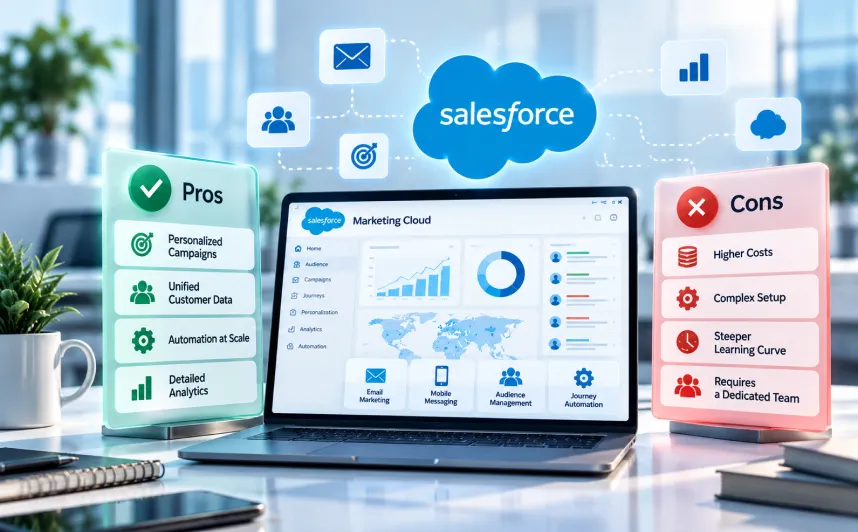

Salesforce Marketing Cloud can help a business connect its campaigns, use customer information, and automate follow-up messages. It also brings costs, setup work, and a learning curve that can be difficult for a small marketing team to manage.
The Salesforce Marketing Cloud pros and cons depend on the product you choose and the work you expect it to do. HyphenX Solutions provides Salesforce Marketing Cloud services; the examples below illustrate possible uses rather than report client results.
TL;DR: Salesforce Marketing Cloud Pros and Cons
Salesforce Marketing Cloud helps businesses automate campaigns, personalize customer messages, and manage marketing activities, but its costs and complexity require careful consideration.
- Key Benefits: Strong Salesforce integration, automated customer journeys, audience segmentation, personalized messaging, and support for larger, multi-brand marketing programs.
- Main Drawbacks: Higher overall costs, a steep learning curve, complex implementation, specialist requirements, scheduled data updates in some configurations, and ongoing maintenance.
- Product Differences: Marketing Cloud Engagement supports established email and mobile campaigns, while Marketing Cloud Next operates within the Salesforce platform. Features vary by product and edition.
- Our Verdict: Salesforce Marketing Cloud is worth considering for businesses with complex marketing needs, sufficient budgets, and dedicated teams. Smaller businesses with basic email requirements may find simpler platforms more practical.
Pros of Salesforce Marketing Cloud
The platform’s benefits are most useful when they solve a specific problem in your marketing process.
1. Uses Customer Information Already in Salesforce
Marketing teams can use customer information held in Salesforce to decide who should receive a message and what the message should say. That can reduce repeated list exports and give campaigns a closer connection to sales and service activity. For example, a team could use purchase history to distinguish new customers from returning buyers before planning a follow-up.
Engagement connects to this information through a configured connection, while Next works within the Salesforce platform. The benefit depends on accurate records and a reliable connection. Our Salesforce integration services address the wider task of connecting Salesforce with other business systems.
2. Connects Campaigns and Follow-Up Messages
A campaign does not have to end after the first email. Teams can plan a sequence that changes according to a customer’s actions, such as opening a message, clicking a link, or completing a purchase. This can make follow-ups more consistent and reduce the need to send each next message by hand.
For example, a welcome program could send an introduction first, offer useful guidance later, and stop a promotional reminder once the customer has bought. The available email, text, mobile, and WhatsApp options depend on the product, plan, and purchased messaging services. Confirm the channels you need before building the sequence.
3. Helps Teams Reach Relevant Customer Groups
Sending the same message to everyone can make a campaign less useful. Marketing Cloud lets teams organize customers into groups using available information, such as location, interests, previous purchases, or engagement. A retailer could separate customers who recently bought an item from those still considering it, then send each group a different message.
This gives marketers a more focused alternative to maintaining several disconnected lists. Some audience selection tools use visual controls, while more complex selections can require coding or specialist help. The advantage is the ability to define the right audience inside the platform, with the method depending on the product and the complexity of the campaign.
4. Makes Personalized Messages More Practical
Personalization can go beyond adding a first name. Teams can adapt message content using customer information, so different people receive material that better fits their needs. For example, a returning customer could receive guidance related to an earlier purchase, while a new customer receives an introduction to the service.
Templates and reusable content can make this approach easier to repeat across campaigns. Some plans also offer artificial intelligence tools for campaign creation and scoring. However, personalization is only as dependable as the information and rules behind it. Advanced requirements may need custom coding, and every variation should be checked before a campaign goes live.
5. Supports Larger Marketing Programs
Marketing Cloud offers plans with different contact and message allowances, giving businesses options as their campaigns grow. A team moving from a few periodic sends to several recurring programs can plan its capacity around expected audiences and messaging volume. This is useful when one business needs welcome messages, purchase follow-ups, and repeat-customer campaigns running together.
The benefit is having options for a larger program rather than having to choose solely around today’s smallest campaign. Growth still requires a capacity and budget review. Larger allowances do not guarantee better results, and your team should confirm message limits, contact counting, and extra charges before selecting a plan.
6. Supports Separate Brands and Regional Teams
Businesses with several brands or regions may need different campaign owners, permissions, and local settings. Marketing Cloud can support separate workspaces, called business units, where the purchased product and plan allow them. This can help teams coordinate a wider marketing program while keeping brand-specific responsibilities clearer.
For example, a regional team could manage its own content and campaign schedule while following company-wide standards. The arrangement needs careful planning because access, customer information, and unsubscribe settings affect how the teams work together. Confirm which workspaces are included and which require an additional purchase before treating this as a benefit of your chosen package.
Cons of Salesforce Marketing Cloud
The disadvantages affect budget, launch effort, and the work needed after launch. These are practical limitations to weigh alongside the benefits, even when there are ways to reduce their impact.
1. Costs Can Extend Beyond the Subscription
The subscription is only one part of the budget. Setup, connections to other systems, training, specialist work, and ongoing support can add to the expense. Depending on the product, some messaging, customer profiles, artificial intelligence usage, and extra workspaces are also priced separately. A company can therefore choose a package it can afford and still underestimate the cost of running it.
This matters most when the marketing budget is tight or the expected return depends on a small number of campaigns. Ask for the first-year project cost and the recurring running cost separately. A larger feature list has limited value if your team cannot fund the work required to use it.
2. New Users Need Time and Training
A visual campaign builder does not make the whole platform simple. Users still need to learn where customer information comes from, how audiences are selected, how campaign rules work, and how to check a send before launch. Someone comfortable writing emails may need additional training before managing an automated program with several steps.
The practical cost is time: early campaigns can take longer to prepare, review, and troubleshoot. A business expecting every marketer to work independently from day one may find that frustrating. Start with the tasks each person will actually perform and allow time for supervised practice. Training reduces the difficulty, but it does not remove the learning effort.
3. Advanced Campaigns May Need Specialist Support
Basic templates and visual tools can cover some everyday work. More complex targeting, custom message content, and connections to other systems may require coding or help from an experienced administrator or developer. This can create a gap between what the platform can do and what a marketing team can deliver on its own.
For example, changing an advanced audience rule may become a request to a specialist rather than a quick edit by the campaign owner. That adds coordination, review time, and possibly cost. Ask a provider to demonstrate your actual requirements and show which tasks your team can manage independently. Buying a capable platform does not automatically provide the skills to use all its capabilities.
4. Setup Requires More Than Turning the Platform On
A useful launch involves choosing the product, preparing customer information, connecting systems, setting permissions, building campaign content, and testing the first sends. Moving from another platform can also involve reviewing existing messages and rebuilding campaign rules. The subscription itself does not complete this work.
For a team with an urgent launch date, those dependencies can delay the first useful campaign. Our Salesforce implementation planning covers requirements, configuration, data preparation, testing, and user adoption. For Marketing Cloud, agree which campaigns must launch first and what information each needs. A written scope makes the effort easier to judge, but the timing still depends on the systems and requirements involved.
5. Some Customer Updates Arrive on a Schedule
In Engagement, synchronized Salesforce customer information can update on a configured schedule. A recent purchase or record change may therefore reach a campaign later than the team expects. For example, if a campaign uses that scheduled information, it could continue treating someone as a prospect until the next update reflects their purchase.
This limitation applies to that update method, rather than every possible campaign or connection. Salesforce’s synchronized-data guidance explains the scheduled approach. Next supports real-time triggers for suitable setups, but shared data does not mean every message arrives instantly. Ask how your specific information reaches the campaign and test the full path from customer action to response.
6. The Platform Needs Ongoing Management
Automation reduces repetitive sending, but someone still has to own the system. Customer records need attention, campaign rules need review, permissions change, and failed connections or incorrect messages need investigation. With several brands, the team must also agree who controls shared settings and how unsubscribe requests apply across campaigns.
This creates a continuing workload after the launch project ends. Reliable customer data cleanup and migration can improve the starting point, while ongoing Salesforce support can help maintain the setup. Neither replaces the need for a named business owner. Without clear responsibilities, a complex campaign can become difficult to update or diagnose when the original builder leaves.
How Salesforce Marketing Cloud Pros and Cons Play Out in Real Campaigns
The advantages and limitations become easier to judge when you follow a complete campaign. Salesforce’s journey examples include welcome, promotional, reengagement, and retention programs. The scenarios below are illustrations, not client results. Confirm that your purchased product supports the channels and connections required for your version of the campaign.
Welcoming a New Customer
A welcome program can introduce a service in stages rather than overwhelm someone with one long email. The first message might explain how to begin, the next might answer common questions, and a later message might offer help. The benefit is a consistent introduction that continues without a marketer preparing every send separately.
- Customer Progress: Stop sending setup instructions once a customer has completed the process.
- Accurate Customer Data: Track customer actions to ensure messages reflect their current progress.
- Clear Automation Rules: Define when messages should change, continue, or stop based on customer activity.
- Performance Tracking: Measure completed setups and customer engagement rather than just the number of emails sent.
Following Up After a Purchase
A purchase creates opportunities to send useful guidance, explain care or maintenance, or introduce a related service. Personalization can help match that information to what the customer bought. For a business with several product ranges, a shared campaign framework could make those follow-ups more consistent while allowing different content for different purchases.
- Order Accuracy: Confirm purchase details before triggering personalized follow-up messages.
- Cancelled Orders: Prevent customers from receiving product guidance after cancelling their purchases.
- Return Management: Adjust follow-up messages when customers return or exchange purchased products.
- Data Synchronization: Keep purchase records and customer information updated to avoid irrelevant recommendations.
Reaching Customers Who Have Gone Quiet
A reengagement program can distinguish recent customers from people who have not interacted for some time. The useful part is choosing an audience with a clear reason to receive the message, such as a relevant product update or service reminder. That is more focused than sending the same discount to the entire contact list.
- Customer Inactivity: Recognize that customers may stop engaging because their needs or interests have changed.
- Outdated Contacts: Check email addresses and contact information before restarting communication.
- Follow-Up Frequency: Set reasonable limits to avoid overwhelming inactive customers with repeated reminders.
- Engagement Monitoring: Review responses and stop campaigns when continued outreach produces little meaningful engagement.
Coordinating a Campaign Across Brands
A group with several brands can use shared standards while letting each team adapt its wording, offers, and timing. That can support local relevance without requiring every region to invent the campaign from the beginning. The advantage is especially useful when approved templates and campaign rules can be reused across a wider program.
- Audience Overlap: Identify customers shared across multiple brands to prevent repeated or conflicting promotional messages.
- Campaign Scheduling: Maintain a shared marketing calendar to coordinate campaign timing across brands and regions.
- Consistent Campaign Rules: Establish common guidelines for messaging, approvals, and customer communication while allowing local flexibility.
- Clear Team Responsibilities: Assign ownership of shared settings, audience management, and campaign reviews to avoid confusion between teams.
Is Salesforce Marketing Cloud Worth It?
It is worth considering when you need several connected campaigns, use Salesforce customer information, and can assign people and budget to running the platform. Its strongest advantages are coordinated follow-ups, relevant targeting, personalized messages, and room to support larger marketing programs.
It may be more than you need if you send an occasional newsletter or want a tool that one person can launch and maintain with little help. Compare the full running cost and the work involved with the value your campaigns could realistically deliver.
What Customer Reviews Add to the Pros and Cons
Salesforce Marketing Cloud reviews can help you identify questions to test in a demonstration. Customer feedback on G2 and Capterra includes positive experiences with campaign automation and customer-data connections, alongside concerns about complexity, learning effort, and cost.
Read reviews from teams with requirements similar to yours. Check the review date and product used before applying a complaint or benefit to your own purchase. An overall rating does not show how easily your team can build a campaign, what your setup will cost, or which features your plan includes.
Reporting Benefits and Limits: Can You Connect Campaigns to Results?
Reporting is another part of the Salesforce Marketing Cloud pros and cons. Campaign activity can help you understand what happened, but it does not automatically explain why a customer bought. Salesforce’s campaign-reporting guidance describes tools for Marketing Cloud Next and notes that available options depend on the edition and setup.
Separate Message Activity From Business Outcomes
Start with the action the campaign exists to support: a completed purchase, a booked appointment, a renewal, or a useful sales conversation. Delivery and clicks can help explain the path to that result, but they are supporting measures. A campaign can generate plenty of clicks without bringing the customers or inquiries your business actually needs.
For example, a service campaign might receive fewer clicks than a broad promotional email but produce more qualified appointment requests. Compare those outcomes before declaring the promotion more successful. Agree how requests will be recorded and what makes one qualified. Without that shared definition, marketing and sales can look at the same campaign and reach different conclusions.
Check What the Report Includes
Marketing Cloud Next can relate campaign engagement to sales opportunities through a feature that must be enabled and configured. This can make the connection between marketing activity and recorded sales easier to inspect. It still relies on the right customers being connected to the right sales records. Missing relationships can leave part of the picture out.
Ask for a sample report built around your own question. If you want to see which campaign contributed to renewals, confirm where renewal information comes from and how it reaches the report. Do not assume a dashboard shown during a demonstration is included in every plan or already configured for your business. Review the reporting scope alongside the campaign scope.
Treat Email Opens With Care
Apple’s Mail Privacy Protection can download email content in the background even when a person has not engaged with the message. That means a recorded open is not always a dependable sign of interest. This is a measurement limitation affecting email marketing generally, rather than a problem unique to Salesforce.
Use several signals when judging a campaign, including relevant clicks, completed forms, purchases, and customer feedback. Where practical, compare similar customers who received a campaign with a comparable group who did not. We recommend this as a way to investigate additional value, not as proof that every recorded sale was caused by a message.
Why More Email Does Not Automatically Mean Better Delivery
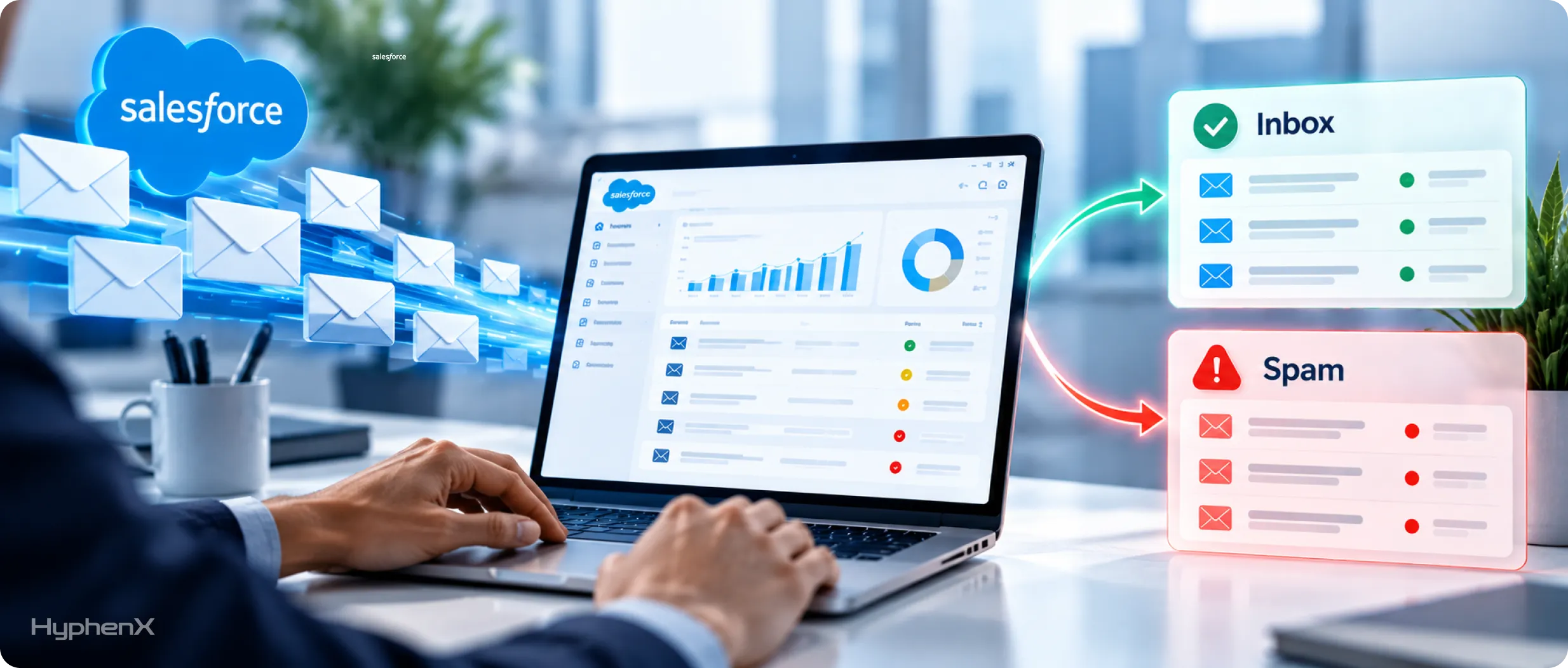
Large messaging allowances help a business plan volume, but they do not guarantee that messages reach the inbox. Salesforce’s sender-reputation guidance explains that delivered email can still land in a spam folder. This is an important limit to consider alongside the platform’s ability to support larger campaigns.
Sending Capacity and Inbox Placement Are Different
The platform can process a campaign while the receiving email provider decides where each message belongs. Past sending behavior, complaints, rejected messages, and subscriber engagement can affect that decision. Moving to a different platform does not erase the history of an unsuitable audience or make an invalid address work again.
Salesforce’s Next delivery guidance also explains that confirming the sender’s identity does not guarantee inbox placement. Treat delivery as a continuing responsibility, not a result included with the subscription. When reviewing performance, distinguish messages that were sent, messages that were rejected, and evidence that people actually interacted with the content.
A New Sending Setup Needs a Careful Start
Salesforce’s sending-setup guidance describes the need to build a positive sending history when a new sending setup is introduced. In plain language, the team should begin conservatively and increase volume with care. The right approach depends on the purchased setup, audience quality, and response to early sends.
For your campaign plan, that means allowing room to review early delivery results before a large launch. Do not assume the full licensed allowance is the right first-send size. A gradual start also gives the team a chance to identify content, address, or targeting problems before those problems affect a much larger audience.
Useful Targeting Can Protect the Value of Automation
Audience selection is a benefit because it helps you send messages to people with a relevant reason to receive them. That benefit weakens when the business repeatedly contacts stale records or keeps sending after recipients lose interest. High volume can multiply a poor decision just as readily as it can extend a useful campaign.
Review rejected messages, complaints, and changes in engagement alongside sales outcomes. Agree who investigates a sudden decline and who can pause a campaign. This adds work, but it helps protect the value of the wider program. The goal is a dependable relationship with the audience rather than simply using every available message.
Who Should Consider Salesforce Marketing Cloud?
It is worth evaluating when customer information already lives in Salesforce, several campaigns need to work together, and your team can assign people and budget to managing the platform. Businesses with recurring follow-ups, larger audiences, or several brands have more reasons to investigate its capabilities.
A smaller audience does not automatically rule it out, and a large audience does not automatically make it the right choice. The deciding factors are the campaigns you need, the value they can deliver, and whether the running cost and workload are manageable.
If your needs are limited to occasional newsletters or straightforward follow-ups, compare simpler options before committing. Our marketing automation platform comparison provides a starting point for looking at alternatives. Ask each provider to demonstrate the same campaign so you can compare the work your team would actually perform.
What to Check Before You Buy
- Confirm the product and plan. Ask for the exact names on the quote, then check which campaign tools, messaging channels, and workspaces are included and which need an additional purchase.
- Test a real campaign. Use a sample of your customer information and ask your marketers to build or review the workflow. Note where they need specialist help or extra training.
- Check customer information and update timing. Confirm where records come from, how duplicates are handled, how contacts are counted, and how quickly a customer action can affect a message.
- Compare the complete budget. Separate the subscription, setup, training, additional usage, and ongoing support. Estimate an ordinary month and a busier period so the quote reflects your expected activity.
- Agree ownership and access. Name the people responsible for customer records, campaign approval, permissions, and unsubscribe handling. Decide how the rules apply when several brands or regions share the platform.
- Plan the first launch and handover. Define the initial campaigns, acceptance checks, support responsibilities, and documentation. Make sure another trained person can manage the system when the original builder is unavailable.
What a Small Pilot Should Prove Before You Expand
A pilot is a limited campaign used to test the assumptions behind a purchase or wider rollout. It should answer whether the platform can do the job, whether the team can manage it, and whether the result is useful. The checks below are our recommended evaluation approach, rather than a standard Salesforce implementation schedule.
Choose a Campaign With a Clear Finish
Select one program with an outcome you can observe, such as helping new customers complete an initial task. Define the audience, starting event, message sequence, and point at which the campaign should stop. Keep the scope narrow enough to inspect the experience from the customer’s first action to the final outcome.
Write down what would count as a useful result before launch. Include a business measure and an operating measure, such as completed setup and the time needed to prepare the campaign. This keeps the pilot from becoming a demonstration of attractive screens while leaving the cost and workload questions unanswered.
Test the Less Convenient Customer Paths
A test should include someone with missing information, someone who has already completed the task, and someone who should not receive the campaign. Also consider a customer whose circumstances change during the sequence. These examples reveal whether the rules handle ordinary exceptions rather than only the cleanest customer record.
Engagement’s journey-testing documentation describes a simulation that checks expected paths without sending messages. It does not reproduce actual waiting periods or test custom campaign steps. Use it for what it checks, then arrange separate checks for actual message appearance, timing, and any custom connections your campaign relies on.
Let the Future Campaign Owner Use It
Ask the person who will run the campaign after launch to make a typical update, review a result, and investigate a sample problem. The pilot should reveal where they are comfortable and where they need training or specialist support. A campaign that works only when its original builder is present carries a continuing dependency.
Record the tasks that require help and how long approvals or fixes take. This makes the learning curve and specialist requirement easier to judge in practical terms. It also gives your team evidence for deciding whether to simplify the campaign, provide more training, or include ongoing technical help in the budget.
Use the Result to Make a Specific Decision
At the end, compare the pilot with the conditions agreed at the start. Did the intended people receive the right messages? Did the unwanted paths stop? Could the team maintain the campaign? Was the result worth the preparation and running effort? Note what remains untested instead of extending the conclusion to every future campaign.
The decision can be to expand, make a focused correction, or pause. A successful pilot supports repeating the tested approach; it does not remove the need to review new channels or more complex audiences. Add complexity when it serves a clear customer need and the team can support it.
How to Judge Salesforce Marketing Cloud Value Across the First Year

A useful review ends with the relationship between benefits and cost. Salesforce’s published marketing prices are a starting point for understanding the software options. Your decision should also consider when useful campaigns can launch, how much work they remove, and the cost of keeping them dependable. The method below is our suggested planning approach, not a promised financial result.
Compare the Platform With Your Current Process
Record how the same campaign works today. Note the time spent preparing lists, checking customer information, sending follow-ups, and producing reports. Include repeated corrections and the effort involved when a campaign owner is unavailable. These details help you judge whether automation removes meaningful work or simply moves it into a more complex system.
After the pilot, compare similar tasks and audience sizes. A reduction in preparation time can be useful even before sales change. However, time saved only becomes valuable when the business can use it productively. If staff still spend the same hours repairing audience rules or waiting for specialist changes, the expected efficiency benefit may be smaller than it first appeared.
Allow for a Gradual Build-Up of Value
The business pays for the platform before every planned campaign is necessarily live. Early work may focus on a narrow audience while later programs depend on additional content, connections, or training. A first-year estimate should reflect that sequence instead of assuming the entire marketing plan produces a full year’s benefit from the first day.
Use cautious assumptions for launch dates and the number of campaigns the team can maintain. Separate benefits already observed in a pilot from benefits that remain forecasts. Review those assumptions when scope changes. Adding a channel or another regional team can bring a useful opportunity while also increasing preparation, review, and support work.
Compare Added Profit With Complete Cost
Revenue is not the same as the amount available to cover a platform’s cost. A purchase also carries product or service delivery costs. For an illustrative calculation, if the full annual program costs $30,000 and each additional purchase contributes $100 after direct delivery costs, recovering that amount through additional purchases alone would require 300 purchases.
Those figures are examples, not Salesforce prices or expected results. Replace them with your own numbers and avoid treating every purchase after an email as an additional sale caused by the platform. Count verified savings separately so that the same benefit is not added twice. Include internal work and recurring support in the cost estimate.
Review the balance during the year rather than waiting until renewal. Keep campaigns that provide useful customer outcomes, simplify ones that create more work than value, and investigate ones whose results remain unclear. This makes the pros and cons part of a continuing business decision instead of a feature comparison that ends when the contract is signed.
How HyphenX Helps You Evaluate the Fit
HyphenX can help assess campaign requirements, customer information, system connections, and the work involved in a launch. Our Salesforce consulting services support that planning before a larger implementation decision. The assessment should identify what your team can manage, where specialists are needed, and which costs belong in the scope.
Bring a sample campaign, your expected audience size, and the systems that hold your customer information. We can use those requirements to discuss whether Marketing Cloud fits the job and what a practical first phase would include.
250+ Certified Specialists Supporting Your Salesforce Success
At HyphenX Solutions, we have 250+ certified specialists who help businesses plan, implement, optimize, and manage complex technology solutions. Our team brings technical expertise and practical experience to Salesforce Marketing Cloud projects, helping organizations address integration challenges, improve customer data management, and build effective marketing automation workflows.
From selecting the right Marketing Cloud edition to configuring campaigns, testing integrations, and providing ongoing support, we focus on solutions that match your business requirements. Our goal is to reduce implementation complexity, improve platform adoption, and help your marketing team get more value from its Salesforce investment.
Salesforce Marketing Cloud FAQs
1. What Are the Main Pros and Cons of Salesforce Marketing Cloud?
The main benefits are connected campaigns, customer targeting, personalization, larger messaging options, and support for several brands. The main limitations are total cost, learning effort, specialist requirements, setup work, scheduled updates in some configurations, and ongoing management.
2. Is Salesforce Marketing Cloud Worth It?
It can be worth it when your campaigns need connected Salesforce information and your team can fund setup, training, and ongoing management. Compare those costs with the value of your actual campaigns rather than choosing by features alone.
3. Does Salesforce Marketing Cloud Suit Small Businesses?
Business size alone does not decide the fit. A small team with complex campaigns may benefit, while one sending occasional newsletters may prefer a simpler option. Consider campaign needs, available skills, workload, and the full budget.
4. Do You Need Coding Skills to Use Salesforce Marketing Cloud?
Some tasks use templates and visual builders, so every user does not need to code. Advanced audience selection, custom content, and system connections may need specialist help. Ask for a demonstration that uses your own campaign requirements.
5. What Is the Difference Between Engagement and Next?
Engagement uses a separate marketing environment connected to Salesforce information. Next runs within the Salesforce platform. Their campaign tools, update methods, and plans differ, so confirm which product a feature or limitation refers to before making comparisons.
6. How Much Does Salesforce Marketing Cloud Cost?
Published starting prices vary by product and plan. The complete budget can also include setup, training, extra messaging, additional usage, and ongoing support. Review current Salesforce pricing as a starting point, then request a detailed quote.
7. How Long Does Salesforce Marketing Cloud Implementation Take?
The timeline depends on campaign scope, connected systems, data preparation, testing, and training. A focused first phase can be planned separately from later expansion. Ask for a written schedule tied to your requirements rather than a general launch promise.
8. What Should You Check Before Buying Salesforce Marketing Cloud?
Confirm the product, included features, contact limits, update timing, and complete cost. Test a real campaign and identify specialist needs. Agree who owns the platform after launch, including campaign checks, customer records, permissions, and support responsibilities.
9. Can Salesforce Marketing Cloud Automate Customer Journeys?
Yes. Teams can automate welcome sequences, purchase follow-ups, reengagement messages, and other campaigns. Available channels and triggers depend on the Marketing Cloud product and edition. Test campaign rules, stopping conditions, and customer actions before launching automated journeys.
10. How Does Salesforce Marketing Cloud Support Personalization?
Salesforce Marketing Cloud uses available customer information to create relevant audiences and adapt messages based on interests, purchases, or engagement. Effective personalization depends on accurate records, clear campaign rules, and testing. Advanced requirements may need specialist configuration.
11. Can Salesforce Marketing Cloud Manage Multiple Brands?
Yes. Marketing Cloud Engagement supports separate business units, depending on the purchased configuration. Teams can manage brand-specific campaigns while maintaining shared standards. However, permissions, customer records, campaign schedules, and unsubscribe settings require careful coordination.
12. Does Salesforce Marketing Cloud Guarantee Email Deliverability?
No. Sending more emails does not guarantee inbox placement. Sender reputation, contact quality, engagement, and complaint rates affect delivery. Businesses should maintain clean contact lists, introduce new sending setups carefully, and monitor campaign performance regularly.
13. Can Salesforce Marketing Cloud Track Campaign ROI?
Salesforce Marketing Cloud provides reporting capabilities that can connect campaign activity with business outcomes when configured correctly. However, clicks and email opens alone cannot prove revenue impact. Teams should track conversions, qualified leads, sales contributions, and campaign costs.
14. What Is the Difference Between Marketing Cloud and Account Engagement?
Marketing Cloud is Salesforce’s broader marketing product family. Account Engagement, formerly Pardot, focuses on B2B lead nurturing and marketing automation. Engagement and Next offer different marketing capabilities, so businesses should compare individual products rather than treating them as interchangeable.
15. How Should Businesses Test Salesforce Marketing Cloud Before Implementation?
Start with a limited pilot campaign using a defined audience, measurable goals, and realistic customer information. Test automation rules, message timing, data updates, and reporting. Let future campaign owners evaluate the workflow before expanding implementation.